von Telerik - Produkttyp: Komponente / .NET WinForms
Telerik Reporting by Telerik
Telerik Reporting is designed for developers who need a flexible, solid, royalty-free solution to easily design a wide range of reports. The product offers a very convenient object model and solid Visual Studio 2005/2008 integration which simplifies the generation of Win, Web and PDF reports. Drag and drop databinding, ability to plug in custom renderers and Visual Studio-identical datasource wizard are just a few of the features that enhance the developer experience and increase productivity. The licensing model meets the needs of the professional developers - with the valued added Subscription option you receive a Gold Support Package (up to 24h response time), full C# source code, redistribution rights and free updates for the latest products for one year. The tool works without license keys and can be freely deployed on an unlimited number of development, testing and production servers. Hundreds of code samples and comprehensive documentation are provided to accelerate your learning.
Fine-grained CSS-like styling - Telerik Reporting introduces an advanced, and much enriched styling mechanism through its build-in styling model, which closely follows CSS specifications. This model provides for quicker and very fine-grained visual customization of all reporting controls, all in the Visual Studio designer. This CSS-like mechanism offers full control over the item’s background, images, colors, borders, styles, paddings, etc.
You can assign styles to one or more reporting items by using the known CSS selectors: Type, Attribute, Style, and Descendant. Styles can also be applied globally and then saved to an external file for later use. If extra control over visual appearance is needed, cascading styles can be applied manually.
Variety of export formats - Telerik Reporting supports out-of-the-box the most commonly used output formats:
MHTML (Web Archive)
Excel
Word
Image (EMF, BMP, JPEG, GIF)
Flexible rendering mechanism - Output formats are implemented as Rendering Extensions - not a hardcoded set of output formats. You can easily add new output formats (XML, XPS,…) by creating a new rendering extension. The document builder will then handle the new format for you just like the out-of-the-box formats.
Extensible object model - You can easily customize the built-in reporting items or create new ones. You can either inherit from some of the existing reporting items or create a new one from scratch.
Full design time support for VS2005 - All reports created with the Telerik Reporting tool can be fully customized through VS2005 design time. You can style any report to your preference, add/remove items and groups, and even preview the report through the provided HTML Preview mode for Web, and the Preview mode for Windows Forms.
In addition to the regular design-time characteristics, Telerik Reporting offers two additional tools for better report management:
Report Explorer - this tool window displays the tree representation of the report structure with all items that are present. Using the Explorer, you can quickly access any element in your report, which makes it much easier to work with large, complicated reports.
The Data Explorer tool window shows the relevant data sources of the report:
Rich set of measurement units - A typical challenge in report design is the precise layout and sizing of elements for the purposes of proper printing and viewing in different formats. Telerik Reporting supports a variety of measurement units, which can be used for any element, including borders, padding, and even font sizes. Examples:
Font.Size=1cm
BorderWidth.Left=2mm
You can also use combinations of different measurement units where appropriate. A default report measurement unit allows you to quickly enter dimensions and positions without specifying the unit.
Available Windows and Web report viewers - For complete control over viewing reports, the Telerik Reporting offers Windows Forms and Web Viewers, which guarantees that you will always get the same look and feel of your reports. Both viewers are also available within VS2005 with individual design-time support.
What Is New in Telerik Reporting Q3 2008?
The Q3 2008 version of Telerik Reporting gets a completely new report rendering engine, which allows for speedy report generation, better allocation of server resources, and enhanced report layout management. The new engine has been developed to meet the exhaustive needs of our business customers for first-rate performance and data presentation.
The new Report Rendering Engine offers:
Excellent rendering performance by optimizing the usage of system resources (memory consumption and processor loads) during data processing and report generation to meet the high demands of our enterprise customers who need to process large data sets;
Optimal paging layout (used in page-aware formats, such as PDF)
Q3 2008 comes with new paging logic by introducing a superior and more sophisticated algorithm for calculation and inspection of pages before they are rendered. The new algorithm renders reports optimally, taking full advantage of available page space, especially when there are large blocks of text/data which span over one page;
What’s new in Telerik Reporting Q2 2008?
New Report Items
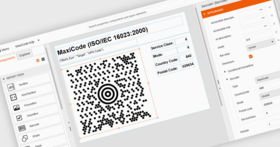
Barcodes - The Telerik Reporting Barcode Item can be used to create universal barcodes for any type of business use, be it sales, document or product tracking. The internal Telerik barcode engine will support over 20 widely used industry barcode standards, including:
EAN (8, 13, 128)
UPC (A, E)
MSI
Standard 2 of 5
Interleaved 2 of 5
Code (11, 39, 93, 128)
Checkbox item - The checkbox item offers checked, unchecked, and indeterminate states with support for expressions, conditional formatting, custom styling, etc.
New Features and Enhancements
Support for ASP.NET AJAX - In Q2 2008 you can show, hide, or update your Web Viewer through ASP.NET AJAX’s UpdatePanel. For extra compatibility you can also use Telerik’s own RadAjaxPanel and RadAjaxManager to refresh the Web Viewer.
Improved External Style Sheets Referencing - added the ability to reference external style sheets from local path, relative path, resource, and/or URL for extra flexibility when using style sheets.
Document Names - When exporting reports, you can dynamically name the exported file based on the built-in expressions. Expressions support parameters, fields, user defined functions, etc. and give you full control over the naming conventions of the exported files.
Report Converters - The built-in report converters have been updated and support the latest versions of Crystal Reports, Xtra Reports, and Active Reports.
What’s new in Telerik Reporting Q1 2008?
New Report Designer
Export to RTF
Report Parameters UI
Label Report Wizard
Report Viewer Localization
Improved Documentation
Vertical Text
Support for Safari 2.0+ web browser on Mac OS X
New RadChart series types: StackedLine and StackedSpline
RadChart automatic text-wrapping functionality
Telerik Reporting Q3 2007 highlights include:
Full Visual Studio .NET 2008 support - During the installation process Telerik Reporting Q3 2007 detects whether VS2005 and/or VS2008 are installed, and adds the needed items in the respective toolbox
Export to Excel - New in Telerik Reporting Q3 2007 is the Excel Rendering Extension, which produces Excel files without relying on Microsoft Office being installed, so no additional costs are involved. The Excel Rendering Extension also preserves the look and feel of the original report and gives you the opportunity to manipulate further the data. Exported files can be opened by the user with Microsoft Excel 97 and later
Dynamic Layout - Telerik Reporting now offers a way to provide dynamic layouts by docking/anchoring report items. Docking a report item causes its edges to adhere to the edges of its container. When a report item is docked to an edge of its container, it is always positioned to flush against that edge when the container is resized. Anchoring is used to dynamically resize report items with their container. It keeps the distance between the edge of the report item and the corresponding edge of the container in which it is anchored
Versatile Configuration - The latest version provides for specifying rendering extension parameters directly in your application’s configuration file to override the default report rendering behavior. Additionally you can determine which rendering extensions will be available at runtime. The parameters of the rendering extensions can be passed programmatically, using the IRenderingExtension.Render method, so that a concrete rendering operation uses settings different than the ones defined in the configuration file and the rendering extension defaults.
RTL Language and Globalization Support - Due to business globalization, the need of multi-lingual and culturally aware applications is a requirement. Telerik Reporting is now culturally aware and you can have your reports use more than one culture at the same time. The cultures can be applied to the whole report or to specific items. Culture determines the way date, time, numbers and currencies are displayed, and specifies the appropriate text direction (LTR or RTL). This means that Telerik Reporting now can be used with any RTL language, such as Hebrew and Arabic. Globalization is fully supported in all export formats (HTML, TIFF, PDF, Excel).
TIFF compression types - The TIFF format is one of the most versatile and diverse image formats. The extensible nature and support for numerous types of data compression, allows the developers to customize the TIFF output to any particular requirement
What’s new in Telerik Reporting Q2 2007?
New "Report Wizard" with predefined themes and templates - The “New Report” wizard has been extended and now includes predefined report templates with themes to help you design your report in true click-and-go fashion.
Conditional Formatting Builder - Design your reports with the help of the new Conditional Formatting feature much like you would do in Microsoft Excel©.
Filtering - Telerik Reporting comes with an intuitive filtering mechanism with helpful expression presets. Instead of building expressions to show the top N performers in a category, simply set the filter to the TOP N and you are done
Integrated Expression Builder - Parameters can be created and/or set through the intuitive Expression Builder, where you also set a specific filter clause. There is no need to write code, nor event handlers. Full control over conditional formatting, grouping, filtering, and even sorting is achieved with a few mouse clicks.
Format builder - Following established usability standards, Telerik Reporting now features an item Format Builder which will assist you in formatting report items in Microsoft Excel© fashion.
True Printing through the Web Viewer - Telerik Reporting does not depend on the browser's printing capabilities anymore, instead it uses its own paging and rendering.
Report parameters - Advanced, easy to use report parameters is one of the key highlights of the new release of Telerik Reporting. With the help of expressions (which can be used throughout a report definition to control content or appearance), report parameters can be used to specify the data to use in a report, connect related reports and subreports, modify presentation, filter data, control sorting and grouping, even change text box properties.
Report Converters - Reuse your existing Crystal Reports and Active Reports* with the help of the intuitive Report Converter Wizard. When creating a new report Telerik Reporting automatically detects whether you have Crystal Reports or Active Reports installed on your machine and guides you through the conversion process.
Toolbar skinning - the new version of Telerik Reporting supports skinning of the Report toolbar. You can choose to use the predefined skins, or create a new one with the help of few images and the simple CSS modification.
CSV support - Telerik Reporting can now export reports in comma delimited (.csv) format for use in other programs, such as Microsoft Excel©, and ensures that items, line breaks, and other characters are interpreted correctly.
One software license is required per developer. You may make copies on more than one computer, as long as the use of the software is by the same licensed developer.
Run-time royalty free.
Subscription includes (All for 1 year):
Gold Support:All support issues addressed by Senior Support Engineers
Issue escalation to product development teams
Guaranteed response time: 24h
Unlimited Web-based requests using mySupport
Priority involvement in Beta Programs
Access to Telerik forum
All available paid upgrades to your product, guaranteed for twelve months from purchase date
PartNumbers: PC-517714-175427 517714-175427 PC-517714-175429 517714-175429 PC-517714-175433 517714-175433 PC-517714-175431 517714-175431 PC-517714-175435 517714-175435 PC-517714-175437 517714-175437 PC-517714-175439 517714-175439 PC-517714-175441 517714-175441 PC-517714-175443 517714-175443 PC-517714-175445 517714-175445 PC-517714-175447 517714-175447 PC-517714-175451 517714-175451 PC-517714-175452 517714-175452 PC-517714-175453 517714-175453 PC-517714-175454 517714-175454 PC-517714-175449 517714-175449 PC-517714-175455 517714-175455 PC-517714-175456 517714-175456 PC-517714-175457 517714-175457 PC-517714-175458 517714-175458
Publisher PartNumbers: 15134149476 21052773769 5226187160 54270204255
PurchaseOptions: Telerik Reporting Q3 2008 1 Developer License , Telerik Reporting Q3 2008 1 Developer License with Subscription and Source Code , Telerik Reporting Q3 2008 3-4 Developer License - price per license , Telerik Reporting Q3 2008 3-4 Developer License - price per license with Subscription and Source Code , Telerik Reporting Q3 2008 5-9 Developer License - price per license , Telerik Reporting Q3 2008 5-9 Developer License - price per license with Subscription and Source Code , Telerik Reporting Q3 2008 10-15 Developer License - price per license , Telerik Reporting Q3 2008 10-15 Developer License - price per license with Subscription and Source Code , Telerik Reporting Q3 2008 16 or more Developer License - price per license , Telerik Reporting Q3 2008 16 or more Developer License - price per license with Subscription and Source Code , Telerik Reporting - Renewal Pre Expiry 1 Developer License - Subscription (Pre Expiry) Renewal (free product updates, new product releases and gold support for 1 year) , Telerik Reporting - Renewal Pre Expiry 3-4 Developer License - Subscription (Pre Expiry) Renewal (free product updates, new product releases and gold support for 1 year) - price per license , Telerik Reporting - Renewal Pre Expiry 5-9 Developer License - Subscription (Pre Expiry) Renewal (free product updates, new product releases and gold support for 1 year) - price per license , Telerik Reporting - Renewal Pre Expiry 10-15 Developer License - Subscription (Pre Expiry) Renewal (free product updates, new product releases and gold support for 1 year) - price per license , Telerik Reporting - Renewal Pre Expiry 16 or more Developer License - Subscription (Pre Expiry) Renewal (free product updates, new product releases and gold support for 1 year) - price per license , Telerik Reporting - Renewal Post Expiry 1 Developer License - Subscription (Post Expiry) Renewal (free product updates, new product releases and gold support for 1 year) , Telerik Reporting - Renewal Post Expiry 3-4 Developer License - Subscription (Post Expiry) Renewal (free product updates, new product releases and gold support for 1 year) - price per license , Telerik Reporting - Renewal Post Expiry 5-9 Developer License - Subscription (Post Expiry) Renewal (free product updates, new product releases and gold support for 1 year) - price per license , Telerik Reporting - Renewal Post Expiry 10-15 Developer License - Subscription (Post Expiry) Renewal (free product updates, new product releases and gold support for 1 year) - price per license , Telerik Reporting - Renewal Post Expiry 16 or more Developer License - Subscription (Post Expiry) Renewal (free product updates, new product releases and gold support for 1 year) - price per license
Resources: Read the Telerik Reporting help file, Read the Telerik Reporting Licensing Agreement, Download the Telerik Reporting Q3 2008 evaluation on to your computer - Displays Evaluation Messages
Operating System for Deployment: Windows XP
Architecture of Product: 32Bit
Product Type: Component
Component Type: .NET WinForms
Compatible Containers: Microsoft Visual Studio 2008, Microsoft Visual Studio 2005, Microsoft Visual Basic 2008, Microsoft Visual Basic 2005, Microsoft Visual C++ 2008, Microsoft Visual C++ 2005, Microsoft Visual C# 2008, Microsoft Visual C# 2005, .NET Framework 3.5, .NET Framework 3.0, .NET Framework 2.0
Product Class: Business Components
Keywords: telerik telerick r.a.d. r.a.d Reporting Reports Report Enterprise Partner telerikreport telerikreporting