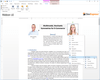
Screenshot Preview

BinaryHeaderControl .NET - Summary

by Binarymission Technologies - Product Type: Component / .NET WinForms

BinaryHeaderControl.NET is available as part of UI ControlSuite .NET.

If you require information, please visit the pages above or Contact Us for pricing and availability.

Summary

BinaryHeaderControl .NET by Binarymission Technologies

URLs: binaryheadercontrol-net, binaryheadercontrol net, binaryheadercontrolnet, binarymission

Add MS Outlook styled, feature-rich, fully customisable Header container control to your applications. BinaryHeaderControl .NET offers you an Outlook styled fully customisable header container control with extensive designer support and in-place editing of objects. BinaryHeaderControl .NET includes header and/or footer rendering a scrollable container, a header context menu, built-in "color themes" for control rendering, support for rich events and enhanced design-time experience. No coding required to work with the control.

MS Outlook styled fully customisable "Header" container control - BinaryHeaderControl .NET provides all the look-and-feel of MS Outlook Header container control, and additionally provides much more rich UI features via its properties that can let you customise the visual aspects of the various UI elements that makes BinaryHeaderControl .NET.

Rich designer support - The control comes with rich design-time support, making it absolutely easy to work with it. The design-time features supports full "in-place" editing. Almost everything that you can do with the control at run-time, can be done in the design-time in VS .NET/VS 2005 IDE. This includes ability to:

Add, select and remove contained child controls

Setting an optional footer

Setting border size for header, footer and the control itself

Setting up optional header context menu, custom image/icon for context menu area

Setting up image/icon for header

Customise font, colors, and other UI rendering aspects for header, footer and the control itself

All the above, without ever having to leave your Visual Studio Form design surface.

Header and Footer rendering - The control draws a Header area and an optional footer area around the client area. The Header and footer areas can be set to be drawn in any of the four different locations - i.e. Left, Right, Top and Bottom. The Header drawing is always available and the Footer can be set to be drawn (optional), if desired, via a simple property setting.

Scrollable container - The control automatically manages the separation of the non-client area (Header and Footer areas) and client area (the child controls hosting area), so that the client area hosts the child controls without the controls obscuring the Header/Footer areas. The control comes built-in with a specially written scrollable container control that can be hosted in the header control to make the client area automatically scrollable.

Header context menu - The Header area of the control can (optionally) contain a context menu area, where your users can click to activate a custom context menu system (created by the developer), by setting a simple property in the control. The control ships with our BinaryMenuItem .NET component so you could choose to use this component to enable Visual Studio / XP style menu rendering, for use in the control's header's context menu system.

Built-in "color themes" for control rendering - The control comes with an out-of-the-box support for rendering itself in any of the three popular XP themes , irrespective of the Operating system in which the control is run. Also the theme rendering engine supports custom themes, thereby allowing you to set theme rendering custom colors of your choice.

Support for rich "events" - The control raises several events to enrich your applications, including events reflecting clicking on the Header, footer and context menu areas.

Enhanced design-time experience - The control comes with strong design-time support. For enabling easy setup of all crucial and important properties, the control implements custom code to support displaying these properties via the design-time smart tags UI - i.e. the designer actions list pop-up.

What's new in BinaryHeaderControl .NET V2.1.257?

Enhanced design-time experience via design-time smart tags

Add MS Outlook styled, feature-rich, fully customisable Header container control to your applications.

Operating System for Deployment: Windows Vista, Windows XP, Windows Server 2003, Windows 2000, Windows NT 4.0

Architecture of Product: 32Bit

Product Type: Component

Component Type: .NET WinForms

Compatible Containers: Microsoft Visual Studio 2008, Microsoft Visual Studio 2005, Microsoft Visual Basic 2008, Microsoft Visual Basic 2005, Microsoft Visual C++ 2008, Microsoft Visual C++ 2005, Microsoft Visual C# 2008, Microsoft Visual C# 2005, .NET Framework 2.0

Keywords: binary mission binarymission Binary Header Control BinaryHeader HeaderControl Header control, container control, Outlook styled Header control

binary mission

User Interface UI

Product Search

Enter search words: