
 (2)
(2) (2)
(2)


공식 공급 업체
200 이상의 소프트웨어 개발처와 판매 계약을 맺은 공인 디스트리뷰터로서 합법적인 라이선스를 제공합니다.
모든 브랜드 보기.

스크린샷: user. Based on Business Intelligence analysis model to bring bound, sourced data to each chart. 0 ... 더 읽기 본 제품에 관한 더 많은 결과 보기
스크린샷: Bar Chart Series with landscape image background. 0 ... 더 읽기
릴리스 노트: Added Tornado Chart series type: Ideal for side-by-side comparisons and sensitivity analysis ... 더 읽기
스크린샷: user. Based on Business Intelligence analysis model to bring bound, sourced data to each chart. 0 ... 더 읽기 본 제품에 관한 더 많은 결과 보기
스크린샷: 0 ... 더 읽기
릴리스 노트: Added Tornado Chart series type: Ideal for side-by-side comparisons and sensitivity analysis ... 더 읽기
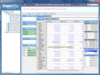
설명: multidimensional data in an useful way. ActiveAnalysis (formerly Data Dynamics Analysis) is a complete OLAP, data ... experience, Excel exports allow end users to share analysis results offline and much more. ActiveAnalysis- ... experience encourages self-discovery of data. Excel exports allow end users to share analysis results ... 더 읽기 본 제품에 관한 더 많은 결과 보기
릴리스 노트: Analysis now uses the licensing model built into ASP.NET making it much simpler to deploy web applications. ... It is now possible to export the values of a view to the CSV file format. Data Dynamics Analysis has a new ... 더 읽기
설명: and multidimensional data in an useful way. ActiveAnalysis (formerly Data Dynamics Analysis) is a complete OLAP, data ... experience, Excel exports allow end users to share analysis results offline and much more. ActiveAnalysis- ... experience encourages self-discovery of data. Excel exports allow end users to share analysis results ... 더 읽기
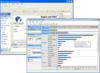
설명: file that models flat data into a multidimensional format for a full OLAP analysis experience. If you ... ActiveAnalysis (formerly Data Dynamics Analysis) is a complete OLAP, data visualization and Business Intelligence ... self-discovery of data. Excel exports allow end users to share analysis results offline. Flexible data binding ... 더 읽기 본 제품에 관한 더 많은 결과 보기
설명: ActiveAnalysis (formerly Data Dynamics Analysis) is a complete OLAP, data visualization and Business Intelligence ... self-discovery of data. Excel exports allow end users to share analysis results offline. Flexible data binding ... allows you to treat relational data as multi-dimensional. Native support for SQL Server Analysis Services ... 더 읽기
릴리스 노트: What’s new in ActiveAnalysis 2 (formerly Data Dynamics Analysis)? Export your analysis results ... the data in your current view to an Excel document so you can integrate your current analysis view ... that enables a Web-based cross-browser, drag-and-drop analysis experience similar to what you would expect ... 더 읽기
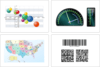
설명: to add Custom Axes. Depth Axis- In 3D charting, the axis model is extended with an additional depth (Z) ... for calculated series (trend lines), for the quick and easy creation of sophisticated data analysis in your ... for SSRS introduces numerous Lighting Models Orthogonal Projection with Depth Offset (perfect for creating ... 더 읽기 본 제품에 관한 더 많은 결과 보기
설명: quick and easy creation of sophisticated data analysis in your reports. Calculated Chart Series help ... analysis Seamless integration with SQL Server Reporting Services General Features Support for all versions ... Indicators. Gauge Formulas- Gauges are designed to provide data analysis to sets of numeric values. Gauge ... 더 읽기
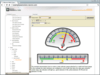
설명: Gauge Axes and Scales Configuration Unmatched Visual Styling Built-in gauge formulas for data analysis ... Formulas- Gauges are designed to provide data analysis to sets of numeric values. Gauge formulas can ... and numeric display values. Nevron Gauge for SSRS includes various types of data analysis formulas such as: ... 더 읽기 본 제품에 관한 더 많은 결과 보기
설명: analysis Seamless integration with SQL Server Reporting Services General Features Support for all versions ... Indicators. Gauge Formulas- Gauges are designed to provide data analysis to sets of numeric values. Gauge ... analysis formulas such as: Min, Max, Average and more. Gauge Axes- Nevron radial and linear gauge types ... 더 읽기
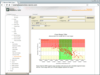
설명: to add Custom Axes. Depth Axis- In 3D charting, the axis model is extended with an additional depth (Z) ... for calculated series (trend lines), for the quick and easy creation of sophisticated data analysis in your ... for SSRS introduces numerous Lighting Models Orthogonal Projection with Depth Offset (perfect for creating ... 더 읽기 본 제품에 관한 더 많은 결과 보기
설명: quick and easy creation of sophisticated data analysis in your reports. Calculated Chart Series help ... In 3D charting, the axis model is extended with an additional depth (Z) axis. The Z axis allows data ... 더 읽기
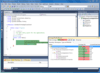
기능: a TeamCity server, without running coverage analysis on a local machine. The dotCover coverage analysis ... coverage analysis engine bundled as part of TeamCity shows statement-level coverage highlighting ... 더 읽기 본 제품에 관한 더 많은 결과 보기
고객 평가: The dotCover tool makes code coverage analysis as simple and fast as it was never before. Thomas ... 더 읽기
기능: dotCover calculates and reports statement-level code coverage in.NET Framework 1.0 to 4.5 applications, as well as in Silverlight 4 and 5. dotCover makes sure that developers know to what extent their code is covered with unit tests. It also helps QA engineers test software products as thoroughly ... 더 읽기
스크린샷: Section-based Report object model enables you to create sophisticated multi-page reports. ... 더 읽기 본 제품에 관한 더 많은 결과 보기
설명: Report Object Model- Section-based Report object model enables you to create sophisticated multi-page ... 더 읽기

릴리스 노트: to the display in Excel (Excel to XPS conversion). 3D model display is distorted (Excel to XPS conversion). ... incorrectly. Data table (What-if analysis) formulas evaluation quirk. MATCH function returns error value after ... 더 읽기 본 제품에 관한 더 많은 결과 보기
릴리스 노트: with data below. Unsupported data model exception when calling CalculateFormula() method. Converting ... 더 읽기
릴리스 노트: the data model of a XLSX file. Added support for all properties of pivot item. Added support for getting ... setting of pivot table in XLSB. Incorrect source value of data model connection and pivot table. ... 더 읽기
전화 : 00798 14 800 6332
팩스 : +1 770 250 6199


