

 (5)
(5) (16)
(16)공식 공급 업체
200 이상의 소프트웨어 개발처와 판매 계약을 맺은 공인 디스트리뷰터로서 합법적인 라이선스를 제공합니다.
모든 브랜드 보기.
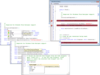
설명: Essential Edit supports eXtensible Application Markup Language(XAML), procedural code, Windows and XBAP ... Highlighting and Code Coloring The edit control supports syntax highlighting and code coloring, enhancing ... Add Syntax highlighted editing functionality to your applications. Syncfusion Essential Edit ... 더 읽기 본 제품에 관한 더 많은 결과 보기
릴리스 노트: Updates in 2010 Vol 4 Crashing no longer occurs when a ReplaceAll operation is performed Editing ... a code snippet no longer causes an exception The scrollbar now scrolls automatically when selecting text ... 더 읽기
호환성: 100% Managed Code Built Using Visual C#.NET Compatible Containers Microsoft Visual Studio 2012 ... 더 읽기
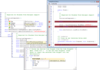
설명: Essential Edit for Windows Forms Syntax Highlighting and Code Coloring The edit control supports syntax ... Enable syntax highlighting in any.NET application. Syncfusion Essential Edit for Windows Forms ... undo or redo, rich formatting options and comes with easy configuration. Syncfusion Essential Edit ... 더 읽기 본 제품에 관한 더 많은 결과 보기
릴리스 노트: Updates in 2010 Vol 4 Crashing no longer occurs when a ReplaceAll operation is performed Editing ... a code snippet no longer causes an exception The scrollbar now scrolls automatically when selecting text ... 더 읽기
호환성: 100% Managed Code Built Using Visual C#.NET Compatible Containers Microsoft Visual Studio 2012 ... 더 읽기
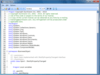
설명: Enable syntax highlighting in any WPF application. Syncfusion Essential Edit for WPF is an editor ... with all basic features such as text editing, cutting, copying, and pasting. It enables users to open ... and save files from and to a variety of file formats. Syncfusion Essential Edit for WPF has built-in ... 더 읽기 본 제품에 관한 더 많은 결과 보기
릴리스 노트: Updates in 2010 Vol 4 Crashing no longer occurs when a ReplaceAll operation is performed Editing ... a code snippet no longer causes an exception The scrollbar now scrolls automatically when selecting text ... 더 읽기
호환성: 100% Managed Code Built Using Visual C#.NET Compatible Containers Microsoft Visual Studio 2012 ... 더 읽기
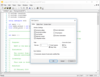
설명: Visual Studio style code editor control. Codejock Syntax Edit for ActiveX COM provides your users ... Features Overview Codejock Syntax Edit for ActiveX COM provides several options to choose from including ... marks, break points and much more. Syntax Edit is included in Suite Pro for ActiveX COM. Editor Features ... 더 읽기 본 제품에 관한 더 많은 결과 보기
릴리스 노트: Improves DPI support. DPI support improvements have been added. ... 더 읽기
릴리스 노트: Adds support for Visual Studio 2019. Support for Visual Studio 2019. Utility and Samples- Codejock samples and utilities have been significantly improved and applied a modern look so that you are able to not only work more efficiently with the tools. Toolkit Pro Application Wizard ... 더 읽기
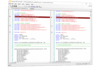
설명: Visual Studio style code editor control. Codejock Syntax Edit for Visual C++ MFC provides your ... advanced features. Features Overview Codejock Syntax Edit for Visual C++ MFC provides several options ... schemes, book marks, break points and much more. Syntax Edit is included in Toolkit Pro for Visual C++ MFC. ... 더 읽기 본 제품에 관한 더 많은 결과 보기
릴리스 노트: Improves DPI support. DPI support improvements have been added. Samples and Utilities: Native Windows theme support has been fixed. ... 더 읽기
릴리스 노트: Samples and Utilities: Improved DPI support for most samples. ... 더 읽기

설명: The control is very powerful and rich interfaces can be created with minimal coding. Full programmatic access ... to HTML elements Supports scripting Custom representation of elements Written in C#. Full source code ... 더 읽기 본 제품에 관한 더 많은 결과 보기
호환성: (ATLAS).NET WinForms.NET Class 100% Managed Code Source Code Built Using Visual C#.NET Compatible Containers ... Documentation Reviewed- Yes Sample Code Reviewed- Yes Disk Space Required: 145MB ... 더 읽기
라이선싱: Syncfusion Essential HTMLUI Licensing 더 읽기
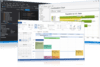
설명: Controls, Chart Pro, Calendar, Docking Pane, Property Grid, Report Control, Shortcut Bar, Syntax Edit, Skin ... project with only a few lines of code to create any charting style. Command Bars- Command Bars includes ... Property Grid- Property Grid provides an easy to create hierarchical list of editable properties ... 더 읽기 본 제품에 관한 더 많은 결과 보기
스크린샷: Create applications with Microsoft Office style Ribbon Bar. 0 ... 더 읽기
스크린샷: Provides Windows developers with a sophisticated Outlook style Calendar. ... 더 읽기

스크린샷: Generate complete data entry forms with a single line of code. Form management is easy ... 더 읽기 본 제품에 관한 더 많은 결과 보기
스크린샷: Create dynamic pivot tables like Microsoft Excel and aggregate millions of rows of data in milliseconds with ComponentOne FlexPivot. 0 ... 더 읽기
스크린샷: Complete your desktop apps with a fluent, ribbon-style toolbar based on UI concepts from Microsoft Office 365- supporting vector icons, backstage view, simplified toolbar, and more. 0 ... 더 읽기

릴리스 노트: and edit date ranges through a drop-down editor. Command Improvements Added a design-time text editor ... 더 읽기 본 제품에 관한 더 많은 결과 보기
설명: development. ComponentOne WinForms Data Services Edition provides over 130 WinForms UI controls and vital data ... layering components for connecting, querying, and analyzing. This bundle edition includes ComponentOne Data ... Services Edition, a collection of.NET Standard libraries that make working with data easier across any.NET ... 더 읽기
릴리스 노트: .NET 9 Support.NET apps will have even more modular flexibility and improved performance. As with previous versions of.NET, there are often sweeping changes and issues across the entire.NET stack. The MESCIUS team has been diligently working with every.NET 9 preview this past year to address these ... 더 읽기

릴리스 노트: in the bound charts. Studio for ASP.NET MVC New ComponentOne Studio ASP.NET MVC Edition- A set of modern UI ... 더 읽기 본 제품에 관한 더 많은 결과 보기
릴리스 노트: to display and edit date ranges through a drop-down editor. Command Improvements Added a design-time text ... shared JavaScript code to the Core library. Grid Added support for the default browser context menu when ... when editing a cell containing a toggle icon. Fixed an issue where toggling a group updated the scroll ... 더 읽기
고객 리뷰: I have been working with the MESCIUS products since way back in the Apex Software days. They are always very good. Robert Roldan 5 Belgium ... 더 읽기
전화 : 00798 14 800 6332
팩스 : +1 770 250 6199


