
 (2)
(2)
 (8)
(8)
 (3)
(3)공식 공급 업체
200 이상의 소프트웨어 개발처와 판매 계약을 맺은 공인 디스트리뷰터로서 합법적인 라이선스를 제공합니다.
모든 브랜드 보기.
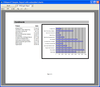
설명: Create Microsoft Access-style database reports for your Visual Basic, VC++, Delphi, and C++Builder ... applications. ComponentOne's VSVIEW Reporting Edition adds powerful, flexible database reporting to VSVIEW. ... in its two unique controls: VSReport and its companion Report Designer that generate your database ... 더 읽기 본 제품에 관한 더 많은 결과 보기
설명: applications. ComponentOne's VSVIEW Reporting Edition adds powerful, flexible database reporting to VSVIEW. ... Reporting Edition lies in its two unique controls: VSReport and its companion Report Designer that generate ... Create Microsoft Access-style database reports for your Visual Basic, VC++, Delphi, and C++Builder ... 더 읽기
기능: while preserving aspect ratio). This is especially useful for handling pictures that come from databases ... 더 읽기
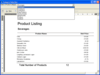
스크린샷: Reports can be grouped by using GroupHeaders/Footers with their DataField properties set ... to the database field being grouped on. ... 더 읽기 본 제품에 관한 더 많은 결과 보기
설명: Generate a wide variety of reports from your application. A fully integrated into the Visual Basic ... programming environment and allows you to create rich reports without cryptic scripts or work-arounds. ... Features robust design-time environment including report wizard, support for DAO, ADO, and OLE DB, support ... 더 읽기
릴리스 노트: to search through a report for a specified text string, and report pages can now be copied to the clipboard ... settings and style layouts during design time. Menus now include options to save and load reports from RPX ... PageLeftMargin, PageRightMargin are no longer used. New XML Features New XML enhancements allow reports ... 더 읽기
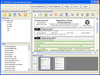
설명: identification information as XML for storage in a database Recognize any number of regions or objects on a page ... results and confidence level reports to assess performance ... 더 읽기 본 제품에 관한 더 많은 결과 보기
설명: identification information as XML for storage in a database Recognize any number of regions or objects on a page ... 더 읽기
설명: into a dialog. Provided that the file is the correct format it will be downloaded and imported into the database ... reports to corporate headquarters Build a proxy that downloads Internet files for users on a local network ... into an SQL database Automate data file downloads for updating stock market charts Automate upload of dynamic ... 더 읽기 본 제품에 관한 더 많은 결과 보기
설명: 클라이언트와 FTP 서버 간에 파일을 복사합니다. PowerTCP FTP Tool은 클라이언트 또는 서버에서 한 줄의 코드만으로 파일을 전송하는 데 이용할 수 있습니다. 옵션은 간단한 속성을 이용해 설정하고, 데이터 파일은 메모리에 스풀됩니다. 디렉토리 목록은 객체로 캡처하므로 파싱이 필요 없습니다. 또한 PowerTCP FTP Tool은 한 줄의 코드만으로 전체 디렉토리 트리로 복수 파일을 다운로드하는 MGET 메소드를 포함합니다. 그리고.NET wrapper DLL, 새로운 VB.NET 샘플 9가지,.NET 문서를 포함합니다. ... 더 읽기
스크린샷: You can download a file from a URL and import it into a database. ... 더 읽기
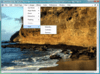
설명: effects, color conversion, image processing, TWAIN scanning, imaging common dialogs, database integration, ... imaging, database imaging, imaging common dialogs, and screen capture. The WPF/XAML Imaging SDK included ... scrolling and panning the image. Database Support- Provides both high level and low level database support ... 더 읽기
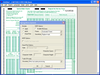
설명: Typical applications include the processing of questionnaires, ballots, educational tests and reporting ... 더 읽기 본 제품에 관한 더 많은 결과 보기
설명: educational tests and reporting and ordering sheets where the documents to be processed are form-like ... 더 읽기
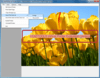
설명: stream, database or SharePoint as searchable PDF, DOC, XPS, HTML, Text, or any of the over 150 formats ... output image formats including PDF Redirect print jobs to disk, memory, database or SharePoint Create a ... 더 읽기 본 제품에 관한 더 많은 결과 보기
설명: The resulting converted output can then be saved to disk, stream, database or SharePoint as searchable PDF, DOC, ... to disk, memory, database or SharePoint Create a Print to PACS solution when used with the LEADTOOLS PACS ... 더 읽기
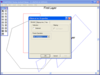
설명: Special Effects (choose from more than 2000 effects), Printing, Internet/intranet imaging, Database ... 더 읽기 본 제품에 관한 더 많은 결과 보기
설명: effects), Printing, Internet/intranet imaging, Database imaging, Imaging Common Dialogs and Screen Capture. ... 더 읽기
스크린샷: Support for all major Vector Imaging files formats. ... 더 읽기
설명: Special Effects (choose from more than 2000 effects), Printing, Internet/intranet imaging, Database ... 더 읽기 본 제품에 관한 더 많은 결과 보기
설명: effects), Printing, Internet/intranet imaging, Database imaging, Imaging Common Dialogs and Screen Capture. ... 더 읽기
설명: word processing, database, or spreadsheet file formats Select the language of documents to be ... 더 읽기 본 제품에 관한 더 많은 결과 보기
설명: choosing from a variety of text, word processing, database, or spreadsheet file formats Select the language ... 더 읽기
전화 : 00798 14 800 6332
팩스 : +1 770 250 6199


