Anzeigen: Hervorgehoben | Bestseller | Beliebtesten Downloads | Beliebtesten Rezensionen | Neuen Veröffentlichungen | A-Z
Ähnliche Produkte anzeigen
Easily connect to Office 365, SharePoint 2010 and Azure. Februar 08, 2012
Use managed metadata to drive navigation, discovery and reusability of content. Februar 08, 2012
Create HTML 5-based output designed for display on mobile devices. Februar 01, 2012
Januar 30, 2012
Januar 30, 2012
I've utilized Web.UI on a number of projects over the past couple of years. It's rock solid and its evolution continues to impress me. The best feature of the control library, in my opinion, is the Client Side databinding capability combined with Web Service mode. This allows the rich functionality of the control to be utilized without having to post-back the page. Next to that is the client ...
Vollständige Rezension lesen.I've utilized Web.UI on a number of projects over the past couple of years. It's rock solid and its evolution continues to impress me. The best feature of the control library, in my opinion, is the Client Side databinding capability combined with Web Service mode. This allows the rich functionality of the control to be utilized without having to post-back the page. Next to that is the client ...
Vollständige Rezension lesen.Stop looking you have found the best. I manage a large scale document imaging department and have looked extensively for a software toolkit that would give us the ability to write custom capture applications and more to have more control over my capture process. I have found nothing but outragously priced items that were only parts of the components I needed which were scanner capture, barcode re ...
Vollständige Rezension lesen.This is a great product I heard about it from Windows Magazine – they say: "Very powerful ... a staggering number of ways to search"
I'm using the tools from Infragistics since a few months and saw many others. I'm still satisfied with this toolset and miss nothing. Although I'm primarily working with Windows Forms and WPF, I also tried ASP.NET and Silverlight for another project recently. ASP.NET is already very voluminous, may be a bit too much. Silverlight on the other hand has only a few controls so far, but they are very p ...
Vollständige Rezension lesen.
All the Visual Studio .NET component suites, libraries and IDE tools produced by Developer Express in one package. DXperience DXv2 includes all the Developer Express .NET Windows Forms, ASP.NET, Silverlight and WPF components plus IDE tools (CodeRush and Refactor!), eXpress Persistent Objects (a Business Application Framework) and eXpressApp Framework. The Windows forms products are 100% C# based and fully optimized for Visual Studio 2008/2010. With just a couple of mouse clicks you can add navigation and docking facilities using the XtraBars and XtraNavBar suites, provide data browsing and editing by means of the XtraEditors, XtraGrid, XtraTreeList, XtraVerticalGrid suites and enhance your applications with the XtraPrinting Library and XtraReports Suite which are really easy-to-use flexible printing and reporting tools. WPF components include: DXEditors for WPF, DXGrid for WPF, DXCharts for WPF, DXBars for WPF and DXDocking for WPF. Silverlight components include: AgDataGrid, AgRichEdit, AgLayoutControl, AgControls and AgEditors for Silverlight. DXperience DXv2 Enterprise/Universal Subscription includes source code for all WinForms, ASP.NET AJAX, WPF, Silverlight controls and ORM Library. Priority technical support is also included when you buy DXperience DXv2 Universal or DXperience DXv2 Enterprise.

Erstellen Sie moderne Benutzeroberflächen für Ihre Windows Forms-Anwendungen. Infragistics NetAdvantage for Windows Forms stellt Entwicklern UI-Elemente bereit, um zügig modernste Benutzeroberflächen für Geschäftsanwendungen zu erstellen und zu designen, die aussehen und wirken wie in Microsoft Office. Mit Infragistics NetAdvantage for Windows Forms erhalten Entwickler jedes erforderliche Element (Datengitter, Baumstrukturen, Symbolleisten, Kalender, Editoren, Charts, Gauge-Diagramme, Scenic Ribbons u.v.m.), um für ein überragendes Benutzererlebnis hinsichtlich Stabilität, Performance und Robustheit zu sorgen. NetAdvantage for Windows Forms umfasst ein Jahresabo für Entwickler-Support, Quellcode, alle Updates und Upgrades, Dokumentationen und Muster.

Statten Sie Ihre ASP.NET-, WPF-, Silverlight- und Tablet PC-Anwendungen mit Rastern, Multifunktionsleisten, Planungsfunktionen, Symbolleisten, Menüs, Listen, Baumstrukturanzeigen, Benutzeroberflächen und Bearbeitungsfunktionen aus. Infragistics NetAdvantage for .NET ist ein umfassender Präsentationsebenen-Toolsatz für das schnelle Erstellen und Designen von eleganten Anwendungsbenutzeroberflächen, um für ein großartiges Benutzererlebnis zu sorgen - für Windows Forms, ASP.NET, WPF und Silverlight. NetAdvantage for .NET verfügt über alle erforderlichen Benutzeroberflächen-Elemente (insgesamt mehr als 100) für Anwendungen, die mit Visual Studio erstellt werden: Raster, Planungsfunktionen, Charts, Gauge-Diagramme, Navigation, Multifunktionsleisten, Symbolleisten, Menüs, Listen, Baumstrukturen, Registerkarten, Explorer-Leisten, UI- und andere Editoren, sowie Anwendungsdesign, Excel-Import/Export und eine Dokumentexport-Engine für die Formate PDF und XPS. Infragistics NetAdvantage for .NET-Tools funktionieren nativ in Visual Studio und enthalten Office 2007/2010- und Windows-Stile. Für jeden Kauf von NetAdvantage for .NET bietet Infragistics Produkt-Support, Quellcode zu den Steuerelementen und Frameworks, zwei Releases kundenorientierter Produkte und Funktionen im Jahr u.v.m. Wenn Sie NetAdvantage for .NET Priority Support erwerben, beinhaltet der Preis ebenfalls ein Jahr technischen Prioritätstelefon- und Web-Support mit Antwortgarantie. NetAdvantage for .NET-Upgrades und Verlängerungen sind ebenfalls verfügbar.
All the Software FX products in one package. Studio FX Subscription offers access to the entire line of Software FX data visualization products for developers, including .NET, Java, COM, SharePoint and mobility products. Licensed on a per developer/per machine basis, the Studio FX Premium Subscription provides the most advanced business intelligence components for your client, server and web based applications. The subscription includes upgrades, service packs, access to new products for SharePoint and mobility and priority support for one year.
Add charting, email, spell checking, barcode creation and popular file format management to your .NET applications. Aspose Total for.NET offers every .NET component that Aspose has available. With Aspose Total for .NET you will be able to programmatically manage some of the most popular file formats used in business: Word, Excel, PowerPoint, Project, PDF and Flash. Aside from the file management components, Aspose Total .NET common uses also include mail merge, create shapes on slides, extract text from PDF files and more. Your Aspose Total .NET purchase includes 1 Year of Maintenance and Support so you will obtain all updates and new Aspose Total .NET components released during the first year after your Aspose Total order. You can also buy Aspose Total Pre-Expiry and Post-Expiry Renewals to renew your Aspose Total Subscription License.
ComponentSource bietet einen einzigartigen, globalen Service an, der weltweit von über 1.000.000 Entwicklern benutzt wird.
Wir sind Montag bis Freitag 24 Stunden für Sie daInternationale Kundendienstzentralen in den USA, in Großbritannien und in Japan. |

Use managed metadata to drive navigation, discovery and reusability of content. Knowledge Management Suite for Microsoft SharePoint makes it easy to manage tags, to tag content and to use tags for knowledge browsing, navigation, content discovery and search. It was developed using the SharePoint Server Enterprise Metadata Management API, and no legacy or other external systems are used. You may include any external data source without any restrictions using Business Data List Connectors.

Connect to Office 365, SharePoint 2010 and Azure. Cloud Connector for Microsoft SharePoint 2010 and Office 365 takes your local data and distributes it to cloud-based or hosted SharePoint systems. Content stored on almost any corporate data source (databases, files, ERP / CRM / ECMS) and in applications (Dynamics, SharePoint, Active Directory, SAP) is replicated to cloud based native SharePoint lists via secure Web services. Cloud-to-cloud connections e.g. to Azure, Twitter, Facebook, Google etc. are also supported.

Create professional Help Systems and Manuals from HTML or Word. Whether you are converting from RoboHelp or creating new projects, Doc-To-Help empowers you to create HTML or Microsoft Word content and convert it to virtually every popular Help file format or printed documentation. Doc-To-Help Enterprise can produce help files in popular formats including HTML Help, Cross-Platform HTML-based Help, JavaHelp, WinHelp, Visual Studio .NET-style Help, and printed documentation. Since Doc-To-Help Enterprise uses a simple style markup to create Help systems, you have the freedom to use any editor. Doc-To-Help Enterprise supports Windows 7, Vista and the 2010 Microsoft Office System including seamless integration with Word 2010. Doc-To-Help Enterprise now offers integration with SharePoint which allows you to upload your content to a SharePoint library and take advantage of SharePoint’s management and workflow features. Doc-To-Help Enterprise also includes exclusive features such as one-click RoboHelp project conversions. Doc-To-Help for Enterprise includes updates and upgrades for 1 year. Platinum Support including 1 year of unlimited phone support also available.
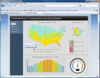
Create digital dashboards and reports in SharePoint. Nevron Data Visualization technology for Microsoft SharePoint Server is designed to provide exceptional reporting and dashboarding features to SharePoint IT professionals. Nevron SharePoint Vision is a turn-key solution for every SharePoint IT professional that wants to create advanced digital dashboards and reports in SharePoint - quickly, on budget and on time.
Advanced data visualization for your SharPoint Dashboards, KPIs and Scorecards. Nevron Gauge for SharePoint is an advanced web part, which delivers a complete set of radial and linear gauges, numeric displays and state indicators which are driven by pivot data aggregation. This allows the creation of complex gauges, KPIs, Scorecards and Dashboards, that are tightly integrated with your data, to be done visually and directly in SharePoint environment.
Deliver advanced charting solutions to the SharePoint environment. Nevron Chart for SharePoint is an advanced chart web part, which delivers a complete set of 2D and 3D charting types, highly customizable axes, advanced data analysis features, tight data integration and visual effects to your SharePoint sites. It combines the Nevron Charting engine for ASP.NET together with the elegant Nevron Pivot Data Aggregation engine. This allows Nevron Chart for SharePoint users to create complex pivot charts visually and directly in the SharePoint environment.
A SharePoint Web part that manages item-level permission. SharePoint Permission Workflow offers a productive way for IT administrators to manage item-level permissions among all the users and user groups by streamlining the whole process.With SharePoint Permission Workflow, item-level permissions are able to be automatically assigned to selected users and user groups for all items in a SharePoint list at one time. Meanwhile, administrators are also empowered to apply item-level permissions for the existing items within a list with only one click.
The SharePoint List Collection web part can congregate lists from different SharePoint sites into one single view. In the view, you can work with the data and then export it to a spreadsheet.To create a SharePoint list collection web part, firstly, you should select a site, a list in the site and a list view of the list.Then choose list columns to collect data, select or input new column names for original ones so these columns will be aggregated and displayed in the SharePoint list collection web part. Repeating above actions, you can get SharePoint combined lists.
Assign item-level permissions to users and user groups for all items in a SharePoint list. SharePoint Item Permission Batch offers SharePoint Administrators a convenient place to add or remove custom permission settings for all the items within a SharePoint list simultaneously. In additions, IT administrators are empowered to restore the default permission settings for all the items within a list at one time, which will further alleviate their workload and accelerate the speed of an organization’s daily operation as well. Moreover, SharePoint Item Permission Batch enables administrators to specify certain users and user groups that will be assigned custom permissions by setting complex conditions based on administrators’ various consideration.
All-in-one SharePoint permissions management solution. SharePoint Permissions Boost is a suite of all three SharePointBoost permission tools: Column/View Permission, Permission Workflow, and Item Permission Batch. SharePoint Column/View Permission allows administrators to manage access to all list content by setting field-level and view-level permission settings. SharePoint Permission Workflow assigns item-level permissions to users and user-groups as items are created or modified, and can retroactively apply permissions for previously existing items within a SharePoint list. SharePoint Item Permission Batch enables administrators to quickly and easily remove all custom permission settings within a SharePoint list and restore defaults for specified users or user-groups in bulk.

für SharePoint
Leistungsstarke Datenvisualisierungsfunktion in SharePoint integrieren