
 (3)
(3)
 (14)
(14)Official Supplier
As official and authorized distributors, we supply you with legitimate licenses directly from 200+ software publishers.
See all our Brands.

Description: Plug and play web page design and editing JavaScript tool for your web application. Froala Pages is a Javascript tool which enables developers to add a website building experience to any web app. It combines the power of the Froala Editor with the look of Froala Design Blocks. Froala Pages Design ... Read more Show more results from this product
Licensing: Froala Pages Licensing Read more
Compatibility: Supported Browsers Microsoft Internet Explorer 11+ Microsoft Edge (Current- 1) and Current versions Safari (Current- 1) and Current versions Firefox (Current- 1) and Current versions Chrome (Current- 1) and Current versions Opera (Current- 1) and Current versions (Current- 1) and Current means that ... Read more

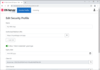
Release Notes: Built on TX Text Control 34.0- TX Text Control DS Server 5.0 is now built on the latest TX Text Control 34.0 document processing engine. This update brings the newest improvements from the core TX Text Control platform to DS Server, including enhanced performance, improved document fidelity, and ... Read more Show more results from this product
Release Notes: TX Text Control 33.0 SP3- DS Server 4.1.0 is based on the latest TX Text Control version 33.0 SP3. Custom Plug-in Support- The new plug-in architecture enables developers to build and deploy external assemblies directly into their DS Server environment. 0 ... Read more
Pricing: Text Control DS Server 4.0- Annual License Must be renewed annually in order to continue functioning in your application. Annual License- 1 Installation License (deployment to 1 Production Server)- with Technical Support and Updates for 1 Year Mfr. Part No: DS-0400-XB-L01-S Our Part No: 556965 ... Read more
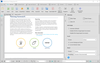
Customer Review: Quality multilingual OCR, formats document well when converting from photos. Up to date and very convenient tool. Been using it and purchasing updates for close to 20 years. Thank you! Zilvinas Kilda 5 Lithuania ... Read more Show more results from this product
Release Notes: Added detection and accurate conversion of tables in column paragraphs and simple side-by-side tables. Improved detection of tables embedded within complex PDF layouts. Tables placed inside two-column paragraphs or positioned side-by-side on the same page are automatically identified and extracted ... Read more
Release Notes: Enhanced Excel conversion accuracy: Improved detection of merged rows in complex tables. Automatic rotation of vertical text in Excel (column headers included). Automatic recognition of European continental settings (decimal comma). Expanded and improved PDF to Word conversion: Enhanced conversion ... Read more
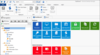
Release Notes: a Temporary Access request in Hub. Fixed layout issues in spreadsheet entry view. Fixed missing import button ... Read more Show more results from this product
Release Notes: Hub emergency kit prompt. Fixed icon coloring issue in Spreadsheet editor while using dark theme. ... Read more
Release Notes: spreadsheet editor. Fixed possible crash when loading SSH key dashboard. Fixed possible issue where System ... Read more
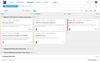
Release Notes: 2022.2+. Markdown parser should not include spaces into file:/// url autodetection. Spreadsheets import: ... Read more Show more results from this product
Release Notes: and edited in a calendar or in an interactive spreadsheet. GitLab imports- You can now migrate issues, ... Read more
Release Notes: or Spreadsheets- no values shown. Wrong work items dates after the JIRA import. Take workdays into account when ... Read more
Release Notes: and Google Spreadsheets. To use this feature you will first need to select the cell range you want to see ... Read more
Specification: Ribbon Rich Text Editor Site Navigation & Layout Spell Checker Spreadsheet Tab Controls Themes ... Read more

Release Notes: Spreadsheets. Select the cell range you want to see the view for, then right-click and select Show Aggregate ... Read more
Release Notes: more powerful and easier to use, bringing it a step closer to Microsoft Excel and Google Spreadsheets ... Read more


Release Notes: Spreadsheets. Select the cell range you want to see the view for, then right-click and select Show Aggregate ... Read more
Tel: (888) 850 9911
Fax: +1 770 250 6199


