

 (1)
(1)
 (3)
(3)Official Supplier
As official and authorized distributors, we supply you with legitimate licenses directly from 200+ software publishers.
See all our Brands.

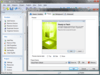
Screenshots: to control the user interface of your patches. There are pre-built layouts to handle just about any task you ... Read more Show more results from this product
Screenshots: You can choose the interface of the TrueUpdate Client to display to the user: Wizard, Dialog ... Read more
Release Notes: different screens and a complete graphical skinning system makes it easy to control the user interface ... Read more
Screenshots: to control the user interface of your patches. There are pre-built layouts to handle just about any task you ... Read more Show more results from this product
Features: that your software is updated quickly and correctly Customizable User Interface- Featuring a library of over ... patches or completely automatic "silent" patches that operate without displaying user interface ... to the latest release. With only having one file to download, Visual Patch brand patches are much more user ... Read more
Description: use or even whether you use one at all. If you need to get newer versions of files out to users ... specific to the version of Windows that the user is running. For instance, your patch might install some ... new files only on Windows 95, or it might check different Registry locations for values if the user ... Read more

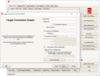
Release Notes: Updated user-interface libraries. 0 ... Read more Show more results from this product
Release Notes: Fixed an issue where license activation window throws an error when the user clicks on the Log ... Read more
Release Notes: Allow the user control over whether the interim reports from the command line writes to the log ... Read more
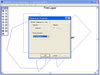
Screenshots: Arc, Brush, Rectangle, Vertex and clippable objects all supported in the user interface. ... Read more Show more results from this product
Description: as any of the image formats supported by LEAD. Two programming interfaces are included: A low level API ... to memory/disk in native vector format. LEADTOOLS Vector Imaging Pro SDK includes a low level API, and C++ Class ... Read more
Release Notes: vector files (DXF, DWG, SVG) via.NET interface Additional vector options for rasterizing vector drawings ... Read more
Screenshots: Arc, Brush, Rectangle, Vertex and clippable objects all supported in the user interface. ... Read more Show more results from this product
Description: as any of the image formats supported by LEAD. Two programming interfaces are included: A low level API ... to memory/disk in native vector format. LEADTOOLS Vector Imaging Pro SDK includes a low level API, and C++ Class ... Read more
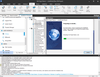
Screenshots: installation's user interface, improving the end-user experience. 0 ... Read more Show more results from this product
Release Notes: Microsoft Office 2007 and Microsoft Office 2003 New End-User Interface: An entirely new end-user interface ... or bootstrapper application. Installation Streaming: End users will experience an “app store-like” feel ... Read more
Release Notes: with minimal user interface. ... Read more
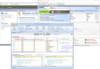
Release Notes: Updates in SQL Comparison Toolset V4.1 Enhanced User Interface- SQL Schema Compare includes a new ... Ribbon control that improves the usability of the tool. Entity Filters- In the user interface you can ... access these filters from the context menu of the comparison grid. The command line interface includes ... Read more Show more results from this product
Release Notes: Added new User Interface features including: UI Scaling- Support for 4K monitors and scaled fonts. ... Read more
Release Notes: and compare remote data archiving. Command Line Wizard- Allows the user to create a command line xml file ... step-by-step, via a simple and intuitive interface. New Data Compare Options- SQL data compare now supports ... Read more
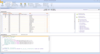
Release Notes: Updates in V4.1 Enhanced User Interface- SQL Schema Compare includes a new Ribbon control ... that improves the usability of the tool. Entity Filters- In the user interface you can access these filters from ... the context menu of the comparison grid. The command line interface includes three additional sample XML files ... Read more Show more results from this product
Release Notes: Wizard- Allows the user to create a command line xml file step-by-step, via a simple and intuitive ... interface. New Data Compare Options- SQL data compare now supports several new compare options ... Read more
Description: procedures, views, user-defined functions, extensible markup language (XML) schema collections, and common ... Read more
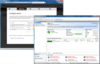
Release Notes: Added new User Interface features including: UI Scaling- Support for 4K monitors and scaled fonts. ... Read more Show more results from this product
Release Notes: Instances Registered instances are now stored centrally for all users. SQL Safe Agent When ... Operations Users can now perform SQL Safe Backup operations on online and offline databases. Offline ... and AG Cluster nodes. Users can now apply changes to policies involved with Failover Cluster Instances. ... Read more
Release Notes: operations. Instances Users can now move their registered instances from the 'User Preferences' ... to the 'SQL Safe Repository'. Policies Users can now import/export their policies. Amazon S3 Cloud ... changing a Policy compression type. Users can now edit successfully existing policies. SQL Safe ... Read more
Release Notes: Updated the web-based user interface of the Query Monitor and Query Waits screens with fields ... Range selection to be consistent with other screens in the SQL Diagnostic Manager browser interface. 0 ... Read more Show more results from this product
Release Notes: dialog user interface no longer is shifted and hiding some controls. Web Console Resolved an issue ... of queries. Resolved an issue preventing some users from seeing new indexes upon upgrading to SQL DM 13.0. ... Resolved an issue preventing some users from viewing their C drive in the Resources tab. Resolved an issue ... Read more
Release Notes: Improved User Interface with the following changes: A new organization Grid View which allows ... is in place" alert rule. The default value for the user field under the "Alternative Windows ... Monitor properties. SQL Diagnostic Manager allows user accounts to apply alert templates to a monitor ... Read more
Tel: (888) 850 9911
Fax: +1 770 250 6199


