
 (16)
(16) (4)
(4) (3)
(3)
공식 공급 업체
200 이상의 소프트웨어 개발처와 판매 계약을 맺은 공인 디스트리뷰터로서 합법적인 라이선스를 제공합니다.
모든 브랜드 보기.

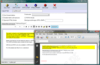
설명: word processing engine to create formatted text in code. The component wRTF2PDF / TexDynamic Server ... is based on the TextDynamic word processing component, but with the addition of the PDF engine wPDFControl. ... as RTF, HTML or PDF file. Integrated, Programmable Word Processing Engine Optimized for server side use ... 더 읽기 본 제품에 관한 더 많은 결과 보기
릴리스 노트: Integrated the latest improvements to the PDF engine, most notably better subsetting of fonts. Updates in v5.x 1 ... 더 읽기
릴리스 노트: Improved the syntax of created postscript code. ... 더 읽기

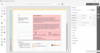
설명: design capabilities, and a consistent API across platforms, it streamlines the development process ... 더 읽기 본 제품에 관한 더 많은 결과 보기
릴리스 노트: DevExpress has released a maintenance update: DevExpress VCL Subscription 25.2.6- Improves VerticalGrid, QuantumTreeList and SpellChecker. DevExpress ASP.NET and Blazor 25.2.6- Improves AI Integration, Rich Text Editor and Spreadsheet. DevExtreme Complete 25.2.6- Improves Scheduler, Reports and PDF ... 더 읽기
릴리스 노트: DevExpress has released a maintenance update: DevExpress VCL Subscription 25.2.5- Improves Map, QuantumTreeList and SpellChecker. DevExpress ASP.NET and Blazor 25.2.5- Improves Rich Text Editor, Spreadsheet and Data Editors for Blazor. DevExtreme Complete 25.2.5- Improves Diagram, Data Grid and ... 더 읽기
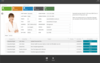
릴리스 노트: ExpressBars Suite Access Violation error occurs on an attempt to close MDIChild if forms are TdxRibbonForm descendants. TdxBarManager- Access Violation error occurs on deleting an item in the Customization Form. ExpressEditors Library It is not possible to select specific controls in a disabled ... 더 읽기 본 제품에 관한 더 많은 결과 보기
릴리스 노트: as enabled for disabled TcxButton. Spelling Dialog does not display a previous word when the Undo Last button ... a previous word when the Undo Last button is pressed. 0 ... 더 읽기
릴리스 노트: as enabled for disabled TcxButton. Spelling Dialog does not display a previous word when the Undo Last button ... a previous word when the Undo Last button is pressed. 0 ... 더 읽기
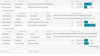
사양: Control ExpressGauge Control ExpressRichEditControl Control (Word Processing) ExpressPDF Viewer ... 더 읽기 본 제품에 관한 더 많은 결과 보기
사양: Control ExpressGauge Control ExpressRichEditControl Control (Word Processing) ExpressPDF Viewer ... 더 읽기
릴리스 노트: does not display a previous word when the Undo Last button is pressed. cxImageComboBox- Images ... 더 읽기
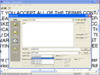
설명: word processing, database, or spreadsheet file formats Select the language of documents to be ... compound document processing system Process documents in two-page mode for open-faced books and magazines ... Process images from newspapers with special image processing designed for newsprint And more... LEADTOOLS ... 더 읽기 본 제품에 관한 더 많은 결과 보기
설명: choosing from a variety of text, word processing, database, or spreadsheet file formats Select the language ... to recognize words that may only exist in the documents being recognized. Other OCR module features include ... Verify or correct text during the recognition process based on confidence levels set prior ... 더 읽기
스크린샷: Set confidence levels to allow tollerence on recognised words / characters, can be set to allow ... editing during the reading process. ... 더 읽기
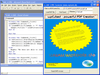
릴리스 노트: tables, header and footer in code. The API is close the the API of our word processing component ... 더 읽기 본 제품에 관한 더 많은 결과 보기
릴리스 노트: Integrated the latest improvements to the PDF engine, most notably better subsetting of fonts. Updates in v5.x 1 ... 더 읽기
설명: Create PDF files from your Visual C++ or Visual Basic project. wPDFControl was created to make it easy for programmers to add PDF support to their application. It is based on the popular PDF engine 'wPDF' which has been successful on the Delphi and C++Builder market since 2000. Until ... 더 읽기
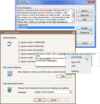
설명: checking process- including suppression of built-in forms, modification to suggestion lists, skipped words ... ExpressSpellChecker offers you built in correction forms that replicate corresponding forms found in Microsoft Word ... use Developer Express text input controls, words that aren't in the dictionary can be underlined. ... 더 읽기 본 제품에 관한 더 많은 결과 보기
설명: modification to suggestion lists, skipped words, manual error processing, etc. ... ExpressSpellChecker offers you built in correction forms that replicate corresponding forms found in Microsoft Word ... underlined. The ExpressSpellChecker automatically checks spelling as you type, word by word. This is done in a ... 더 읽기
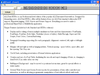
설명: Display colorful, rich text in your form's text box. ALLText HT/Pro is a full formatted text box (rich text) that supports the display of multiple fonts, colors, paragraph formatting and even bitmap backgrounds. Add hypertext tags to any words or phrases, complete with automatic cursor changes ... 더 읽기 본 제품에 관한 더 많은 결과 보기
라이선싱: ALLText HT/Pro- OCX/VBX 라이센스 더 읽기
가격: ALLText HT/Pro OCX V4.5/VBX V4.5 1 Developer License 부품 번호: 504577-1185942 1 Developer License with optional RTF Table Support 부품 번호: 504577-1185944 1 Developer License with optional HTML Support 부품 번호: 504577-1185946 ... 더 읽기
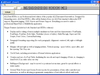
설명: Display colorful, rich text in your form's text box. ALLText HT/Pro is a full formatted text box (rich text) that supports the display of multiple fonts, colors, paragraph formatting and even bitmap backgrounds. Add hypertext tags to any words or phrases, complete with automatic cursor changes ... 더 읽기 본 제품에 관한 더 많은 결과 보기
라이선싱: ALLText HT/Pro- VBX 라이센스 더 읽기
가격: ALLText HT/Pro VBX V4.0 1 Developer License 부품 번호: 504577-1185948 1 Developer License with optional RTF Table Support 부품 번호: 504577-1185950 1 Developer License with optional HTML Support 부품 번호: 504577-1185952 ... 더 읽기

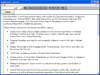
설명: Display colorful, rich text in your form's text box. ALLText HT/Pro is a full formatted text box (rich text) that supports the display of multiple fonts, colors, paragraph formatting and even bitmap backgrounds. Add hypertext tags to any words or phrases, complete with automatic cursor changes ... 더 읽기 본 제품에 관한 더 많은 결과 보기
스크린샷: Display and/or editing of text in multiple simultaneous fonts and font characteristics: FontFamily, FontName, FontSize, Bold, Italic, Underline (choice of styles), StrikeThrough, Super and Sub Scripts, Font Colors, CustomShadowing 0 ... 더 읽기
스크린샷: Automatic cursor change, Events on click, dblclick, Mouse and cursor enter/leave. 0 ... 더 읽기
전화 : 00798 14 800 6332
팩스 : +1 770 250 6199


