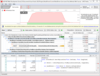
<rss version="2.0" xmlns:media="http://search.yahoo.com/mrss/" xmlns:atom="http://www.w3.org/2005/Atom"><channel><title>ComponentSource News | Micro Focus</title><link>http://www.componentsource.com/news/micro-focus/index.html</link><description></description><language>en-us</language><lastBuildDate>Wed, 19 Jun 2013 17:58:05 GMT</lastBuildDate><copyright>(C) Copyright 1996-2013 ComponentSource.</copyright><atom:link href="http://www.componentsource.com/news/micro-focus/rss.xml" rel="self" type="application/rss+xml"/><item><title>DevPartner Studio improves Internationalization</title><link>http://www.componentsource.com/news/2013/05/01/devpartner-studio-professional-named-users.html?rc=ni_13329</link><description>&lt;div class="image"&gt;&lt;img src="http://cloudcdn.componentsource.com/res/pub/media/1/13329/default_w350.png?rc=ni_13329" alt="Review code using DevPartner Studio Professional Edition."/&gt;&lt;p&gt;&lt;small&gt;Review code using DevPartner Studio Professional Edition.&lt;/small&gt;&lt;/p&gt;&lt;/div&gt;&lt;p&gt;&lt;strong&gt;BoundsChecker control API extended to handle 64-bit processes.&lt;/strong&gt;&lt;/p&gt;&lt;p&gt;DevPartner makes your software run as efficiently as possible by identifying the performance hot spots that eat up processor capacity. It's tools locate where applications don't release memory properly, so developers can quickly plug memory leaks. It allows you to ensure consistency, clarity and cleanliness with built in code cleansing tools that check code as it is produced to root out dirty code.&lt;br/&gt;&lt;/p&gt;&lt;p&gt;The following editions are available:&lt;/p&gt;&lt;ul&gt;&lt;li&gt;&lt;a href="http://www.componentsource.com/products/devpartner-studio-professional-concurrent-users/index.html?rc=ni_13329"&gt;DevPartner Studio Professional Edition Concurrent Users&lt;/a&gt;&lt;/li&gt;&lt;li&gt;&lt;a href="http://www.componentsource.com/products/devpartner-studio-professional-named-users/index.html?rc=ni_13329"&gt;DevPartner Studio Professional Edition Named Users&lt;/a&gt;&lt;/li&gt;&lt;li&gt;&lt;a href="http://www.componentsource.com/products/devpartner-boundschecker-visual-studio-edition-concurrent/index.html?rc=ni_13329"&gt;DevPartner BoundsChecker Concurrent Users&lt;/a&gt;&lt;/li&gt;&lt;li&gt;&lt;a href="http://www.componentsource.com/products/devpartner-boundschecker-visual-studio-edition-named/index.html?rc=ni_13329"&gt;DevPartner BoundsChecker Named Users&lt;/a&gt;&lt;/li&gt;&lt;li&gt;&lt;a href="http://www.componentsource.com/products/devpartner-coveragechecker-concurrent-users/index.html?rc=ni_13329"&gt;DevPartner CoverageChecker Concurrent Users&lt;/a&gt;&lt;/li&gt;&lt;li&gt;&lt;a href="http://www.componentsource.com/products/devpartner-coveragechecker-named-users/index.html?rc=ni_13329"&gt;DevPartner CoverageChecker Named Users&lt;/a&gt;&lt;/li&gt;&lt;li&gt;&lt;a href="http://www.componentsource.com/products/devpartner-visual-c-boundschecker-suite-visual-studio-concurrent-users/index.html?rc=ni_13329"&gt;DevPartner for Visual C++ BoundsChecker Suite Concurrent Users&lt;/a&gt;&lt;/li&gt;&lt;li&gt;&lt;a href="http://www.componentsource.com/products/devpartner-visual-c-boundschecker-suite-visual-studio-named-users/index.html?rc=ni_13329"&gt;DevPartner for Visual C++ BoundsChecker Suite Named Users&lt;/a&gt;&lt;/li&gt;&lt;li&gt;&lt;a href="http://www.componentsource.com/products/devpartner-memorychecker-concurrent-users/index.html?rc=ni_13329"&gt;DevPartner MemoryChecker Concurrent Users&lt;/a&gt;&lt;/li&gt;&lt;li&gt;&lt;a href="http://www.componentsource.com/products/devpartner-memorychecker-named-users/index.html?rc=ni_13329"&gt;DevPartner MemoryChecker Named Users&lt;/a&gt;&lt;/li&gt;&lt;li&gt;&lt;a href="http://www.componentsource.com/products/devpartner-performancechecker-concurrent-users/index.html?rc=ni_13329"&gt;DevPartner PerformanceChecker Concurrent Users&lt;/a&gt;&lt;/li&gt;&lt;li&gt;&lt;a href="http://www.componentsource.com/products/devpartner-performancechecker-named-users/index.html?rc=ni_13329"&gt;DevPartner PerformanceChecker Named Users&lt;/a&gt;&lt;/li&gt;&lt;li&gt;&lt;a href="http://www.componentsource.com/products/devpartner-systemchecker-concurrent-users/index.html?rc=ni_13329"&gt;DevPartner SystemChecker Concurrent Users&lt;/a&gt;&lt;/li&gt;&lt;li&gt;&lt;a href="http://www.componentsource.com/products/devpartner-systemchecker-named-users/index.html?rc=ni_13329"&gt;DevPartner SystemChecker Named Users&lt;/a&gt;&lt;br/&gt;&lt;/li&gt;&lt;/ul&gt;&lt;h3&gt;Updates in V11.01.00&lt;/h3&gt;&lt;ul&gt;&lt;li&gt;Discrete Memory Block Tracking expanded to capture initial allocations.&lt;/li&gt;&lt;li&gt;BoundsChecker control API expanded to handle 64-bit processes.&lt;/li&gt;&lt;li&gt;Single-feature licensing for performance, memory, coverage and system footprint tools.&lt;/li&gt;&lt;li&gt;Simplified Chinese localization added as install-time, product-wide option.&lt;/li&gt;&lt;/ul&gt;&lt;h3&gt;About Micro Focus&lt;/h3&gt;&lt;p&gt;&lt;a href="http://www.componentsource.com/features/micro-focus/index.html?rc=ni_13329"&gt;Micro Focus&lt;/a&gt;, a member of the FTSE 250, provides innovative software that allows companies to dramatically improve the business value of their enterprise applications. The company enables business applications to respond rapidly to market changes and embrace modern architectures with reduced cost and risk. Micro Focus has more than 30 years of expertise and more than 15,000 customers including more than 70 of the Fortune Global 100 companies and one million licensed users. Compuware and Micro Focus recently signed an agreement for Micro Focus to acquire the Compuware Quality Solutions product line.&lt;/p&gt;&lt;h3&gt;Did You Know?&lt;/h3&gt;&lt;p&gt;Did you know that you can also buy &lt;a href="http://www.componentsource.com/products/microsoft-visual-studio-professional/index-gbp.html?rc=ni_13329"&gt;Microsoft Visual Studio along with an MSDN Subscription&lt;/a&gt; from us? Or that in Europe and Japan we also have all the &lt;a href="http://www.componentsource.com/features/embarcadero/index.html?rc=ni_13329"&gt;Embarcadero&lt;/a&gt; products available to purchase, such as &lt;a href="http://www.componentsource.com/products/delphi-professional/index-gbp.html?rc=ni_13329"&gt;Delphi&lt;/a&gt;, &lt;a href="http://www.componentsource.com/products/cbuilder-professional/index-gbp.html?rc=ni_13329"&gt;C++ Builder&lt;/a&gt; and &lt;a href="http://www.componentsource.com/products/rad-studio/index-gbp.html?rc=ni_13329"&gt;RAD Studio&lt;/a&gt;!&lt;/p&gt;</description><category>32 Bit</category><category>64 Bit</category><category>Dev Tools &amp; IT Utilities</category><category>Development</category><category>Feature Releases</category><category>Micro Focus</category><category>Microsoft</category><category>Visual Basic 2012</category><category>Visual C++ 2005</category><category>Visual C++ 2008</category><category>Visual C++ 2010</category><category>Visual C++ 2012</category><category>Visual Studio 2005</category><category>Visual Studio 2008</category><category>Visual Studio 2010</category><category>Visual Studio 2012</category><category>Windows 7</category><category>Windows Dev Tools</category><category>Windows Server 2003</category><category>Windows Server 2008</category><category>Windows Vista</category><category>Windows XP</category><guid isPermaLink="false">http://www.componentsource.com/news/2013/05/01/devpartner-studio-professional-named-users.html?rc=ni_13329</guid><pubDate>Wed, 01 May 2013 12:36:18 GMT</pubDate></item>
		<item><title>DevPartner Studio Professional V11 released </title><link>http://www.componentsource.com/news/2013/02/18/devpartner-studio-professional-named-users.html?rc=ni_12769</link><description>&lt;div class="image"&gt;&lt;img src="http://cloudcdn.componentsource.com/res/pub/media/1/12769/default_w350.png?rc=ni_12769" alt="Review code using DevPartner Studio Professional Edition."/&gt;&lt;p&gt;&lt;small&gt;Review code using DevPartner Studio Professional Edition.&lt;/small&gt;&lt;/p&gt;&lt;/div&gt;&lt;p&gt;&lt;strong&gt;New version improves error detection performance on instrumented code.&lt;/strong&gt;&lt;/p&gt;&lt;p&gt;DevPartner Studio Professional Edition is a suite of software development and testing tools that enable Windows application teams to build reliable, high-performance applications, components and Web services for Microsoft .NET. It automatically detects and diagnoses software defects and performance problems early in the development process. It also provides built-in coding advice, coding standards and rule-based guidance to improve development skills and ensure software reliability and performance. DevPartner Studio enhances Visual Studio and Team Foundation Server with advanced capabilities that allow development organizations to improve software quality, adopt coding standards, reduce technical code and project risks and maximize developer productivity.&lt;/p&gt;&lt;p&gt;The following editions are available:&lt;/p&gt;&lt;ul&gt;&lt;li&gt;&lt;a href="http://www.componentsource.com/products/devpartner-studio-professional-named-users/index.html?rc=ni_12769"&gt;DevPartner Studio Professional Edition, Named Users&lt;/a&gt;&lt;/li&gt;&lt;li&gt;&lt;a href="http://www.componentsource.com/products/devpartner-studio-professional-concurrent-users/index.html?rc=ni_12769"&gt;DevPartner Studio Professional Edition, Concurrent Users&lt;/a&gt;&lt;/li&gt;&lt;/ul&gt;&lt;h3&gt;Updates in V11&lt;/h3&gt;&lt;ul&gt;&lt;li&gt;&lt;strong&gt;Full Support for Microsoft Visual Studio 2012 -&lt;/strong&gt; Analyze, detect errors and perform static code reviews in existing supported project types and new Visual Studio 2012 project types.&lt;/li&gt;&lt;li&gt;&lt;strong&gt;.NET 4.5 / Common Language Runtime (CLR) 4.5 Support -&lt;/strong&gt; Test and analyze any applications that leverage CLR 4.5.&lt;/li&gt;&lt;li&gt;&lt;strong&gt;Improved Error Detection Performance on Instrumented Code -&lt;/strong&gt; The FinalCheck feature of Error Detection has been streamlined and now has improved performance, allowing larger applications with instrumented code to finish FinalCheck in significantly less time.&lt;/li&gt;&lt;li&gt;&lt;strong&gt;Discrete Block Tracking -&lt;/strong&gt; DevPartner 11 provides a new tracking option during interactive inspection.&lt;/li&gt;&lt;/ul&gt;&lt;h3&gt;About Micro Focus&lt;/h3&gt;&lt;p&gt;&lt;a href="http://www.componentsource.com/features/micro-focus/index.html?rc=ni_12769"&gt;Micro Focus&lt;/a&gt;, a member of the FTSE 250, provides innovative software that allows companies to dramatically improve the business value of their enterprise applications. The company enables business applications to respond rapidly to market changes and embrace modern architectures with reduced cost and risk. Micro Focus has more than 30 years of expertise and more than 15,000 customers including more than 70 of the Fortune Global 100 companies and one million licensed users. Compuware and Micro Focus recently signed an agreement for Micro Focus to acquire the Compuware Quality Solutions product line.&lt;/p&gt;&lt;h3&gt;Did You Know?&lt;/h3&gt;&lt;p&gt;Did you know that you can also buy &lt;a href="http://www.componentsource.com/products/microsoft-visual-studio-professional/index.html?rc=ni_12769"&gt;Microsoft Visual Studio along with an MSDN Subscription&lt;/a&gt; from us? Or that in Europe and Japan we also have all the &lt;a href="http://www.componentsource.com/features/embarcadero/index.html?rc=ni_12769"&gt;Embarcadero&lt;/a&gt; products available to purchase, such as &lt;a href="http://www.componentsource.com/products/delphi-professional/index.html?rc=ni_12769"&gt;Delphi&lt;/a&gt;, &lt;a href="http://www.componentsource.com/products/cbuilder-professional/index.html?rc=ni_12769"&gt;C++ Builder&lt;/a&gt; and &lt;a href="http://www.componentsource.com/products/rad-studio/index.html?rc=ni_12769"&gt;RAD Studio&lt;/a&gt;!&lt;/p&gt;</description><category>32 Bit</category><category>64 Bit</category><category>Dev Tools &amp; IT Utilities</category><category>Development</category><category>Feature Releases</category><category>Micro Focus</category><category>Microsoft</category><category>Visual Basic 2012</category><category>Visual C++ 2005</category><category>Visual C++ 2008</category><category>Visual C++ 2010</category><category>Visual C++ 2012</category><category>Visual Studio 2005</category><category>Visual Studio 2008</category><category>Visual Studio 2010</category><category>Visual Studio 2012</category><category>Windows 7</category><category>Windows Dev Tools</category><category>Windows Server 2003</category><category>Windows Server 2008</category><category>Windows Vista</category><category>Windows XP</category><guid isPermaLink="false">http://www.componentsource.com/news/2013/02/18/devpartner-studio-professional-named-users.html?rc=ni_12769</guid><pubDate>Mon, 18 Feb 2013 11:08:34 GMT</pubDate></item>
		<item><title>DevPartner Studio Professional supports VS11 Beta</title><link>http://www.componentsource.com/news/2012/03/23/devpartner-studio-professional-vs11-beta.html?rc=ni_10425</link><description>&lt;div class="image"&gt;&lt;img src="http://cloudcdn.componentsource.com/res/pub/media/1/10425/default_w350.png?rc=ni_10425" alt="DevPartner Studio Professional provides runtime feedback for applications built in Visual C 11."/&gt;&lt;p&gt;&lt;small&gt;DevPartner Studio Professional provides runtime feedback for applications built in Visual C 11.&lt;/small&gt;&lt;/p&gt;&lt;/div&gt;&lt;p&gt;&lt;strong&gt;Trap bugs with confidence and bolster your effectiveness with DevPartner inspection tools for Visual Studio 11 Beta.&lt;/strong&gt;&lt;/p&gt;&lt;p&gt;&lt;a href="http://www.componentsource.com/products/devpartner-studio-professional-named-users/index.html?rc=ni_10425"&gt;DevPartner Studio Professional Edition&lt;/a&gt; increases development productivity by automatically detecting and diagnosing software defects, performance problems and security vulnerabilities early in the development process. &lt;/p&gt;&lt;p&gt;The latest DevPartner Studio version includes support for Visual Studio 11.0 Beta. DevPartner forms an essential link in the coder's toolbox, extending Microsoft Visual Studio with runtime and static analysis utilities geared towards automated troubleshooting.&lt;/p&gt;&lt;p&gt;Runtime inspection of applications remains a key purpose for using DevPartner. Error and leak detection through BoundsChecker, plus performance, coverage, and memory analysis, give a rich insight into code behavior. &lt;br/&gt;&lt;br/&gt;Moving existing code or writing new applications under Visual Studio 11 remains a challenge across .NET and C++ language domains on a myriad of processor targets. DevPartner's compatibility with multiple Visual Studio versions, including VS 11, makes moving, building and testing code accessible as codelines evolve and mature. No matter where code runs, its consumption of memory and CPU resources represents a real cost that must be understood and contained.&lt;/p&gt;&lt;p&gt;Further information including the DevPartner Studio Professional Beta download for VS11, is available on the &lt;a href="http://dev11.componentsource.com/products/devpartner-studio-professional"&gt;Visual Studio 11 Beta site&lt;/a&gt;.&lt;/p&gt;&lt;h3&gt;About Micro Focus&lt;/h3&gt;&lt;p&gt;&lt;a href="http://www.componentsource.com/features/micro-focus/index.html?rc=ni_10425"&gt;Micro Focus&lt;/a&gt;, a member of the FTSE 250, provides innovative software that allows companies to dramatically improve the business value of their enterprise applications. The company enables business applications to respond rapidly to market changes and embrace modern architectures with reduced cost and risk. Micro Focus has more than 30 years of expertise and more than 15,000 customers including more than 70 of the Fortune Global 100 companies and one million licensed users. Compuware and Micro Focus recently signed an agreement for Micro Focus to acquire the Compuware Quality Solutions product line.&lt;/p&gt;</description><category>32 Bit</category><category>64 Bit</category><category>Dev Tools &amp; IT Utilities</category><category>Development</category><category>Micro Focus</category><category>Microsoft</category><category>Press Releases</category><category>Visual C++ 2005</category><category>Visual C++ 2008</category><category>Visual C++ 2010</category><category>Visual Studio 2005</category><category>Visual Studio 2008</category><category>Visual Studio 2010</category><category>Windows 7</category><category>Windows Dev Tools</category><category>Windows Server 2003</category><category>Windows Server 2008</category><category>Windows Vista</category><category>Windows XP</category><guid isPermaLink="false">http://www.componentsource.com/news/2012/03/23/devpartner-studio-professional-vs11-beta.html?rc=ni_10425</guid><pubDate>Fri, 23 Mar 2012 16:37:50 GMT</pubDate></item>
		<item><title>Web-to-Host launched</title><link>http://www.componentsource.com/news/2011/04/11/web-to-host.html</link><description>&lt;div class="image"&gt;&lt;img src="http://cloudcdn.componentsource.com/res/pub/media/8/7445/default_w800.gif" alt="Connecting to a mainframe via Web-to-Host."/&gt;&lt;p&gt;&lt;small&gt;Connecting to a mainframe via Web-to-Host.&lt;/small&gt;&lt;/p&gt;&lt;/div&gt;&lt;p&gt;&lt;strong&gt;Secure connectivity to mainframe, AS/400, UNIX, HP, and virtually any host system from your Web browser.&lt;/strong&gt;&lt;/p&gt;&lt;p&gt;&lt;a href="http://www.componentsource.com/products/web-to-host/index.html"&gt;Web-to-Host&lt;/a&gt; is a terminal emulation suite that provides secure connectivity to mainframe, AS/400, UNIX, HP, and virtually any host system from a Web browser environment. It provides cost effective, reliability and security for terminal emulation connectivity without the need to install an emulator on every desktop.&lt;/p&gt;&lt;h3&gt;Features&lt;/h3&gt;&lt;ul&gt;&lt;li&gt;&lt;strong&gt;FIPS Level Security -&lt;/strong&gt; The highest level of encryption to secure sensitive information and data.&lt;/li&gt;&lt;li&gt;&lt;strong&gt;Multiple connectivity options -&lt;/strong&gt; Web-to-Host is the only application needed for any and all connectivity needs.&lt;/li&gt;&lt;li&gt;&lt;strong&gt;DBCS Enabled-  &lt;/strong&gt;Users of Web-to-Host in various regions will be able to have one emulator worldwide to support their usage.&lt;/li&gt;&lt;li&gt;&lt;strong&gt;Multiple versions – JAVA  and Microsoft -&lt;/strong&gt; Web-to-Host fits into an existing architecture, JAVA or Microsoft so that administrators do not have to adapt as the product adapts to their needs.&lt;/li&gt;&lt;li&gt;&lt;strong&gt;Windows 7 Certified -&lt;/strong&gt; Any customer upgrading can be confident that Web-to-Host is certified to work in the new environment with a seamless upgrade path.&lt;/li&gt;&lt;li&gt;&lt;strong&gt;Separation between the engine and the display -&lt;/strong&gt; Web-to-Host uses fewer resources than competitive emulators, saving on both hardware and memory costs.&lt;/li&gt;&lt;/ul&gt;&lt;h3&gt;About Micro Focus&lt;/h3&gt;&lt;p&gt;&lt;a href="http://www.componentsource.com/features/micro-focus/index.html"&gt;Micro Focus&lt;/a&gt;, a member of the FTSE 250, provides innovative software that allows companies to dramatically improve the business value of their enterprise applications. Micro Focus Enterprise Application Modernization and Management software enables customers’ business applications to respond rapidly to market changes and embrace modern architectures with reduced cost and risk. Micro Focus has more than 30 years of expertise and more than 15,000 customers including more than 70 of the Fortune Global 100 companies and one million licensed users.&lt;/p&gt;</description><category>32 Bit</category><category>Dev Tools &amp; IT Utilities</category><category>Internet Communication</category><category>Micro Focus</category><category>Press Releases</category><category>Windows 7</category><category>Windows Dev Tools</category><category>Windows Vista</category><category>Windows XP</category><lastBuildDate>12-Apr-2011 11:47:12</lastBuildDate><pubDate>11-Apr-2011 18:08:00</pubDate></item>
		<item><title>BoundsChecker now 64bit compatible</title><link>http://www.componentsource.com/news/2011/03/29/devpartner-visual-c-boundschecker-suite-visual-studio-named-users.html</link><description>&lt;div class="image"&gt;&lt;img src="http://cloudcdn.componentsource.com/res/pub/media/8/7379/default_w800.gif" alt="Error detection using DevPartner for Visual C++ BoundsChecker Suite."/&gt;&lt;p&gt;&lt;small&gt;Error detection using DevPartner for Visual C++ BoundsChecker Suite.&lt;/small&gt;&lt;/p&gt;&lt;/div&gt;&lt;p&gt;&lt;strong&gt;DevPartner for Visual C++ BoundsChecker Suite analyzes both native and managed 32bit and 64bit executables.&lt;/strong&gt;&lt;/p&gt;&lt;p&gt;&lt;a href="http://www.componentsource.com/products/devpartner-visual-c-boundschecker-suite-visual-studio-named-users/index.html"&gt;DevPartner for Visual C++ BoundsChecker Suite&lt;/a&gt; helps developers to quickly and easily locate errors in application source code and at runtime, locate performance issues and measure the level of testing accomplished, for any combination of Visual Studio .NET and native Windows code, and across physically distributed systems. &lt;/p&gt;&lt;p&gt;&lt;a href="http://www.componentsource.com/products/devpartner-visual-c-boundschecker-suite-visual-studio-named-users/index.html"&gt;DevPartner for Visual C++ BoundsChecker Suite&lt;/a&gt; is also available as part of &lt;a href="http://www.componentsource.com/products/devpartner-studio-professional-named-users/index.html"&gt;DevPartner Studio Professional Edition&lt;/a&gt;&lt;/p&gt;&lt;h3&gt;Updates in V10.5&lt;/h3&gt;&lt;p&gt;&lt;strong&gt;64-Bit Application Support&lt;/strong&gt; - DevPartner 10.5 now supports the ability to analyze and profile both native and managed 32-bit and 64-bit executables, Web applications and assemblies on both AMD x64 and Intel EM64T architectures. DevPartner has been updated to handle the increased memory limits and data values used by 64-bit applications. The updated runtime DevPartner components consist of:&lt;/p&gt;&lt;ul&gt;&lt;li&gt;Error Detection (BoundsChecker)&lt;/li&gt;&lt;li&gt;Performance Analysis&lt;/li&gt;&lt;li&gt;Coverage Analysis&lt;/li&gt;&lt;li&gt;Memory Analysis&lt;/li&gt;&lt;li&gt;Performance Expert&lt;/li&gt;&lt;/ul&gt;&lt;p&gt;&lt;strong&gt;Remote Profiling on Windows 7 -&lt;/strong&gt; DevPartner now supports the profiling of remote applications when the local and remote computers are properly licensed and use supported Windows Vista SP1 and later operating systems, including Windows 7, Windows Server 2008, and Windows Server 2008 R2.&lt;/p&gt;&lt;ul&gt;&lt;li&gt;Eases the burden of multi platform verification &lt;/li&gt;&lt;li&gt;Frees the users system while analysis runs on remote systems&lt;/li&gt;&lt;/ul&gt;&lt;h3&gt;About Micro Focus&lt;/h3&gt;&lt;p&gt;&lt;a href="http://www.componentsource.com/features/micro-focus/index.html"&gt;Micro Focus&lt;/a&gt;, a member of the FTSE 250, provides innovative software that allows companies to dramatically improve the business value of their enterprise applications. Micro Focus Enterprise Application Modernization and Management software enables customers’ business applications to respond rapidly to market changes and embrace modern architectures with reduced cost and risk. Micro Focus has more than 30 years of expertise and more than 15,000 customers including more than 70 of the Fortune Global 100 companies and one million licensed users.&lt;/p&gt;</description><category>32 Bit</category><category>64 Bit</category><category>Debugging and Testing</category><category>Dev Tools &amp; IT Utilities</category><category>Feature Releases</category><category>Micro Focus</category><category>Microsoft</category><category>Visual C++ 2005</category><category>Visual C++ 2008</category><category>Visual C++ 2010</category><category>Visual Studio 2005</category><category>Visual Studio 2008</category><category>Visual Studio 2010</category><category>Windows 7</category><category>Windows Dev Tools</category><category>Windows Server 2003</category><category>Windows Server 2008</category><category>Windows Vista</category><category>Windows XP</category><lastBuildDate>30-Mar-2011 12:07:21</lastBuildDate><pubDate>29-Mar-2011 17:06:00</pubDate></item>
		<item><title>DevPartner adds 64bit support</title><link>http://www.componentsource.com/news/2011/03/28/devpartner-studio-professional-named-users.html</link><description>&lt;div class="image"&gt;&lt;img src="http://cloudcdn.componentsource.com/res/pub/media/8/7369/default_w800.gif" alt="Viewing a Call Graph in DevPartner's Code Review."/&gt;&lt;p&gt;&lt;small&gt;Viewing a Call Graph in DevPartner's Code Review.&lt;/small&gt;&lt;/p&gt;&lt;/div&gt;&lt;p&gt;&lt;strong&gt;Version 10.5 also adds remote profiling on Windows 7 and Integration with Silk Central Test Manager.&lt;/strong&gt;&lt;/p&gt;&lt;p&gt;&lt;a href="http://www.componentsource.com/products/devpartner-studio-professional-named-users/index.html"&gt;DevPartner Studio Professional Edition&lt;/a&gt; is a suite of software development and testing tools that enable Windows application teams to build reliable, high-performance applications, components and web services for Microsoft .NET and native Windows platforms. DevPartner Studio automatically detects and diagnoses software defects and performance problems early in the development process as cost-effectively as possible, providing built-in expert coding advice, coding standards and best practices to improve development skills and ensure software reliability and performance. DevPartner Studio enhances Visual Studio and Visual Studio Team System with advanced capabilities that allow development organizations to improve software quality, adopt coding standards and best practices, and maximize developer productivity.&lt;/p&gt;&lt;h3&gt;Updates in V10.5&lt;/h3&gt;&lt;p&gt;&lt;strong&gt;64-Bit Application Support&lt;/strong&gt; - DevPartner 10.5 now supports the ability to analyze and profile both native and managed 32-bit and 64-bit executables, Web applications and assemblies on both AMD x64 and Intel EM64T architectures. DevPartner has been updated to handle the increased memory limits and data values used by 64-bit applications. The updated runtime DevPartner components consist of:&lt;/p&gt;&lt;ul&gt;&lt;li&gt;Error Detection (BoundsChecker)&lt;/li&gt;&lt;li&gt;Performance Analysis&lt;/li&gt;&lt;li&gt;Coverage Analysis&lt;/li&gt;&lt;li&gt;Memory Analysis&lt;/li&gt;&lt;li&gt;Performance Expert&lt;/li&gt;&lt;/ul&gt;&lt;p&gt;&lt;strong&gt;Remote Profiling on Windows 7 -&lt;/strong&gt; DevPartner now supports the profiling of remote applications when the local and remote computers are properly licensed and use supported Windows Vista SP1 and later operating systems, including Windows 7, Windows Server 2008, and Windows Server 2008 R2.&lt;/p&gt;&lt;ul&gt;&lt;li&gt;Eases the burden of multi platform verification &lt;/li&gt;&lt;li&gt;Frees the users system while analysis runs on remote systems&lt;/li&gt;&lt;/ul&gt;&lt;p&gt;&lt;strong&gt;Integration with Silk Central Test Manager&lt;/strong&gt; - DevPartner .NET code analysis is now supported in Silk Central Test Manager (SCTM) 2010 R2.  This illuminates the black box of testing by extending code analysis capabilities into the .Net world.&lt;/p&gt;&lt;ul&gt;&lt;li&gt;Illustrates whether tests have sufficiently covered application code&lt;/li&gt;&lt;li&gt;Helps testers choose tests that are impacted by code changes&lt;/li&gt;&lt;li&gt;Shows coverage trends across builds&lt;/li&gt;&lt;/ul&gt;&lt;h3&gt;About Micro Focus&lt;/h3&gt;&lt;p&gt;&lt;a href="http://www.componentsource.com/features/micro-focus/index.html"&gt;Micro Focus&lt;/a&gt;, a member of the FTSE 250, provides innovative software that allows companies to dramatically improve the business value of their enterprise applications. Micro Focus Enterprise Application Modernization and Management software enables customers’ business applications to respond rapidly to market changes and embrace modern architectures with reduced cost and risk. Micro Focus has more than 30 years of expertise and more than 15,000 customers including more than 70 of the Fortune Global 100 companies and one million licensed users. Compuware and Micro Focus recently signed an agreement for Micro Focus to acquire the Compuware Quality Solutions product line.&lt;/p&gt;</description><category>32 Bit</category><category>64 Bit</category><category>Dev Tools &amp; IT Utilities</category><category>Development</category><category>Feature Releases</category><category>Micro Focus</category><category>Microsoft</category><category>Visual C++ 2005</category><category>Visual C++ 2008</category><category>Visual C++ 2010</category><category>Visual Studio 2005</category><category>Visual Studio 2008</category><category>Visual Studio 2010</category><category>Windows 7</category><category>Windows Dev Tools</category><category>Windows Server 2003</category><category>Windows Server 2008</category><category>Windows Vista</category><category>Windows XP</category><lastBuildDate>29-Mar-2011 11:35:44</lastBuildDate><pubDate>28-Mar-2011 17:20:00</pubDate></item>
		<item><title>Rumba streamlines key business processes</title><link>http://www.componentsource.com/news/2011/02/28/rumba.html</link><description>&lt;div class="image"&gt;&lt;img src="http://cloudcdn.componentsource.com/res/pub/media/8/7170/default_w800.gif" alt="AS/400 display in Rumba."/&gt;&lt;p&gt;&lt;small&gt;AS/400 display in Rumba.&lt;/small&gt;&lt;/p&gt;&lt;/div&gt;&lt;p&gt;&lt;strong&gt;Terminal emulation and user interface modernization toolset now available from ComponentSource.&lt;/strong&gt;&lt;/p&gt;&lt;p&gt;&lt;a href="http://www.componentsource.com/products/rumba/index.html"&gt;Rumba&lt;/a&gt; is a terminal emulation suite that provides secure connectivity to mainframe, AS/400, UNIX, HP, and virtually any host system. Rumba provides reliable connectivity from Microsoft Windows desktops to any host system. Rumba comes with features like History support, Microsoft Office integration, tile &amp;amp; zoom and more.&lt;/p&gt;&lt;h3&gt;Features&lt;/h3&gt;&lt;ul&gt;&lt;li&gt;&lt;strong&gt;More host access options&lt;/strong&gt;&lt;br/&gt;Rumba provides access to a broad range of host types, including IBM mainframe, IBM iSeries, Hewlett-Packard, UNIX, and VAX. Because you need only one vendor and one application for a multi-host environment, deployment and support is faster, easier, and more cost effective.&lt;/li&gt;&lt;li&gt;&lt;strong&gt;Increased user productivity&lt;/strong&gt;&lt;br/&gt;Rumba enables business users to work productively with host-based information within a user-friendly Windows environment. It provides all the core functionality of a Windows-based emulator, from multi-session support and host printer emulation to a variety of file transfer and host-based graphics options.&lt;/li&gt;&lt;li&gt;&lt;strong&gt;Tabs, tiles and zoom&lt;/strong&gt;&lt;br/&gt;Rumba features two methods for connecting to multiple sessions at once. Customers can choose to show each session in individual tabs just like popular Web browsers do. Customers can also choose to show multiple sessions in one tiled window. This enables scanning of multiple customer touch points at once. A double click zooms into the window needed. Fonts automatically render and emulation screen types are matched on demand.&lt;/li&gt;&lt;li&gt;&lt;strong&gt;History and training&lt;/strong&gt;&lt;br/&gt;Rumba features an extensive history showing where the end user has gone throughout a transaction. History files can be named and searched via text or, if the end user highlights a field in the active terminal window, with a right click. History files can be searched with this selected data. For training purposes, administrators can record “best practice” history files and distribute to all employees to ease training times. This would essentially show a brand new green screen user how to run through popular transactions.&lt;/li&gt;&lt;li&gt;&lt;strong&gt;Windows 7 and Office 2010 certified and ready&lt;/strong&gt;&lt;br/&gt;Rumba users can take advantage of Windows 7 features and functions, including snap, enhanced power management, problem step recorder and roaming user support. A powerful bridge between the desktop and the data center, Rumba is ideal for companies upgrading to Windows 7. Along with certification and support for Windows 7, customers will be able to interact with Microsoft Office applications from within Rumba. Sending application details via Outlook, Microsoft Word, OneNote and PowerPoint is only a click away.&lt;/li&gt;&lt;li&gt;&lt;strong&gt;Comprehensive security&lt;/strong&gt;&lt;br/&gt;Client-to-host communication is secure. Rumba adapts to the highest level of security available via your organization’s existing host security, network security, firewalls, and virtual private networks (VPNs). Rumba security is FIPS certified Secure Sockets Layer (SSL) and Secure Shell (SSH) technology for secure terminal and FTP sessions to host computers. Rumba Security Services (RSS) adds protection for users that connect via the Internet. Its patented technology provides persistent terminal and FTP sessions via the standard HTTPS port on your existing firewalls or proxy servers, making it easier than ever to extend access to external users while protecting information assets.&lt;/li&gt;&lt;li&gt;&lt;strong&gt;iSeries single sign-on&lt;/strong&gt;&lt;br/&gt;Rumba iSeries single sign-on feature streamlines client authentication and reduces administrative costs. Administrators are able to configure and manage a single login process that extends to the iSeries system through the use of Kerberos technology, which is also standardized and integrated by IBM and Microsoft. Centralized user profile management simplifies host access administration and makes monitoring and compliance reporting easier.&lt;/li&gt;&lt;li&gt;&lt;strong&gt;Customization and ease of use&lt;/strong&gt;&lt;br/&gt;Comprehensive productivity and ease-of-use features reduce the need for support and training. System administrators can even custom configure the menu bar of the Rumba window to meet exact requirements of each user or organization.&lt;/li&gt;&lt;li&gt;&lt;strong&gt;Robust, flexible technology&lt;/strong&gt;&lt;br/&gt;Rumba supports display and host application printing, native file transfer and flexible keyboard mapping. The software also includes an intuitive, point-and-click macro editor.&lt;/li&gt;&lt;li&gt;&lt;strong&gt;VBA-type scripting support&lt;/strong&gt;&lt;br/&gt;This enables automation via scripting to improve end-user productivity and streamline business processes. It supports the execution of existing Web-to-Host, ViewNow, and/or competitive scripts on the Rumba platform, reducing the administrative costs associated with multi-client-type installations and consolidations.&lt;/li&gt;&lt;li&gt;&lt;strong&gt;Custom application development with Visual Studio .NET integration&lt;/strong&gt;&lt;br/&gt;Support for EHLLAPI and COM interfaces provides maximum flexibility and convenience for programmers, developers, and other IT professionals. Customers can now develop custom applications in .NET with a new flexible and extensible API. Custom samples and ready to go applications are available for customers developing in the Visual Studio environment.&lt;/li&gt;&lt;li&gt;&lt;strong&gt;Streamline software administration&lt;/strong&gt;&lt;br/&gt;Centralized administration significantly lowers total cost of ownership through server-based software deployment and maintenance. Microsoft Installer technology lets system administrators service and upgrade systems easily from a central network server.&lt;/li&gt;&lt;li&gt;&lt;strong&gt;Section 508 compliant&lt;/strong&gt;&lt;br/&gt;Rumba has been designed to be compliant with the U.S. Government standards as defined by Section 508 of the U.S. Federal Rehabilitation Act amended in 1998. This set of standards provides for access to information by people with various visual, tactile, or aural handicaps. VPAT forms are available upon request.&lt;/li&gt;&lt;/ul&gt;&lt;h3&gt;About Micro Focus&lt;/h3&gt;&lt;p&gt;&lt;a href="http://www.componentsource.com/features/micro-focus/index.html"&gt;Micro Focus&lt;/a&gt;, a member of the FTSE 250, provides innovative software that allows companies to dramatically improve the business value of their enterprise applications. Micro Focus Enterprise Application Modernization and Management software enables customers’ business applications to respond rapidly to market changes and embrace modern architectures with reduced cost and risk. Micro Focus has more than 30 years of expertise and more than 15,000 customers including more than 70 of the Fortune Global 100 companies and one million licensed users. Compuware and Micro Focus recently signed an agreement for Micro Focus to acquire the Compuware Quality Solutions product line.&lt;/p&gt;</description><category>32 Bit</category><category>Dev Tools &amp; IT Utilities</category><category>Internet Communication</category><category>Micro Focus</category><category>Press Releases</category><category>Windows 7</category><category>Windows Dev Tools</category><category>Windows Vista</category><lastBuildDate>01-Mar-2011 11:36:29</lastBuildDate><pubDate>28-Feb-2011 17:23:00</pubDate></item>
		<item><title>DevPartner adds full VS2010 support</title><link>http://www.componentsource.com/news/2010/04/30/devpartner-studio-professional-named-users.html</link><description>&lt;div class="image"&gt;&lt;img src="http://cloudcdn.componentsource.com/res/pub/media/2/1932/default_w800.gif" alt="Viewing a Call Graph in DevPartner's Code Review."/&gt;&lt;p&gt;&lt;small&gt;Viewing a Call Graph in DevPartner's Code Review.&lt;/small&gt;&lt;/p&gt;&lt;/div&gt;&lt;p&gt;&lt;strong&gt;Version 10.0 also supports .NET 4.0 and CLR 4.0, plus Team Foundation Server 10.0 Work Item submission.&lt;/strong&gt;&lt;/p&gt;&lt;p&gt;DevPartner Studio is a suite of software development and testing tools that enable Windows application teams to build reliable, high-performance applications, components and Web services for Microsoft .NET and native Windows platforms. DevPartner Studio automatically detects and diagnoses software defects and performance problems early in the development process as cost-effectively as possible, providing built-in expert coding advice, coding standards and best practices to improve development skills and ensure software reliability and performance. DevPartner Studio enhances Visual Studio and Visual Studio Team System with advanced capabilities that allow development organizations to improve software quality and maximize developer productivity.&lt;/p&gt;&lt;p&gt;The following editions are available:&lt;/p&gt;&lt;ul&gt;&lt;li&gt;&lt;a href="http://www.componentsource.com/products/devpartner-studio-professional-named-users/index.html"&gt;DevPartner Studio Professional Edition, Named Users&lt;/a&gt;&lt;/li&gt;&lt;li&gt;&lt;a href="http://www.componentsource.com/products/devpartner-studio-professional-concurrent-users/index.html"&gt;DevPartner Studio Professional Edition, Concurrent Users&lt;/a&gt;&lt;/li&gt;&lt;li&gt;&lt;a href="http://www.componentsource.com/products/devpartner-visual-c-boundschecker-suite-visual-studio-named-users/index.html"&gt;DevPartner for Visual C++ BoundsChecker Suite - Visual Studio Edition, Named Users&lt;/a&gt;&lt;/li&gt;&lt;li&gt;&lt;a href="http://www.componentsource.com/products/devpartner-visual-c-boundschecker-suite-visual-studio-concurrent-users/index.html"&gt;DevPartner for Visual C++ BoundsChecker Suite - Visual Studio Edition, Concurrent Users&lt;/a&gt;&lt;/li&gt;&lt;/ul&gt;&lt;h3&gt;Updates in V10.0&lt;/h3&gt;&lt;ul&gt;&lt;li&gt;&lt;strong&gt;Microsoft Visual Studio 2010 Support&lt;/strong&gt;&lt;br/&gt;DevPartner Studio 10.0 provides full Microsoft Visual Studio 2010 support. This includes full support the analysis of applications developed using Microsoft Visual Studio, and full integration into the Visual Studio IDE. Analyze, detect errors and perform static code reviews in new Visual Studio 2010 project types.&lt;/li&gt;&lt;li&gt;&lt;strong&gt;Microsoft Team Foundation Server 10.0 Work Item Submission&lt;/strong&gt;&lt;br/&gt;DevPartner Studio 10.0 supports submission of additional Work Item types to Microsoft Team Foundation Server 10.0. DevPartner Studio 10.0 automatically populates Work Item forms with selected session data for the issue work item type, as well as bug and defect work item types. Work Items can be submitted through both Visual Studio 2010 and 2008 when used with Microsoft Team Foundation Server 10.0 and the active Team System project supports the Work Item type.&lt;/li&gt;&lt;li&gt;&lt;strong&gt;Support for MSBuild&lt;/strong&gt;&lt;br/&gt;DevPartner 10.0 supports MSBuild to build any DevPartner project in Visual Studio 2010. MSBuild starts automatically whenever building a solution from the build menu.&lt;/li&gt;&lt;li&gt;&lt;strong&gt;.NET 4.0 / Common Language Runtime (CLR) 4.0 Support&lt;/strong&gt;&lt;br/&gt;DevPartner 10.0 lets you test and analyze any applications that leverage CLR 4.0, the common language runtime for .NET 4.0. CLR 4.0 support includes all DevPartner supported project types in Visual Studio 2010.&lt;/li&gt;&lt;li&gt;&lt;strong&gt;Experimental Support for Micro Focus Visual COBOL for .NET Projects &lt;/strong&gt;(DevPartner Studio Professional Edition only)&lt;br/&gt;DevPartner now allows you to analyze Micro Focus Visual COBOL for .NET project types. This includes memory analysis, performance analysis, coverage analysis for managed COBOL for .NET projects. In-depth performance for COBOL for .NET projects can be done where standard disk I/O, network and other Microsoft standard .NET calls are used. Micro Focus Visual COBOL must be installed on the same computer as Visual Studio to enable the Micro Focus Visual COBOL for .NET project type for analysis. Support is limited to experimental usage in this release, and no Code Review or native COBOL support is provided. DevPartner customers who wish to provide feedback on this capability should identify themselves through the Micro Focus SupportLine Customer Care web site.&lt;/li&gt;&lt;li&gt;&lt;strong&gt;Enhanced Performance Timing &lt;/strong&gt;(DevPartner Studio Professional Edition only)&lt;br/&gt;DevPartner Studio Performance Analysis (PA) has been enhanced to more accurately track and measure overhead used by its instrumentation model while capturing performance metrics. These enhancements dynamically calculate PA performance overhead while it is running against a target application. This allows a more precise application performance measurement when comparing to clock (CPU) time. Note that hardware and software interrupt architecture may impact performance timings and yield minor variances when compared to CPU time. Hardware and software interrupts execute Deferred Procedure Calls (DPC) and Asynchronous Procedure Calls (APC) instructions on the user thread being monitored in the target application, which is included in the target thread's timing. Also, since PA executes in the same target thread, the PA instrumentation model execution overhead lengthens the overall target thread execution time, which results in more opportunity for interrupts. The potential for interrupts occurring during a target thread execution varies depending on hardware and software on the machine executing the thread and on other machine activity.&lt;/li&gt;&lt;/ul&gt;&lt;h3&gt;About Micro Focus&lt;/h3&gt;&lt;p&gt;&lt;a href="http://www.componentsource.com/features/micro-focus/index.html"&gt;Micro Focus&lt;/a&gt;, a member of the FTSE 250, provides innovative software that allows companies to dramatically improve the business value of their enterprise applications. Micro Focus Enterprise Application Modernization and Management software enables customers’ business applications to respond rapidly to market changes and embrace modern architectures with reduced cost and risk. Micro Focus has more than 30 years of expertise and more than 15,000 customers including more than 70 of the Fortune Global 100 companies and one million licensed users. Compuware and Micro Focus recently signed an agreement for Micro Focus to acquire the Compuware Quality Solutions product line.&lt;/p&gt;</description><category>32 Bit</category><category>Dev Tools &amp; IT Utilities</category><category>Development</category><category>Feature Releases</category><category>Micro Focus</category><category>Microsoft</category><category>Top Stories</category><category>Visual C++</category><category>Visual C++ .NET</category><category>Visual C++ 2005</category><category>Visual C++ 2008</category><category>Visual C++ 2010</category><category>Visual Studio</category><category>Visual Studio .NET</category><category>Visual Studio 2005</category><category>Visual Studio 2008</category><category>Visual Studio 2010</category><category>Windows 7</category><category>Windows Dev Tools</category><category>Windows Server 2003</category><category>Windows Server 2008</category><category>Windows Vista</category><category>Windows XP</category><lastBuildDate>15-Feb-2011 13:27:32</lastBuildDate><pubDate>30-Apr-2010 12:45:00</pubDate></item>
		<item><title>Reduce testing costs with SilkTest</title><link>http://www.componentsource.com/news/2010/04/29/silktest.html</link><description>&lt;div class="image"&gt;&lt;img src="http://cloudcdn.componentsource.com/res/pub/media/2/1930/default_w800.gif" alt="Recording a Testcase with SilkTest."/&gt;&lt;p&gt;&lt;small&gt;Recording a Testcase with SilkTest.&lt;/small&gt;&lt;/p&gt;&lt;/div&gt;&lt;p&gt;&lt;strong&gt;Fast, reliable automation software with Web 2.0 application support now available from ComponentSource.&lt;/strong&gt;&lt;/p&gt;&lt;p&gt;&lt;a href="http://www.componentsource.com/products/silktest/index.html"&gt;SilkTest&lt;/a&gt; provides functional and regression test automation. Intuitive GUI record-and-play capabilities, coupled with a stable, easy-to-use testing language, enables you to build functional and regression tests that do not break with minor changes to the application - a problem that makes most functional testing tools too costly to implement. SilkTest delivers time-tested stability and support for major enterprise environments in a cost-effective package, making automated regression and functional software testing a key capability instead of an expensive option. Irrespective of your delivery methods, Traditional or Agile, SilkTest enables team members to quickly, efficiently and securely ensure quality.&lt;/p&gt;&lt;h3&gt;Features and Benefits&lt;/h3&gt;&lt;ul&gt;&lt;li&gt;&lt;strong&gt;Automate Web 2.0 application testing&lt;/strong&gt;&lt;br/&gt;Full cross browser AJAX support with completely automatic synchronization for testing asynchronous Web 2.0 applications&lt;/li&gt;&lt;li&gt;I&lt;strong&gt;ncrease productivity, lower costs&lt;/strong&gt;&lt;br/&gt;The fastest recording and execution of functional test scripts available today, in both Java and 4Test&lt;/li&gt;&lt;li&gt;&lt;strong&gt;Shorten test cycles&lt;/strong&gt;&lt;br/&gt;Advanced dynamic object recognition and synchronization for fast, stable, efficient, quality testing&lt;/li&gt;&lt;li&gt;&lt;strong&gt;Higher return on investment&lt;/strong&gt;&lt;br/&gt;Optimized testing for developers and testers in traditional and agile environments&lt;/li&gt;&lt;/ul&gt;&lt;h3&gt;About Micro Focus&lt;/h3&gt;&lt;p&gt;&lt;a href="http://www.componentsource.com/features/micro-focus/index.html"&gt;Micro Focus&lt;/a&gt;, a member of the FTSE 250, provides innovative software that allows companies to dramatically improve the business value of their enterprise applications. Micro Focus Enterprise Application Modernization and Management software enables customers’ business applications to respond rapidly to market changes and embrace modern architectures with reduced cost and risk. Micro Focus has more than 30 years of expertise and more than 15,000 customers including more than 70 of the Fortune Global 100 companies and one million licensed users. Compuware and Micro Focus recently signed an agreement for Micro Focus to acquire the Compuware Quality Solutions product line.&lt;/p&gt;</description><category>32 Bit</category><category>Debugging and Testing</category><category>Dev Tools &amp; IT Utilities</category><category>Eclipse</category><category>Micro Focus</category><category>Press Releases</category><category>Windows 7</category><category>Windows Dev Tools</category><category>Windows Vista</category><lastBuildDate>15-Feb-2011 13:27:32</lastBuildDate><pubDate>29-Apr-2010 17:35:00</pubDate></item>
		<item><title>Optimal Trace improves scalability</title><link>http://www.componentsource.com/news/2010/03/20/optimal-trace-enterprise.html</link><description>&lt;div class="image"&gt;&lt;img src="http://cloudcdn.componentsource.com/res/pub/media/2/1679/default_w800.gif" alt="Viewing the Requirements Map in Optimal Trace."/&gt;&lt;p&gt;&lt;small&gt;Viewing the Requirements Map in Optimal Trace.&lt;/small&gt;&lt;/p&gt;&lt;/div&gt;&lt;p&gt;Optimal Trace is a comprehensive collaborative environment for capturing, viewing and managing structured requirements. It is designed for teams of people who need to generate and track requirements from the inception of an IT project right through to its conclusion. Optimal Trace provides a rich graphical interface for building scenarios and linking them together. It includes a document generation and round-tripping system, an interface with industry-standard testing and UML modeling tools, full audit tracking of changes and a sophisticated project merging system with fine-granularity locking for collaborative working. It also offers full baseline support, advanced querying and filtering, full traceability and automatic suspect links, email notifications and sophisticated reports.&lt;/p&gt;&lt;p&gt;The following editions are available:&lt;/p&gt;&lt;ul&gt;&lt;li&gt;&lt;a href="http://www.componentsource.com/products/optimal-trace-enterprise/index.html"&gt;Optimal Trace Enterprise&lt;/a&gt;&lt;/li&gt;&lt;li&gt;&lt;a href="http://www.componentsource.com/products/optimal-trace-professional/index.html"&gt;Optimal Trace Professional&lt;/a&gt;&lt;/li&gt;&lt;/ul&gt;&lt;h3&gt;Updates in V5.4&lt;/h3&gt;&lt;ul&gt;&lt;li&gt;&lt;strong&gt;Improved Server Scalability&lt;/strong&gt;&lt;br/&gt;This release of Optimal Trace provides improved server scalability to efficiently handle a large number of concurrent users.&lt;/li&gt;&lt;/ul&gt;&lt;h3&gt;About Micro Focus&lt;/h3&gt;&lt;p&gt;&lt;a href="http://www.componentsource.com/features/micro-focus/index.html"&gt;Micro Focus&lt;/a&gt;, a member of the FTSE 250, provides innovative software that allows companies to dramatically improve the business value of their enterprise applications. Micro Focus Enterprise Application Modernization and Management software enables customers’ business applications to respond rapidly to market changes and embrace modern architectures with reduced cost and risk. Micro Focus has more than 30 years of expertise and more than 15,000 customers including more than 70 of the Fortune Global 100 companies and one million licensed users. Compuware and Micro Focus recently signed an agreement for Micro Focus to acquire the Compuware Quality Solutions product line.&lt;/p&gt;</description><category>32 Bit</category><category>Dev Tools &amp; IT Utilities</category><category>Linux Dev Tools</category><category>Micro Focus</category><category>Patch Releases</category><category>Requirements Management</category><category>Windows 2000</category><category>Windows Dev Tools</category><category>Windows XP</category><lastBuildDate>15-Feb-2011 13:27:32</lastBuildDate><pubDate>20-Mar-2010 13:46:00</pubDate></item>
		<item><title>DevPartner V9.1 editions released</title><link>http://www.componentsource.com/news/2010/01/07/devpartner-studio-professional-named-users.html</link><description>&lt;div class="image"&gt;&lt;img src="http://cloudcdn.componentsource.com/res/pub/media/2/1289/default_w800.gif" alt="Viewing a call graph in DevPartner Code Review."/&gt;&lt;p&gt;&lt;small&gt;Viewing a call graph in DevPartner Code Review.&lt;/small&gt;&lt;/p&gt;&lt;/div&gt;&lt;p&gt;&lt;strong&gt;New version adds support for Windows 7, Windows Server 2008 R2, Internet Explorer 8 and IIS V7.5.&lt;/strong&gt;&lt;/p&gt;&lt;p&gt;DevPartner Studio is a suite of software development and testing tools that enable Windows application teams to build reliable, high-performance applications, components and web services for Microsoft .NET and native Windows platforms. DevPartner Studio automatically detects and diagnoses software defects and performance problems early in the development process as cost-effectively as possible, providing built-in expert coding advice, coding standards and best practices to improve development skills and ensure software reliability and performance. DevPartner Studio enhances Visual Studio and Visual Studio Team System with advanced capabilities that allow development organizations to improve software quality, adopt coding standards and best practices, and maximize developer productivity. The following editions are available:&lt;/p&gt;&lt;ul&gt;&lt;li&gt;&lt;a href="http://www.componentsource.com/products/devpartner-studio-professional-named-users/index.html"&gt;DevPartner Studio Professional Edition, Named Users&lt;/a&gt;&lt;/li&gt;&lt;li&gt;&lt;a href="http://www.componentsource.com/products/devpartner-studio-professional-concurrent-users/index.html"&gt;DevPartner Studio Professional Edition, Concurrent Users&lt;/a&gt;&lt;/li&gt;&lt;/ul&gt;&lt;p&gt;DevPartner for Visual C++ BoundsChecker Suite helps developers to quickly and easily locate errors in application source code and at runtime, locate performance issues and measure the level of testing accomplished, for any combination of Visual Studio .NET and native Windows code, and across physically distributed systems. The following editions are available:&lt;/p&gt;&lt;ul&gt;&lt;li&gt;&lt;a href="http://www.componentsource.com/products/devpartner-visual-c-boundschecker-suite-visual-studio-named-users/index-gbp.html"&gt;DevPartner for Visual C++ BoundsChecker Suite - Visual Studio Edition, Named Users&lt;/a&gt;&lt;/li&gt;&lt;li&gt;&lt;a href="http://www.componentsource.com/products/devpartner-visual-c-boundschecker-suite-visual-studio-concurrent-users/index-gbp.html"&gt;DevPartner for Visual C++ BoundsChecker Suite - Visual Studio Edition, Concurrent Users&lt;/a&gt;&lt;/li&gt;&lt;/ul&gt;&lt;h3&gt;Updates in V9.1&lt;/h3&gt;&lt;ul&gt;&lt;li&gt;&lt;strong&gt;Windows 7, Windows Server 2008 R2, Internet Explorer 8 Support&lt;/strong&gt;&lt;br/&gt;DevPartner 9.1.0 runs on both Windows 7 and Windows Server 2008 R2 operating systems. All existing DevPartner product capabilities from installation, operation, documentation, and integration with Visual Studio and other systems remain intact with these Windows operating systems. DevPartner also supports Internet Explorer 8 under these operating systems with limitations. See the item &amp;quot;Web Script Coverage and Performance Yield Incomplete Results on Internet Explorer 8.0&amp;quot; in the DevPartner 9.1.0 Known Issues for more information.&lt;/li&gt;&lt;li&gt;&lt;strong&gt;Internet Information Services (IIS) 7.5 Support&lt;/strong&gt;&lt;br/&gt;DevPartner 9.1.0 provides full analysis capability for ASP.NET applications and services hosted on Microsoft Internet Information Services (IIS) 7.5. Full DevPartner Support for IIS is across all supported DevPartner operating system platforms, including Windows 7 and Windows Server 2008 R2.&lt;/li&gt;&lt;li&gt;&lt;strong&gt;Project Selection in Code Review Batch Mode&lt;/strong&gt;&lt;br/&gt;With previous releases of DevPartner, all projects in a solution were reviewed when running Code Review using CRBatch from the command line. DevPartner release 9.1.0 lets you select specific projects to be reviewed. To do this, follow the /l parameter in the CRBatch command with the name of an XML file that contains a list of specified projects. DevPartner generates the XML file based on projects selected for the solution in the Code Review options. Specifying individual projects within a solution for code review frees you from Visual Studio IDE dependence when you only want to process portions of a solution for code review. Running code review on selected projects in batch mode also gives you the flexibility to tailor code reviews on large solutions to only the desired areas of code. This can help shorten code review batch runs and streamline overnight code review batch processing.&lt;/li&gt;&lt;li&gt;&lt;strong&gt;Experimental Support for Micro Focus Studio Enterprise Edition (EE) COBOL for .NET Projects&lt;/strong&gt;&lt;br/&gt;DevPartner now allows you to analyze Micro Focus Studio EE COBOL for .NET project types. This includes memory analysis, performance analysis, coverage analysis for managed COBOL for .NET projects. In-depth performance for COBOL for .NET projects can be done where standard disk I/O, network and other Microsoft standard .NET calls are used. Micro Focus Studio Enterprise Edition must be installed on the same computer as Visual Studio to enable the Micro Focus Studio EE COBOL for .NET project type for analysis. Support is limited to experimental usage in this release, and no Code Review or native COBOL support is provided. DevPartner customers who wish to provide feedback on this capability should identify themselves through the Micro Focus SupportLine Customer Care web site.&lt;/li&gt;&lt;li&gt;&lt;strong&gt;Compile, Instrument Unmanaged Code, Set Environments, and Build from the Command Line&lt;/strong&gt;&lt;br/&gt;With DevPartner 9.1.0, a single command lets you compile, instrument unmanaged code in a project or solution, and build the project or solution from the command line. The NMDEVENV command combines the code instrumentation and compile capability of the DevPartner NMCL command with build capability of the Visual Studio DEVENV command. NMDEVENV replaces the Visual Studio DEVENV command and gives you the flexibility to instrument, compile, and build solutions in batch processing and from the command line without multiple commands. NMDEVENV uses Visual Studio instrumentation options set for the project or solution being instrumented and built, ending the need to enter instrumentation options in command syntax.&lt;/li&gt;&lt;/ul&gt;&lt;h3&gt;About Micro Focus&lt;/h3&gt;&lt;p&gt;&lt;a href="http://www.componentsource.com/features/micro-focus/index.html"&gt;Micro Focus&lt;/a&gt;, a member of the FTSE 250, provides innovative software that allows companies to dramatically improve the business value of their enterprise applications. Micro Focus Enterprise Application Modernization and Management software enables customers’ business applications to respond rapidly to market changes and embrace modern architectures with reduced cost and risk. Micro Focus has more than 30 years of expertise and more than 15,000 customers including more than 70 of the Fortune Global 100 companies and one million licensed users. Compuware and Micro Focus recently signed an agreement for Micro Focus to acquire the Compuware Quality Solutions product line.&lt;/p&gt;</description><category>32 Bit</category><category>Dev Tools &amp; IT Utilities</category><category>Development</category><category>Feature Releases</category><category>Micro Focus</category><category>Microsoft</category><category>Visual C++</category><category>Visual C++ .NET</category><category>Visual C++ 2005</category><category>Visual C++ 2008</category><category>Visual Studio</category><category>Visual Studio .NET</category><category>Visual Studio 2005</category><category>Visual Studio 2008</category><category>Windows Dev Tools</category><category>Windows Vista</category><category>Windows XP</category><lastBuildDate>15-Feb-2011 13:27:32</lastBuildDate><pubDate>07-Jan-2010 15:41:00</pubDate></item>
	</channel></rss>