ApexSQL Edit - Application - 2005.30 - Sommario

di ApexSQL

Sommario

ApexSQL Edit by ApexSQL

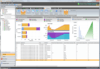
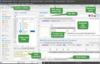
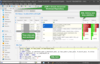
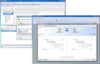
Improve your productivity with an SQL IDE designed by SQL Developers. ApexSQL Edit is an IDE especially designed for advanced SQL Server developers including integration with source control, Intelliprompt, sql formatting, data editing and advanced features not found in other SQL IDEs like procedure/column Intelliprompt, Collapsing Regions, Snippet Editors and more. ApexSQL Edit has been modified to provide many new features, including support for Microsoft SQL Server 2005, centralized mapping, Object Explorer, code snippets, object notes, context sensitive options while editing such as What Is.

ApexSQL Edit is a development, editing and deployment environment for SQL Server Developers. ApexSQL Edit provides SCC compliant source control integration, Intelliprompt and other useful features.

Features:

Centralized Object Mapping repository. This feature allows groups to share object mappings in source code and automatically update mappings across group members

Advanced copy provides sophisticated copying of query results and other grid output to HTML and a variety of customizable formats

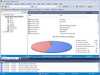
Object Explorer provides quick reference to object meta data (DDL, references, permissions, etc.) as well as allowing drill down to sub-level objects. This new panel can be used in lieu of the tree view object browser or in tandem

Code snippets--customizable xml based code snippets can be used to significantly improve coder productivity when adding boiler plate code. ApexSQL Edit snippets are dynamic (hot spots, built-in intellilist, etc.) and totally customizable (shortcuts, tooltips, enter key behavior)

Scripts can now be run in "Test mode" which will automatically roll back scripts immediately after execution

Script outlining with collapsible regions just like Visual Studio .NET

Drag/drop of files into the editor

Deployment Projects - use ApexSQL Edit to manage your deployment process from Visual Source Safe

Disconnected Query Windows

Source Control Mapping

Hot keys for cycling through result windows

Ability to backup a database from the editor

Stored Procedure Unit Testing. ApexSQL Edit will allow you to easily create test plans for your stored procedures and execute a set of tests with the click of a button, getting back pass/fail results with the error messages you provide

Statement Logging to allow all statements executed by the editor to be logged in a database with relevant information

Exporting to HTML

Table, Procedure, Column and Column Value Intelliprompt

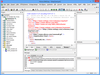
XML Queries

Drill down and around

Quick Info allows the user to get more information about particular values from a result set without having to execute a separate query

Custom SQL Formatting

ApexSQL Edit provides several different means to save and print results. ApexSQL Edit will save results as XML, CSV, and HTML

Visual interface for Table Join navigation

Quick Query - allows you to simply select a table and then enter values for any number of columns in the table and retrieve the results very quickly

Auto-Replacement - You can define your own custom replacement tokens

PartNumbers: PC-517543-152522 517543-152522 PC-517543-152523 517543-152523 PC-517543-152524 517543-152524 PC-517543-152525 517543-152525 PC-517543-152526 517543-152526 PC-517543-152527 517543-152527 PC-517543-152528 517543-152528 PC-517543-152529 517543-152529 PC-517543-152530 517543-152530 PC-517543-152531 517543-152531 PC-517543-152532 517543-152532 PC-517543-152533 517543-152533 PC-517543-152534 517543-152534 PC-517543-152535 517543-152535 PC-517543-152536 517543-152536 PC-517543-152537 517543-152537 PC-517543-152538 517543-152538 PC-517543-152539 517543-152539 PC-517543-152540 517543-152540 PC-517543-152541 517543-152541

Publisher PartNumbers: 211508 300073219 300073416 300073418

PurchaseOptions: ApexSQL Edit 2005.30 without Support 1 Client License , ApexSQL Edit 2005.30 without Support 1 Client License per license from 3 to 4 Licenses , ApexSQL Edit 2005.30 without Support 1 Client License per license from 5 to 9 Licenses , ApexSQL Edit 2005.30 without Support 1 Client License per license from 10 to 15 Licenses , ApexSQL Edit 2005.30 without Support 1 Client License per license from 16 Licenses , ApexSQL Edit 2005.30 with 1 yr Support & Upgrades 1 Client License , ApexSQL Edit 2005.30 with 1 yr Support & Upgrades 1 Client License per license from 3 to 4 Licenses , ApexSQL Edit 2005.30 with 1 yr Support & Upgrades 1 Client License per license from 5 to 9 Licenses , ApexSQL Edit 2005.30 with 1 yr Support & Upgrades 1 Client License per license from 10 to 15 Licenses , ApexSQL Edit 2005.30 with 1 yr Support & Upgrades 1 Client License per license from 16 Licenses , ApexSQL Edit 2005.30 with 2 yr Support & Upgrades 1 Client License , ApexSQL Edit 2005.30 with 2 yr Support & Upgrades 1 Client License per license from 3 to 4 Licenses , ApexSQL Edit 2005.30 with 2 yr Support & Upgrades 1 Client License per license from 5 to 9 Licenses , ApexSQL Edit 2005.30 with 2 yr Support & Upgrades 1 Client License per license from 10 to 15 Licenses , ApexSQL Edit 2005.30 with 2 yr Support & Upgrades 1 Client License per license from 16 Licenses , ApexSQL Edit 2005.30 with 3 yr Support & Upgrades 1 Client License , ApexSQL Edit 2005.30 with 3 yr Support & Upgrades 1 Client License per license from 3 to 4 Licenses , ApexSQL Edit 2005.30 with 3 yr Support & Upgrades 1 Client License per license from 5 to 9 Licenses , ApexSQL Edit 2005.30 with 3 yr Support & Upgrades 1 Client License per license from 10 to 15 Licenses , ApexSQL Edit 2005.30 with 3 yr Support & Upgrades 1 Client License per license from 16 Licenses

Resources: Read the ApexSQL Edit help file, Read the ApexSQL End User License Agreement, Download the ApexSQL Edit 2005.30 evaluation on to your computer - Expires after 30 days

Operating System for Deployment: Windows Vista, Windows XP, Windows Server 2003, Windows 2000

Architecture of Product: 32Bit

Compatible Containers: Microsoft SQL Server 2005, Microsoft SQL Server 2000, Microsoft SQL Server 7.0

Keywords: ApexSQL Apex SQL SQL query language Professional Partner ApexSQL Edit, Apex SQL Edit

Ricerca prodotti

Inserisci le tue parole chiave:

Quick Links

Award