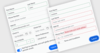
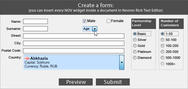
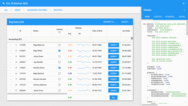
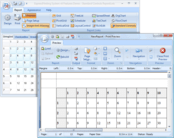
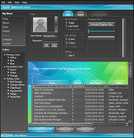
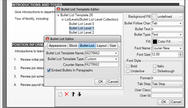
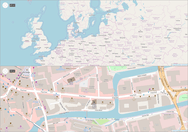
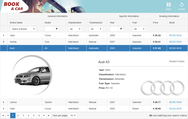
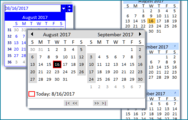
Screenshot Preview

BCGControlBar Library Professional Edition MFC (BCGControlBar Professional)

di BCGSoft - Tipo prodotto: Componente / DLL / VC++ Class Library / Source Code / Static Link Library

Ti preghiamo di notare che, a meno che non sia altrimenti specificato, questo è un prodotto in inglese.

*

Create applications with a user interface similar to Microsoft Office 2007 / XP / 2003 / 2007/ 2010, Microsoft Visual Studio, Microsoft Internet Explorer (IE) and other well-known products. BCGControlBar Library Professional (BCGControlBar Pro MFC) is an MFC extension library with more than 200 well designed, tested and fully documented MFC extension classes such as toolbars, menus, controls as well as customization and visualization, that can be incorporated into your application to add Office like and Microsoft Visual Studio like UI. BCGControlBar Library Professional (BCGControlBar Pro MFC) offers Office 2010 look and feel, Office 2007 (Office 12) style with Ribbon control, skinned interface, Vista Aero, Gantt and more. BCGControlBar Library Professional License includes Source Code and a free one year subscription that entitles you to e-mail technical support, patches and upgrades.

Da
$783.02

Best Seller

  |   

Download più richiesti

Prezzo in

I nostri prezzi standard sono indicati sotto. Accedi per vedere i tuoi prezzi scontati.

BCGControlBar Library Professional Edition MFC (BCGControlBar Professional) V17.0 - Source Code and 1 Year Subscription Included   *

Aggiungi al carrello $ 783.02 1 Developer Subscription License per Developer 1-4 Developers  * Download (61.7 MB)
Aggiungi al carrello $ 636.02 1 Developer Subscription License per Developer 5-10 Developers  * Download (61.7 MB)
Aggiungi al carrello $ 527.04 1 Developer Subscription License per Developer 11-20 Developers  * Download (61.7 MB)
Aggiungi al carrello $ 9,590.40 1 Corporate License (Allows unlimited developers inside a single company)  * Download (61.7 MB)

BCGControlBar Library Professional Edition MFC (BCGControlBar Professional) V17.0 - Renewal   *

Aggiungi al carrello $ 383.04 1 Developer Subscription Renewal  * Verifica Download (61.7 MB)
Aggiungi al carrello $ 4,799.04 1 Corporate Subscription Renewal (Allows unlimited developers inside a single company)  * Verifica Download (61.7 MB)

I nostri prezzi comprendono l'assistenza tecnica ComponentSource e, per la maggior parte dei prodotti scaricabili, una copia di riserva online e un aggiornamento GRATUITO alla nuova versione, se questa viene lanciata entro 30 giorni dall'acquisto.  Tutte le vendite sono soggette ai nostri termini e condizioni standard ed alla nostra politica di rimborso.  Contattaci se necessiti di un'opzione di licenza non elencata sopra, comprese licenze multiple e versioni precedenti.

I nostri prezzi standard sono indicati sopra. Accedi per vedere i tuoi prezzi scontati.

 *

What's new in BCGControlBar Pro for MFC Version 17.0

New Diagram Control – features include

  • Ability to add unlimited number of diagram shapes and connectors.
  • Predefined diagram blocks, including circles, triangles, boxes, rounded boxes, parallelograms, trapezoids, stars and clouds.
  • Table diagram block.
  • Text labels inside diagram blocks.
  • Smart straight and curved diagram connectors with 5 types of customizable arrows.
  • Interactive diagram editing.
  • Ability to save and load diagram to/from XML.
  • Copy diagram image to the Clipboard.
  • Save diagram image to a file.

Chart Control – some new and enhanced features:

  • Axis scale breaks - Scale breaks can be generated automatically or added manually.
  • Added new chart category - Histogram.
  • Implemented two new technical indicators for Stock charts - Bollinger Bands and MACD.
  • Stock charts are optimized to handle very large data sets.
  • Added support for tooltips.
  • Add objects of fixed size to the diagram areaand specify object size and position in pixels.  
  • New method GetNearestScreenPoint, which calculates position for interactive markers.
  • Chart View correctly handles Windows 7 task bar interaction.
  • Pan mode correctly scrolls different series displayed on different axes.

Property Grid Control - new features:

  • Added new property classes for the brush, text format and line style compound properties.
  • Display context menu with predefined and custom options.
  • Added ability to display a built-in toolbar with predefined commands.
  • Added ability to display a built-in search box.
  • Added property copy/paste operations.
  • New method to dynamically modify the color palette.
  • Properties can be identified by property ID 
  • Added new methods that simplify the property grid usage:
    • CBCGPProp::SelectOption: selects property options by index
    • CBCGPProp::GetSelectedOption: gets a selected option
    • CBCGPPropList::GetPropertyValue: returns the property value
    • CBCGPPropList::EnableProperty: enables/disables property
    • CBCGPPropList::SelectPropertyOption: selects the property option

Ribbon Bar

  • Added "Clean up unused images" feature to the Ribbon Designer.
  • Added Recent File Form for Backstage View - This view includes recent file list and recent folder lists.
  • Enhanced Ribbon Bar backstage view support

New Tag Cloud Control.
This control is a visual representation for text data ("tags") and the importance of each tag is shown with font size or color. The control implements the following features:

  • Unlimited number of tags.
  • Alphabetical sorting.
  • Sorting by value.
  • Customizable text color.
  • Customizable text format.
  • Tooltip support. 

Toolbars and Menus

  • Added new virtual method CBCGPToolBar::OnLargeIconsModeChanged
  • Improved some issues in toolbar/menu bar accessibility support.
  • Added new virtual method CBCGPToolbarButton::OnClickUpOutside 

Visual Designer for Gauges

  • New WYSIWYG design tool
  • Arrange gauges on the design surface and change their properties.
  • Save your dashboard to XML and load it in a C++ application.

Grid control

  • New method CBCGPGridCtrl::EnableGridLines is used to disable grid lines in the grid control.
  • New method CBCGPGridCheckItem::SetLabel allows drawing a text label inside a checkbox-item.

 *

Overview

BCGControlBar Library Professional Edition MFC (BCGControlBar Professional) is an MFC extension library that allows you to create Microsoft® Office 2000, XP, 2003 , 2007, 2010, Vista, Windows 7 taskbar interaction for MDI and Microsoft® Visual Studio®.NET like applications with full customization options (customizable toolbars, menus, keyboard and more).

The library has more than 200 fully documented MFC extension classes which can be easily incorporated into your application and save you hundreds of development and debugging hours.

BCGControlBar Library Professional Edition MFC (BCGControlBar Professional) is an MFC extension library that includes many advanced features such as detachable tab windows, auto hide windows, docking control bars and toolbars that display context while dragging, new docking algorithms (similar to algorithms introduced in Microsoft® Visual Studio.NET® environment and Microsoft® Visio®), shortcut bars with detachable panes, tabbed toolbars, text editor with syntax highlighting and IntelliSense® style support, completely flat look and more:

  • Toolbars and Menus
    • Microsoft® Office 2000 , Office XP, Office 2003 and Office 2007 Look and feel toolbar and menu
    • Microsoft ® Visual Studio 6.0, Visual Studio.NET (VB.NET, C#, etc..), Visual Studio 2005 and VS2008 Themes
    • Microsoft® Internet Explorer (IE) Look
    • Custom Application Look (support for application-defined skin)
    • High and True color toolbar / menu images support
    • Large icons support
    • Auto-build keyboard shortcut names in menus and ToolTips
    • Toolbar Menu buttons
    • Built-in toolbar controls such as combo box, edit box, date/time picker, color picker and more
    • Tabbed Toolbars
    • Microsoft® Office-like "tear-off" ("detachable") menus
  • Control Bars
    • Shortcuts (Microsoft® Outlook style) bar
    • Visual Studio® style Docking/Resizable Control Bar with detachable tabs and Auto Hide mode.
    • VS 2005 style docking
    • Microsoft® Office style task pane
    • Visual Studio.NET® style Toolbox
    • Enhanced Status Bar with built-in progress bar, animation and icon
  • Advanced Document Management
    • MDI Tab Control and MDI Tab Groups
    • Tabbed Views
    • MTI interface support
    • Docking views
  • Customization
    • Customizable toolbars and menus
    • Context menu customization
    • Keyboard shortcuts customization
    • User defined tools
    • User defined image editing (simple bitmap editor is included)
  • Visualization and skins
    • Built-in skins: Office2000 like, OfficeXP like, Office2003 like, VS.NET like, VS2005 like
    • User defined skin
  • Planner Control
    • Microsoft® Outlook style Calendar with Day, Work Week, Week and Month Views
    • Appointment and scheduling
    • Appointment reminders
    • Recurring appointments
    • Events
    • Printing support
    • Integration with Calendar Control
  • Grid and Report Controls
    • Microsoft® Outlook style Report control with grouping, columns, printing drag and drop and more.
    • Advanced Grid control with support for hierarchical data
    • Built-in cell types such as text, number, color, font, URL and more
    • Data binding support. ODBC, ADO and DAO are provided of of the box
  • Popup (Desktop Alert) Window
    • This Microsoft® Office style popup control allows to display short-time messages
    • In opposite to the standard message box, this window doesn't require from the user to close it by clicking "Ok" button and it automatically disappears after short time
    • Content can be created from an user defined dialog resources or it can be automatically generated from given text and icon
    • Various Pop Up looks: Office 200/XP/2003, MSN Messenger and more
    • Various animation types: fade, slide and unfold
    • Semi-transparent background
    • Custom events
  • Miscellaneous GUI Controls
    • Advanced edit control with IntelliSense support and syntax highlighting
    • Property List Control
    • Hyperlink control
    • Advanced Tab Control
    • Microsoft® Office-style color picker
    • Font picker
    • Masked edit control
    • Date/Time picker
    • Calendar control
    • Images with hot-spot areas
    • Calculator
  • Dialogs
    • Advanced Property Sheet: the tab on top can be replaced by left-side shortcuts bar or tree.
    • Customization dialog
    • Image Edit dialog
    • Office-like color selection dialog box
    • Key Map Dialog
    • Windows Management dialog
  • Visual Studio Integration
    • Support for VC++ 6.0, VS.NET 2002/2003 ( VB.NET, CSharp, etc.) VS.NET 2005 and VS 2008
    • Integration Wizard integrates the library with your Visual Studio environment
    • Application Wizard allows to create MFC application with new cool look in seconds
    • Build Wizard build required library configuration (s).
    • MSDN-integrated Help. Integrates the library help with MSDN, so by pressing F1 key in your editor, you'll get a relevant help topic.
    • Skin Wizard allows to create your own skin from the scratch.
  • Miscellaneous
    • Shell management classes and shell tree and list controls
    • UNICODE support
    • Microsoft® Active Accessibility Support
    • Right-to-Left (RTL) Languages Support
    • The library has been translated to Chinese, Czech, Danish, Dutch, French, German, Greek, Hungarian, Italian, Japanese, Korean, Polish, Portuguese, Romanian, Russian, Slovak, Swedish, Turkish, Slovenian and Spanish. The built-in mechanism allows a developer to change the user-interface language during runtime

Attenzione

Per vostra referenza, abbiamo incluso dei link a Google Translate per le informazioni sui prodotti che non sono state ancora tradotte. Ti preghiamo di tenere conto che le traduzioni automatiche non sono sempre completamente accurate.
Powered by
Flash é richiesto in Firefox e Opera

Ricerca prodotti

Inserisci le tue parole chiave:

Perchè acquistare da ComponentSource?

ComponentSource offre un servizio unico globale usato da oltre 1.000.000 di sviluppatori nel mondo.

Ulteriori Notizie | Chi siamo

Risparmi sui costi di sviluppo

Leggi la nostra relazione tecnica su come
calcolare il ritorno sull'investimento

Righe di codice: 42,000
Mesi persona: 42
Costo del lavoro: $210,000

Funzioni richieste:

Sforzo per 1.000 righe di codice:

Costo del lavoro al mese:

Galleria immagini schermate

Fai clic qui per anteprima schermata completa

Schermata di BCGControlBar Library Professional Edition MFC (BCGControlBar Professional) - Professional  - V17.0 Schermata di BCGControlBar Library Professional Edition MFC (BCGControlBar Professional) - Professional  - V17.0 Schermata di BCGControlBar Library Professional Edition MFC (BCGControlBar Professional) - Professional  - V17.0 Schermata di BCGControlBar Library Professional Edition MFC (BCGControlBar Professional) - Professional  - V17.0 Schermata di BCGControlBar Library Professional Edition MFC (BCGControlBar Professional) - Professional  - V17.0
Award Award Award