BCGControlBar Library for .NET

by BCGSoft - Product Type: Component / .NET WinForms / .NET Class / 100% Managed Code / Source Code

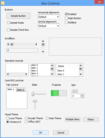
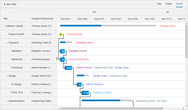
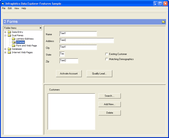
Screenshot of BCGControlBar Library for .NET - .NET Edition - V3.2Create .NET applications with an user interface similar to Microsoft Office 2000, XP, 2003, 2007 or Windows XP, Vista and other well-known products. BCGControlBar Library for .NET includes fully-customizable Office 2000/XP/2003/2007-style toolbars and menus, VS 2005-style docking bars, auto hide control bars, MDI tabs, flexible visualization managers and more. BCGControlBar Library for .NET is 100% managed code toolkit written in C++/CLI and targets Microsoft .NET Framework version 2.0 or higher. The library contains a number of highly customizable, fully designable components that enable you to create the most sophisticated user interface. BCGControlBar Library .NET includes a free one year subscription that entitles you to e-mail technical support, patches and upgrades.

From
$538.02
Price in

Our regular prices are shown below. Please logon to see your discounted prices.

BCGControlBar Library for .NET Edition V3.2 - Source Code and 1 Year Subscription Included

Add to Cart $ 538.02 1 Developer Subscription License per Developer 1-4 Developers Download (27.6 MB)
Add to Cart $ 489.02 1 Developer Subscription License per Developer 5-10 Developers Download (27.6 MB)
Add to Cart $ 431.04 1 Developer Subscription License per Developer 11-20 Developers Download (27.6 MB)
Add to Cart $ 6,710.40 1 Corporate License (Allows unlimited developers inside a single company) Download (27.6 MB)

BCGControlBar Library for .NET Edition V3.2 - 1 Year Subscription Included

Add to Cart $ 383.04 1 Developer Subscription License Download (25.6 MB)
Add to Cart $ 335.04 1 Developer Subscription License per Developer 5-10 Developers Download (25.6 MB)
Add to Cart $ 293.02 1 Developer Subscription License per Developer 11-20 Developers Download (25.6 MB)
Add to Cart $ 5,478.20 1 Corporate License (Allows unlimited developers inside a single company) Download (25.6 MB)

This product is available on the GSA Pricing ScheduleOur prices include ComponentSource technical support and, for most downloadable products, an online backup and a FREE upgrade to the new version if it is released within 30 days of your purchase.  All sales are made on our standard Terms and Conditions and subject to our Return Policy. Please contact us if you require any licensing option not listed above including volume licensing and previous versions.

Our regular prices are shown above. Please logon to see your discounted prices.

What's New in BCGControlBar Library for .NET V3.2?

  • New ToolBox control
  • New Desktop Alert control
  • New Ribbon gadgets
  • New examples

What's New in BCGControlBar Library for .NET V3.1?

  • TasksPane Control implements the functionality of a list of clickable items, similar to Microsoft Office Task Pane
  • KeyTip support for Ribbon Control
  • Ribbon Minimize feature
  • Progress Bar Control, which supports Office 2007 look
  • Progress Bar button for Ribbon Control
  • New TasksPane sample
  • DockManager raises a new cancelable event CloseDockingPane. You can subscribe to this event to be notified when a Docking Pane is about to be closed
  • ToolbarButton has a new virtual method GetKeyTipRect. It can be overridden to customize the appearance of Key Tip
  • ToolbarButton has two new properties KeyTip and KeyTipSplit. You can use these properties to define Key Tips for Ribbon applications

What's New in BCGControlBar Library .NET V3.0?

1. Ribbon Control: Including Ribbon Panels, Ribbon Customization, Ribbon Launch button, etc..

2. Localization Support: You can translate the library and your applications to different languages and switch between them at runtime.

Fixes:

  • The library infrastructure has been changed to accommodate the new Ribbon interface.
  • CommandPanel and any other control derived from it can work in "component mode". In the "component mode" the panel itself is not visible and renders its command objects on the parent container's surface.
  • Docking pane correctly updates its caption in various states (docked, floating, tabbed, auto-hide) when the Text property has been changed.
  • License manager checks the license properly when the library is running under system account.
  • Various fixes that improve design-time experience.


Overview

BCGControlBar for .NET ("Business Components Gallery ControlBar") is a 100% managed code toolkit written in C++/CLI and targets Microsoft .NET Framework version 2.0 or higher. The library contains a number of highly customizable, fully designable components that enable you to create the most sophisticated user interface. The library includes fully-customizable Office 2000/XP/2003/2007-style toolbars and menus, VS2005 style docking bars, auto hide control bars, MDI tabs, flexible visualization managers and more:


1. Visual Managers:

You can use the following visual styles:

  • Office XP / Visual Studio.NET 2003
  • Office 2003
  • Visual Studio 2005
  • Office 2007 (with Blue, Aqua, Gray and Silver themes)

2. Office/Visual Studio-style Toolbars and Menus:

  • Full, Quick and Alternative customization.
  • Built-in 'Customize' dialog with Image Editor
  • Edit box and combo box buttons:
  • Built-in support for 'Toolbars' menu
  • Drop-down palettes
  • Extendable architecture enables you easily create custom button types
  • Command-oriented design. You can assign a single command to several toolbar and menu buttons. You can manage command properties via properties of selected button and get all related toolbar and menu items updated at once. At the same time you can customize appearance of individual buttons.
  • 'ExecuteCommand' event (an event sent by the framework when user clicks a button) can be handled either for each button (command) individually, or in one central place
  • Scrollable menus
  • Automatic generation of 'disabled' images
  • Owner-draw buttons
  • Support for 'Item lists'. Item list is an automatically expanded menu item which is present as a single item in customize mode or design time (like list of Windows in MDI application) * Support for idle processing. You can process events fired for each button at idle time and immediately update button state.
  • Ability to customize popup menus on the fly
  • Support for 'rarely used' commands
  • Persistent state

3. Docking control bars

  • 'Smart' (VS 2005-like) docking
  • 'Standard' (VS.NET 2003-like) docking:
  • Nested docking:
  • Auto hide bars
  • Tabbed groups
  • Built-in support for 'Window Position' menu
  • Close, Pin and Window Position buttons can be added and removed at runtime. Support for custom caption buttons
  • Support for Tabbed Documents (for applications with MDI Tabs only)
  • Customizable caption height (in docked and auto hide state)
  • Accurate state (dockable-floating-auto hide) transition
  • Borders around docking control are properly drawn by the framework for each visual style. At the same time you can customize border size for individual controls
  • Persistent state

4. MDI Tabs

  • MDI Forms are automatically added to MDI Tab group
  • Multiple tab containers divided by splitters (not implemented in the first release)
  • Automatic integration with 'Windows' menu
  • Built-in context menu, which can be customized on the fly
  • MDI Tab groups can be customized at design time and at runtime via a separate component 'MDITabsOptions'. You can change MDI Tab group appearance, tab layout and tab alignment.
  • It's possible to display two icons (right and left of the text) for each MDI Tab

5. Tab Control

  • Fully designable 'tab strip' and 'tab' controls
  • Horizontal and vertical alignments:
  • It's possible to set two images (right and left) to a tab item:
  • Various visual styles (including Excel, VS 2005 and others)
  • Tab Strip control can be 'detached' from control area. Each tab item has a property 'RelatedControl', but it's not necessary to set this property. In this way you can perform any actions just responding to SelectedTabItemChanged event.
  • Support for custom color themes
  • TabDrawManager is separated from Visual Managers. You can provide your own drawing algorithms and still use standard color themes.
  • Several layout types (Fixed, Compressed, Auto Size and more)

6. Property List Control

  • It implements the functionality of a list control that displays a hierarchical list of editable properties.
  • The following data types are supported by control out of the box: String Numeric Double List of options (combo box) Boolean Color Font In addition, a developer can provide own data types.

7. Enhanced Tooltips: The library provides an easy way to implement advanced multi-line tooltips with custom colors, rounded shapes and icons. In addition, a developer can use the standard balloon-style tooltips along with the library GUI elements such as toolbars, menus, tab controls and create custom owner-draw tooltips.


8. Office-style Outlook (Shortcuts): Bar Outlook Bar is a navigation pane similar to the navigation pane found in Microsoft® Office 2003.

9. Ribbon Control

The following gadgets are supported by the Ribbon Control:
 

  • Button
  • Button group
  • Menu button and split menu button
  • Separator
  • Label
  • Check box
  • Color picked
  • Font picker
  • Edit box
  • Track bar
  • Gallery
  • Gallery-based combo box

The Ribbon Control implements the following features:

  • Full Microsoft® Visual Studio® 2005 designer support
  • Smart panel layout. You can design panels (category items in terms of the library) with elements aligned vertically (by column), or horizontally (by line)
  • Each ribbon element (button) supports three collapse states: Large, Intermediate and Small
  • Collapsible category items. When there is no space to display all panel elements, the panel is collapsed to a default button and displayed on popup menu
  • Scrollable categories. When there is no space to display all category items in collapsed state, the parent category displays scroll bars
  • Context category groups. Each context category group may contain of one or more category items and may be assigned one of 8 predefined colors
  • Quick Access Toolbar (QAT).You can place frequently used commands on QAT. It is possible to put on QAT commands that are not located in Ribbon
  • QAT Customization. A flexible mechanism allows you to integrate your own forms (options) with library-defined Customization form and show them all together in combined Options dialog
  • Launch buttons - small elements that can be added at the right bottom corner of a category item and may be set to execute commands logically common for the parent category item
  • Gallery control. Gallery is encapsulated in a special toolbar button-derived object. A gallery may be in-Ribbon and popup. Popup menu can display a gallery along with regular popup menu items. A popup menu, which displays a gallery may be resizable
  • Gallery may work in so called "menu mode". Galleries behave in "menu mode" like regular popup menus with exception that such popup menu can be resized, can display scroll bar and can display checked items
  • You can easily create owner-draw galleries
  • Main Application Button
  • Customizable status bar
  • Persistent state

Product Search

Enter search words:

Screenshot Gallery

Award Award