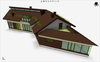
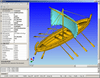
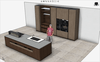
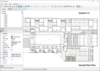
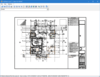
Screenshot Preview

CADMAI - Zusammenfassung

von CADMAI Software - Produkttyp: Komponente / Anwendung / .NET WinForms / .NET Class / .NET WPF / Managed/Unmanaged Code - without COM / ActiveX OCX / DLL / VC++ Class Library

Zusammenfassung

 *

CADMAI by CADMAI Software

URLs: cadmai, cadmai-software, cadmai software, cadmaisoftware

A comprehensive CAD framework. CADMAI is a CAD framework which can either be used as a standalone CAD application or as an integration module for 3rd party applications and SOA environments. CADMAI is a relational CAD system, which has its main focus in the parametric 2D and 3D design. CADMAI is associative, which means that not only are crosshatching / dimensions related to defined geometry but any other entities can be linked to each other. CADMAI is distributed as a stand alone CAD application including client server components for SOA environments. These end user applications have been created with the included API modules, which can also be used for creating individual applications with CAD functionality. CADMAI provides four API's which are each available in native C++ and .NET versions. In addition to that a CADMAI ActiveX and a .NET Control are available to enrich dialog based applications with CAD functionality.

CADMAI consists of the following modules:

The main application for creating relational models

The ActiveX / DotNet Control, which can be embedded in your own applications and serves either as an integrated viewer or as an interactive CAD module

A windows API which enables CADMAI to run in native windows in an external application

An Object API which can be used as an independent geometry library

Batch modules which allows the usage of CADMAI batch processes and the control of loaded CADMAI models

SOA modules which enables the usage of CADMAI in a service oriented environment

CADMAI End User Modules:

CADMAI CAD - Enables the user to create CADMAI models interactively and also open and view CADMAI models. This module also includes measurement and export functionality.

CADMAI SOA Modules - Enables the user to set up a server for remote access via the Connect API.

CADMAI Integrator Modules:

CmiControl - Enables the user to integrate a CADMAI control in dialog based applications and to open CADMAI models, create and steer CADMAI entities out of the hosting dialog. This module includes measurement and export functionality. Control Module includes CmiActiveXControl.dll and CmiDotNetControl.dll.

CmiWindows API - Enables the user to integrate one or more CADMAI windows in applications and to open CADMAI models, create, steer and access CADMAI entities out of the application. This module includes the complete functionality of the CADMAI CAD module and can also be used for creating CAD applications with individual functionality and brand names. CmiWindows API Module includes CmiWindow.dll and CmiWindowDotNet.dll.

CmiObject API - This class library enables the user to create, display and access basic CAD objects (e.g. solids, lines, dimensions ...) in applications. CmiObject API Module includes CmiObject.dll and CmiObjectDotNet.dll.

CmiBatch API - This class library enables the user to create local CADMAI batch sessions and to open CADMAI models, create and steer CADMAI entities in the session. CmiBatch API Module includes CmiBatch.dll and CmiBatchDotNet.dll

CmiConnect API - This class library enables the user to access a CADMAI batch session which is handled by the CADMAI Server. CmiConnect API Module includes CmiConnect.dll and CmiConnectDotNet.dll.

Where can CADMAI be used?

The use of CADMAI can be summarized in four main areas:

Base module for own applications with CAD functionality:

Parametric sketcher

Interactive 2D/3D CAD module including a solid modeller

Upstream modeller for applications, which base on CAD geometry:

CAM systems

FEM systems

Simulation software

Rendering and presentation software

Downstream module for presenting and steering existing geometry or for generating CAD models:

Product- configuration with internet access, for instance for field staff

Database driven tool selection with dynamically created graphics (i.e. NC systems)

Viewer and interface for table driven designs( For instance out of Excel)

Generation or steering of CAD models out of upstream applications like gear modules, configuration software or PDM systems (part information table)

Viewer for catalogue parts

Internet publishing tool

Presentation of products, for instance in connection with Word, Powerpoint, Director or other applications with the possibility of building variants and an 'intelligent' export

Independent 2D/3D CAD application:

Cost-effective CAD modeler

Usage in the education and training area

As an OEM product with individual branding

A a CAD service in a SOA environment e.g. for design automation

CADMAI Feature List:

This gives a short overview of some of the features supported by CADMAI.

CADMAI Basic Features:

Completely parametric and relational

Integrated script API which serves as a modeling language

Can be steered by external applications

Can be hosted in external applications

Embedded formula interpreter

Supports a hierarchical assembly structure

User defined animations

User defined entity attributes and methods

API for embedding CADMAI in external solutions

Base geometry API for technical applications

CADMAI Non geometric entities:

User defined dialogs

User defined objects

User defined variables

Attributes

Tables and row cursors incl. ODBC Database connections

Layers

Programming structures (loop/ifthen) which can be integrated in the model

CADMAI 2D entities:

Points (15 creation methods)

Lines (11 creation methods)

Arcs (20 creation methods)

Curves

Views and sections from solid data

Hatches/area fill

Transformations

Symbols

Text

Labels

Dimensioning

CADMAI 3D entities:

Coordinate systems

Solid creation (16 creation methods)

Solid modification (23 methods)

Polygon based 3D representations (Wavefront/3DS/...)

Components

FEM Meshes

CADMAI Import/Export:

Bill of material (table format)

DXF, IGES, STEP, VRML, STL, XCAF, PARASOLID/ACIS/3D-DXF on request

OBJ, 3DS, ASC, X, OBT, IOB, DAT, LWO, C, UDO, RAW, RWX, SCE

BMP, PNG, JPG, TIFF

AVI

User defined export formats

CADMAI API (native and DotNet) / ActiveX Control:

Windows API enables the user to embed CADMAI Windows in applications.

The CADMAI ActiveX/DotNet Control can be embedded in external, dialog based applications.

Object API serves as an independent geometric library which can be used outside of CADMAI. This library includes the following objects:

Points, Lines, Arcs, Curves, Hatches, Matrices, Coordinate systems, Views, Solids, Greps, Dimensions, Symbols, Texts, Tables, Cursors, Layers, Attributes, Variables, Dialog

Batch API:enables the usage of CADMAI batch processes and the control of loaded CADMAI models.

Connect API:enables the connection to CADMAI batch process at the same or a remote computer and the remote control of the process.

CADMAI License Mapping:

End User ModulesIntegrator Modules

LicenseCADMAI CADSOA ModulesWindows APIControlObject APIBatch API

Licensed for Developers:

SingleCmiWinApiLic X

SingleCmiControlLic X

SingleCmiObjectApiLic X

SingleCmiBatchApiLic X

Licensed for Redistribution:

BulkCmiWinApiLic X

BulkCmiControlLic X

BulkCmiObjectApiLic X

BulkCmiBatchApiLic X

Licenses not for development purposes:

SingleCadmaiLicX XX

SingleCmiServerApiLic X X

What's New in CADMAI 4.4

New free WPF Control

CADMAI Version 4.4 introduces a new free WPF Control. Using the free (unregistered) version you can:

Open, modify and save local CADMAI models

Download CADMAI models from web URLs

Open standard CAD formats and mesh models (e.g. Step, Iges, DXF, Wavefront, 3D Studio Max,...)

Steer the models using the CADMAI relation management

Import and export data

Interact graphically (e.g. dynamic rotation)

Start CADMAI animations

You cannot:

Design interactively

Show the CADMAI statusbar, the toolbar and the structure editor

The WPF Control supports WPF specific enhancements like routed events and dependency properties.

The licensed version of the control supports the full functionality like the other CADMAI Controls (e.g. CmiDotNetControl) with interactive design possibilities.

If you want to use the WPF control in Expression Blend, you have to set the start folder of Expression Blend (Shortcut dialog -> Start in) to the CADMAI installation directory.

XAML Export

3D CADMAI models can be exported to XAML format and can be used as standard WPF 3D model content (MeshGeometry3D).

Miscellaneous

Sweep Solid along 3D curve (s_sweep_3d)

Possibility to disable dynamic view steering by the middle mouse button (DynamicViewChangesByMouse property)

What's New in CADMAI Version 4.3

Unicode Support

UNICODE characters can be used in the UI, in graphic windows, for CADMAI entities (Texts Symbols,Dimensions) and for model file names.

Korean UI

Korean language resources have been added.

Component mating

Components can now be re positioned and/or re oriented using mating actions.

Font support

CADMAI now supports the definition of different fonts in a model (based on the installed Windows fonts). These fonts can be used to draw text content in the graphic window. A 3D representation can be established by adding a depth value. UNICODE characters are supported.

Miscellaneous

The web download directory for the controls can be set by the property WebDownloadPath

CMD_CLEAR_DOWNLOADS command for the controls deletes all stored downloads in the WebDownload directory

Support of visible edges for section views

Possibility to supress an automatic model calculation when the user navigates in the assembly structure

Points and lines can be included in 2D view derivations as reference geometry

A new sample shows the usage of 3D models in MS-Word documents (similar to 3D PDF)

What's New in CADMAI Version 4.2.1

CADMAI Web Browser Plugin now supports Firefox 4 and Google Chrome 12

Bug fixes

What's New in CADMAI Version 4.2

2D UI Objects

Version 4.2 introduces a new type of basic objects which support the design of 2D user interfaces.

These UI objects can be used in combination with the geometric objects (lines, solids,...) and non geometric objects (layer, variables,...)

The following UI objects are currently available:

2D buttons

Images

2D Text

These 2D UI objects are stored in a CADMAI model and are presented parallel to the 3D objects. This technology can be used to create user interfaces which combine 2D and 3D objects. A sample which uses a mixed 2D / 3D user interface which is optimized for touch input on taplett PC's is included.

Support of multi touch gestures

Under Windows 7 multi touch gestures for panning, zooming and rotating are supported for all CADMAI windows on touch screens.

Web Browser Plug-in

Beside the ActiveX and the DotNet control version 4.2 provides a web browser plug-in, which can be used for Firefox and other web browsers.

New Actions

Beside the UI Objects the following new actions have been defined:

3D intersection point Line Face (p_int_line_solidface)

Mass center of solid (p_solid_center)

Contour from section (named_contour_sectucs)

Set entity action parameter via an animation command (anim_edit_par)

Restore entity color (ent_restore_color)

Recursive save operation for assemblies (CMD_RECURSIVE_SAVE)

Reset operation of the active window incl. component unload (CMD_RESET)

Reload operation for the active model from hard disk (CMD_RELOAD_FROM_DISK)

Component activation out of the "Loaded Component list"

Release Notes for CADMAI Version 4.1

New actions for component placement

Components can be positioned additionally to 3D points and to user coordinate systems.

The target points / coordinate systems can be categorized to restrict the placement of components to specific positions.

After positioning, the components can be translated or rotated by additional actions.

The origin, the orientation and the category can be defined for a CADMAI model, which steers the component placement of this model.

Additionally a solid can be defined, which is used for collision detection when the model is placed in an assembly.

The collision with other collision solids is dynamically calculated during user interaction.

Creation of assembly containers

Models can be saved inclusive all external references to a compressed file.

Hereby complete assembly structures can be collected into one file which can be loaded e.g. through the internet

New assemble mode

A new slider "Loaded components" is available in the structure editor which shows all sub components for an assembly.

Using the right mouse button the following mouse actions are available:

Load components into memory

Position component interactively

Position component freely

Position component to point

Position component to UCS

By selecting one of the last four entries the assemble mode is activated.

When the user interface is switched to the new assemble mode the behavior during mouse input is changed.

In the assemble mode, loaded components can be positioned, copied and deleted dynamically by the user (for more information please refer to the online help).

Enhancements for the controls

All relevant settings of the CADMAI environment have been made available for the controls (ActiveX and DotNet).

Since the settings can steer the appearance of the CAD windows (e.g. view settings) the CAD windows have to be created explicitly with the method CreateCadWindows().

API

The following additional mouse events are fired from the CmiWindowsApi or the controls to the host application.

Mouse over a CADMAI object

Left mouse button pressed

Left mouse button released

Drag operation with a pressed mouse button

To point out the possibilities of these additional events the following five examples have been created as local applications and as web browser implementations:

4 Wins 3D

This sample shows in form of the well known game "4 Wins" how CADMAI components can be positioned dynamically with the mouse from the host application.

The game is realized in 3D

Parametric changes

Shows how parametric changes of a model can be performed by mouse and dialog input

Poke Game (similar to LEGO)

Shows how the new assemble mode can be used to design models by assembling simple pokes.

Dynamic collision checking can be used to avoid impossible poke placement

Switch Plate

Shows how a 3D user interface can be designed.

A switch panel with rulers, sliders and buttons can be operated by mouse input and steers related controls of the host application (and vice versa).

Tic Tac Toe 3D

This sample shows in form of the well known game "Tic Tac Toe" how mouse feedback can be used to steer user defined CADMAI objects.

The game is realized in 3D (but player 1 always wins ;-) )

All samples are available with source code (C#/HTML+JScript).

The web samples for Internet Explorer can be found at http://www.cadmai.com/WebApiSamples/Control/webapisamples.html

Miscellaneous

An update possibility at the push of a button is established by using a new installer.

The licensing has been transferred from the CAD into a new application

CADMAI 4.1 supports a per user licensing.

There is no need to license hardware components (MAC-IDs) anymore.

The existing licenses are valid for version 4.1 and must be re entered after the installation.

What's New in CADMAI 4?

New user interface

CADMAI Version 4.0 contains beside the classic user interface (CmiNativeUI.exe) a new application (CmiRibbonUI.exe) based on the .Net Framework and the ribbon technology. The Ribbon based UI uses different color schemes which can be configured by the user.

OpenGL Shader support

With version 4.0 CADMAI supports beside the standard OpenGL rendering pipeline the programmable OpenGL rendering pipeline by the usage of GLSL shader programs.

The following features can be used with CADMAI shader programs:

Multiple rendering passes

Vertex, Fragment and Geometry shader

DDS file support

Environment mapping

Multiple texture units

Volume textures

Procedural textures

Definition of uniform parameters

Tangent and Binormal attribute parameters for bump mapping

Override of standard OpenGL functionality (blending, culling, ...)

The shaders can be used to render 3D objects (Solids, Solid faces and Greps) in combination with the standard OpenGL rendering.

CADMAI Version 4.0 includes more than 30 shaders, which are available in source code and can be adapted to the user's requirements. In addition to that they can be used as templates for new shaders which can be made available in CADMAI by configuration only. Shaders can be used in the CmiObjectApi and the CmiWindowsApi and are thus available in all applications which use these API's.

The following list is an extract of the delivered CADMAI shaders

Metal (brushed, matt, polished, ...)

Stone (marble, polished stones, grit, procedural stone textures, ...)

Glass

Tissue (velvet, ...)

Wood (polished and matt)

Illustration (cartoon, Gooch, ...)

Effects ( erosion, mirror, ...)

Surface structures

To be able to use shader programs, the installed OpenGL version must be greater than 2 and the GLSL version must be greater than 1.

The determined OpenGL version numbers are displayed in the CADMAI Help dialog.

Enhanced geometry storage in the model files

With version 4.0 it is not only solid geometry which can be stored in the model files. A new setting additionally saves the geometry of FEM meshes and view derivations into the model file for performance improvements. This leads to faster loading of the model, because the geometry does not have to be calculated. It also leads to larger model files so to keep the model files as small as possible the geometry is stored compressed.

Windows 7 compatible

CADMAI Version 4 works with Windows 7 (32 bit and 64-bit).

A comprehensive CAD framework.

Pricing: CADMAI Windows API Module Licenses V4.5 (Licenses for Developers and Redistribution Only) 1 SingleCmiWinApiLic License (CADMAI Windows API Module Developer License), CADMAI Windows API Module Licenses V4.5 (Licenses for Developers and Redistribution Only) 1 BulkCmiWinApiLic License (Redistribution License for CADMAI Windows API Module), CADMAI Batch API Module Licenses V4.5 (Licenses for Developers and Redistribution Only) 1 SingleCmiBatchApiLic License (CADMAI Batch API Module Developer License), CADMAI Batch API Module Licenses V4.5 (Licenses for Developers and Redistribution Only) 1 BulkCmiBatchApiLic License (Redistribution License for CADMAI Batch API Module), CADMAI Object API Module Licenses V4.5 (Licenses for Developers and Redistribution Only) 1 SingleCmiObjectApiLic License (CADMAI Object API Module Developer License), CADMAI Object API Module Licenses V4.5 (Licenses for Developers and Redistribution Only) 1 BulkCmiObjectApiLic License (Redistribution License for CADMAI Object API Module), CADMAI Control Module Licenses V4.5 (Licenses for Developers and Redistribution Only) 1 SingleCmiControlLic (CADMAI Control Module Developer License), CADMAI Control Module Licenses V4.5 (Licenses for Developers and Redistribution Only) 1 BulkCmiControlLic License (Redistribution License for CADMAI Control Module), CADMAI End User Licenses V4.5 (Licenses not for development purposes) 1 SingleCadmaiLic License (CADMAI CAD, Control and Windows API Modules Single License), CADMAI End User Licenses V4.5 (Licenses not for development purposes) 1 SingleCmiServerLic License (CADMAI SOA and Batch API Modules Single License)

Evals & Downloads: Read the Cadmai Help Files (Available both in English and German), Read the Cadmai End User License Agreement (EULA), Download the Cadmai V4.5 Evaluation on to your computer - Displays Evaluation Label

Operating System for Deployment: Windows 7, Windows Vista, Windows XP

Architecture of Product: 32Bit, 64Bit

Product Type: Component, Application

Component Type: .NET WinForms, .NET Class, .NET WPF, Managed/Unmanaged Code - without COM, ActiveX OCX, DLL, VC++ Class Library

Compatible Containers: Microsoft Visual Studio 2010, Microsoft Visual Studio 2008, Microsoft Visual Studio 2005, Microsoft Visual Basic 2010, Microsoft Visual Basic 2008, Microsoft Visual Basic 2005, Microsoft Visual Basic 6.0, Microsoft Visual C++ 2010, Microsoft Visual C++ 2008, Microsoft Visual C++ 2005, Microsoft Visual C# 2010, Microsoft Visual C# 2008, Microsoft Visual C# 2005, .NET Framework 4.0, .NET Framework 3.5, .NET Framework 3.0, .NET Framework 2.0

Keywords: cadmai, cadmai singlecadmailic, cadmai singlecmiviewerlic, cadmai singlecmiwinapilic, cadmai singlecmibatchapilic, cadmai singlecmiobjectapilic, cadmai singlecmiserverlic, cadmai bulkcmicontrollic, cadmai bulkcmiwinapilic, cadmai bulkcmbatchapilic, cadmai bulkcmiobjectapilic

cadmai software, cadmai.com, www.cadmai.com

CAD

3D modeling modeled modelled modelling models model

User Interface UI

Part numbers: PC-535116-436628 535116-436628 PC-535116-436636 535116-436636 PC-535116-436624 535116-436624 PC-535116-436630 535116-436630 PC-535116-436638 535116-436638 PC-535116-436634 535116-436634 PC-535116-436640 535116-436640 PC-535116-436632 535116-436632 PC-535116-436622 535116-436622 PC-535116-436626 535116-436626

Warnung

Übersetzungen für Produktinformationen, die noch nicht von uns übersetzt wurden, stehen über Links zu "Google Übersetzer" zur Verfügung. Bitte beachten Sie, daß automatisierte Übersetzungen nicht immer vollkommen korrekt sind.
Powered by
Flash wird in FireFox und Opera benötigt.

Produkt-Suche

Suchbegriffe eingeben:

Weitere Links

Hersteller

Primärkategorie

Zugehörige Produkte

Zugehörige Kategorien

Warum Produkte bei ComponentSource kaufen?

ComponentSource bietet einen einzigartigen, globalen Service an, der weltweit von über 1.000.000 Entwicklern benutzt wird.

Mehr Info | Über uns