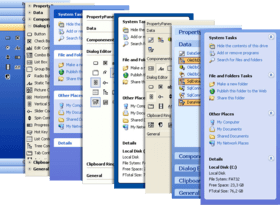
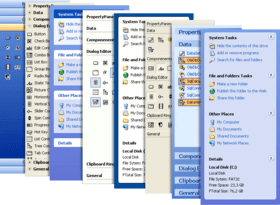
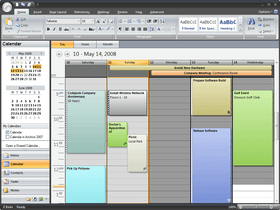
Screenshot Preview

Codejock Xtreme Task Panel ActiveX

經 Codejock Software - 產品類型: 構件 / ActiveX OCX / ActiveX EXE / ActiveX DLL / DLL / VB 類庫 / ActiveX Designer

‏請注意: 除非另有說明,此為英語產品

*

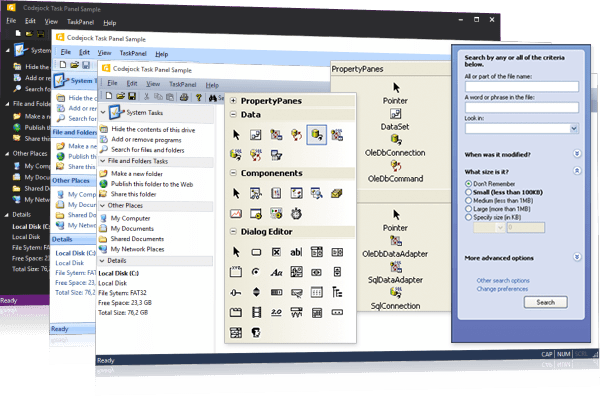
Create Office and Windows Explorer task panels. Codejock Xtreme TaskPanel provides Windows developers with a sophisticated Office Task Panel similar to what is seen in Microsoft Office and Windows Explorer. The TaskPanel can even be used as a Visual Studio .NET style tool box. Full “drag and drop” support makes organizing items in the task panel quick and easy. Many different themes are available including Visual Studio 2005, Office 2003, Office 2007, Office 2010 and Windows XP. Not only can you make your Task Panel look good, but you can change the behavior too. Available behaviors include Windows Explorer, List Box, and Tool Box. With the Task Panel’s grouping feature you can easily manage your application shortcuts and have a unique way of displaying information to your users.

$143.04
價格

‏我們的常規價格如下。 請登錄後查看打折後的價格。

Codejock Xtreme TaskPanel 2011 Vol 2 V15.2.1 ActiveX with 30 Days Subscription   *

加入購物車 $ 143.04 1 Developer License  *
Mfr. 部件號: 1521-COM-TASKPANEL-1DL-30
下載 (7.1 MB)
加入購物車 $ 440.02 4 Developer License  *
Mfr. 部件號: 1521-COM-TASKPANEL-4DL-30
下載 (7.1 MB)
加入購物車 $ 832.02 8 Developer License  *
Mfr. 部件號: 1521-COM-TASKPANEL-8DL-30
下載 (7.1 MB)
加入購物車 $ 1,460.20 1 Site Wide License (Allows Unlimited Developers at a Single Physical Address)  *
Mfr. 部件號: 1521-COM-TASKPANEL-UDL-30
下載 (7.1 MB)

Codejock Xtreme TaskPanel 2011 Vol 2 V15.2.1 ActiveX with 1 Year Subscription   *

加入購物車 $ 191.04 1 Developer License  *
Mfr. 部件號: 1521-COM-TASKPANEL-1DL-365
下載 (7.1 MB)
加入購物車 $ 489.02 4 Developer License  *
Mfr. 部件號: 1521-COM-TASKPANEL-4DL-365
下載 (7.1 MB)
加入購物車 $ 881.02 8 Developer License  *
Mfr. 部件號: 1521-COM-TASKPANEL-8DL-365
下載 (7.1 MB)
加入購物車 $ 1,950.20 1 Site Wide License (Allows Unlimited Developers at a Single Physical Address)  *
Mfr. 部件號: 1521-COM-TASKPANEL-UDL-365
下載 (7.1 MB)

Codejock Xtreme TaskPanel ActiveX - Subscription Renewal   *

加入購物車 $ 47.04 1 Developer License  *
Mfr. 部件號: 1521-COM-TASKPANEL-1DL-SUB
驗證 下載 (29 KB)
加入購物車 $ 191.04 4 Developer License  *
Mfr. 部件號: 1521-COM-TASKPANEL-4DL-SUB
驗證 下載 (29 KB)
加入購物車 $ 383.04 8 Developer License  *
Mfr. 部件號: 1521-COM-TASKPANEL-8DL-SUB
驗證 下載 (29 KB)
加入購物車 $ 480.20 1 Site Wide License (Allows Unlimited Developers at a Single Physical Address)  *
Mfr. 部件號: 1521-COM-TASKPANEL-UDL-SUB
驗證 下載 (29 KB)

我們的價格包括ComponentSource的技術支持。對於大多數可下載的產品,還提供線上備份和免費升級為新版本,若新版本在購買後的30日內發佈的話。  所有銷售都是按照我們的標準條款 進行的,並且適用我們的退貨政策. 請 聯繫我們 若您需要任何未在上面列出的License選擇,包括批量License及以前的版本。 

‏我們的常規價格見上。 請登錄後查看打折後的價格。

 *

Office and Explorer Task Panel

  • Task Panel - Xtreme TaskPanel provides an Office Task Panel similar to what is seen in Microsoft® Office and Windows Explorer. You can easily manage your application shortcuts and have a unique way of displaying information to the end user. Define your own categories and shortcuts to match your applications current theme settings. The TaskPanel can even be used as a VS. NET style Toolbox
  • Item Types - Xtreme TaskPanel allows you to easily add groups of related items to your taskpanel. You can add text items that allow you to display important information, you can add links, and you can add your own custom controls such as a textbox, combobox, command button, and option button
  • Group Captions - Xtreme TaskPanel allows you to hide/show the caption bar of your task panel groups giving you more flexibility over how your data is displayed to the user
  • Special Groups - Xtreme TaskPanel allows you to designate a group as "special." Groups marked as special will be displayed differently than normal groups drawing the users attention to that particular group. This is an excellent way to show the user the "default" or important items
  • Animation - Xtreme TaskPanel allows you to use animation effects when opening and closing groups in the task panel. You can turn animation on, off, or use the currently set operating system settings. In addition to animation, you have several predefined behaviors to choose from that change the way that groups are opened and closed
  • Expandable Groups - Xtreme TaskPanel allows you to designate which groups the user can expand and hide. You can specify individual groups or indicate that all group can or can't be expanded
  • Margins - Xtreme TaskPanel allows you change the margins of the task panel. You can change the margins surrounding the task panel groups, or you can change the margins of each individual task panel group item

VS.NET Style ToolBox Control - Xtreme Task Panel provides you with fully functional ToolBox control

  • Theme Support - Xtreme Task Panel ActiveX offers a ‘VS.NET Style Toolbox’ which provides a great alternative to the standard menu shortcuts. The Toolbox is incorporated into the TaskPanel so your Toolbox has all the functionality of the TaskPanel. You can easily create and assign toolbox commands
  • Toolbox Layout - Xtreme Task Panel's Toolbox control allows you to change the layout of your toolbox items with a single line of code. The items can be displayed as Images, Images with text, and Images with text below the icons. You can change the layout of the toolbox at any time in your program
  • Drag and Drop Items - Xtreme Task Panel's Toolbox and TaskPanel control allows you to change "Drag and Drop" items. You can move items within the same group, or you can drag items to another group. You can also Drag and Drop an entire group. Drag and Drop allows you to easily customize a Toolbox or TaskPanel
  • Toggle Buttons - Xtreme Task Panel's Toolbox and TaskPanel control offers toggle buttons that allow the user to easily see when items in your Toolbox and TaskPanel are "on" or "off". When a toggle button is clicked, you only need to update the "selected" property of the item
  • Icon Size - With Xtreme Task Panel's Toolbox and TaskPanel control you always have the choice of selecting either small or large toolbar icons. You can easily set the size of the icons that will be used for small or large icons. Switching between the two can be accomplished with only a few mouse clicks, giving users the satisfaction of controlling the look of the application. With this feature there is no need to worry about running out of space for more icons in using the small icons and there is no need for squinting to determine which icon to use when using the large icons
  • Hot Tracking - Xtreme Task Panel's Toolbox and TaskPanel control allows you to easily add hot tracking. When you move the mouse cursor over your items, they will become "Hot" when Hot Tracking is enabled. This allows you to easily see which item the mouse cursor is over. There are 4 different styles of hot tracking to choose from, which are, Text and Image, Text Only, Image Only, and None
  • Behavior - Xtreme Task Panel's Toolbox and TaskPanel control allows you to change the animation behavior of group items as you navigate them


Subscription License: Includes the latest product updates and phone/email technical support for one year/30 days.


注意

還未完成翻譯的產品說明, 我們提供了Google 翻譯的連結方便您使用. 但請注意, 自動翻譯有時候可能會有翻譯錯誤.
由「」技術提供
在Firefox 和Opera 需要Flash.

產品搜索

輸入搜索詞:

為什麼從ComponentSource購買?

ComponentSource 提供獨特的全球國際服務, 在世界各地共有超過1,000,000 開發者客戶.

更多訊息 | 關於我們

獎勵