CodeRush for Visual Studio .NET - .NET - V3.0.8 - Sommario

di Developer Express - Tipo prodotto: Add-in

Sommario

CodeRush for Visual Studio .NET by Developer Express

Create better code, more quickly. CodeRush for Visual Studio .NET helps developers meet the demands and pressures to deliver more features with higher quality in less time, by boosting productivity while eliminating the repetition that erodes creativity. CodeRush for Visual Studio .NET will help you create sophisticated code blocks in seconds and extend code templates instantly. CodeRush for Visual Studio .NET will complete identifiers as you type and expand or contract selections logically. With CodeRush for Visual Studio .NET, you will be able to instantly place selected code inside Try/Catch blocks, Regions and your own custom wrappers with ease. You can even reverse the logic of selected code and revisit important points within your code instantly (and effortlessly swap between locations).

By integrating tightly with the Visual Studio.NET IDE, CodeRush is able to improve the development environment from the nside out - bringing you new ways to look at code, new ways to generate code, new ways to navigate through code, and new ways to create your own extensions to your development environment.

CodeRush for Visual Studio.NET includes many templates the ability to build your own in seconds. CodeRush for Visual Studio.NET is also 100% managed code and fully integrated within the IDE itself, so you can start extending your development environmrent today using nothing but managed code. Every single CodeRush feature is implemented as a plug-in using Visual Studio's form designer and property browser.

Refactor! Pro is included with the purchase of CodeRush for Visual Studio .NET. Refactor! Pro is a refactoring toolset for Visual Studio. It fuses a language-independent state-of-the-art code shaping engine with a highly-optimized user experience. Refactor! is designed to help all developers craft and sculpt their code with the speed and efficiency needed to meet their line of business demands.

CodeRush for .NET Features:

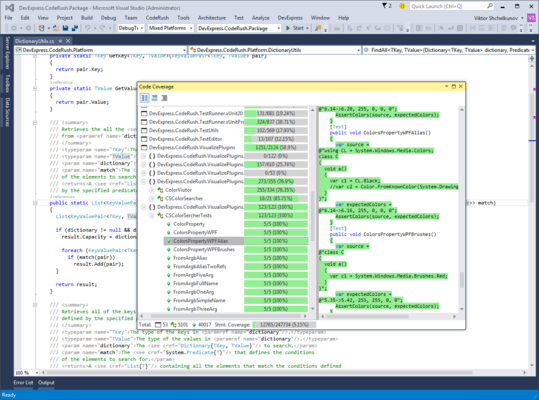
Visualization Tools - Quickly see the essence of the code you're working on

Advance Selection Tools - Select and radically manipulate code with efficiency

Clipboard Tools

Navigation Tools Move through source code faster

Code Templates - Cutting down on the repetition in your day can help reduce the risks of long term damage

CodeRush Extensibility - through custom extensions you can help team members adhere to team standards, implement that features, or simply exploit all the plug-ins submitted by the CodeRush community

What's new in CodeRush V3.0x?

CodeRush 3.0 ships with two new major features. The first is the new code navigation engine that allows you to easily traverse through method overloads, navigate between base and child classes, jump to the previous or next reference to a member, and much more.

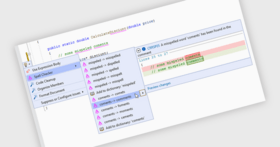
Another important enhancement in this release is the new code generation mechanism. You can now first write code using undeclared class and member names and then, with a few clicks or keystrokes, automatically declare the referenced structures. As you can imagine, this feature will be extremely useful for those practicing test-driven development.

What's new in CodeRush V2.5x?

Quick Nav - In addition to searching files opened in Visual Studio, Quick Nav now searches closed files as well

Quick Nav - Added new option to the Editor\\\\Navigation\\\\Quick Nav options page: "Drop markers when jumping to new locations (for quick return with Escape)" (checked by default)

What's new in CodeRush V2.2.x?

Language Helper- ";" characters are removed when typed at the end of lines in VB

References Tool Window – A fast reference-finding tool with a Live Sync option to show all references all the time

Step Into Member - This new debugging feature allows you to step inside the member at the caret (without stepping into any other members that might also be on the same line)

Tab to Next Identifier - With the caret inside an identifier, press Tab or Shift+Tab to navigate between references

Templates - New "evar" template, for creating events with Add and Remove accessors

Templates - New "dr." template, for creating "DialogResult."

Templates - New "c," template, for creating classes that don't have constructors (the "," at the end of a template, by convention, means that it will have a shorter expansion than the same template without the comma)

Templates - New c?Type? templates, for creating classes that descend from types with template mnemonics. This is most useful if you’ve right-clicked on types you regularly work and selected the “Use Type in Templates…” menu item. For example, if you had a class called “Employee”, and you assigned a mnemonic of “e” to that type, you can declare a descendant of employee by expanding “ce”.

Templates - Static/shared members can now be declared by making the first letter of the template uppercase. For example, “Mb” will create a static/shared function that returns a Boolean

Templates - Parameter templates now add commas if they are missing

Templates - Member and type declaration templates now use the default scope settings from the new Editor\\\\\\\\Code Style\\\\\\\\Scope options page

CodeRush was initially designed to be an efficiency/productivity tool for developers - offloading tedius, repetitious, and error-prone tasks to the machine, and giving the developer more time to spend on the design.CodeRush makes you more productive and keeps you focused on the essence of your software design rather than the specifics of language syntax.

The new version of CodeRush offers an easier learning curve and a significant productivity upgrade over previous versions of CodeRush. With the latest version, you will get much more out of this tool even if you are an experienced user. And you will find that CodeRush has become much easier to tune to your specific needs. And the learning curve has been dramatically flattened so even new customers will be able to comfortably increase their productivity with very little effort.

What’s new in V2.0.x?

String Providers: New "SolutionName" string provider the returns the name of the current solution

Text Commands: New "AddAssemblyReference" text command that adds a reference for the specified assembly to the current project

Text Commands: "New "TypeLink" text command that creates a special linked identifier for linking type names

Text Fields: New "text field" architecture added to the DXCore for text expansions

EditPoints: Important breaking change: DevExpress.CodeRush.Core.EditPoint.IsUnanchorable has been changed to DevExpress.CodeRush.Core.EditPoint.IsAnchorable

String Providers: New "SolutionName" string provider the returns the name of the current solution

Text Commands: New "AddAssemblyReference" text command that adds a reference for the specified assembly to the current project

Text Commands: "New "TypeLink" text command that creates a special linked identifier for linking type names

Text Fields: New "text field" architecture added to the DXCore for text expansions

EditPoints: Important breaking change: DevExpress.CodeRush.Core.EditPoint.IsUnanchorable has been changed to DevExpress.CodeRush.Core.EditPoint.IsAnchorable

PartNumbers: PC-514545-141178 514545-141178 PC-514545-141180 514545-141180

PurchaseOptions: CodeRush for Visual Studio .NET V3.0.8 and Refactor! Pro V3.0.8 1 Developer License - Includes one year subscription , CodeRush for Visual Studio .NET V3.0.8 and Refactor! Pro V3.0.8 Subscription Renewal for one year

Resources:

Operating System for Deployment: Windows XP, Windows Server 2003, Windows 2000

Architecture of Product: 32Bit

Product Type: Add-In

Compatible Containers: Microsoft Visual Studio 2008, Microsoft Visual Studio 2005, Microsoft Visual Basic 2008, Microsoft Visual Basic 2005, Microsoft Visual C++ 2008, Microsoft Visual C++ 2005, Microsoft Visual C# 2008, Microsoft Visual C# 2005, .NET Framework 3.5, .NET Framework 3.0, .NET Framework 2.0

Product Class: Component Development Tools

Search Items: New Product Mar 04, New Product Apr 04, New Product Aug 05

Keywords: Productivity performance efficiency Development Developer Express devexpress Code Creation Editing Enterprise Partner code rush Refactor

Ricerca prodotti

Inserisci le tue parole chiave:

Quick Links

Galleria immagini schermate

Award Award