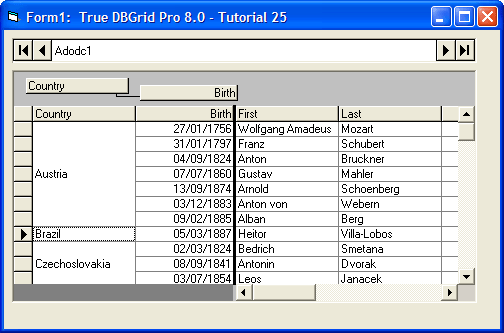
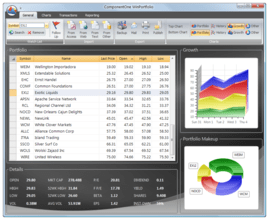
di ComponentOne - Tipo prodotto: Componente / ActiveX OCX / ActiveX DLL
ComponentOne True DBGrid Pro 8.0 can also be bought as part of ComponentOne Studio Enterprise and ComponentOne Studio for ActiveX.
If you require more information please Contact Us
Hi,
I have create a grid that contains checkbox on my ASP page with the following codes:
Col.Valueitems.Add(CreateObject("TrueOleDBGrid60.ValueItem"))
Col.ValueItems.Item(0).Value = "0"
Col.ValueItems.Item(0).DisplayValue = False
Col.Valueitems.Add(CreateObject("TrueOleDBGrid60.ValueItem"))
Col.ValueItems.Item(1).Value = "1"
Col.ValueItems.Item(1).DisplayValue = True
Col.ValueItems.Presentation = 4
How can I add event to the checkbox so when user select/unselect a checkbox, so I can call a vb method and know which row it was selected/unselected?
Many Thanks,
Ben
Rispondi
Hello, my company bought True DBGrid Pro 8.010 years ago. Now we are moving to windows 7 64 bit. We habe installed visual studio 6.0 und True DBGrid Pro 8.0, we are able to compile vb-projects using true db grid 8.0, during the compile we are getting a message that the TdBGrid Pro 8.0, Version 8.0.20031.300 not licensed is. Under xp this is not the case.
The install-library under xp ist "C:\Programme\ComponentOne Studio", this looks pretty the same as the windows7-library "C:\Program Files (x86)\ComponentOne Studio". My quess is that you find the licence-information in some part of the registery, can it be, that under windows 7 there is a problem finding these information?
Rispondi
Installer shows the below error.
"INSTALL caused a Stack Fault in
module ~GLC2033.TMP at 0002:E5CC.
Choose close. INSTALL will close."
please help to close this issue.
Rispondi
My company is using True DBGrid 5.0 with VB6. Is there a way to add checkboxes to the column headers such that when the header checkbox is clicked all checkboxes in that column are clicked as well? This is similar to how most of the web mail services work.
Please let me know if this is possible to do in True DBGrid 5. Greatly appreciate your help.
Thanks,
Roger
Rispondi
Now we are using Ture DBGrid Pro7.0 with VB 6 under OS windows 2003.
We are planning to upgrade our OS from Win 2003 to Win 2008.
Does Ture DBGrid Pro7.0 with VB 6 support OS win 2008 ?
Pls post your remark.
Rgds
Ujjwal
Rispondi
I have trouble. Please someone help me.
With using mouse, selecting data from drop-down list box on cell of DBGrid and cell shows that selected data,
but selecting ivent does not occur in some case ( some operation).
I can not re-produce the issue but sometimes it occurs.
Is there anyone who can advise me this difficult issue?
Thany you.
Sho
Rispondi
When mouse move on the dead area in tdbgrid 7.0 this error generate " if you were in the middle of something.the information you were working on might be lost "
I used X-array db for the datasource. what is the reason for above error
Rispondi
Hi,
I'm automating web based application use QTP to input test data into True DBGrid 8.0 object. However, I don't find anyway to add data into cell. Have people here found anyway to do that?
I'm appreciate if anyone can let me know how to do that.
Thanks,
Hai
Rispondi
A colleague of mine still uses tdbg 7.0 with vb 6.0 on Windows XP. Suddenly in the VB 6.0 IDE he's no longer able to see the records bound to the True DB Grid 7.0. The connection opens, the recordset is filled, the adodata object is correctly initialized and bound to the datagrid, which nonetheless doesn't show anything altough the data is still there. Only in the IDE, the compiled executables work fine. We've tried reinstalling Tdbg 7.0 with no results. Any hint?
Rispondi
Hi guys,
please help me use a checkbox in true dbgrid 7.0. here is the scenario:
i want to change the data presentation of my field 'status' in my table 'product' . If it is still available, the checkbox must be checked in the form load, but if it is already sold out, it must be unchecked.
In addition, I want to change the status at run time, making it possible to check/uncheck the checkbox and at the same change the value in my database.
thanks for the help. God Bless!
Rispondi
We have been using True DBGrid v7.0 with our 32-bit Visual C++ projects for a while now.
Currently, we're in the process of porting all our existing 32-bit VC++ projects to a 64-bit Windows target platform. The IDE we are using is Visual Studio 2008.
What is the best way to ensure that the grid controls will successfully work with Visual Studio 2008 and 64-bit Windows 7/XP?
In particular,
1. Are there 64-bit True DB Grid redistributable files available that can be used with projects that have been built for 64-bit targets (Windows 7 and/or XP)?
2. Are there any compatibility issues for running True DB Grid 8.0 with Visual Studio 2008 (with Visual C++ projects)?
Thanks!
Rispondi
RE: True DBGrid Pro 8.0 for 64-bit Windows... ism_kurukama [Turkey] 28-Sep-2011 19:44:42
asd
RispondiRE: RE: True DBGrid Pro 8.0 for 64-bi... jumba_4u [India] 05-Nov-2011 09:57:43
I am sorry but i 'm very new to any forum. so don't know how to post my question. I want to track particular cells in a true DBGrid and change the backcolor of those cells according to the values of those cells. I 'm banging my head on wall, i suppose i 've tried all possible properties but none of them worked. how to do that friends? please tell me, any help is appriciated in advance. Reply soon and send the answers to my mail ID, it's 'jumba_4u@yahoo.com'
Rispondi
Wir haben einen Testdialog mit TrueDBGrid Version 8 unter Visual Studio c++ ( MFC ) erstellt.
Wenn wir nun die Spaltenbreite über SetColWidth einstellen ( z.Bsp. 100 ) und das Programm ausführen, so erhalten wir unter Windows 7 eine andere Spaltenbreite als wenn
wir das Programm unter Windows XP ausführen.
Die Überschrift wird hierbei abgeschnitten.
Wie gesagt die gleiche EXE einmal unter Windiows 7 und einmal un ter Windows XP.
Woran kann das liegen ?
Bei der alten Version 6 war dies kein Problem. Die Spaltenbreite war unter beiden Systemen identisch.
Lesen wir die Spaltenbreite über GetWidth aus so erhalten wir unter Windows 7 90 und windows xp 123 ???
Rispondi
I am supporting VB6 application with TDBgrid pro 6 and TDBlist 5. Now I need to move the application to Windows 7. When I tried to install True DBGrid Pro 6 to Windows 7, the error message pop up. It said "Not compatible. Uninstall.exe can't open... ". TDBlist 5 could not be installed either. Is there any way I can install them to Windows 7?
Rispondi
RE : True DBGrid Pro 6 and True DBList 5 support@componentsource.com 04-Mar-2011 15:08:28
Hello there,
Thank you for posting your question on the True DBGrid PRO Forum here at ComponentSource.
True DBGrid Pro 8 is compatible with Windows 7 (32 bits and 64bit) and it is fully supported (version 6 is not). There is also a conversion facility included with True DBGrid that will allow you to port your existing code to the latest version of the grid. Please, download the evaluation version of the product as I think True DBGrid Pro 8 will solve the issue. Also please, note that you can buy both products as part of the ComponentOne Studio ActiveX.
I hope it helps,
Regards,
Enrique Perez
ComponentSource.Com
Rispondi
I have VB6 on windows XP with V5 of the true grid whats the best way to upgrade this to V8? I have to move to a new pc with windows 7? thanks
Rispondi
Hi:
I am getting a FileNotFoundException when loading a Windows form containing a TDBG8 control. The application was originally in VB6 and is now in VB.NET. It works fine on the development PC and I have manually registered the tdbg8.ocx and xadb8.ocx on the target PC with regsrv32. The only file that I can think could be missing is a license file for the TDBG. Is there such a file? Other suggestions?
Thanks
Rispondi
I encountered the following problem some weeks ago which led me to this user forum. I am running Windows 7 Ultimate as a virtual PC on an iMac. Since a few weeks I keep getting a popup saying something like "Component One XarrayDB Object - trial period has expired". This popup appears every time I restart the PC or attempt to download something from the internet or use a browser such as Internet Explorer. It means I always have to close the small popup screen before I can proceed. I don't know how I got into this, I only remember I tried to install Windows Live Essentials 2011 some time ago.
Can somebody help? I would be most grateful.
Rispondi
how to update a record by passing through the cell
tdbgridu to have cells that are calculated in SQL statements, but the result is displayed when you cross over to the new row, but I want to be displayed when the cell gets the focus.
Rispondi
Hi, I am migrating a large VB6 application that includes the ComponentOne True DBGrid Pro 8 (TDBG) and XArrayDB 8.0 Object. The VB.NET solution reference shows both object references and the TDBG's AxInterop. In the loading procedure of the form that contains the TDBG control instance, a populated XArray (m_XArray) is tied to the TDBG's Array property as follows:
myTDBG.Array = m_XArray
This works fine in VB6, but in VB.NET, the control doesn't display the information from the XArray. The TDBG control was migrated to VB.NET using the VB Migration Wizard.
The myTDBG.Array property seems to be set properly [myTDBG.Array.Count(1)) returns the correct number of records], but the control doesn't show the records
What am I missing?
Thanks
Rispondi
RE: True DBGrid Pro gisgourou [VA, USA] 15-Nov-2010 20:10:12
I found my answer, add
myTDBG.ReBind()
after setting the myTDBG.Array to itx XArray. This wasn't necessary in VB6, but is in VB.NET.
Rispondi
We have a VB6 application that we are making Windows 7 compatible. We are seeing an issue that results in an APPCRASH error - trying to reference memory that has been cleared. The source of the error is from the MSVBVM60.DLL but the steps to reproduce involve our grid.
- Open the starting VB6 form from the main application
- Navigate to other forms
- This navigation causes a modal form to display, which has a small grod on it.
- After the modal form displays a few times, close the VB form
The error appears after the form is closed
Taking the grid off the form helps to alleviate the problem.
So the question(s) -
Are there "known issues" with True DBGrid Pro 7 with Windows 7?
Has anyone else run across a similar problem?
Is there a workaround?
Does any problem exist like this when using True DBGrid 8?
Thansk in advance for any and all assistance.
Rispondi
RE: True DBGrid Pro 7 in VB6 on Widows 7 -... support@componentsource.com 02-Nov-2010 15:22:13
Hello there,
Thank you for using the True DBGrid Pro 8 forums here at ComponentSource. I run your query with the right people at ComponentOne and received this information for you:
===
TrueDBGrid 7 is not supported on Windows 7, but version 8 is...Upgrade to 8 and it will work, or if there are problems we support that version and will look into it for the customer.
===
I hope it helps,
Regards,
Enrique Perez
ComponentSource
Rispondi
Gentleperson: I have a customer who bought Component One That includes the True Db Grid 8.0 . Customer has an application based on Visual Basic 6 with True DbGrid 6.0 . Customer does not have the setup file of True DBGrid 6.0. Customer want to do some modifications on the current app... When we bought Component One that include True DbGrid 8.0 , the documentation told us that there is a migration tool utility... Yesterday some support told me about a file tdb6mu.dll But We cannot find this on our installables files...
We have the documentation on how to add to the add in on Visual Basic 6.. But we need this file.. Maybe can someone help me
Regards
Justo Sanchez
Consultant
Rispondi
RE: True DBGrid Pro support@componentsource.com 04-Oct-2010 12:58:01
Hello there,
Thank you for using the True DbGrid Pro forum here at ComponentSource.
Please, feel free to contact us in support at support@componentsource.com so we can further investiguate this query for you.
Look forward to hearing from you.
Enrique Perez
ComponentSource Support
Rispondi
I working with Trud DBGrin Pro 6.0 with .NET. I'm trying to change the current row in a grid, by using TDBG.Row = (some integer here). This is not working: the .Row stays 0.
I then tried using the .Bookmark property, since the Help says this about the .Bookmark property:
"When you set the Bookmark property to a valid value in code, the row associated with that value becomes the current row, and the grid adjusts its display to bring the new current row into view if necessary. "
The row associated with that value becomes the current row.
So, you would think that this code:
TDBG.Bookmark = (some integer here) would cause that row to become the current row, and the .Row property would reflect that. Nope. .Row stays 0.
The visible rows do scroll down as I go through the rows and change the .Bookmark property. But the current row does not change.
I just need to change the current row, programmatically. The screen is not visible to the user yet and the user is not clicking on a row.
Please help.
Rispondi
RE: True DBGrid Pro support@componentsource.com 24-Sep-2010 10:25:40
Hi Laura,
Thank you for using this TrueDbGrid Pro Forum here at ComponentSource.
I run your query with the right people at ComponentOne and received the below information:
==
Version 6 is a legacy control, we no longer support it. If they can reproduce what they are experiencing in version 8 ( fully supported ), we can look at version 8 and see if we can fix it. If the fix works, it’s worth a shot to try it with 6.0.
==
Feel free to drop us a line if I can be of any assistance at support@componentsource.com
I hope it helps.
Regards,
Enrique Perez
ComponentSource Support
Rispondi
Hi,
I am working with True DB Grid 8.0 and vb6 , where in there are 2 TrueDb Grids being used on one of my vb6 forms.
For e.g say Grid1 and Grid2
I edit the columns of Grid1 and i can see that the changes are getting saved in the database.
But, my second grid (Grid2) should reflect the changes made in Grid1.
I tried to requery in Grid2 and did a refresh but nothing seems to be working fine.
I don't see any of those changes made in Grid1 getting reflected in Grid2.
Note: If i stop running the application and run it again then i can see all those Grid2 changes getting reflected in Grid1.
Please let me know as to how this issue can be resolved.
Thanks in Advance.
Ram
Rispondi
Hi,
I am working with True DBGrid Pro 8.0(OLEDB) and vb6 winforms application.
I am trying to edit the column values in the True DB Grid and the changes are not getting reflected in the databse. (Access database .mdb file)
I am making sure that AllowUpdate property of the Grid is set to True.
Please find below the additional details for the same.
Version : True DBGrid Pro 8.0
Environment : vb6 (Windows)
Database : Access 2000 (.mdb file)
Please let me know as to how this issue can be resolved.
Looking forward for your support.
Thanks in Advance,
Ram
Rispondi
We are using DGGrid 6.0 Pro in our organization for VB Application.
Our requirement is
1. We have a column(SiteURL) in DBGrid,The column values in the grid should be hyperlink .
2. The hyperlink(SiteURL) value should be clickable and non editable.
3. We are able to bind the values ,but not able to make it as hyperLink
We achieved the same like requirement in VB Forms by placing HyperLinkLabel(OCX –user control) in Forms. This is working fine.
1. We are not able to add HyperLinkLabel.ocx control to DBGrid column (SiteURL),Is there any way to add control to DGGrid column.
2. If no ,then how we can make one column values as hyperlink(SiteURL)
Rispondi
i want to make multiline header column like this with true dbgrid for .net in c#
| YEAR |
| X | Y | Z |
| JAN | FEB | MAR | APRIL | MEI | JUNI |
can somebody help me ?
Rispondi
i m facing a problem of dataaccess error
i have a grid with button on the columns(Button property is true).When i click on this button a form open.i select or just close the form it gives an error msg "Data Access Error"!How Can I Sort Out this problem
Thanks & Regards
Sukhen Dass
Rispondi
What is the command to view the contents of the xarray in the immediate window?
Thanks in advance
Rispondi
RE: True DBGrid Pro xarray bug [Finland] 13-Apr-2010 15:14:56
dio
Rispondi
I am using TDB grid pro 7.I want to use direction afterenter to move to the next empty row
Rispondi
We are having a VB app which uses TrueDbGrid 8.0 and we are migrating
the project to VS2008. We are going to use the TrueDbGrid 8.0 in interop
mode. How can i assign a dataset to TDBGrid?
Rispondi
Hi,
I am using TrueDBGrid 8.0 now and I meet a problem. When I click a cell, it goes to "edit mode".
Then how can I change the text in edit mode with code automatically (of couse I can type to change but I need to change automatically) ?
Thanks!
Jeffrey
Rispondi
回復: True DBGrid Pro Edit Mode Text Modific... jie.liu [China] 16-Dec-2009 08:49:32
Sorry, the version I am using is .Net version C1TrueDBGrid 2009 v2 but not 8.0.
Rispondi
Hi,
I put one new grid in the form and check the update property,
but I can't edit any cell.
Some idea?
Thanks,
Rispondi
回复: True DBGrid Pro update cell ahhfwqw [China] 20-Apr-2010 08:51:25
hi ;
I met the same problem, using true DBGrid Pro 8.0 in vc++ 2008 .
why?
Rispondi
Dear Sir/Madam,
1. We're using Tdbgrid 6.0 with vb6.0. can it be run on Window 7/XP?
2. If not, which version should we buy for the new OS? And how can we migrate from old tdbgrid to new tdigrid?
3. Where can we buy from HK or just buy from component source? How can we pay?
Thanks a lot.
Joan CHING
Rispondi
Hi,
We are using True OLE DBGrid6 Control in a Control.While automating this application using the QTP we are fing two problem
1. Not able to get the rowcount in the table(QTP provides rowcount but at runtime throws error)
2. Problem in getting data from the data table if scroll bar is present.We are using EOF to read the data items in the data tabel
Please can any one help me in solving this problem
Rispondi
We are testing an application that uses truedb grid.
In the interface the grid is recognized as on single control. We are not able to read the values from individual cells. How can we read the data from individual cells.
Rispondi
RE: Individual cells not recognized in Tru... yuri.sprague [USA] 15-Sep-2009 21:04:25
Use dbgGrid[nRow][nCol]. where dbgGrid is the grid name, to obtain the value in a cell at row nRow and column nCol.
Rispondi
I am using Tdbgrid8 with vb6. I want to change the background color of particular cell based on some calculation in the same row how can I achive this
Rispondi
hi everybody,
i am using a vb6 project with the true DBgrid Pro 7.0 based on an xarray.
is it possible to display the cell-text over two or more cells ?
Column1 | Column2 | Column3
------------------------------------
Text1 | Text2 | text3
------------------------------------
Teeeeeeeeeeeex1 | text3
------------------------------------
Text1 | Text2 | text3
is there a property i have to set ?
greets
Rispondi
We have purchased the True DBGrid Pro and we have used the xarraybd in a project vb.net 2008. In Debug all correctly works. In executable, on pc not of development, appear the message "The evalution period will expire in 30 day(s) ". All the suitable components for the distribution have been included. How can we do for resolving the problem? Exist the xarraydb as component for vb.net? It is very important.
Tanks
Rispondi
RE: True DBGrid Pro support@componentsource.com 16-Apr-2009 17:30:40
Have you tried to rebuild the solution and then redeploy?
Please create a basic new project with the same controls included and see if you can run that on another machine at runtime to see if you get the same evaluation message appearing.
RispondiRE: RE: True DBGrid Pro lelio.bruno [Italy] 20-Apr-2009 08:40:51
We have created a new project where I have inserted an object type XArrayDBObject.XArrayDB. Compiled the project, we have performed such EXE on another PC and we get the message of activation " NOT LICENSED. THIS IS AN EVALUATION VERSION You can use this product for a 30-day trial period". Even if the 30 days have expired the executable continuous to work.
How can we proceed with the execution of the program without the visualization of the message?
Thanks
Lelio
RispondiRE: RE: RE: True DBGrid Pro support@componentsource.com 21-Apr-2009 08:49:28
Regarding the query, what I can understand that you have been using the XArrayDB object in a Visual basic 6 application and it works fine on the development machine. However when you create an exe file and run the same on the client machine it gives a nag screen for XArray DB Object.
If this is the said scenario, then please note that we need to package the application by using the standard packaging and deployment wizard, which will include the redistributable files with your package and register them with the system32 directory of the target machine.
You may check this out by copying the XArray DB object ocx file XADB8.ocx file from the development machine to the system32 directory of the target machine and then register it by using the regsvr32 utility.
If this resolves the situation, then please check the package that you have created and ensure that you have included the dependency file for XArrayDB object with the package.
RispondiRE: RE: RE: RE: True DBGrid Pro lelio.bruno [Italy] 21-Apr-2009 15:56:59
The component XADB8.ocx is registred in system32. If I execute my Test.exe written in Vb.Net after the message of the license (when the object is initialized) the program correctly works. If the same Test.exe is write with vb6, it always works without any message. The problem seems tied up exclusively to the development in vb.net. Anyway, even if the message is issued up, the program still goes on working well.
Thanks
Lelio
RispondiRE: RE: RE: RE: RE: True DBGrid Pro support@componentsource.com 28-Apr-2009 09:33:58
Regarding the query, please note that XArrayDB object has not been tested for VB.NET. It has been designed for VB 6.0 environment and as you mentioned that is has been working fine in the VB environment.
RispondiRE: RE: RE: RE: RE: RE: Tru... gisgourou [VA, USA] 23-Dec-2010 14:43:39
I am getting the same problem migrating from VB6 to VB.NET; I have licensed the product and need to get rid of that message on my clients' PCs.
Tech Support mentions above to make sure that all the XArrayDB 8.0's dependencies are installed. I had InstallShield search for them before getting this problem. Would it be possible to let us know what is missing and how to add that information to InstallShield Express?
Thanks
Rispondi
I am trying to modify a VB6 application.
Our company had license for TDBG5.
I am not able to load the grid in the disgn view, I have these message in the log file.
Line 153: Property OleObjectBlob in TDBGrid1 could not be set.
Line 153: Cannot load control TDBGrid1; license not found.
Can anyone tell me what I should do?
Rispondi
RE: True DBGrid Pro support@componentsource.com 11-Mar-2009 11:29:51
Have you installed the product on a new machine?
Did you enter a serial number during installation?
True DBGrid 5 is a very old version now, what operating system are you trying to use it on? It may be that you will need to upgrade to a later version.
Rispondi
RE: True DBGrid Pro nunnanaren [USA] 18-Apr-2009 17:20:35
hi,
i also have the same problem if you know the anwser please share with me work stopped from 2 weeks with ur same issue not able to load apex data grid contols at design time.
please help meeeeeeeeeeeeeeeeeeee
Thanks,
Naren Nunna
Rispondi
TrueDBGrid Pro 6.0
VB 6
Hi all,
I'm getting a problem. I would like change the forecolor of row's text.
Example,
I got 7 rows in a grid. In certain condition the forecolor of entire row in grid will be changed to red color.
Can someone show me the method ?
Thanks a million.
Rispondi
RE: True DBGrid Pro support@componentsource.com 25-Feb-2009 10:56:14
I assume that you want to change the color of the font.
I found this in the product help file. Hopefully it will give you a starting point.
Font Property
This property returns or sets the font object associated with a grid, column, split, or style.
Syntax
object.Font = font
Remarks
Read/Write at run time and design time.
The font used to display text in a grid, column, or split is determined by its Style property setting. For these objects, the Font property is a shortcut to the Font member of the Style property.
For Style objects, the value of the Font property is inherited from the parent style (if any) unless explicitly overridden.
If you wanted to change the forecolor of the row then this section in the help file might be of some use:
ForeColor Property
This property controls the foreground color of an object.
Syntax
object.ForeColor = color
Remarks
Read/Write at run time and design time.
Colors may be specified as RGB values or system default colors.
The foreground color of a grid, column, or split is determined by its Style property setting. For these objects, the ForeColor property is a shortcut to the ForeColor member of the Style property.
For Style objects, the value of the ForeColor property is inherited from the parent style (if any) unless explicitly overridden.
The help file can be found in the Evals & Downloads section should you want to investigate further.
Rispondi
Hi, i'm using TRUE DBGRID PRO 8 (activex). My is this:
1. I've a grid bound to recordset ADO.
2. I need to use a column, in unbound mode, that permits to user to select a record or more record.
I've thinked to a column with checkbox presentation.
I've done this, but when i click in the check box nothing happens, how if it's locked.
I've added code a run-time that set .locked property to false for the unbound column.
Where i go wrong ?
Thanks in advance.
Franco
Rispondi
RE: True DBGrid Pro franco19969 [Italy] 10-Feb-2009 21:59:42
I've forgotten to write environment. VB6. Thanks
Rispondi
RE: True DBGrid Pro franco19969 [Italy] 10-Feb-2009 23:25:52
I've resolved in part my problem but how can i store the value of check box and then i see, for example, the first record not checked and the second checked.
Now when i unselect the first and afterwords i try to select the second record, the first one change value to checked.
How is the best way to store the values modified in the unbound column.
Thanks again.
Bye
RispondiRE: RE: True DBGrid Pro support@componentsource.com 20-Feb-2009 13:44:24
From ComponentOne Support
In order to replicate this issue more clearly I would request you to provide a small sample project replicating the old post so that I can have better understanding to the query that you have and we can proceed to find the solution of the issue.
Rispondi
Hi All,
I am new to TDBGrid.I want ti use TDBgrid in a VB 6.0 Application.
I want to add two colums one with radiobuttons and other with checkboxes at runtime in my application.
However,I am not finding the way.
Could any one help me in this?
Thanks in advance.
Rispondi
Hi,
I am using VB 6.0 with TDB grid.
i have a TDB grid with 2 rows in the grid.
if i select the 2nd row, and click on the focus button in one of the columns, it will go to a different screen. If i edit that screen, save the changes and close the screen, the TDB gird will focus on the 1st row. It should have focused on the 2nd row as i had selected the 2nd row.
Please let me know how to handle this issue?
Thanks in advance
Rispondi
Hi,
I have a grid with multiple columns and in one of them i'm displaying a checkbox using the function SetCellCheck.
Now I have a new requirement: i have to display the checkbox with a "disable" look for some rows, it depends on the values set in other columns for the same row.
It looks to me like the "checkbox" displayed in the cell of the grid is not a checkbox but only a glyph, am I wrong ?
And is it possible to display a checkbox with a "disable" look in the grid ?
Thanks
Rispondi
We are using True DBGrid Pro 7 in a VB 6.0 environment. We have several unbound True DbGrids embedded in Forms updating underlying XArrays. The problem is that when a user finishes entering/editing the last cell on a grid. The user does not exit the cell with the Tab or Enter Keys and the user does not click on another row. The user will click on the Menu Bar File-->Save for example. When that happens the contents of the last cell that the user was entering is not saved. Is there some event that we can check that we can then use to with a SendKeys or some other method to get that last cell's contents to take? We have tried BeforeColUpdate, but it does not fire if the user clicks up on the menu bar or on a command button outside of the grid.
Any help with this issue Will be Greatly Appreciated.
Joe
Rispondi
RE: Cell contents lost chalmer_berry [Philippines] 21-Oct-2008 03:39:06
No posting yet
Rispondi
RE: Cell contents lost apollock [USA] 13-Nov-2008 17:49:52
Hi Joe,
I'm having the same problem. Did you ever figure it out? Actually my problem is trying to programmatically updating and saving a column. The data is lost then also.
Regards,
Addison
Rispondi
My hard drive recently committed suicide and I decided to get a new system. I reinstalled from our server, but I can't find my Serial Number to enter to activate the application. How do I contact Component One so they can verify I have a licensed copy and send me the Serial Number?
Rispondi
Hi
I'm trying to change my licence key for DBGrid Pro, but when i uninstall & re-install it, it does not prompt me to enter the licence key.
I've looked through the registry, but cannot find it anywhere. How can i remove my old key & replace it with a new one ?
Rispondi
Helllo,
I am using True DBGrid Pro 7.0 with Visual Basic 6. I have set up the grid as Datamode - Storage. When I click in the Grid's first row/column and enter a value then attempt to enter data to the second row of the grid I get "DATA access error" .
Please help
Thank you in advance
Tony
anthony.gaudioso@cognex.com
Rispondi
Welcome!
How get total (sum) of the numerical column in the footer?
Thank you.
Rispondi
RE: True DBGrid Pro rasheeddbms [Pakistan] 05-Nov-2009 06:15:50
please tell the merge module for true DbGrid pro 8.0 becase when i make a setup by using inallshield it generate error
Rispondi
RE: True DBGrid Pro ridahmohib [India] 23-Dec-2009 09:19:59
Even I am looking for the help to display total in the footer
Rispondi
The company I work for acquired another company that developed in VB 6 using True DB Grid 6.0. We have the installation CDs and product key codes. However we do not have any manuals or documentation. Is there any online documentation I can view or is there a way I can get a copy of some documentation?
Rispondi
RE: True DBGrid Pro support@componentsource.com 11-Mar-2009 11:00:20
You can view the help file in the Evals & Downloads section on this ComponentSource product page.
Also the documentation is included in the product installation.
Rispondi
Hi,
Please help me for this question, I have a TruDBGrid (VB6) contains about 6 columns.
Each rown of grid, I have a hidden EmployeeID column. I want to have a hyperlink on the 6th column,
everytime I click on this hyperlink column, I will send the ID value to a SQL stored procedure
to return all the detail information of current row. How to define the hyperlink on the column ?
Please help me to do that, here is example :
Name Address City State Zip EmployeID <---- hidden
Jack 2353 Becki WestCost CA 94756 Detail 53455
Nancy 867 Main St Vigan TX 64868 Detail 43612
I want 'Detail' column became a hyperlink column, everytime click on this column, I will call
a function in sending the EmployeID of current row, this function will invoke a SQL stored procedure
to return all detail information of selected employee.
Thanks a lot.
Rispondi
I have a problem using TrueDBGrid actually i am a new user of this grid i wanted to know how to access a particular column in a TrueDBGrid ,actually the grid is getting data from a dataset and the form which has the this grid will be refreshing itself so i am not able to capture the grid data,one more question how to access a particular cell in the TruDBGrid and insert an icon depending upon some value .
Rispondi
RE: True DBGrid Pro 7.0 colin [South Africa] 02-Nov-2008 15:31:50
Hi
I am using True Grid 7.0. in conjunction with a SSTab (a vb6 control) in an accounting application. The screen in question is for cashbook handling.
What I need is the answer to How to give focus or select a particular column when the user Clicks on the relevant tabs in SSTab. The particular column is "Date" ie the date of the payment or receipt that the User is processing. Or, put differently, I want the user to GoTo a particular column when clicking on the Tabs ie like "setting focus".
Pls help with relevant code.
Tks
Colin Rule
Rispondi
My company supports a product which uses TrueDBGrid v6. We have a wide customer base. One of our customer sites has encountered a problem, and investigation has led us to believe this would be solved by using v7.
We do not want to change the product to use v7, because of the deployment implications.
Is it possible to get our product to use the v7 runtime on the affected customer site, without having to change the source code or recompile?
Thanks,
John Armstrong
Rispondi
I had this program installed and it worked fine. Then I installed VideoSoft ActiveX controls and VideoSoft VSDOCX.
Now when I try to use the True DBGrid ocx controls, it says I am not licensed.
How can I refresh the license?
Rispondi
Here is my code
Private Sub gridCalendar_FetchCellStyle(ByVal Condition As Integer, ByVal Split As Integer, _
Bookmark As Variant, ByVal Col As Integer, ByVal CellStyle As TrueDBGrid60.StyleDisp)
Dim sDriver As String
sDriver = gridCalendar.Columns("Driver").CellText(Bookmark)
If sDriver = "" Then CellStyle.ForeColor = vbBlue
End Sub
When I execute it I get "User-defined type not defined"
Visual Basics 6, WXP Pro
APEX True DBGrid Pro 6.0 (OLEDB) Build 6.0.0240
Thanks
Dominic
Rispondi
True DBGrid Pro V6 License todd.smith [USA] 30-May-2008 00:29:24
I had this program installed and it worked fine. Then I installed VideoSoft ActiveX controls and VideoSoft VSDOCX.
Now when I try to use the True DBGrid ocx controls, it says I am not licensed.
How can I refresh the license?
Rispondi
I am using True DBGrid Pro V6 in a DAO VB6 application. If the user double-clicks a row just as a new record is being added to the underlying recordset, the incorrect row is occasionally selected; the following even sequence is seen:
MouseDown
Click
MouseDown
Click
DblClick
The expected RowColChange event never fires.
Also, tooltips are displayed on the primary monitor when the window on which the control lives is displayed on the secondary monitor. Will upgrading to version 8 address these problems?
1. does V8 still support DAO
2. does V8 properly handle asynchronous clicks and double-clicks as new records are being added to the underlying recordset?
3. has the "tooltip on wrong display" defect been corrected?
Dave
Rispondi
Hello,
I am using TDBGrid Pro V7 with VB6.
I have just created a new split in my grid so I now have Split0 and Split1. My problem is that I need to show the cursor on Split1 but it goes to Split0. To position cursor I'm using grid.Bookmark and grid.col properties.
Thanks in advance for any suggestions!
Teresa Sandrelli
Italy
Rispondi
Hi,
I am planning to migrate my VB 6.0 project to VS 2005(.Net). In Vb 6.0 project i am using ComponentOne True DB Grid Pro 7.0 component. My doubts are
1. ComponentOne True DB Grid Pro 7.0 is interop with .Net or not. If not what precautions i have to take& what code i ahve to change.Give some advices to migate my Vb 6.0 Project to .Net.
Thanks for advance...
Regards,
Rajesh Reddy M
Rispondi
I bought and installed Studio Enterprise 2007 two months ago. After 63 days, I receive the following message: "XarrayDB object The evaluation period has expired". I licensed my product on your site using the serial number. What can be done? I'm working with Visual basic 6.0.
Thanks.
Rispondi
I'm new dbgrid and using with Vb 6.0. I need to know which row/column my cursor is on. This sounds simple but I can't seem to find it in the help.
Rispondi
I am new to True DBGrid pro 7 with VB6. I would like to know how to set the exact width of
columns in my database project using code only, as this project is in unbound mode i cannot set it
during design time.
I have tried the following snippet of code but i cant get it to work.
Split1.SizeMode = dbgExact
Split1.Size = 500
Do I need to use a variable?
Where do i place this code?
Do I have to DGBrid1. in front?
Hope some one can help
Regards
Rob
Rispondi
RE: True DBGrid Pro Makrambaklouti [Tunisia] 07-Apr-2008 12:26:37
001
Rispondi
I am at a client site and and have been asked to look at a VB6 to VB.NET conversion project that got stuck. The issue involves the use of the COM based True DBGrid Pro v6.0 through interop in VB.NET 2005. The grid itself actually runs pretty well all things considered (it is still using ADO and recordsets) but it would appear none of the grid events fire. I have added handlers to the major events (click, dblclick) etc and not of them do anything. The control is DIMed as Friend WithEvents and the grid events show properly in the events property window. They just don't appear to fire.
Has anyone worked around this behavior? The client has 47 forms with these grids and they are going to need those events.
Just to make sure we are on the same page, upgrading the control is NOT an option.
Thanks
Rispondi
Datamode = 2 / TabAction = 0 / EditActive =True (i.e i am editing ) then i press tab the Focus change to next control
How can i validate befor change to focus to next control
(BeforeUpdate does not work ) Also need more Sample if True dbGrid more.... Thanks
Rispondi
VB6 application using DBGrid 6.0 and having issues with "bad record length" on print requests. Problem sometimes occurs when requesting print to Portriat...sometimes to Landscape...and sometimes both. Some machines that application is installed works fine. What can I do to research and resolve problem? Code to print is directly from the help session regarding printing settings
Rispondi
Hi
When I use True DBGrid ActiveX 7.0 in VB.NET application, it doesn't fire any events. It is declared as following:
Public WithEvents AxTDBGrid1 As AxTrueDBGrid70.AxTDBGrid
Any help?
Rispondi
Hello,
Is it possible to set up a Hot Key Menu item off the grid?
What would be nice would be to have a record highlighted and press "Control something" and brinig up a popup box with info about that record.
Thanks
RK
Rispondi
Hi,
I am working on an application with VB6 where people select from a drop down in true db grid and this populates the rest rest of the row.
I need to be able to restrict people from being able to type into the cell that has the drop down on.
Does anybody know how to do this?
It needs to work like the basic "locked" parameter for a standard vb text box.
Any help or pointers would be gratefully appreciated.
many thanks
Gareth
Rispondi
I need to populate combo(associated with column) with data(stored in database, excel DB file). Help me, how can i do that using True DBGrid. Combo need to load with values and display values. I'm using grid in unbound extended mode.
Rispondi
RE: True DBGrid Pro - Attach filename to cell (v) mjahkoh [Kenya] 25-Oct-2008 07:42:11
How can i attach a filename to a cell. I want the user to select file(s) and have the ability to delete or change them. I will then loop the grid and send the files in an attachment.
I know the commondialog is the best tool to use combined with Tdb grid
Thanks.
Rispondi
Hi All:
I have an application which display true DBGrid and allow user to edit the contents under certain condition.
If condition not met, I will disable the data grid using this C# code-> c1TrueDBGrid1.Enabled = false;
My problem is :: when DBGrid is disable, the scroll bar was disable as well.
How do I disable grid for editing but enable scroll bar for scrolling up and down..?
Thank you
Rispondi
Hello,
I am using True DBGrid v8 with VB 6.0, and I have run into a problem. Here is what I am facing:
I am using a True DBGrid control on one of my forms and I am displaying some items on the grid. Now, one of the column has a presentation style of dropdown combo, in which there are some pre-populated values. I want the users to be able to either select a pre-populated value from the dropdown attached to this column, or type in a value of their own. I need a way to differentiate this type of user action. Is it possible for a programmer to know if the value in the column was selected from the dropdown or it was entered in manually?
Any help on this would be highly appreciated.
Thanks,
Thomas
Rispondi
Hello,
I am using TDBGrid Pro V8 with VB6
I have just created a new split in my grid so I now have Split0 and Split1. My problem is that the horizontal scroll bar in Split1 has suddenly disappeared. Other scroll bars (Split1 Vertical and Spilt0 Horizontal and Vertical are still there). How do I get the horizontal scroll bar back? Checking ScrollBars in the Splits menu has no effect.
Thanks in advance for any suggestions!
Peter Tyler
Geneva - Switzerland
Rispondi
RE: True DBGrid Pro sindhu_iranyan [India] 18-Oct-2007 09:16:27
a
Rispondi
i am very new to DBGrid. I am using True DBGrid pro 6 and VB 6, My problem is i am not able to show the nearest matching string in Drop down combo. My TDBGrid is 4 storage i am using array to hold data, dropdown is bound with sql table. can u help me how to go for.
Rispondi
I am developed an aplicacion in ASP and use the TDBGrid 8 licensed like activeX but in the end users the window of License appears. Does this mean that I have to buy another license for end users? Or have I omitted some step?
Thank you
Rispondi
Estoy desarronando un aplicacion en ASP y utilizo la TDBGrid 8 licenciada como activeX pero en los usuario finales le aparece la ventana de Licencia . esto significa que tengo que comprar otra licencia para usuarios finales? o he omitido algun paso?
Gracias
Rispondi
Does anyone have the media for TrueDB Grid (16-bit) or Crescent QuickPack (16-bit) that is compatible with VB3? We are trying to re-compile an old program that uses these.
Rispondi
An earlier thread with this subject was posted 3 years ago, but there where no replies to it so I'm trying again.
We get Automation Error 'The object invoked has disconnected from its clients' in our application. We're using TrueOleDBGrid80 and the application is a vb6 app. It doesn't happen consistently and the. Is this a dbgrid bug?
Please help!
regards Jonas
Rispondi
RE: Automation Error: the object invoked... ken [United Kingdom] 17-Jun-2008 15:54:09
Another year on .... has anyone solved this (or even seen this problem?)
We also getAutomation Error 'The object invoked has disconnected from its clients' in our application.
It only occurs randomly in compiled exe, we cannot get it to occur when running the app from the VB6 IDE.
When the error does occur it is on the line that rebinds
tdbData.Array = xarData
tdbData.ReBind
(tdbData is a TDBGrid and xarData is an XArrayDB)
DataMode is 4-Storage
We use the same set up in other vb forms without any problems.
Although the error suggests that there must be something slightly different
in the one that is throwing the error, we can't see it.
Ken
Rispondi
Hi,
I am using True DBGrid 6 with VB 6 and having problem in distributed application on client side. The error is "ActiveX component can't create object".
I have included the following files in installer,
TDBG6.ocx
XArrayDB.ocx
TODG6.ocx
XArray32.ocx
TDBGPP.dll
TODGUB6.dll
TDBG6DA.dll
TDBG6MU.dll
Waiting for your early response.
Thanks.
Rispondi
RE: True DBGrid 6 Runtime Support Files wi... support [USA] 23-Feb-2007 16:14:54
Hello,
If you are deploying the files to System32, are you registering the dependencies with Regsvr32.exe on the end user's machine? If you don't register them, your app will not be able to find them. Also be sure to distribute the same build of the controls that you compiled your application with. Does registering resolve your problem?
Suelinda Webster
Customer Engagement, ComponentOne LLC
Rispondi
hello,
when i select a row in tdbgrid, it has not the right row index...
when i click on the row header more than once the index changes to the right index....
thanks !!!!
Rispondi
RE: True DBGrid Pro support [USA] 23-Feb-2007 16:26:36
Hello,
If you are trying to select the row by clicking, and you are still experiencing problems, try updating to a later build. You can get updated builds from prerelease.componentone.com, but make sure that you don't install an update that falls outside of your component subscription, because it will function as an evaluation. Grab the latest build that you are entitled to.
If you are selecting rows in code, maybe you are selecting them in an event that does not fire in time to display the correct index right away. In that case, the PostEvent event will help. I have a detailed explanation of the PostEvent on the StudioEnterprise forum, but you can also look it up in the True DBGrid help file. For example, if you are changing indecies in the Scroll event you would need to use the PostEvent event with the Scroll event to make sure the code fires in time. Here is some sample code:
Private Sub TDBGrid1_PostEvent(ByVal MsgId As Integer)
If MsgId = 0 Then
Adodc1.Recordset.Bookmark = Me.TDBGrid1.FirstRow
Me.TDBGrid1.Bookmark = Adodc1.Recordset.Bookmark
Me.TDBGrid2.Bookmark = Me.TDBGrid1.Bookmark
End If
End Sub
Sub TDBGrid1_Scroll(Cancel As Integer)
TDBGrid1.PostMsg 0
End Sub
I hope this is helpful.
Suelinda Webster
Customer Engagement, ComponentOne LLC
Rispondi
I'm using true dbgrid 7.0 with vb6. How do you call directly in code to display tdbDropDown control when the cursor is in a cell. Basically calling a click directly in code to open and then close it.
Thanks in advance.
Rispondi
RE: True DBGrid Pro prem_data [USA] 04-Feb-2007 22:48:42
anyone?
Rispondi
Hi
Poltergeists run amock!
Using True Dbgrid 8 bound to an ADODB RecordSet, with valueitems.presentation = dbgCheckBox works ok, but not on another computer.
The thing is I am testing the distribution of a test program and on the coding machine everything is right ( with the tick when value is true), but it is reverse on the destination pc ( with tick when value is false).
I am lost, since both use Xp with the same regional settings and all that. The only difference is that coding pc is Intel and destination pc is AMD. Could it be the reason? If so, any possible workaround?
Pff, I read this and I can't still believe it is really happening to me!
:-)
Thanks
Rispondi
RE: True DBGrid Pro error in checkbox ortegahey [Spain] 18-Jan-2007 00:41:32
I forgot to say I'm coding on VB6...
old habits die hard...
Thanks
Rispondi
RE: True DBGrid Pro error in checkbox ortegahey [Spain] 21-Jan-2007 18:36:38
Holy Cow!
I found it just by chance!
I was using the last version on the coding machine and a previous one on the testing one. Updating solved the problem.
Continue...
Rispondi
hi,
im using a ms flex grid in vb6. I want to know hoe to get the column value of the grid after put it into bookmarks
thank you
Rispondi
I am a new employee with Estee Lauder and we use TDBGrid in VB6. I loaded the test/demo version of TDBGrid to enhance an old VB6 project and now the demo version gas expired. When I was told you use the licensed version of the install, I was not able to get the screen asking for the license number. Instead all the install program did was to reinstall the demo version.
Is the install version, the same as the licensed version except for the licensing screen? If so, the licensing screen does not appear when I rerun the install.
Or is there another licensed version of the instal program which I am not using?
Regards
Charlie
Rispondi
RE: True DBGrid Pro - V6 Install Issue csugden [USA] 11-Jan-2007 21:23:31
Consider this question closed. The real problem was with TrueDBInput which I did not install.
RispondiRE: RE: True DBGrid Pro - V6 Install ... maneng_lambertus [Indonesia] 30-Jun-2007 10:17:27
good
Rispondi
hello,
Is there any way to check the specific colum is 0 or less than zero i am using Xarray for dispaly the items from the database and connection is ADO
pls help me???????
Rispondi
Hi everyone,
I've been using TDBGrid for a while, but I had been using with ADO, so now I need to use the old DAO (because ADO doesn't support crosstab queries) but the thing is that TDBGrid doesn't show me any data of the DAO Recordset, my code is something like this:
Dim db_current As Database
Dim db_qd As QueryDef
Dim db_rs As Recordset
Set db_current = OpenDatabase("c:\example_db.mdb")
Set db_qd = db_current.CreateQueryDef("")
With db_qd
.SQL = "SELECT * FROM table_example"
Set db_rs = .OpenRecordset()
End With
Set dataGrid1.DataSource = db_rs
' Call dataGrid1.Refresh
What is missing? or what am I doing wrong?
Rispondi
RE: True DBGrid Pro support [USA] 01-Dec-2006 20:25:38
Hello,
Your code looks ok, but you cannot use the OLEDB version of TrueDBGrid with DAO. You must swap out the OLEDB version for the I-Cursor based TDBGrid, TDBG8.OCX, in your project. You should have both installed. They are right next to each other in the list of controls when you right-click in the toolbox area and select "Components.." to add a component to your toolbox. Please be sure that you are using the non-OLEDB version. If you continue to have problems, you can email ComponentOne support at support@componentone.com for assistance.
Suelinda Webster
Customer Engagement, ComponentOne LLC
Rispondi
Hi,
I am new to TDBGrid.. I have an issue. I am able to select a row/cell using mouse button but i am not able to select the selected row's particular column value. I am using the Bookmark property to identify the selected row.
my code is given below:
private void c1grdItems_Click(object sender, System.EventArgs e)
{
string strItemCode = string.Empty;
strItemCode = this.c1grdItems[this.c1grdItems.Bookmark, "ITEM_CODE"].ToString();
}
Thanks in advance.
Rispondi
RE: True DBGrid Pro support [USA] 01-Dec-2006 20:16:04
Hello,
It looks like you are trying to get the value of the current cell, or for a particular column. In that case, a better event to use would probably be RowColChange. RowColChange fires when a cell selection changes, rather than any time the grid is clicked. If you still want to use the click event, you can do that also with the same line of code below to return the text of the current cell.
private void c1TrueDBGrid1_RowColChange(object sender, C1.Win.C1TrueDBGrid.RowColChangeEventArgs e)
{
this.label1.Text = this.c1TrueDBGrid1.Columns[this.c1TrueDBGrid1.Col].Value.ToString();
}
I used a label to grab the text in the example. If you want to get the value for the select row in a particular column, you can replace this.c1TrueDBGrid1.Col with the desired column index or column caption. the code this.c1TrueDBGrid1.Col just returns the currently selected column. The code this.c1TrueDBGrid1.Columns[this.c1TrueDBGrid1.Col].Value returns the value of the current row at the specified column index.
Suelinda Webster
Customer Engagement, ComponentOne LLC
Rispondi
Hi,
I am new to TDBGrid.. I have an issue. I am able to select a row/cell using mouse button but i am not able to select the selected row's particular column value. I am using the Bookmark property to identify the selected row.
my code is given below:
private void c1grdItems_Click(object sender, System.EventArgs e)
{
string strItemCode = string.Empty;
strItemCode = this.c1grdItems[this.c1grdItems.Bookmark, "ITEM_CODE"].ToString();
}
Thanks in advance.
Rispondi
I have a TDBGrid with fewer rows than the Height of the Grid, therefore there is some "dead area" below tha last row. If I click the mouse in that area and move the mouse, I get the mesage "VB6.exe has gererated errors..." and the VB6 shuts down.
The same error occurs if I click and drag to the right of the last column. The ExtenRightCol property solves this problem.
Any suggestion as to what is causing this or a way around it?
Thinaks,
John A. Burk
Rispondi
RE: True DBGrid Pro support [USA] 01-Dec-2006 19:48:26
Hello John,
The error should not be happening. Have you tried an update? The latest updates to ComponentOne controls can be found at prerelease.componentone.com (no www). Try the latest update first, and if problems continue you can send an email to support@componentone.com for further assistance.
Suelinda Webster
Customer Engagement, ComponentOne LLC
Rispondi
I 'v new to use true DB Grid.
Please tell me about -
1> How to clear all rows in grid
2> how to use check box in grid
( for this i passed the check box in presentation of value property.)
how to write code for this to access value & pass value
Rispondi
RE: True DBGrid Pro support [USA] 26-Sep-2006 19:44:15
Hello,
If you are using the grid in bound mode, you have to delete the rows from the data source. You can use TDBGrid1.Delete to delete rows individually, but this effectively removes the rows from your datasource. If you want to remove rows to clear the entire grid, you could just clear the columns from the grid. Here are a couple of ways to clear the columns:
‘Clear them all in one shot
TDBGrid1.Splits(0).Columns.Clear
‘or
TDBGrid1.Columns.Clear
‘One at a time, by index, from zero
TDBGrid1.Columns.Remove 0
To get or set the value for a cell when using translated values, use the Value property.
‘Select the row to change or get
TDBGrid1.Row = 0
‘Set the Value for the column in the current row
‘For translated checkboxes, this would likely be 0\1 or true\false.
TDBGrid1.Columns(0).Value = "0"
Suelinda Webster
Customer Engagement, ComponentOne LLC
RispondiTrue DBGrid Pro Delete Row Culumn Resize issue merlin.pettit [United Kingdom] 05-Feb-2008 12:05:26
Hi,
Im using True Grid Pro 7, and VB 6 and am deletign a row by using the delete method of the bound ADO recodset, which works fine, however it does not preserve the column width's and caption settings.
If I set these again after deleting the row, the settings get ignored, (i presume this to be a marshaling issue).
Any Suggestions?
Regards
Merlin
Rispondi
hello, i'm developing an application but i'm having hard time with xarraydb. The thing is that i need to search this array in order to copy just cells that have been entered(non empty ones) to another array. Thanks in advance
david
Rispondi
RE: True DBGrid Pro support [USA] 05-Sep-2006 20:29:45
Hello,
Have you tried the Find method of the XArrayDB object? You could try searching for a null value. The find method looks like this:
XArrayDB1.Find(row, column, value)
If this does not help, you can contact ComponentOne support at this email, support@componentone.com.
Suelinda Webster
Customer Engagement, ComponentOne LLC
Rispondi
RE: True DBGrid Pro vovanhuy2002 [Viet Nam] 18-Sep-2006 03:10:57
hi
Rispondi
How to show different combobox values in different rows of one column? Now I can only set one type combobox in every row of one column.
Rispondi
RE: True DBGrid Pro 8.0 support [USA] 05-Sep-2006 20:24:16
Hello,
Change the editor within the BeforeColEdit event. You would need to set up a condition within the event to decide when to assign which editor.
Suelinda Webster
Customer Engagement, ComponentOne LLC
Rispondi
Hi, I 'm trying to load the true db grid while the user is moving the scroll bar. So at the beginning I load only the coulmns that are visibles in the screen, and when the user moves the scroll bar (at the right moment he start to do it) I'd check the movement direction (to the left or right) and load the columns to be shown in that area. I'd need to know too the top left and right coulmns that are being shownig in one specific moment. If any one can give me some clues I would be very grateful.
Thanks!
Rispondi
RE: True DBGrid Pro support [USA] 07-Aug-2006 16:30:26
Hello,
First, you would need to know when the grid is scrolled by the user, which can be done through 2 events, Scroll and LeftColChanged. The Scroll event will only fire when the scrollbar itself is used, but LeftColChanged will fire for the scrollbar or navigation keys. The left column can be found using the LeftCol property of the grid, but there is no specific property to find the right column. However, the right column can be calculated if you know the LeftCol and the number of columns displayed, which can be found using the VisibleCols property. To calculate the right column, use the following:
TDBGrid1.LeftCol + TDBGrid1.VisibleCols – 1
You need to subtract 1 because the columns are indexed from zero. Please note that the VisibleCols property considers partially visible columns as visible. I did not find a way to discount partially visible columns, but support may be able to help if that is a concern for you. ComponentOne support can be reached at support@componentone.com. Here is the code that I used for testing:
‘***********************************************************************
Dim OrigLabel1 As String
Dim OrigLabel2 As String
Dim OrigLabel3 As String
Private Sub Form_Load()
'Save original text of Label1
OrigLabel1 = Label1
'Save original text of Label2
OrigLabel2 = Label2
'Save original text of Label3
OrigLabel3 = Label3
End Sub
'Fires when the first column is not longer visible,
'either when scrolled with the scroll bar or with the nav keys.
'Also fires when the grid loads
Private Sub TDBGrid1_LeftColChange(ByVal SplitIndex As Integer)
Dim RightCol As Integer
'Show when LeftColChange fires, for testing
MsgBox "LeftColChange Fired"
'LeftCol returns the left column
Label1 = OrigLabel1 & " " & TDBGrid1.LeftCol
'Show number of visible cols
Label2 = OrigLabel2 & " " & TDBGrid1.VisibleCols
'Calculate the index of the right col
RightCol = TDBGrid1.LeftCol + TDBGrid1.VisibleCols - 1
'Show right col
Label3 = OrigLabel3 & " " & RightCol
End Sub
'Only fires when the grid is scrolled with the scroll bar, not nav keys
Private Sub TDBGrid1_Scroll(Cancel As Integer)
'Show when Scroll Fires, for testing
MsgBox "Scroll Event"
End Sub
‘***********************************************************************
I hope that this helps you.
Suelinda Webster
Customer Engagement, ComponentOne LLC
Rispondi
The problem i am facing is as follows:
I developed a sales invoice where the grid itself is used for the add/edit/delete operations.
The development environment is VB6 with TDBGrid 7.0 on WIN 2000 PRO.
I hv too many validation on the data, but if i submit data in a very fast manner (that what happens with the user), unexpected behavior appears in the grid:
* The barcode jumps from its column to the price column.
* Data is filled and then emptied.
* Selection of rows from grid returns null values.
Technically, in the normal case of he invoice the sequence of grid events are: BeforeColUpdate, AfterColUpdate, BeforeRowColChange, AfterRowColChange.
in the weird behavior, execution of the code is not passing through BeforeColUpdate and AfterColUpdate, with no validation of anydata it directly jumps to the BeforeRowColChange and AfterRowColChange.
Any Help for my issue would be highly Appreciated.
Best Regrds
Rispondi
RE: True DBGrid Pro support [USA] 18-Jul-2006 15:24:55
Hello,
You should send an email to ComponentOne support with a sample application that reproduces your issue, if possible. Support requests can be sent to support@componentone.com.
Suelinda Webster
Customer Engagement, ComponentOne LLC
RispondiRE: RE: True DBGrid Pro orange_butter_fly [India] 07-Mar-2007 07:31:29
I am getting the same problem.
Can the person with this problem please contact me. I need help as soon as possible....
Rispondi
i am using TDBgrid6. How can i programmatically scroll thru all the records in the grid and update them? I am currently doing it by updating the recordset and then recreating it. this seems inelegant. I think i should be able to get all the bookmarks of the records and update the records? thanks
Caroline
Rispondi
RE: True DBGrid Pro support [USA] 21-Jul-2006 21:30:30
Hello Caroline,
To select a row, set the TDBGrid1.Bookmark property equal to the row that you would like to update. There is an Update method for the grid that will force the grid to update for the current row TDBGrid1.Update.
Suelinda Webster
Customer Engagement, ComponentOne LLC
Rispondi
Hi,
I want to show a checkbox in the filterbar for a boolean column. The column itself shows the checkbox, but i didnt find a way to do this in the fileter bar. I'm using Trudbgrid 8.0.2061.351. Any help would be appreciated.
Gert Wietzorek
Rispondi
RE: True DBGrid Pro Filterbar support [USA] 18-Jul-2006 15:27:33
Hello Gert,
I have not been able to find a way to add a checkbox to the filterbar, but ComponentOne support can help you. You can contact them at support@componentone.com.
Suelinda Webster
Customer Engagement, ComponentOne LLC
Rispondi
i am using the TDB Grid when i perss enter key i need to locate the curssor into the first colum
i put the code like but in some other forms the code is working fine ,Pls help me
Private Sub gridSub_KeyDown(KeyCode As Integer, Shift As Integer)
If KeyCode = 13 Then
If Me.gridSub.Col = 4 Then
SendKeys "{Down}"
Me.gridSub.Col = 0
End If
End If
End Sub
Rispondi
RE: True DBGrid Pro support [USA] 29-Jun-2006 20:55:12
Hello,
What happens if you replace SendKeys "{Down}" with Me.gridSub.EditActive = True? Does this improve the reliablility of the code? If that does not work, you should send a sample app to support@componentone.com, then the ComponentOne support team can help you fix the problem.
Suelinda Webster
Customer Engagement, ComponentOne LLC
Rispondi
How to move the focus or cursor from one cell to another within TrueDBGrid. For example, I have a column "Credit" on my Grid on the first row, and I wanted to move the cursor to the next row of the column "ACode" after the user press the ENTER key. How should I do this? I have the following code below:
If DCGrid.Columns("Credit").Text = 0 Then
DCGrid.Columns("Debit").AllowFocus = True
Else
DCGrid.Columns("Debit").AllowFocus = False
Dim ans As Integer
ans = MsgBox("Another entry", vbQuestion + vbYesNo, "Confirmation")
If ans = vbYes Then
DCGrid.MoveNext -------------------------------------- Problem Here. .. IT SHOULD MOVE THE CURSOR ON THE "ACODE" COLUMN AFTER PRESSING ENTER.
Else
cmdSave.SetFocus
End If
End If
Any help would be much appreciated.
Thank you!
Rispondi
RE: True DBGrid Pro vincepogs [Philippines] 16-May-2006 07:37:43
I answered my own question by editing the code. Here's the solution:
If DCGrid.Columns("Credit").Text = 0 Then
DCGrid.Columns("Debit").AllowFocus = True
Else
DCGrid.Columns("Debit").AllowFocus = False
Dim ans As Integer
ans = MsgBox("Another entry", vbQuestion + vbYesNo, "Confirmation")
If ans = vbYes Then
With DCGrid
.Row = .Row + 1 'Add new row for data entry
.Col = 1 'Setfocus or move the cusor on the desired column
End With
Else
cmdSave.SetFocus
End If
End If
Rispondi
Hello,
I'm using the fetchrowstyle event to format a row different depending on a column value. This works fine in all grids. But when printing (or in the printpreview) in one grid the first row has a different format then defined in the fetchrowstyle event. I've debugged the code and there is no error and the grid itself shows the correct format. All other grids wich used similar technic works fine. Any Idea?
thanks
Gert Wietzorek
Rispondi
RE: True DBGrid Pro Printing and Fetch Row... support [USA] 06-Jun-2006 20:58:35
Hello Gert,
ComponentOne Support would need to see a sample application to figure out what is going on. I can't think of anything that would cause the behavior. An update to the ComponentOne controls may help, which you can get from prerelease.componentone.com. If updating does not help, you can email support at support.tdbgrid@componentone.com and send them a sample application that reproduces the problem.
Suelinda Webster
Customer Engagement, ComponentOne LLC
Rispondi
I'using True DBGrid 6.0 and VB6 and i need to select more row from a grid and elaborate data inside.
With a single row I use double_click with
- rs = TDBGrid2.DataSource
- TDBGrid1.Bookmark
but how can I read more records? How can I do a "for..next" or a "while" on the bookmars?How can I Know the selected bookmarks?
Thanks
Rispondi
RE: True DBGrid 6.0 and VB6 = multiselect row support [USA] 18-Jul-2006 15:40:42
Hello Giancarlo,
There is a SelBookmarks collection that stores the selected rows, so you can loop through the collection until i = TDBGrid1.SelBookmarks.Count - 1. Each selected bookmark would be returned by TDBGrid1.SelBookmarks.Item(i) within the loop. If you need further assistance, you can contact ComponentOne support via email, support@componentone.com.
Suelinda Webster
Customer Engagement, ComponentOne LLC
Rispondi
I'using True DBGrid 6.0 and VB6 and i need to select more row from a grid and elaborate data inside.
With a single row I use double_click with
- rs = TDBGrid2.DataSource
- TDBGrid1.Bookmark
but how can I read more records? How can I do a "for..next" or a "while" on the bookmars?How can I Know the selected bookmarks?
Thanks
Rispondi
I'using True DBGrid 6.0 and VB6 and i need to select more row from a grid and elaborate data inside.
With a single row I use double_click with
- rs = TDBGrid2.DataSource
- TDBGrid1.Bookmark
but how can I read more records? How can I do a "for..next" or a "while" on the bookmars?How can I Know the selected bookmarks?
Thanks
Rispondi
Hello, I have a very strange problem, hope someone can helpe me.
Have a TrueDBGrid Pro, bound in hierarchical view to a odbc DB, when I have for example, 1500 father and in total more thgan 5000 sons. . . the grid returns me an error of odbc!, but if I have in father with 6000 sons, and anothers 3000 fathers alone, it works ok!.
hope u can help me please i am desperate!!.
Bye
Rispondi
RE: True DBGrid Pro support [USA] 10-May-2006 21:29:13
Hello Pablo,
Please see if the latest TrueDBGrid from prerelease.componentone.com resolves your issue. If you continue to have problems, you can email support at support.tdbgrid@componentone.com.
Suelinda Webster
Customer Engagement, ComponentOne LLC
Rispondi
RE: True DBGrid Pro kaffaofme [Indonesia] 31-May-2006 04:14:34
in the good product or ocx even i don't know much about this but i think is very very good
thank's
Rispondi
helpcentral@componentone.com
Hi,
Please give solution for following problem..
I need to disable a particular row in C1TrueDBGrid,
this row contains combo box,that combo box should not
be droped down.
Thanks,
Obuli Raj R
Rispondi
RE: True DBGrid Pro support [USA] 10-May-2006 21:18:44
Hello Raj,
You can use the BeforeColEdit event to check to see if the user is trying to initiate editing for a particular cell, then set cancel to true if the end user selects a cell that should not be edited. For Example:
Private Sub TDBGrid1_BeforeColEdit(ByVal ColIndex As Integer, ByVal KeyAscii As Integer, Cancel As Integer)
If ColIndex = 1 And TDBGrid2.Bookmark = 1 Then
Cancel = True
End If
End Sub
Rispondi
RE: True DBGrid Pro support [USA] 10-May-2006 21:19:08
Hello Raj,
You can use the BeforeColEdit event to check to see if the user is trying to initiate editing for a particular cell, then set cancel to true if the end user selects a cell that should not be edited. For Example:
Private Sub TDBGrid1_BeforeColEdit(ByVal ColIndex As Integer, ByVal KeyAscii As Integer, Cancel As Integer)
If ColIndex = 1 And TDBGrid2.Bookmark = 1 Then
Cancel = True
End If
End Sub
Rispondi
Hi,
I need to translate the preview window elements. I've used all documented constants of the setmenutext function, but there remain some elements which cannot be translated.
These are:
Page Setup
Actual Size
Fit Size
Is there a way to translate them too? If not and if you use fix menu IDs it would be helpfull to mention them, so that I can change the menutext by api functions..,
thanks,
Gert Wietzorek
Rispondi
RE: translate printpreview window support [USA] 10-May-2006 21:24:07
Hello Gert,
You can contact ComponentOne support for help on this at support.truedbgrid@componentone.com. I am sorry that I could provide more assistance on this.
Suelinda Webster
Customer Engagement, ComponentOne LLC
Rispondi
RE: translate printpreview window support [USA] 10-May-2006 21:31:31
Hello Gert,
I apologize, but I gave you an incorrect email address previously. The support email for True DBGrid is support.tdbgrid@componentone.com. Again, I apologize.
Suelinda Webster
Customer Engagement, ComponentOne LLC
Rispondi
Hello,
I am using True DB Grid control in my VB6.0 application. Using Remote Date Control, we used to access database tables (AS400/DB2). We have designed a form which contains a TrueDB Grid control, Remote Data Control and combo box control. The RDC control is mapped to True DB Grid control in design time itself. During the run time, all the database table names are loaded in the combo box control. In runtime, if a table name is selected from combo box, all the records pertaining to selected table will be loaded in the grid. The Rebind & Refresh method were used to display latest data in the grid. Until this time, everthing was working fine. We wanted to introduce some more controls in the form inorder to retrive records more precisely. In this process, we incorporated new queries and called the rebind and refresh method the DB Grid more than once in the form. At this time, we noted that the records displayed in the grid were less when compared to the records retrieved in the query. That too it was less by quantity two only. We tried all the ways to trap this error but could not succeed.
Please let me know what would be the cause for this issue or is there any constraint in using the Rebind & Refresh method in the form
Rispondi
RE: True DBGrid Pro support [USA] 31-Mar-2006 20:25:10
Hello,
Please try setting TDBGrid1.Holdfields before the rebind. If you are adding extra columns outside of the original query, you can lose them when you rebind unless you set HoldFields. I hope this helps.
Suelinda Webster
Customer Engagement, ComponentOne LLC
Rispondi
hi,
i m developing a specific application where
if i make a change in the col of TDBGrid then on the click of a particular button beforecol update is supposed to fire where some validations are checked.
now the problem is if i make a change and TAB out the scenario works fine but if i make a change and donot tab out beforecolupdate is not called and as a result validations do not occur.
Now if i call beforecolupdate explictly then its fired but events related to that col does not occur eg cellmodified=true etc.
plz somebody help .....wat shd i do
Rispondi
RE: True DBGrid Pro support [USA] 31-Mar-2006 20:17:20
Hello Rual,
Please try selecting another row in the button click. The beforecolupdate event will not fire until you leave the updating row.
Suelinda Webster
Customer Engagement, ComponentOne LLC
Rispondi
Hi,
I'm trying to change the value (a checkbox) of the first cell of each row that gets selected. So if a user selects multiple rows, all of the checkboxes get checked. Basically, I want to end up with a bunch of rows that have checkboxes checked so I can then turn around and select all checked rows when the user clicks 'save'.
I'm using the SelChange event and I think I need to look at TDBGrid1.SelBookmarks, but am unsure of how to loop through the collection of rows to update each row. I was going to use XArrayDB.Set to update the values.
Am I on the right track? Thanks!
Rispondi
Hello,
I am using True DBGrid Pro 7.0 (OLEDB). With corresponding drop down for a table lookup translation.
I populate the drop down list selection from a query that returns fields ID, Text, Invalid where ID is the key index, the Text is the
string to display and Invalid is a boolean.
Is is possible to enable individual grid drop down selections by virtue of Invalid = False while
those selections where Invalid = True are disabled?
TIA.
Rispondi
RE: True DBGrid Pro support [USA] 28-Feb-2006 20:55:22
Hi Neal,
You can use the BeforeColEdit event of the grid to capture when a cell is about to be edited, either by typing a character or clicking a drop down button. Here, you can change the query for the TDBDropDown so that only the valid values for that particular column or cell are loaded. The BeforeColEdit event looks like this:
Private Sub TDBGrid1_BeforeColEdit(ByVal ColIndex As Integer, ByVal KeyAscii As Integer, Cancel As Integer)
'Put code here to change what the user will see in the dropdown
End Sub
Suelinda Webster
Customer Engagement, ComponentOne LLC
RispondiRE: RE: True DBGrid Pro neal.mazer [USA] 08-Mar-2006 13:51:37
Hi Suelinda,
Thanks for your reply.
What I'm looking for is a way to visually cue the user that a selection from the drop down is invalid. Right now, a user has to select a drop down item to be informed that it is invalid. I would like that to be obvious from the list.
So, is there a way to grey out or otherwise distinguish one item from another based on another field in the data source recordset?
Thanks again.
RispondiRE: RE: RE: True DBGrid Pro michaeldfox2 [USA] 09-Jun-2006 19:33:34
I am using True DBGrid Pro 6.0. I am using a bound ado control. I need to be able to change the backcolor of individual cells based on the results of a calculation, I.E.- If OnHand < ReorderPoint then backcolor = red. After much messing around, I got the cell to change color, but, when I changed the active row, the cell reverted to the standard backcolor. Is there any way to persist the color, or should I just look for a more user-friendly control from another company?
Michael D. Fox
Consultant
Robert Half Technology
Rispondi
Please Help.
We use True dbgrid 7.0 and I am having a problem with the scroll bars. When you click on the vertical scroll bar and try to move it down, it does not work.
The same does not apply to the horizontal scroll bar and everything works fine.
Is there some property I can set to correct the problem?
Thanks.
Rispondi
RE: True DBGrid Pro support [USA] 27-Feb-2006 15:33:16
Hello Heather,
It should be working. Please try the latest TDBGrid 7 update, which is available from prerelease.componentone.com/activex/C1TrueDBGrid/Legacy/TrueDBGrid7_7.0.0305.zip (no www), and see if it resolves your issue. If you continue to have problems, you can contact the ComponentOne support team.
Suelinda Webster
Customer Engagement, ComponentOne LLC
Rispondi
I am evaluating this control and am having a bit of trouble with something that I would think would be simple. I simply want to retrieve the value of a particular column for the selected rows. I have been somewhat successful using the SelBookMark and BookMark options, if all the selections are consecutive. If I used Ctrl+Click to select various rows it seems to drop the last one. Is there a way to simply retrieve the text by specifying a column and a row or a way to Retrieve the text of the selected area?
Also, is there a way to make it so that when a cell is clicked that the entire Row is "always" selected. That is, so that individual or groups of Cells cannot be highlighted/selected? I have set the MarqueeStyle = 3 but it still allows me to highlight blocks of cells. If I drag down a column I would like to highlight the entire row.
Thank you.
Jim
Rispondi
RE: Retrieving Text of Selected Rows jtaylor [USA] 27-Jan-2006 00:13:53
I now see why it appears to drop one of the rows. It is the one that has the focus when cells are hightlighted. It skips over that control and returns the value twice for the row that preceeds the one that has the focus.
Rispondi
RE: Retrieving Text of Selected Rows support [USA] 01-Feb-2006 14:51:41
Hi Jim,
Set Multiselect = 0 or none. This will allow you to only select an individual row, or set it to 2 (Extended) to allow selecting a group of rows. You should be able to get the range of rows selected through the SelChange event, which accepts a Boolean (Cancel) as an argument. This would be good if you want to make a certain row off limits for whatever reason. You can then use TDBGrid1.Columns(Col).CellText(SelBookmarks) within the SelChange event to get the text for a particular cell. Keep in mind that SelBookmarks is a collection of the grid where SelChange stores the selected rows.
Suelinda W
Customer Engagement, ComponentOne LLC
Rispondi
RE: Retrieving Text of Selected Rows support [USA] 01-Feb-2006 14:52:06
Hi Jim,
Set Multiselect = 0 or none. This will allow you to only select an individual row, or set it to 2 (Extended) to allow selecting a group of rows. You should be able to get the range of rows selected through the SelChange event, which accepts a Boolean (Cancel) as an argument. This would be good if you want to make a certain row off limits for whatever reason. You can then use TDBGrid1.Columns(Col).CellText(SelBookmarks) within the SelChange event to get the text for a particular cell. Keep in mind that SelBookmarks is a collection of the grid where SelChange stores the selected rows.
Suelinda W
Customer Engagement, ComponentOne LLC
Rispondi
I have a TDBGrid with 4 columns, each column having a TDBDropDown. Everything's working well, except for when a selection is made from one of the TDBDropDowns in the e.g. 2nd or greater column. When this is done, the focus goes to the first TDDropDown in Column 1 (or 0, whichever is considered first). I'd like to at least keep focus in the current TDBDropDown.
Thanks
Rispondi
RE: True DBGrid Pro tim [USA] 12-Jan-2006 20:11:31
never mind. I was using .rebind too much, and going from the xarray to the grid. Going from the grid to the xarray is working better. Thanks anyway.
Rispondi
i hv different images like switch board, switch, screw etc.,
in a form i am asking
1) type of switch board
2) color of switch board
3) switch type
4) Screw type
based on my selection, i hv to generate a picture by putting each images on it. how it is possible.
thanks for your kind co-operation
Rispondi
RE: True DBGrid Pro support [USA] 03-Jan-2006 15:54:53
Hello,
You could add a conditional statement to the BeforeUpdate event to assign an image based on the input from the user.
Suelinda
Customer Engagement, ComponentOne LLC
Rispondi
I am using truedbgrid of componentOne.
i want to add new record in the middle of records.
I don't know how I can do It?
Rispondi
RE: True DBGrid ComponentOne support [USA] 01-Dec-2005 21:06:33
Hello,
Rispondi
RE: True DBGrid ComponentOne support [USA] 01-Dec-2005 21:11:14
Hello,
I could not find a way to do what you want, but you can contact ComponentOne technical support for assistance. We have an online issue submission form, which is available at componentone.com. Unfortunately, I cannot post full URLs here, but you can browse to the "Support" tab, then click "Standard Support." I am sorry that I could not provide better assistance.
Suelinda W
Customer Engagement, ComponentOne LLC
Rispondi
RE: True DBGrid ComponentOne justminu787 [India] 25-Apr-2006 04:52:48
i want to add a new row in the middle of the grid ?
can u help me ?
Rispondi
RE: True DBGrid ComponentOne justminu787 [India] 25-Apr-2006 04:56:35
I am using truedbgrid of componentOne.
i want to add new record in the middle of records.
I don't know how I can do It?
Rispondi
RE: True DBGrid ComponentOne justminu787 [India] 25-Apr-2006 05:01:00
I am using truedbgrid of componentOne.
i want to add new record in the middle of records.
I don't know how I can do It?
RispondiRE: RE: True DBGrid ComponentOne jijoms [Dubai] 27-May-2006 19:32:28
u can use the dropdown grid and use the vb class throough the class u can add
Rispondi
Hello,
I am using TDBGrid and using PrintInfo.Pageheader to output some text to the PrintPreview page. Is there a way to modiy this such that i can display multiple lines in the preview header and control their fonts seperately?
Thanks
Rispondi
RE: True DBGrid Pro support [USA] 31-Oct-2005 15:37:47
Hi,
You can control the font for the page header through PrintInfo.PageHeaderFont, but this applies to the entire header and not an individual line. Greater control over the page header can be acheived through the use of the TrueDBGrid's owner draw capabilities. To use the owner draw capabilities, set PrintInfo.PageHeaderOwnerDraw to true. This will fire the OwnerDrawPageHeader event. Add code to the OwnerDrawPageHeader event to create your own custom page header effects. For more information, refer to the help file for TrueDBGrid. If you need further assistance, please contact support. Please see componentone.com for ComponentOne support options.
Suelinda
Customer Engagement, ComponentOne LLC
RispondiRE: True DBGrid Pro ownerdrawpageheader phi_ric [Philippines] 27-Jan-2009 09:18:39
hi sue;
can you give a sample code how to use this?
need to print multiline text like
This company
Address 1
address 2
Monthly Report
as of January 27, 2009
also, how to print column summary(sub total amount) on every page
and total amount on the last page...
Rispondi
Hello,
I am using TDBGrid and using PrintInfo.Pageheader to output some text to the PrintPreview page. Is there a way to modiy this such that i can display multiple lines in the preview header and control their fonts seperately?
Thanks
Rispondi
Hello,
I am using True DBGrid Pro 7.0 and VB6
I have a dropdown list in my grid that can contain text data up to 200 characters long. The dropdown list is the first column in my grid. When I load up the grid, I see the first several characters of the data - as much as the width of my column - which is fine. But when I click on the dropdown list to select a new value from the list, the dropdown list opens to the left and I can't see many of the items in the list because they aren't nearly 200 characters long - in other words, I only see the rightmost characters of the items in the dropdown list. If I move my form way over to the right hand side of my screen, when I select the dropdowm list, there is enough room on the screen to accommodate the 200 character width. I think if the dropdown list opened to the right, there would be enough room on the screen for me to see the beginning (leftmost) of the data in the list?? Hope this made some sense!
I have not had any luck finding a property that allows me to see the data in my list???
Thank you for your time and consideration!
Rispondi
RE: True DBGrid Pro support [USA] 24-Oct-2005 21:23:39
Hello Karen,
You could position the dropdown manually. Tutorial 9 is a good example of this, so take a look at that to see how. Please contact support also to see if there are any other options.
Suelinda
Customer Engagement, ComponentOne LLC
Rispondi
RE: True DBGrid Pro support [USA] 24-Oct-2005 21:30:59
Hello again,
To contact support, go to the componentone.com website, then go to Support | Standard Support and click the "NEW Incident Submission Form." This is our online form, which sends an email to our support team. Sorry, I forgot to give you the support information previously.
Suelinda
Customer Engagement, ComponentOne LLC
Rispondi
I am using VB 6.0 with True DBGrid Pro 8.0:
I am trying to get the "text" value of a cell (that is NOT selected). I have the column and row index/location. Thanks in advance for any help you can offer!
Rispondi
Hi,
Using ado recordset assigned to DBGrid Pro 7.0 control. Within the AfterUpdate event I am calling rs.Requery. The application freezes. Can you help please......
Reagrds,
Andy Rowland.
andy.rowland@atkinsglobal.com
Rispondi
Hi, Can I use True DBGrid Pro in my development environment Which is Windows 2000 with Sql Server 2000 for DB and Visual Interdev for .asp
pages and is True DBGrid Pro is online editable Grid. What i mean is, It should not open up a new frame to edit the data in it. I should be able to edit data online. Can i use Javascript for business logics.
Many Thanks
Dinesh
Rispondi
hi,
How can i insert the data from recordset into grid.I am doing it into VC++.I have added the component and also able to set the caption by using m_tdbgrid.SetCaption ("Record Chart");
But i can not able to put the data into the cell.Let me know the method to use for this reason.
Ru2
Rispondi
Hi there,
How can I focus to an enable column of True DBGrid Pro 7.
Thanks
Rispondi
Can True DBGrid Pro 8.0 use in VS.Net???
Because my company just bought True DBGrid Pro 8.0
so how to i use True DBGrid Pro 8.0 in VS.NET??
have any supporting documents or help????
thanks......
Rispondi
I am using:
-------------
Windows 2000 Server
VB 6
True DBGrid Pro 7
Problem:
------------
I am very new to True DBGrid Pro 7 and trying to use it, in a project. I am having problem, that after entry of a record I am unable to find the way by which I place my cursor to new row at first column. Can any one help
Codes I am using are as under:
----------------------------------
Option Explicit
Dim myRS As ADODB.Recordset
Private Sub Form_Load()
With TDBGrid
.AllowAddNew = True
.AllowUpdate = True
.AllowDelete = True
.Columns(0).AllowFocus = True ' 0 Isbn
.Columns(1).AllowFocus = False ' 1 Title
.Columns(2).AllowFocus = False ' 2 Price
.Columns(3).AllowFocus = False ' 3 Currency
.Columns(4).AllowFocus = True ' 4 Discount
.Columns(5).AllowFocus = True ' 5 Quantity
.Columns(6).AllowFocus = False ' 6 Amount
End With
End Sub
Private Sub TDBGrid_AfterColEdit(ByVal ColIndex As Integer)
Select Case ColIndex
Case 0 ' ISBN
Case 4 ' Discount
Case 5 ' Quantity
If myRS.EOF = True = True Then
With myRS
.AddNew
.Fields(0).Value = TDBGrid.Columns(0).Value
.Fields(1).Value = TDBGrid.Columns(1).Text
.Fields(2).Value = Val(TDBGrid.Columns(2).Text)
.Fields(3).Value = TDBGrid.Columns(3).Text
.Fields(4).Value = Val(TDBGrid.Columns(4).Value)
.Fields(5).Value = Val(TDBGrid.Columns(5).Value)
.Fields(6).Value = Val(TDBGrid.Columns(6).Value)
.Update
End With
End If
If TDBGrid.EOF = True Then
With TDBGrid
.Row = .Row + 1
' .ReBind
.MoveNext
.Col = 0
End With
End If
End Select
End Sub
Rispondi
RE: True DBGrid Pro adding new records lucianolyra [Brazil] 22-Nov-2005 19:22:17
Hello Jahakas, I have the same problem of you. I need to place the cursor in a new row but I do not know how to do it. If you already got the solution please let me know.
Thank you and Best Regards.
Luciano.
RispondiRE: RE: True DBGrid Pro adding new re... stevenn [Canada] 29-Mar-2006 22:15:17
Hi,
Did you guys ever find out how to set the focus to the first row of a grid from code?
RispondiRE: RE: RE: True DBGrid Pro addi... jijoms [Albania] 27-May-2006 19:37:08
me.gridname.setfocus
RispondiRE: RE: RE: True DBGrid Pro addi... jijoms [Albania] 27-May-2006 19:37:33
me.gridname.setfocus
RispondiRE: RE: True DBGrid Pro adding new re... stevenn [Canada] 29-Mar-2006 22:15:42
Hi,
Did you guys ever find out how to set the focus to the first row of a grid from code?
RispondiRE: RE: RE: True DBGrid Pro addi... vincepogs [Philippines] 16-May-2006 08:03:44
Try this. This is the solution.
With DCGrid
.Row = .Row + 1 'Add new row for data entry
.Col = 1 'Setfocus or move the cusor on the desired column (as for mine ... it's 1 but it can be 0,2,3,4,or 5)
End With
Rispondi
RE: True DBGrid Pro adding new records vincepogs [Philippines] 16-May-2006 07:42:58
Try to remove the .MoveNext by using this:
If TDBGrid.EOF = True Then
With TDBGrid
.Row = .Row + 1
.Col = 0
End With
End If
Rispondi
Hola
La verdad es que necesito que alguien me pueda hechar la mano en la utilización del TDBGRID 8.0... necesito por ejemplo cambiar de color a determinadas celdas con ciertos valores y ademas que estas mismas tengan unos botones... ahi si tienen algo les agradecieria que me enviaran algunos ejemplos a mi correo
eduardo_vg200x@yahoo.com.mx
gracias
Rispondi
I need help about a problem in refreshing dbgrid after scrolling columns...
In my specific case I have at the left of the grid a column that changes colour if its value changes (with fetchcellstyle event..). If I scroll the grid on the right and the column is not visible, when the columns comes back visible scrolling on the left, the refetch on the column is not correct, I need to refresh all the grid to refetch the right colours.
How is possible to find a solution to my problem?
The grid is unbound.
Actually I have a timer on my form that each 2 seconds refresh my grid but is not the best solution...
Rispondi
RE: True DBGrid Pro - Refresh paolo [Italy] 31-Dec-2004 09:23:13
q
Rispondi
I get the automation error -2147417848 'The object invoked has disconnected from its clients' when my code tries to execute the grid's rebind method. It doesn't happen consistently. Is this a dbgrid bug? I'm using True DBGrid v6.0 and my application is a vb6 app. I'm using xarraydb object also. My code goes something like this:
.
.
.
xarraydb1.redim ...
for i = ...
for j = ...
xarraydb1(i,j) = ...
next
next
set tdbgrid1.array=xarraydb1
tdbgrid1.rebind
.
.
.
Can anyone help?
Rispondi
RE: Automation Error SureshBabu.Damodaran [India] 15-Aug-2006 20:51:49
Hi All,
I get the automation error -2147417848 'The object invoked has disconnected from its clients' when I click on the drop down combo box in a TDB column and then switch to other application like MS-Outlook / MS-Word application and return back to my VB application I get this error.
Please help me .
Regards,
Suresh
Rispondi
Hi - am just starting out with the evaluation copy (version 8) using it in VB6 SP6.
when i click on the datasource property i get the error "no compatible datasource was found for this control. please add an intrinsic data control or a remote data control to the form".
I have an ADO (OLEDB) data control on the form that comes from MS for VB6. is this not compatible? (its the one we use for all the normal standard VB grids). If it is not compatible, where can i find a list of data controls that are please? (i do not want to use RDO as ADO is faster)
Many Thanks
Rispondi
hi there!
is there anyone who can solve my problem. i am experiencing "data access error" after i clicking the grid.
thank you very much.
Rispondi
RE: True DBGrid Pro sasu_sa [India] 03-Jun-2006 07:37:11
what is data access error in true DB grid
Rispondi
RE: True DBGrid Pro anthony.gaudioso [USA] 07-Aug-2008 08:26:52
Hi,
I know this is an old post "i am experiencing "data access error" after i clicking the grid.", but how did you resolved this.
Thanks
Tony
anthony.gaudioso@cognex.com
RispondiRE: RE: True DBGrid Pro snnugroho [Indonesia] 03-Feb-2009 02:54:11
i have same problem with "DATA ACCESS ERROR" and this my code:
Private Sub testGrid_Load(ByVal sender As System.Object, ByVal e As System.EventArgs) Handles MyBase.Load
CenterForm(Me)
Call dropdown()
End Sub
Private Sub dropdown()
Dim objGetData As clsCompany
Dim rsGetData As ADODB.Recordset
Dim strFields As String
strFields = "BoardID, BoardName"
objGetData = New clsCompany
rsGetData = objGetData.GetBoardOfCompany(, strFields)
DD1.DataSource = rsGetData
DD1.Columns(0).DataField = "BoardID"
DD1.Columns(1).DataField = "BoardName"
rsGetData = Nothing
objGetData = Nothing
Exit Sub
End Sub
for the 1st grid its ok but when we click 2nd grid, the msg "DATA ACCESS ERROR" its appears, do you have solution for this case
thank you.
Rispondi
Dear sir/madam,
How to Add/Edit/Update and Delete data in XARRAYDB that connect to MS Access 2000,
now I'm using "UNBOUND EXTENDED" to do all process, and it's OK!
But i would like to use XARRAYDB Now.. Please.. help me..
Your Regards,
ADI
-------
Indonesia
Rispondi
Is it possible to migrate from TrueDBGrid Pro 5 to the latest version using a migration tool?
Rispondi
hello,
when i select a row in tdbgrid, it has not the right row index...
when i click on the row header more than once the index changes to the right index....
thanks !!!!
Rispondi
RE: True DBGrid 6: wrong row id when clic... support [USA] 19-Oct-2004 14:03:26
I don't know exactly what you are doing, but this is usually caused by a timing issue. Some events are not suited for returning a row bookmark, because of when they fire. A well suited event for returning row bookmarks is the grid's post event:
Private Sub TDBGrid1_PostEvent(ByVal MsgId As Integer)
End Sub
Suelinda Webster
Customer Engagement, ComponentOne LLC
Rispondi
hi!
can anyone explain what the xarraydb is? i heard its a little bit complex....
thank you!
Rispondi
RE: True DBGrid Pro support [USA] 19-Oct-2004 13:53:58
XArrayDB is an ActiveX object designed as a drop-in replacement for Visual Basic variant arrays. The XArrayDB object, which can be used outside the scope of True DBGrid, is functionally similar to a standard array but provides additional flexibility. For example, data is automatically preserved when rows (or columns) are inserted or deleted.
Once created, an XArrayDB object is assigned to a TDBGrid or TDBDropDown control via the grid's Array property (usually in the Form_Load event). You can create as many XArrayDB objects as you want, then attach them to one or more grids as needed.
You can use it alone or for an unbound TDBGrid. It is used internally by the OLEDB version of the grid when DataView is set to Hierarchical.
Suelinda Webster
Customer Engagement, ComponentOne LLC
Rispondi
hi!
i dont know the version..... sorry, i am a beginner..
i need following on my new job.
how can i make a new row?
how can i save a new row or an existing updated row?
i read there is a drop down in the grid???can this drop down have another datasource?
And can i then select something from this drop down and depending on this choice there should
be another sql-query written in a field in the same row.
and how can i sort a col ascending or descending when i click the header col??
what other things exept drop down or checkbox ( i read) are there?
thank you very much for your help!!
Rispondi
RE: True DBGrid support [USA] 19-Oct-2004 13:48:28
how can i make a new row?
TDBGrid.AllowAddNew = true
how can i save a new row or an existing updated row?
It will be saved automatically when the row is added.
i read there is a drop down in the grid???can this drop down have another datasource?
Yes, or it can be unbound.
And can i then select something from this drop down and depending on this choice there should
be another sql-query written in a field in the same row.
The selected value will be added to the grid and database.
and how can i sort a col ascending or descending when i click the header col??
Set TDBGrid1.Columns(index).HeadingStyle = "Ascending" or TDBGrid1.Columns(index).HeadingStyle = "Descending"
what other things exept drop down or checkbox ( i read) are there?
You can have direct text input, or set arbitrary editing controls equal to a grid column using the External Editor property of the column that you want the editor to appear in. You can use ComponentOne editing controls for this, such as our TrueDBInput controls, or use standard Microsoft editing controls. You can also create a cell button in the grid that the user can click on, then you can use virtually anything as a grid editor.
Suelinda Webster
Customer Engagement, ComponentOne LLC
Rispondi
I'm using True DBGrid Pro 6.0 to display some records. It's able to display the record in texboxes if a specific record being double-clicked, then user may update the record in the textboxes. There is a Delete button to deleted specified record from the textboxes (not from the grid). Records listed will be refreshed after the Update or Delete button being clicked. However, if the last record from the grid being deleted (after double-click then Delete), the list refreshed is empty. Trace on the code and it seems passing XArray specified to be displayed on the grid & the XArray is not empty, but nothing come out in the grid, just the header. This is the code for displaying the records:
'establish connection to EJARI.mdb
Set Cn = New ADODB.Connection
Cn.Open "Provider=Microsoft.Jet.OLEDB.4.0;Persist Security Info=False;Data Source= " & App.Path & "\Database.mdb"
'open Tbl
Set rsTemp = New ADODB.Recordset
rsTemp.Open "Select * from Leveltbl where LevelID = '" & txtLevelID & "'", Cn, adOpenKeyset, adLockOptimistic
'delete current record from Leveltbl
rsTemp.Delete
rsTemp.Update
'delete record from TDBGridLevel
Set rsRec = New ADODB.Recordset
rsRec.Open "Select * from Leveltbl", Cn, adOpenKeyset, adLockOptimistic
Call GetListLevel(rsRec, TDBGridLevel)
Me.TDBGridLevel.ReBind
Me.TDBGridLevel.Refresh
DoEvents
Me.TDBGridLevel.Update
Me.TDBGridLevel.SetFocus
where GetListLevel is a function as follow
'initialise counter
count = 0
total = rs.RecordCount
If rs.RecordCount > 0 Then
rs.MoveFirst
End If
arGridLevel.ReDim 1, total, 0, 3
'filling records to array
Do While Not rs.EOF
count = count + 1
arGridLevel(count, 0) = count
arGridLevel(count, 1) = Trim(rs!LevelID) '- clock id
arGridLevel(count, 2) = Trim(rs!Description) '- description
rs.MoveNext
Loop
rs.Close
If count <> total Then
arGridLevel.ReDim 1, count, 0, 3
End If
Set rs = Nothing
'Bind True DBGrid Control to this XArray instance
Set tdb.Array = arGridLevel
... please help!!
Rispondi
RE: True DBGrid Pro Vinodv 21-Jul-2004 00:00:00
Regarding the query sent in by you I haven't been able to replicate the said error, by separate email I have sent you a sample which I used to replicate the said scenario.
I would request you to go through the sample and if the problem persists I would request information about the environment experiencing the said error (Operating System(Any SPs or OSR), Platform, Build of Product).
If you find that the method used in the sample is very different from what you are achieving in your application I would request you to tell me the exact method adopted by you and if possible kindly modify the application and send it back to me as it would greatly aid in solving the problem at hand.
(ComponentSource comment: please, feel free to send your sample tosupport@componentsource.com and it will be forwarded to Vinod)
Rispondi
RE: True DBGrid Pro pkeram [Greece] 26-Nov-2004 15:13:43
I'm using True DBGrid Pro 6.0 to display some records. It's able to display the record in texboxes if a specific record being double-clicked, then user may update the record in the textboxes. There is a Delete button to deleted specified record from the textboxes (not from the grid). Records listed will be refreshed after the Update or Delete button being clicked. However, if the last record from the grid being deleted (after double-click then Delete), the list refreshed is empty. Trace on the code and it seems passing XArray specified to be displayed on the grid & the XArray is not empty, but nothing come out in the grid, just the header. This is the code for displaying the records:
'establish connection to EJARI.mdb
Set Cn = New ADODB.Connection
Cn.Open "Provider=Microsoft.Jet.OLEDB.4.0;Persist Security Info=False;Data Source= " & App.Path & "\Database.mdb"
'open Tbl
Set rsTemp = New ADODB.Recordset
rsTemp.Open "Select * from Leveltbl where LevelID = '" & txtLevelID & "'", Cn, adOpenKeyset, adLockOptimistic
'delete current record from Leveltbl
rsTemp.Delete
rsTemp.Update
'delete record from TDBGridLevel
Set rsRec = New ADODB.Recordset
rsRec.Open "Select * from Leveltbl", Cn, adOpenKeyset, adLockOptimistic
Call GetListLevel(rsRec, TDBGridLevel)
Me.TDBGridLevel.ReBind
Me.TDBGridLevel.Refresh
DoEvents
Me.TDBGridLevel.Update
Me.TDBGridLevel.SetFocus
where GetListLevel is a function as follow
'initialise counter
count = 0
total = rs.RecordCount
If rs.RecordCount > 0 Then
rs.MoveFirst
End If
arGridLevel.ReDim 1, total, 0, 3
'filling records to array
Do While Not rs.EOF
count = count + 1
arGridLevel(count, 0) = count
arGridLevel(count, 1) = Trim(rs!LevelID) '- clock id
arGridLevel(count, 2) = Trim(rs!Description) '- description
rs.MoveNext
Loop
rs.Close
If count <> total Then
arGridLevel.ReDim 1, count, 0, 3
End If
Set rs = Nothing
'Bind True DBGrid Control to this XArray instance
Set tdb.Array = arGridLevel
... please help!!
Rispondi
RE: True DBGrid Pro Kramirez [Nicaragua] 12-Oct-2005 21:50:27
Para dar solucion a este problema tienes dos opciones:
Private x As New XArrayDB
Private Rst As New ADODB.Recordset
Private Cnn As New ADODB.Connection
Dim row, col As Long, Isql As String
Isql = "PSI"
Cnn.Open Isql
Isql = "Select * from SIR020"
Rst.Open Isql, Cnn
Case one (Caso numero uno)
row = 0
If Not Rst.EOF Then
Do Until Rst.EOF
x.ReDim 0, row, 0, Rst.Fields.Count - 1
For col = 0 To Rst.Fields.Count - 1
x(row, col) = Trim(Rst(col))
Next col
row = row + 1
Rst.MoveNext
Loop
Rst.MoveFirst
End If
Set TDBGrid1.Array = x
TDBGrid1.ReBind
TDBGrid1.Refresh
' Bind True DBGrid Control to this XArrayDB instance
Set TDBGrid1.Array = x
TDBGrid1.ReBind
TDBGrid1.Refresh
ó
Case two (Caso numero dos)
x.LoadRows Rst.GetRows(Rst.RecordCount)
' Bind True DBGrid Control to this XArrayDB instance
Set TDBGrid1.Array = x
TDBGrid1.ReBind
TDBGrid1.Refresh
'no matter what case, both are working
Rispondi
I am running a Visual Basic 6.0 application with True Database Grid v8 (Evaluation version). It is able to get data from the SQL database but I get the error Run-Time Error 6145 Method 'Value' of object 'RowBuffer' failed before the Grid gets loaded. I cannot get around this error and need help.
Thank You in advance.
Rispondi
RE: True DBGrid Pro support [USA] 21-Jul-2004 00:00:00
Please contact ComponentOne support for True DBGrid Pro. The email is support.tdbgrid@componentone.com. It will help if you can send support a stripped down version of your project that reproduces the problem, or at least the code you use to load the data. If all you are doing is loading the data into the grid at designtime, with no code, please mention that to support.
Suelinda W
Customer Engagement, ComponentOne LLC
Rispondi
Is there a way to use the autocompletion to not return back to the beginning of the data.
Rispondi
I am using the grid to develop an application but have a problem with formatting. I have code to set two of the columns on the grid to a white background while the rest I have set to grey. The two white columns have AllowFocus set to true while the rest have it set to False. Add new is allowed on the grid. On the GUI whenever I add enter the bottom row to add a record, hit enter to add it the grid loses all the format information above. Now all rows can receive focus and all rows are the colour I set as default in the design environment, grey.
Help. This is time critical! Anyone have any answers or suggestions? Is this one of the bugs referred to in a post here?
Thanx
Andrew Lishomwa
Rispondi
Is there anybody who can give me some advise about TrueDbGrid. I am a VB software developer and the company I work for has decided to pass from the Sheridan spread to the True DB Grid component. Any suggestion on how I can adapt my old code to the new projects implemented with the True DB Grid ocx?
Thanks for your help
Luca Spano'
Rispondi
RE: True DBGrid Pro pippo [Italy] 21-Jul-2004 00:00:00
Uso tdbgrid dalla versione 2.0 e credo che sia veramente il migliore sul mercato.
Se hai bisogno puoi contattarmi sulla mia email.
Filippo
Rispondi
RE: True DBGrid Pro pippo [Italy] 21-Jul-2004 00:00:00
La mia email è pippo@mercom.it
Rispondi
I have problem with True DBGrid 7.0:
Datamode Storage and use XarrayDB
When i fill The first row, all data in Tdbg is accepted normaly, but when i fill the second row, all events in the tdbg doesn't work, for samples
beforecolupdate (there is code for get information)
Thanks
Rispondi
Hi,
I want to upgrade my forms of VB 6.0 which uses DB Grid ( TDBG32.OCX,TDBG5.OCX,TODG6.OCX) to Version 8.0. Is there any upgrade utility available. IF yes, does it come with the Latest Version of TrueDB Grid Installable as an Add in . If not, what is the price of that or what kind of changes has to be done in the forms so that it opens in the deign and in the run time with the new Version.
This is very urgent .
Please reply so that i can ask my company to buy the migration utility
Rispondi
I have the following problem:
I have a form with two button (SAVE and CANCEL) a True DBGrid Pro and a DATA.
Data has the following properties: Connect:access, DataBaseName:C:\dati.mdb, RecordSource: Table
DBGrid has the following properties: DataSource:Data.
If I make a change in a cell of the grid I modify directly the database. I want modify the database only if I use the button SAVE and I want to discarde changes if I use the button CANCEL. Is it possible?
Thanks in advance.
Vittorio Polzonetti
Rispondi
Hi,
How do I display rtf data in a True DB Grid column?
I am trying to display text in a column that has data stored with the rtf settings. This is easy to display in a Rich textbox by setting the rtfobject.textrtf, but when displayed in the True DB Grid the settings appear as text.
Thanks
Ruma Das
Rispondi
RE: True DBGrid Pro support@componentsource.com 21-Jul-2004 00:00:00
Hello Ruma,
True DBGrid Pro Version 7 doesn't support RTF.
Sincerely,
Jason Williamson
ComponentSource
Technical Support
RispondiRE: True DBGrid Pro jcoyle [Australia] 27-Mar-2006 06:17:54
Jason. I have the same request from a client who wants format capabilities for his input. I am using Truegrid version 6.0: if I upgrade to version 8.0 is it RTFcapable?
Rispondi
Does anyone know if there is any way to set up the grid so that the row height is automatically set to display the longest lines in full if wordwrap is enabled? I am using Visual Basic 6. At present I can set it up to Wordwrap but the user has to manually resize the rows to display all lines if the text is more than fits in one line.
Thanks
Andrew Lishomwa
Rispondi
RE: True DBGrid Pro alishomwa [United Kingdom] 21-Jul-2004 00:00:00
Problem resolved. Not quite sure but it seemed to revolve around some code in AddNew and be related to not having a PK. Many thanks to both the ComponentOne and ComponentSource teams who were very quick to contact me about this. Can't fault the support response times at all.
Andrew
Rispondi
Hi there, I would to filter the results on the grid, so that when someone selects a number of rows and pushes a button it only displays those rows.
How do I do that?
Rispondi
Hi,
I have d/l the eval. version so that I can see whether the grid does what i want it to do.
but I am having problems.
How do I connect the grid to a MySql database
......Is this possible?????
In my normal vb appln I use a MyODBC driver for the connection to the MySQl db
Ebrahim
Rispondi
Hi all,
This is about the Reusable Grid Layouts that have been saved and reused in other projects.
I don't know how to edit/modify Grid layouts that have been save to filename.grx
Any hint or idea would really appreaciate.
Thank you
Juliana
Rispondi
RE: True DBGrid Pro support@componentsource.com 21-Jul-2004 00:00:00
Hi Juliana,
As far as I am aware, all you have to do to edit .grx files is load the file, edit it, and save it. However, I am awaiting a more definitive answer on this from ComponentOne. I will reply as soon as I hear from them.
Sincerely,
Jason Williamson
ComponentSource Technical Support
Rispondi
i am using version 6 of true db grid (bound mode) with vb6.At run time i am connecting grid with adodb disconnected recordset.By problem is that grid rows is continusoly refreshed. Which i found out that due to recursive calling of rowcolchange event automatically.
Is calling of recordset or true db grid movnext method causes this error?
Can any one tell me reason of this kind of behavior.
Rispondi
Grid rows are blinking vijinayak [India] 10-Jan-2006 06:57:01
I want to know is there any way to get rid of the continuous refreshing problem in TDB Grid?
Thanks
vijinayak
Rispondi
RE: Grid rows are blinking support [USA] 09-Feb-2006 16:34:54
Hello,
The latest version of TrueDBGrid 6 can be downloaded from prerelease.componentone.com/activex/C1TrueDBGrid/Legacy/TDBGrid6.zip (no www). You can try updating this build to see if it improves performance. One thing to remember about RowColChange is that it is fired any time a new cell or row is selected, or any other time when the position of the bookmark changes. Since it fires so often, you should only use it if you cannot find another way to produce the desired behavior.
Suelinda Webster
Customer Engagement, ComponentOne LLC
Rispondi
I'm looking for a forum that does support for Version 6.0 of the grid.
Does anyone know of such a site.
Regards Michael
Rispondi
RE: True DBGrid Pro support [USA] 09-Feb-2006 16:23:02
Hello Michael,
ComponentOne hosts forums for all products at helpcentral.componentone.com/Forums.aspx (no www). These are peer-to-peer forums. You can ask about any version of the product, but be sure to specify. You can also email the ComponentOne support team for support on older products, but we do not guarantee that we can help with legacy versions of our products. We can provide at least some help most of the time. If you are still using an older version of a component for new projects, it is best to upgrade to the latest version to guarantee compatibility with the latest technology, such as the latest Windows releases.
Suelinda Webster
Customer Engagement, ComponentOne LLC
Rispondi
I've installed the TDB8 q3 eval and wanted to use grid and xarraydb in vb.net.
The grid is available for use, but the xarraydb isn't part of vb.net component list?
And is not available as datatype in dim declarations?
I located the xarraydb in c:\windows\system32\xadb8.ocx and added it to the vb.net toolbox.
But still same problem.
Please help.
Thanks, Jesper
Rispondi
RE: True DBGrid Pro support [USA] 09-Feb-2006 16:46:48
Hi Jesper,
You can only use XArray as a library, so it cannot be added to the toolbox, and has no design time. Just add the ocx to your references list, and use it at run time. However, if you are only using the XArray, you will still need to add an instance of the grid to your form and rebuild your project to add the licensing for the control. You will be able to delete the grid if you do not need it, since the licensing information will remain in the licenses.licx file.
Suelinda Webster
Customer Engagement, ComponentOne LLC
Rispondi
True DBGrid Pro support unicode?
Rispondi
RE: True DBGrid Pro egenzor [Spain] 21-Sep-2004 16:02:37
Funciona True dbGrid Pro 8 con Unicode?
Rispondi
RE: True DBGrid Pro support [USA] 09-Feb-2006 16:38:01
Hello,
Unfortunately, TrueDBGrid Pro for ActiveX does not support Unicode. If you need an ActiveX grid that supports Unicode, please take a look at VSFlexGrid. If you move on to .NET at any point both C1FlexGrid and C1TrueDBGrid support Unicode.
Suelinda Webster
Customer Engagement, ComponentOne LLC
Rispondi
CIAO
VORREI SAPERE COME SI ELIMINA UNA RIGA DAL CONTROLLO TDBGrid1
Rispondi
which one is most usefull grid sheriden or True DB grid?? previously we r using sheriden grid with lot of frustating experience with that. will any body tell me is there is any forum of so which will guid me bout the best available grid?? is there is any natual comparation between that popular grid??
Rispondi
RE: True DBGrid Pro Saronm [USA] 21-Jul-2004 00:00:00
I would neither use the Sheridan Grid nor the True DB Grid. The BEST grid out there is the Janus GridEX. It has the least bugs and the most rewarding experience programming. I have used the True DB Grid and there are many bugs in that grid.
RispondiRE: True DBGrid Pro mcarle5 [USA] 22-Jul-2004 00:00:00
Could you expand on some of those problems? I am currently using TDBGrid v8 (Eval Version) and am running into problems in the development environment.
Any help would be greatly appreciated.
Rispondi
Hi to all,
which is the dll required to install the tdbgrid without a vb6 complete setup?
because i'm updating an existing project that uses the tdbg 5.0 and 6.0: which ocx files are required and dll to copy and register on a nt 4 operating system?
the vb6 complete setup of the renewed exe will replace some system files, and i 'm not sure that i can replace them at all!
so i want to copy the renewed exe (with a new name) and the ocx and dll files and register them, so i need to know which are them for 5,6 and 8.0 versions.
Thanks in advance,
Stefano.
Rispondi

ComponentSource offre un servizio unico globale usato da oltre 1.000.000 di sviluppatori nel mondo.