by Devart (formerly Core Lab) - Product Type: Application
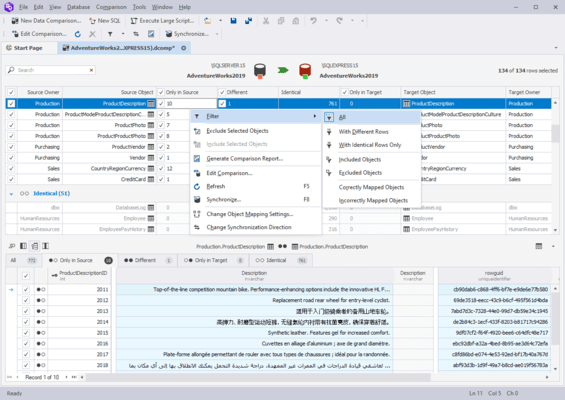
Compare and synchronize Microsoft SQL Server databases. dbForge Data Compare for SQL Server is a fast, easy-to-use tool for accurate comparing and synchronizing data of Microsoft SQL Server databases. It provides extended custom mapping opportunities, allows working with SQL scripts and queries and presents a useful toolset for data management.
Our regular prices are shown below. Please logon to see your discounted prices.
| Add to Cart | $ 146.95 | 1 Standard Developer License with 1-year subscription | Download (8.5 MB) | |
| Add to Cart | $ 225.35 | 1 Professional Developer License with 1-year subscription | Download (9.2 MB) |
Our prices include ComponentSource technical support and, for most downloadable products, an online backup and a FREE upgrade to the new version if it is released within 30 days of your purchase. All sales are made on our standard Terms and Conditions and subject to our Return Policy. Please contact us if you require any licensing option not listed above including volume licensing and previous versions.
Our regular prices are shown above. Please logon to see your discounted prices.
What's new in dbForge Data Compare for SQL Server V2.0.157?
dbForge Data Compare for SQL Server Features
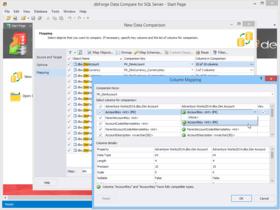
Custom mapping of tables, columns, and schemas - You can manually map tables, their columns, views, and even the schemas, which can't be mapped automatically. This is helpful when you want to compare the following:
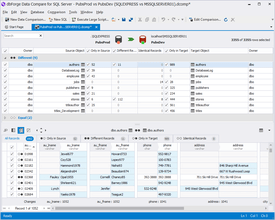
Convenient comparison wizard - The comparison wizard helps you quickly select databases, include required objects in comparison, and start the comparison. Also you can set up additional options. Following the wizard pages is convenient and guarantees accurate data comparison.
Full control of data synchronization - Data Compare generates the synchronization script, which you can either execute against the Target database, or save to a file, or open in SQL editor.
Support of various SQL servers - You can compare data between the following SQL Server databases: SQL Server 2008, 2005 (including Express editions), and 2000 (including MSDE edition).
Integrated SQL editor - Using SQL editor, you can view, edit, and execute synchronization scripts or create and execute queries. The Data window offers a wide number of options for managing retrieved data. For example, you can use card and grid modes for better view; group, sort, and filter data in the grid; benefit from the cached updates option and more.
dbForge Data Compare for SQL Server Standard Features:
dbForge Data Compare for SQL Server Professional Features - all Standard features plus:
Publisher
Primary Category
Related Products
Related Categories
ComponentSource offers a unique global service, used by over 1,000,000 software developers worldwide.