DevPartner Studio - Professional Edition - Concurrent Users - V8.2 - Resumen

de Compuware - Tipo de producto: Aplicación

Resumen

DevPartner Studio Professional Edition, Concurrent Users by Compuware

Quickly detect, diagnose and resolve software errors; maximize code performance; and ensure optimum code coverage and testing. The DevPartner Studio Professional Edition helps developers build reliable, high-performance applications and components for .NET and for native Windows by quickly solving problems with .NET migration, legacy integration, locating errors in code, memory analysis, tuning runtime performance across distributed applications, and assuring thorough testing. DevPartner integrates with Visual Studio .NET 2003 and 2005 and Visual Studio 6.

DevPartner Studio Professional Edition includes the following capabilities:

Source code review:

DevPartner Studio Professional Edition source code review comes tightly integrated with the Visual Studio .NET IDE, so you apply the right .NET standards and technologies consistently at every stage of development, even when working with various languages and multi-tiered components.

Choose Compuware DevPartner Studio predefined code review rules, or implement your own, to:

Review source code from multiple .NET languages, including C#, Visual Basic .NET and ASP .NET

Identify and analyze coding errors, inefficient instructions or inappropriate use of one or more languages within a .NET application, making sure code components work correctly separately and together

Examine calls to underlying services, proving the call is sound and applied in the proper context of the application

Build a model of the entire application to scan different code components in combination and evaluate how effectively .NET features are used

Error detection and diagnosis:

DevPartner Studio Professional Edition error detection catches problems with unsupportable code, runtime errors or mishandled exceptions in Visual Studio .NET, Visual C++ and Visual Basic code, as you develop. You address errors early in development, rather than at later stages when software defects are tougher to address and more costly to fix.

You view the code's call stack, highlight the issue you need to correct and DevPartner Studio instantly takes you to the line of code generating the error. Spot trouble across Windows operating systems and application tiers, even across multiple and already-running processes, as DevPartner Studio:

Identifies poor and nonstandard programming practices

Validates Windows API and system calls

Supports native-mode applications, including resource tracking and leak detection for static destructors, and provides operating system-specific knowledge of device contexts

Offers advanced support for Use Count analysis

Tracks transitions between managed and unmanaged code

Memory analysis

DevPartner Studio memory analysis shows you the amount of memory consumed by an object or class, tracks the references that are holding an object in memory, and identifies the lines of source code within a method responsible for allocating the memory. With an accurate profile of a program's memory usage, you can improve runtime performance and resource utilization by optimizing code that consumes or wastes the most memory. The memory profiler saves valuable development time by helping you quickly locate inefficient code that would otherwise take hours or days to find manually.

When you run DevPartner Studio memory analysis, you can choose to examine one of three important potential problem areas:

Memory leaks

Temporary object creation

Overall RAM footprint

DevPartner Studio memory analysis then delivers a host of detailed information:

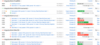
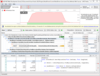
Real-time graph: a live, dynamic view of your application's memory use as it runs. You can see how much memory is being used by your application code, by the system and by other external application code, and how memory consumption compares to the memory reserved for the managed heap (memory).

Dynamic list of classes: the list of profiled classes is updated in real time, showing you the number of objects allocated and number of bytes used by each class, as your application runs.

Detailed heap views: a detailed view of the managed heap (memory) at any time during program execution. This data can be used to analyze memory problems in depth, allowing you to see how your application uses memory and ultimately identify the methods or lines of code responsible for the most memory use.

Memory analysis operates on any .NET application component including VB.NET, Managed Visual C++ and C#, as well as ASP.NET and JScript. Applications consisting of any combination of these languages can be analyzed on a single system for memory use, and the results are automatically correlated for easy viewing.

Code coverage analysis

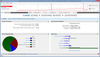
No more relying on relatively subjective reports to test code. DevPartner Studio Professional Edition code coverage analysis tells you how much code was tested, how well it tested and what was never tested at all. You get the answers you need to focus testing where it's needed most, whether it's code check-in, unit testing, integration testing or final release. To zero-in on untested code for you, DevPartner Studio:

Captures and combines testing sessions for applications, components and web pages

Traces both .NET and native code across users, languages and application tiers

Pinpoints the portions of an application left unexecuted during one or more tests

Merges sessions to present a clear picture of testing progress over time

Performance analysis

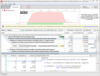
DevPartner Studio performance analysis takes you where few profiling tools can go, to the individual line of source code to identify and analyze slow code and performance bottlenecks line by line. Using DevPartner Studio performance profiling, you can:

Profile Visual C++, Visual Basic, .NET, C#, VBScript and JScript code from top to bottom

Trace running applications and differentiate between application and operating system calls, all through an intuitive user interface

Isolate performance bottlenecks in single and multi-tiered applications at machine, process, component or source line levels

Receive recommendations and corrective actions from one key source DevPartner Studio

Distributed application analysis

Deploying unreliable or poorly tuned web applications is a sure-fire way to send customers running to the competition. Developers must identify and correct problems long before an application is placed into production. When you're dealing with complex technologies distributed and tightly integrated across n-tier applications, the task can seem insurmountable.

DevPartner Studio Professional Edition distributed application analysis makes the job much easier. Distributed application analysis identifies and corrects potential and real problems early on before they affect customer satisfaction and service. Distributed application analysis quickly collects and analyzes runtime data over a single system for Microsoft-based distributed web applications, including full support for .NET applications and languages.

Distributed application analysis gives you an informative, end-to-end view of the critical events that occur across distributed applications. Distributed application analysis collects, analyzes and reports problems or bottlenecks on a variety of distributed languages, even ADO .NET and ASP .NET.

The optional DevPartner Studio Server license helps extend views beyond a single system. For the first time, you can trace transactions as they execute over multiple servers and technologies to get a wealth of information and in-depth analysis on problems and performance issues. The bottom line-web applications run more efficiently and with greater integrity, reliability and code stability.

What's new in DevPartner Studio V8.x

Full integration with Visual Studio 2005

Collect data on Disk I/O, Network I/O and synchronization wait time

Simulate .NET Framework faults and test error handling code

Export memory, performance and coverage data into useful reports

PartNumbers: PC-514501-125341 514501-125341 PC-514501-125349 514501-125349 PC-514501-125345 514501-125345

Publisher PartNumbers: DP-STDO-C1 DP-STDO-CP DP-STDO-SP

PurchaseOptions: DevPartner Studio Professional Edition V8.2 - per Concurrent User 1 Developer License per Concurrent User with Subscription Plus (Annual support + updates) , DevPartner Studio Professional Edition V8.2 - per Concurrent User 1 Developer Upgrade License per Concurrent User with Subscription Plus (Annual support + updates) , DevPartner Studio Professional Edition V8.2 - per Named Server 1 Server License with Subscription Plus per Named Server (Annual support + updates Note: Requires Named or Concurrent User Licenses)

Resources: Read the DevParter Studio Professional InfoWorld review - Requires Acrobat Reader, Read the Optimizing Memory in .NET Applications white paper - Requires Acrobat Reader, Read the Compuware DevPartner Studio 7.1 Professional Edition Wins Software Development Productivity Award Press Release - Requires Acrobat Reader, Read the Compuware and Microsoft product feature matrix - Requires Acrobat Reader, Read the CRN review of DevPartner - Requires Acrobat Reader, Read the DevPartner Studio Professional fact sheet - Requires Acrobat Reader, Read the Compuware Memory analysis white paper - Requires Acrobat Reader, Read the Performance Analysis white paper - Requires Acrobat Reader, View the DevPartner ROI Calculator Spreadsheet, Read the Compuware DevPartner Studio Professional Edition Wins Visual Studio Magazine’s 2004 Readers Choice Awards Press Release

Operating System for Deployment: Windows Vista, Windows XP, Windows Server 2003

Architecture of Product: 32Bit

Product Type: Application

Compatible Containers: Microsoft Visual Studio 2005, Microsoft Visual Studio .NET 2003, Microsoft Visual Studio .NET, Microsoft Visual Studio 6.0, Microsoft Visual Basic 2005, Microsoft Visual Basic .NET 2003, Microsoft Visual Basic .NET, Microsoft Visual Basic 6.0, Microsoft Visual C++ 2005, Microsoft Visual C++ .NET 2003, Microsoft Visual C++ .NET, Microsoft Visual C++ 6.0, Microsoft Visual C# 2005, Microsoft Visual C# .NET 2003, Microsoft Visual C# .NET, .NET Framework 3.0, .NET Framework 2.0, .NET Framework 1.1, .NET Framework 1.0

Product Class: .NET Development Tool

Search Items: Exclude from GSA Schedule, VSIP-J, New Product Jan 04, New Product May 04

Keywords: Debugging debug debugs Testing Test Tests Development Compuware NuMega Professional Partner compuware

Búsqueda de productos

Escriba palabras de búsqueda:

Galería de capturas de pantalla

Award Award