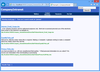
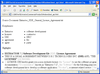
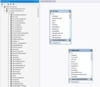
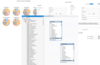
Screenshot Preview

FindinSite-MS

经 PHD Computer Consultants - 产品类型: 构件 / 应用程序 / .NET Web 服务

‏请注意: 除非另有说明,此为英语产品

*

Add fully controllable search functionality to your ASP.NET hosted Web site. FindinSite-MS is an ASP.NET search engine for a Web site or intranet using a Microsoft server. It integrates fully with your site, it doesn't show ads from your competitors, it highlights words in Web pages and is available as a package for your site, or as a hosted search. Featuring many file types, regular indexing, customisable templates and great international support. Searches HTML, PDF, DOC, PPT, TXT, JPEG and TIFF files.

$95.04
价格

‏我们的常规价格如下。 请登录后查看打折后的价格。

FindinSite-MS V1.69   *

加入购物车 $ 95.04 1 Personal License (includes Free Upgrades for 1 year)  *
Mfr. 部件号: Product 91
下载 (2.3 MB)
加入购物车 $ 287.04 1 Standard License (includes Free Upgrades for 1 year)  *
Mfr. 部件号: Product 92
下载 (2.3 MB)

FindinSite-MS V1.69 - Renewal License   *

加入购物车 $ 77.62 1 Personal Renewal License  *
Mfr. 部件号: Product 91
验证 下载 (2.3 MB)
加入购物车 $ 234.42 1 Standard Renewal License  *
Mfr. 部件号: Product 92
验证 下载 (2.3 MB)

FindinSite-MS V1.69 Academic Lincese   *

加入购物车 $ 71.28 1 Personal Academic License  *
Mfr. 部件号: Product 91
验证 下载 (2.3 MB)
加入购物车 $ 215.28 1 Standard Academic License  *
Mfr. 部件号: Product 92
验证 下载 (2.3 MB)

我们的价格包括ComponentSource的技术支持。对于大多数可下载的产品,还提供在线备份和免费升级为新版本,若新版本在购买后的30日内发布的话。  所有销售都是按照我们的标准条款 进行的,并且适用我们的退货政策. 请 联系我们 若您需要任何未在上面列出的License选择,包括批量License及以前的版本。 

‏我们的常规价格见上。 请登录后查看打折后的价格。

 *

findinsite-ms ASP.NET application 1.69

  • Indexing: Fix minor bug indexing PDFs

findinsite-ms ASP.NET Version 1.68 includes:

  • Indexing: Parse DOCX better so no broken words
  • Web service: Correctly remove High and Low surrogate characters from returned XML
  • Search databases: check every hour for updates and reload if necessary
  • Templates: nowrap removed from header template
  • Indexing: Remove port when creating an automatic search database
  • Indexing: For directory scans, cope if directory inaccessible

findinsite-ms ASP.NET Version 1.67 includes the following improvements...

  • Highlighting: Remove various "if-" headers that cause highlighting to fail: "304 not modified" returned
  • Highlighting: "ShowCredentials" parameter supported in Web.Config
  • Indexing: Credentials now Negotiate" to support Kerberos
  • Dynamic database searching: don't show %DB_CREATION_DATE% if no main database loaded
  • Languages: 13 European languages added to user interface
  • Highlighting: works for Greek and Bulgarian text
  • Indexing: now uses latest version of ICSharpCode.SharpZipLib for unzipping new office files

findinsite-ms ASP.NET Version 1.66 includes the following improvements...

  • Indexing: Cope with Content-Location HTTP header that refers to the current URL

findinsite-ms ASP.NET Version 1.65 includes the following improvements...

  • Indexing: PDF: Output anchor "page=n" for pages 1 to 31.
  • Indexing: Check for cancel during directory find all files.
  • About: better statistics list
  • Log: log IP address and Robot name
  • Log: log pages highlighted
  • Log: XML encode message
  • About: Keep count of robot searches separately ... Template: by default has meta robots nofollow and noindex

findinsite-ms ASP.NET Version 1.64 includes the following improvements...

  • Indexing: PDF: Cope with unexpected too-large integer number

What's New in findinsite-ms ASP.NET V1.63

  • Indexing: PDF 1.5 format finally supported: cross reference streams and object streams
  • Indexing: PDF Flate DecodeParms Predictor 12/Up supported
  • Indexing: PDF \r\r line ends recognised
  • Indexing: Content-Type HTTP header used to override file type
  • Indexing: Use moved location of initial URL, eg follow "findinsite" to "findinsite/"
  • Indexing: Use "Content-Location" to reduce duplicate URLs indexed, eg "findinsite/" is the same as "findinsite/default.htm"
  • Indexing: Rules added
  • Highlighting: base tag and (changed) header added at better position in web page
  • Indexing email: server port added
  • Search: Load database files more efficiently
  • Templates: Consistently use %SEARCH_TEXT%, though %SEARCHTEXT% still supported
  • Output and templates: updated to use better XHTML
  • Output: default target supported

What's New in V1.62

  • Indexing PDF: Finds endstream better
  • Highlighting: Fixed bug highlighting URL with non-standard characters
  • Search API: Snippet has search words highlighted using a SPAN with class hilite
  • Indexing: FieldsToExclude advanced option added

What's New in V1.61

  • Indexing: Credentials now supports Integrated Windows Authentication
  • Indexing: Fixed bug when removing indexing from completed list

What's New in V1.60

  • Compiled to run in ASP.NET 2.0+ web site
  • Search: dynamic database searching supported
  • Search: Highlighting of search words in results fixed for multiple subsets
  • Search: Field searches fixed for multiple subsets
  • Look and Feel: %DYNAMIC_DB% supported in header and footer
  • Config: Searching section new option added "Dynamic database searching regular expression"
  • Indexing: Cope with unusual BASE tag values
  • Indexing: Cope with Moved Location even better
  • Indexing: HardExclude advanced option added
  • Startup: reallySetLanguages exception handled
  • Indexing: PDF: Cope with format variant
  • Emails: sent using ASP.NET 2.0+ method
  • Config: Indexing From Email Password is a 'password' type input field
  • Search: cope with bad URL parameters better

What's New in V1.51

  • Indexing: XLS and PPT: TextExtractor call bug fixed
  • Indexing: PDF and XLS: Floating point numbers identified correctly on non-English computers

What's New in V1.50

  • Indexing: Algorithm changed to reduce memory requirement
  • Indexing: HTML: Cope with just 'text/html' and 'text-html' charsets
  • Indexing: PDF: indexing speed-ups
  • Indexing: PDF: Only report unrecognised encoding /Identity-H if PDF_ReportCharacterDecodeProblems set
  • Indexing: PDF: UnicodeEncoding bug fix
  • Indexing: Image: Find XMP (Extensible Metadata Platform) meta-data, eg Vista Tags
  • Indexing: Cope with (ie ignore) read errors
  • Indexing: Cope with include/exclude/robots after HTTP redirect
  • Indexing: Robots not case significant
  • Indexing: Pause every 100 files for 0.1 second
  • Indexing: Don't write fields or anchors if file not being indexed
  • Control Panel: Memory, searches and indexings counts since restart listed on About page

What's New in V1.21

  • Indexing: Word 2007 DOCX/DOCM files supported
  • Indexing: Excel 2007 XLSX/XLSM files supported
  • Indexing: Powerpoint 2007 PPTX/PPTM files supported

What's New in V1.20

  • Indexing: Ignore in web pages
  • Indexing: BASE tag supported
  • Config: Load template files in UTF-8
  • Highlight: Find charset more flexibly
  • Highlight: Fix bug if search word found in header
  • Language: Thai language supported
  • Search: Fix bug if space searched for

What's New in V1.18

  • Indexing: Excel XLS file indexing and searching supported

What's New in V1.17

  • Language: "Languages to Use" option added to Look and feel configuration page
  • Language: Language and text direction forced to English for config page heading
  • Email: SMTP Mail Host option provided on Indexing config page
  • Email: SMTP send basic authentication password support (can be stored in Web.Config appSettings)

What's New in V1.16

  • Indexing: Publisher PUB file indexing now supported
  • Language: Norwegian language file added
  • General: Logo and Web site change and rename to findinsite-ms
  • General: Bug fix: Disregard include in template variable substitutions
  • General: Improved results sorting

What's New in V1.15

  • Language: Bug fix: non-Western characters identified correctly

What's New in V1.14

  • Language: Arabic user interface added
  • Language: Arabic words now delimited by spaces etc
  • Language: Arabic character versions handled better ( )
  • Language: Arabic 'the' at start of word handled correctly
  • Language: Arabic search for 'the' by itself ignored
  • Language: Language files now assumed to be in UTF-8
  • Language: Right-to-left (RTL) languages supported using %L_HTML_TAG%, %L_BODY_TAG% and %L_ALIGN_TAG% strings in templates
  • Language: FindinSite version date localised
  • Indexing: If Content-Type HTTP header specifies HTML charset, use this and ignore META charset.
  • Indexing: Try to determine HTML charset from META charset before main parse.
  • Highlighting: Bug fix: pages starting with UTF-8 marker bytes incorrectly recognised

What's New in V1.13

  • Output: Extra linefeeds removed from around Included file content
  • Output: Included files only sent form data if included file is an .aspx
  • Highlight: "highlighted by" footer removed because it was not shown in the correct position by FireFox on some sites
  • Installation: bin dll library files renamed with phdcc.fis. prefix - be careful to delete old DLLs before installing new ones
  • Search API: Remaining result line variables made available

What's New in V1.11

  • Config: Very first config screen has easy option to make index and search
  • Indexing: For charset "text/html;" assume ISO 8859-1
  • Indexing: Unrecognised robots tags ignored
  • Indexing: redirect out of directory handled better
  • Indexing: .php added to default HTML file types
  • Highlight: content-type checked better, so aspx pages work
  • Highlight: works for sites that use Transfer-Encoding in response header
  • Search: cope with apostrophes better

 *

FindinSite-MS is a search engine for a web site - easily configurable to

  • look like part of your web site
  • index as often as you want

FindinSite-MS is an ASP.NET application that runs in IIS on a Windows server, including shared hosts - .NET framework 1.1. A Search API XML web service is available for complete programmer control.

Powerful search facilities are available, including booleans and wildcards, word stemming and synonyms, subsets and meta-data field searches.

The FindinSite-MS user interface adapts to the user's preferred locale - great international support: 11 Western and Asian languages are currently supported.

FindinSite-MS searches many file types, including HTML, PDF, DOC, PPT, TXT, JPEG and TIFF files.

An online configuration screen makes it easy to set up regular indexing runs to spider through all the files on your site. The generated output is configured using template files - optionally incorporating output generated dynamically from ASPX pages. Search subsets can be set up to search many sites.

The Search API is provided as an XML web service. As a programmer, this can be used to do searches and then process the results as you wish.

Installation creates a new directory on your site, marked as an application. FindinSite-MS needs file write permission to store its configuration information.

Languages Supported:

  • Bulgarian
  • Czech
  • Danish
  • German
  • Estonian
  • Spanish
  • Greek
  • English
  • French
  • Croatian
  • Italian
  • Hungarian
  • Latvian
  • Lithuanian
  • Maltese
  • Dutch
  • Norwegian
  • Polish
  • Portuguese
  • Romanian
  • Slovak
  • Slovenian
  • Finnish
  • Swedish
  • Arabic
  • Thai
  • Japanese
  • Simplified Chinese
  • Traditional Chinese

注意

还未完成翻译的产品说明, 我们提供了Google 翻译的连结方便您使用. 但请注意, 自动翻译有时候可能会有翻译错误.
强力驱动
在Firefox 和Opera 需要Flash.

产品搜索

输入搜索词:

快速链接

发布者

首要类别

相关产品

相关类别

为什么从ComponentSource购买?

ComponentSource 提供独特的全球国际服务, 在世界各地共有超过1,000,000开发者客户.

更多讯息 | 关于我们

奖励