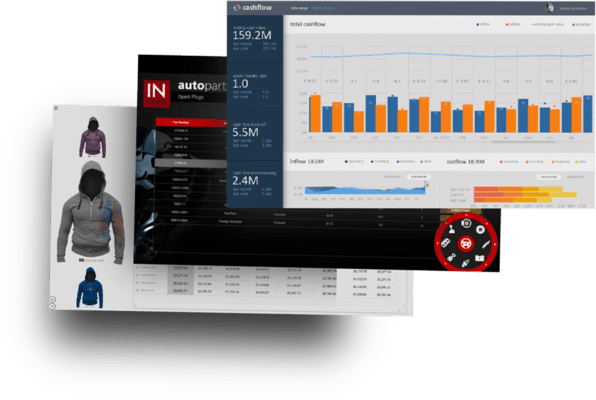
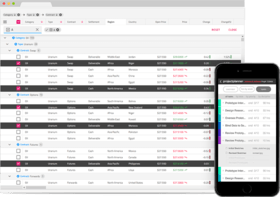
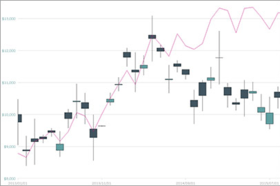
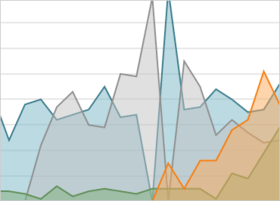
Screenshot Preview

Infragistics NetAdvantage for Windows Forms

de Infragistics - Tipo de producto: Componente / .NET WinForms / 100% Managed Code / Managed/Unmanaged Code - without COM

Nota Informativa: NetAdvantage for Windows Forms ha cambiado de nombre y se llama ahora NetAdvantage Win Client.

Por favor note que al menos que se indique lo contrario, esta es la versión en Inglés del producto.

*

Create modern user interfaces for your Windows Forms applications. Infragistics NetAdvantage for Windows Forms provides developers with UI controls to rapidly build and style high-fidelity line of business application user interfaces with the look and feel of Microsoft Office. With Infragistics NetAdvantage for Windows Forms developers receive every control (data grids, trees, toolbars, calendars, editors, charts, gauges, scenic ribbons and more) needed to create superior user experiences with stability, performance and robustness. NetAdvantage for Windows Forms includes an annual subscription to developer support, source code, all updates and upgrades, documentation and samples.

Desde
$885.55

Más Vendido

  |   

Más Descargado

Precio en

Nuestros precios Standard están indicados abajo. Inicia una sesión para ver sus precios con descuento.

Infragistics NetAdvantage for Windows Forms 2011 Volume 2 (includes annual subscription & full .NET source code)   *

Añadir a la Cesta $ 885.55 1 Developer Subscription License - Includes updates, upgrades and new components for 1 year  *
Ref. Fabricante: 48Y2C
Descarga (775.3 MB)
Añadir a la Cesta $ 796.55 1 Developer Subscription License - Upgrade from any Infragistics NetAdvantage product with a subscription that has expired in the past year (past year is defined as from the current date)  *
Ref. Fabricante: 48Y2CU
Verificar Descarga (775.3 MB)
Añadir a la Cesta $ 374.47 1 Developer Subscription License - 90-Day Early Bird Subscription Renewal - (can be purchased up to the end of the 10th month of your existing subscription*)  *
Ref. Fabricante: 489990
Verificar Descarga (29 KB)
Añadir a la Cesta $ 396.50 1 Developer Subscription License - 60-Day Early Bird Subscription Renewal - (can be purchased between the first and last day of the 11th month of your existing subscription*)  *
Ref. Fabricante: 489960
Verificar Descarga (29 KB)
Añadir a la Cesta $ 440.55 1 Developer Subscription License - Subscription Renewal - (can be purchased until the last day of the 12th month of your existing subscription)  *
Ref. Fabricante: 489900
Verificar Descarga (29 KB)

Infragistics NetAdvantage for Windows Forms 2011 Volume 2 with Priority Support (includes annual subscription & full .NET source code)   *

Añadir a la Cesta $ 1,315.60 1 Developer Subscription License with Priority Support - Includes updates, upgrades and new components for 1 year  *
Ref. Fabricante: 48Y2CP
Descarga (775.3 MB)
Añadir a la Cesta $ 1,227.60 1 Developer Subscription License with Priority Support - Upgrade from any Infragistics NetAdvantage product with a subscription that has expired in the past year (past year is defined as from the current date)  *
Ref. Fabricante: 48Y2PU
Verificar Descarga (775.3 MB)
Añadir a la Cesta $ 594.66 1 Developer Subscription License with Priority Support - 90-Day Early Bird Renewal - (can be purchased up to the end of the 10th month of your existing subscription*)  *
Ref. Fabricante: 48999P
Verificar Descarga (29 KB)
Añadir a la Cesta $ 629.64 1 Developer Subscription License with Priority Support - 60-Day Early Bird Renewal - (can be purchased between the first and last day of the 11th month of your existing subscription*)  *
Ref. Fabricante: 48996P
Verificar Descarga (29 KB)
Añadir a la Cesta $ 699.60 1 Developer Subscription License with Priority Support - Subscription Renewal - (can be purchased until the last day of the 12th month of your existing subscription)  *
Ref. Fabricante: 48990P
Verificar Descarga (29 KB)

Infragistics NetAdvantage for Windows Forms Corporate 2011 Volume 2 (A Corporate license gives you the convenience of one key for multiple (minimum 10) licenses)   *

Añadir a la Cesta $ 885.55 1 Developer Subscription License - Includes updates, upgrades and new components for 1 year (minimum quantity 10)  *
Ref. Fabricante: 48Y2V
Descarga (775.3 MB)
Añadir a la Cesta $ 440.55 1 Developer Subscription License - Subscription Renewal - (can be purchased until the last day of the 12th month of your existing subscription)  *
Ref. Fabricante: 4899V
Verificar Descarga (29 KB)
Añadir a la Cesta $ 1,315.60 1 Developer Subscription License with Priority Support - Includes updates, upgrades and new components for 1 year (minimum quantity 10)  *
Ref. Fabricante: 48Y2VP
Descarga (775.3 MB)
Añadir a la Cesta $ 699.60 1 Developer Subscription License with Priority Support - Subscription Renewal - (can be purchased until the last day of the 12th month of your existing subscription)  *
Ref. Fabricante: 4899VP
Verificar Descarga (29 KB)

Nuestros precios incluyen servicio técnico de ComponentSource y, para la mayoría de los productos disponibles para descarga, una copia de seguridad en línea y una actualización GRATUITA a la nueva versión si ésta se publica en un período de 30 días después de la compra.  Todas las ventas están sujetas a nuestros Términos y condiciones standard y a nuestra Política de devolución. Por favor, póngase en contacto con nosotros si necesita alguna opción de licencia no incluida en la lista anterior, incluida la compra por volumen de licencias y versiones anteriores.

Nuestros precios Standard están indicados arriba. Inicia una sesión para ver sus precios con descuento.

 *

What's New in Infragistics NetAdvantage for Windows Forms 2011 Volume 2?
The new version adds Microsoft Excel features to different areas within the product, like implementing additional Excel behaviors in the grid with asynchronous exporting and added APIs to the Infragistics Excel Library to build more capable Microsoft Excel documents. A Math Library is also included to handle your applications’ complex computational needs when dealing with vectors and matrices, as well as the Microsoft Office 2010 Black & Silver themes.

Syntax Parsing Framework
The new Syntax Parsing Framework is a fully functional parser engine that can take a programming language and parse it into its language specific tokens, keywords and constructs. This library, in conjunction with a rich text editor, can provide full-blown language editing capabilities with text highlighting. The following key features are included:

  • EBNF Support - Feed in a language’s EBNF, and the syntax library will be able to parse it through and recognize the keywords, tokens and language construct.
  • Attach a RichTextEditor - Easily attach the syntax library to RichTextEditor, enabling the user to edit the language currently loaded in the Syntax Library. Highlight language keywords, mark for errors and compile the language using the text editor.

WinGrid
Improved performance of the exporters and re-designed conditional formatting dialog. The following key features are included:

  • Repeat Paste - Putting the Grid more in-tune with Excel behaviors, Repeat Paste feature has been added which allows the user to paste cells in a selection greater than the selection from which it was copied.
  • Filter Like Excel - To get the functionality to match one to one with Excel, this release is enhanced with Excel-like filtering to present distinct value choices within the filter drop down from the already filtered collection within the grid.
  • Asynchronous Exports - Export large volumes of data to Excel, PDF, Word or XPS using the async exporting capabilities featured in the grid exporters. It helps the exporting function without blocking the UI thread and the user is free to interact with the application during export.
  • New Conditional Formatting Dialog - The entire conditional formatting experience has been re-designed to be much easier to use, while it also lightens up the applications look and feel if you are using ISL (Infragistics Style Library) to define your themes.

Infragistics Excel
Import and export Microsoft Excel workbooks in high-fidelity XLS/XLSX/ExcelML file formats. With absolutely no Excel dependency, your Windows Forms application can run completely independently of Excel, and Excel does not even have to be installed alongside your application. The following features are included:

  • Shapes Support - Flip simple shape types - such as rectangles, right triangles and line shapes - horizontally or vertically, or change their outline or fill colors.
  • Data Validations - Constraints can now be placed on the values entered by users in Microsoft Excel. All data validations, including drop down lists and custom formula validations, are supported.
  • Print Titles - Groups of rows and columns can now be set to be repeated on each printed page, when a user prints the worksheet in Microsoft Excel.
  • Print Area - Rectangular ranges of cells can now be set to be printed on their own pages, when a user prints the worksheet in Microsoft Excel.
  • Page Breaks - Horizontal and vertical page breaks can now be added to the worksheets.

Gantt View
With popular demand, the GanttView is now able to support Custom Columns with the grid section of the control. This lets you create columns that can display additional information of the tasks which are not part of the built-in column set.

Math Library
If System.Math is not enough for your application computation needs, and you require complex vector or matrix calculations, the Math Library is developed to address those gaps. It also has all the standard .NET math functions built-in and extends the function set with other commonly used mathematical computation methods.

Office 2010 Black & Silver Themes
Theme your applications to look and feel like Office 2010 black or silver theme, using the latest ISL (Infragistics Style Library) files.


 *

Infragistics Windows Forms UI controls feature a hierarchical data grid with Microsoft Excel spreadsheet-like functionality, and interoperability with XLS, XLSX and ExcelML files. Microsoft Outlook style resource scheduling and Microsoft Project style Gantt charts make creating line of business applications quick and easy.  Office 2010/07 styles including both scenic and fluent ribbon UIs with Application Menu 2010 style (that is, “Backstage” view) deliver a task-centric user interface that has great performance and a comprehensive feature set to match on top of our robust Presentation Layer Framework. Infragistics Application Styling Framework enables you to globally style applications with little to no code. NetAdvantage AppStylist for Windows Forms lets you design style sets, or use one of the many professionally-designed style sets included.

Infragistics NetAdvantage for Windows Forms includes the following components:

  • WinGrid
  • WinCalcManager
  • WinChart
  • WinCombo
  • WinDataSource
  • WinDesktopAlert
  • WinDockManager
  • WinExtras
  • WinActivityIndicator
  • WinAnimation
  • WinButton
  • WinCalculator
  • WinDropdownButton
  • WinFormattedLinkLabel
  • WinLabel
  • WinPopupContainer
  • WinProgressBar
  • WinScrollBar
  • WinStatusBar
  • WinTooltipManager
  • WinValidator WinEditors
  • WinCalculatorDropdown
  • WinCheckEditor
  • WinColorPicker
  • WinComboEditor
  • WinControlContainerEditor
  • WinCurrencyEditor
  • WinDateTimeEditor
  • WinFontNameEditor
  • WinFormattedTextEditor
  • WinMaskedEdit
  • WinNumericEditor
  • WinOptionSet
  • WinTextEditor
  • WinTimeSpanEditor
  • WinTimeZoneEditor
  • WinTrackBar
  • WinExplorerBar
  • WinFormManager
  • WinGauge
  • WinGroupBox
  • WinGridBagLayoutPanel WinGanttView
  • WinGridDocumentExporter
  • WinGridExcelExporter
  • WinInkProvider
  • WinLayoutManagers
  • WinListbar
  • WinListView
  • WinMessageBoxManager
  • WinNavigationBar
  • WinPanel
  • WinPrinting
  • WinPrintDocument
  • WinPrintPreviewControl
  • WinPrintPreviewThumbnail
  • WinGridPrintDocument
  • WinSchedulePrintDocument
  • Infragistics.Documents
  • PDF Export
  • XPS Export Infragistics.Excel
  • XLS Export
  • XLS Import
  • WinSchedule
  • WinTimelineView
  • WinDayView
  • WinWeekView
  • WinMonthViewSingle
  • WinMonthViewMulti
  • WinCalendarCombo
  • WinCalendarInfo
  • WinCalendarLook
  • WinSpellChecker
  • WinSplitter
  • WinTabbedMdi
  • WinTab
  • WinTilePanel
  • WinToolbars
  • WinRibbon
  • WinScenicRibbon
  • WinTree

Atención

Para su comodidad, hemos incluido enlaces a Google Translate para traducir la información del producto que todavía tenemos que traducir. Por favor, tenga en cuenta que traducciones automáticas no siempre son totalmente exactas.
Con la tecnología de
Requiere Flash en Firefox y Opera

Búsqueda de productos

Escriba palabras de búsqueda:

¿Por qué comprar en ComponentSource?

ComponentSource ofrece un único servicio global, utilizado por más de 1.000.000 de desarrolladores en todo el mundo.

Más Información | Sobre Nosotros

Galería de capturas de pantalla

Haga clic para obtener una vista previa completa

Captura de pantalla Infragistics NetAdvantage for Windows Forms - Windows Forms - 2011 Volume 2 Captura de pantalla Infragistics NetAdvantage for Windows Forms - Windows Forms - 2011 Volume 2 Captura de pantalla Infragistics NetAdvantage for Windows Forms - Windows Forms - 2011 Volume 2 Captura de pantalla Infragistics NetAdvantage for Windows Forms - Windows Forms - 2011 Volume 2 Captura de pantalla Infragistics NetAdvantage for Windows Forms - Windows Forms - 2011 Volume 2
Award Award