InstallAnywhere 2009 Enterprise

di Acresso Software - Tipo prodotto: Applicazione / Wizard

Ti preghiamo di notare che, a meno che non sia altrimenti specificato, questo è un prodotto in inglese.
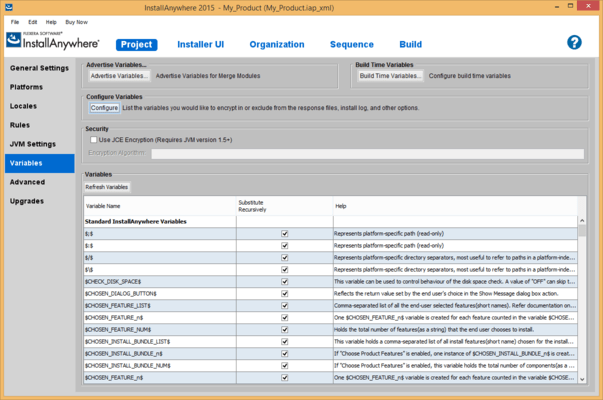
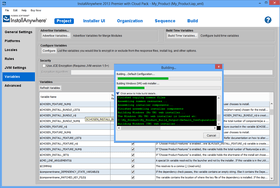
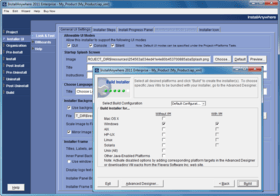
Schermata di InstallAnywhere - Enterprise Edition - 2009Deploy your application on any platform. InstallAnywhere Enterprise Edition is designed to install any kind of software -- desktop, enterprise, or multi-tiered Web services - onto any platform, and to configure those applications for optimal performance. Whether you're creating applications written in Java, C++, PERL, or C#, or deploying EJBs or .NET Web services, all of the installation details are handled automatically. InstallAnywhere Enterprise Edition simplifies complex installations and provides maximum developer customization, along with extensive user interaction, client/server features and localization for 29 languages.

Da
6,470,100₩

Best Seller

  |  

Download più richiesti

Prezzo in

I nostri prezzi standard sono indicati sotto. Accedi per vedere i tuoi prezzi scontati.

InstallAnywhere Enterprise Edition 2009 (individual downloads for Windows, AIX, HP-UX, Linux, Solaris and Mac OS X - max size 210 MB)

Aggiungi al carrello ₩ 6,470,100 1 Developer License for all platforms
Cod. Produttore: HE100ZD
Download (803.9 MB)
Aggiungi al carrello ₩ 5,331,200 1 Developer Upgrade License from any active InstallAnywhere Standard Edition
Cod. Produttore: HE100ZDUS
Verifica Download (803.9 MB)
Aggiungi al carrello ₩ 4,312,900 1 Developer Upgrade License from any active InstallAnywhere Enterprise Edition
Cod. Produttore: HE100ZDU
Verifica Download (803.9 MB)
Aggiungi al carrello ₩ 3,427,400 1 Developer License for all platforms - Upgrade from InstallShield Multiplatform and InstallShield X, 10.5, and 11 Special Offer Price - Ends 31st December 2008
Cod. Produttore: Promo Code 3B3C9N
Verifica Download (803.9 MB)

InstallAnywhere Enterprise Edition 2009 with Silver Maintenance (individual downloads for Windows, AIX, HP-UX, Linux, Solaris and Mac OS X - max size 210 MB)

Aggiungi al carrello ₩ 9,749,700 1 Developer License for all platforms with Silver Annual Maintenance
Cod. Produttore: BHEED
Download (803.9 MB)
Aggiungi al carrello ₩ 8,226,100 1 Developer License with Silver Annual Maintenance Upgrade from any active InstallAnywhere Standard Edition
Cod. Produttore: BHEEDUS
Verifica Download (803.9 MB)
Aggiungi al carrello ₩ 7,464,300 1 Developer License with Silver Annual Maintenance Upgrade from any active InstallAnywhere Enterprise Edition
Cod. Produttore: BHEEDUE
Verifica Download (803.9 MB)

InstallAnywhere Enterprise Edition 2009 with Gold Maintenance (individual downloads for Windows, AIX, HP-UX, Linux, Solaris and Mac OS X - max size 210 MB)

Aggiungi al carrello ₩ 10,816,300 1 Developer License for all platforms with Gold Annual Maintenance
Cod. Produttore: BHEFD
Download (803.9 MB)
Aggiungi al carrello ₩ 9,292,600 1 Developer License with Gold Annual Maintenance Upgrade from any active InstallAnywhere Standard Edition
Cod. Produttore: BHEFDUS
Verifica Download (803.9 MB)
Aggiungi al carrello ₩ 8,530,800 1 Developer License with Gold Annual Maintenance Upgrade from any active InstallAnywhere Enterprise Edition
Cod. Produttore: BHEFDUE
Verifica Download (803.9 MB)

InstallAnywhere Enterprise Maintenance Renewals

Aggiungi al carrello ₩ 2,893,400 1 Developer Silver Annual Maintenance Renewal License (includes Subscription and Support)
Cod. Produttore: KSHEDK1
Verifica Download (29 KB)
Aggiungi al carrello ₩ 3,959,900 1 Developer Gold Annual Maintenance Renewal License (includes Subscription and Support)
Cod. Produttore: KGHEDK1
Verifica Download (29 KB)

Questo prodotto è disponibile nei prezzi riservati al GSA schedule.I nostri prezzi comprendono l'assistenza tecnica ComponentSource e, per la maggior parte dei prodotti scaricabili, una copia di riserva online e un aggiornamento GRATUITO alla nuova versione, se questa viene lanciata entro 30 giorni dall'acquisto.  Tutte le vendite sono soggette ai nostri termini e condizioni standard ed alla nostra politica di rimborso.  Contattaci se necessiti di un'opzione di licenza non elencata sopra, comprese licenze multiple e versioni precedenti.

I nostri prezzi standard sono indicati sopra. Accedi per vedere i tuoi prezzi scontati.

For details on what is included in the Standard and Enterprise Editions please see the "InstallAnywhere Editions Features Comparison" in the Evals & Downloads section.

What’s new in InstallAnywhere 2009?

  • Better Target Java Runtime Environments – Use a new search algorithm to better determine if a specific Java Runtime Environment is already installed on a target machine. Customize the installer to better detect, search, and specify Java Virtual Machines.
  • Payload Optimization Improvements – Detect source duplication at a file level and only bundle one copy of the source, reducing the footprint of your installations, cutting download time for end users, and lowering CD/DVD costs for larger installations.
  • More Customized End-User Panels – Tightly control the position, font, and color settings for labels and fields in end-user installation panels.
  • New and Expanded APIs – Have greater flexibility in designing installations with new and expanded APIs that expose installer UI controls, build projects via a Java API, and improve runtime automation possibilities by retrieving detailed product information such as version, date installed, and product components from the product registry.
  • Windows Check Platform Rule – Windows All option executes an action for any supported Windows platforms, eliminating manual checks for each one.
  • Install Phase Action Group – Apply rules to a group of actions during the install phase, eliminating multiple steps during installation authoring.

Exclusive Features in InstallAnywhere Enterprise Edition

  • Localized Designer – Developers who speak English, French, German, and Japanese can author multiplatform installations using their native language.
  • Team Development – Easy project collaboration saves development teams significant time.
  • Service Layer Integration – The services layer allows you to easily add advanced functionality to your custom code actions.
  • Application-specific Java VM – Installs an application-specific Java VM for your application on Windows, Solaris, Linux, AIX, HP-UX, and UNIX.
  • Open API – Write custom rules, panels, and console actions.
  • Action Groups – Action Groups provide the ability to logically group a set of actions or panels in Pre-Install, Post-Install, Pre-Uninstall and Post-Uninstall.
  • Installed Components – Components can be dependent on other components that are already installed on a system
  • Errors Resolutions – Installation log (in both XML and plain text formats), highlights errors or warnings with possible resolutions.
  • Optimized Installations by Platform – Installations are optimized by platform, building each installation with only the required resources for each platform.
  • Custom GUI Panels – Build custom GUI panels without programming.
  • Enable Sophisticated Command-line Installations – Pre-built console -based (text and telnet) actions allow sophisticated command-line installations.
  • Silent Uninstaller – Uninstaller can run silently, in a console or through telnet.
  • Deliver Installations for Every Platform – Delivers installations for every platform using a single CD/DVD.

What’s new in InstallAnywhere 2008 Value Pack 1?

  • Windows Server 2008 support- InstallAnywhere can target Windows Server 2008 installer environments. Available in Standard and Enterprise Editions
  • Support for IBM i5/OS for System i platform (formerly known as OS/400 platform) - First time InstallAnywhere support for the i5/OS (operating environment) for System i (hardware) ensures both local and remote install and uninstall scenarios are supported. Local installs would be run if the installation should be run directly from the i5/OS console (green screen), remote installations allow the ability to launch an installer from another machine (i.e. a Windows machine) and initiate actions on a remote i5/OS machine. Only available in Enterprise Edition
  • AIX –ODM support - Allows registration of an installation into the AIX native registry, which is an expansion on previous support for AIX installations. Available in both Standard and Enterprise Editions
  • Improvement of the Hebrew and Arabic runtime introduced in InstallAnywhere 2008 - With development advisor IBM, the bidirectional merge capabilities first introduced with InstallAnywhere 2008 as Hebrew and Arabic runtime support were tested and strengthened with specific improvements to mnemonics. Applicable only to Enterprise Edition.

What’s new in InstallAnywhere 2008? - With InstallAnywhere 2008, customers can:

  • more easily take advantage of latest technologies, including Windows Vista, Java 1.6, and Mac OS X 10.5 (Leopard)
  • have more flexibility - especially in developing build targets & deploying web applications
  • bring products to market faster with features designed to make installation creation easier, such as a new user interface for the hosts view, automated testing support, and more flexible VM pack locations

What’s new in InstallAnywhere Enterprise Edition V8.0?

  • Updated platform support to support the latest versions of popular operating systems
  • Integration with FLEXnet Connect software update and communication solution
  • Support for creating Section 508-compliant accessible installations
  • New services layer for enhancing custom code actions
  • New resizable dialogs, progress bar control, HTML panel display capability, and automated response file creation for silent installations
  • Designer available in English, German, French, and Japanese
  • Team development and collaboration tools
  • Supports shared components, cross-product dependencies, dynamic merge modules, and action groups

What's New in V7.x?

  • Support for J2SE 5.0
  • Installer support for digital signatures (Windows XP SP2 compliance)
  • Strict Java Virtual Machine selection
  • Shared components
  • Cross-product dependencies
  • Addition platform support
  • Action Groups
  • Dynamic Merge Modules
  • Improved Installer-Merge Module communication
  • More flexible Installer UI customization options
  • More Uninstaller actions and panels
  • Improved Source Control Management Software Compliance
  • Major Advanced Designer enhancements
  • Other Enhancements
  • Bugfixes

Benefits

Create One Installer Project for Multiple Platforms and Multiple Languages
InstallAnywhere deploys software onto any client or server platform, handles all of the complexities automatically and configures your software exactly the way you want it every time. InstallAnywhere supports the latest editions of Windows, Mac OS X, Solaris, Linux, HP-UX, AIX, NetWare, and many more. And with built in support for 29 languages, you'll be deploying software to international markets in no time. Whether you’re creating applications written in Java, C++, PERL or C#, deploying EJBs or .NET Web services, RPM’s InstallAnywhere is designed to install and configure software – desktop, enterprise, or multi-tiered Web services – onto any platform, in one installer project.

Build Installers in Your Language
InstallAnywhere's developer environment, including the six-step Project Wizard and the Advanced Designer, is now available in localized language versions. Developers who speak French, German, and Japanese can author multiplatform installers using their native language. Create installers for the full range of platforms and all 29 target languages supported by InstallAnywhere.

Lowers Development and Support Costs
Having one installer for multiple platforms shortens time to market and lowers costs through shorter development times, simpler documentation, rapid QA, and fewer support calls. InstallAnywhere is packed with dozens of pre-built actions and panels, so you can build and deploy a single universal installer quickly and intuitively. Create installer functionality once: innovative Merge Modules and Templates can be re-used across development teams, product lines, and even ported along with your application in OEM applications. And InstallAnywhere's collaborative architecture lets multiple authors create installers on different platforms, saving valuable and expensive development time.

Best End-User Experience
Use your custom graphics, animation, and transparent images to create the ideal user experience that matches your software's unique look and feel. InstallAnywhere eases software deployment by creating a single powerful installer that functions on many platforms and behaves like a native application. In fact, Software Development magazine gave InstallAnywhere a five star rating in their installer product roundup, noting that "Your software has ten seconds to make a first impression. InstallAnywhere makes those seconds a pleasure instead of a chore." - Software Development, September 2003.

Five Minutes to Build an Installer
InstallAnywhere's six-step Project Wizard is one of the fastest and easiest approaches to creating an installer. The Project Wizard's simple interface provides the power you need to create an installer quickly. And InstallAnywhere shortens development cycles by integrating with popular IDEs and build tools. It can even automate the build process so there's no need to manually recreate installers every night.

Simplifies and Standardizes Software Deployment
InstallAnywhere provides a complete high quality installation toolset to produce full-featured, flexible installers. It's packed with tons of new features to make your complex server software deployment and client-side configurations a breeze. With InstallAnywhere, you concentrate on developing great software, not deploying it.

Unlimited Customization
The InstallAnywhere IDE includes a fully graphical Advanced Designer interface that allows you to create installers without coding; yet its innovative APIs allow unlimited customization options so your installer has precisely the functionality you need. InstallAnywhere's unified look and feel from install to product delivers product branding, not installer branding. InstallAnywhere's componentized, rules-based architecture provides one complete toolset that solves most installation problems. Whether you're creating a simple installer for a client application, or deploying EJBs to multiple server locations across an enterprise, InstallAnywhere is an ideal installation solution.

The Standard in Multi-Platform Deployment
InstallAnywhere's fast, powerful, and intuitive installers are used by many enterprise software companies, including Borland, HP, IBM, Intel, Novell, and Sun Microsystems.

Available in Two Editions
InstallAnywhere is available in two different editions, all based on the same award-winning, multiplatform installation technology. The editions are designed to accommodate every need and budget, from large, multi-national enterprise development teams and commercial software vendors, to the smallest independent software authors.

Easy Evaluation Process
InstallAnywhere is available in a full-featured trial version. Simply download and use the six-step Project Wizard or the Advanced Designer to build an installer. Use it to deploy onto multiple platforms.


Ricerca prodotti

Inserisci le tue parole chiave:

Galleria immagini schermate

Award Award