by BitRock - Product Type: Application / Developer Application
InstallBuilder Professional by BitRock
URLs: installbuilder-professional, installbuilder professional, installbuilderprofessional, bitrock
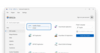
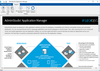
Quickly create cross-platform installers. BitRock InstallBuilder Professional turns application packaging and deployment into a fast, easy and cost-effective process for developers. BitRock InstallBuilder Professional allows you to quickly create easy to use, multiplatform installers that have a native look and feel across Windows, Mac OS X and Linux (x86/PPC/x64 ) from a single build environment. Multiple installation modes allow installers to be run in servers, workstations, and desktops. Windows, Mac OS X and Linux (x86/PPC/x64 ) also offers RPM integration and DEB generation along with other advanced functionality.
BitRock InstallBuilder Professional turns application packaging and deployment into a fast, easy and cost-effective process for developers. BitRock InstallBuilder Professional allows you to quickly create easy to use, multiplatform installers that have a native look and feel across Windows, Mac OS X and Linux (x86/PPC/x64 ) from a single build environment. GUI, text, and unattended modes allow installers to be run in servers, workstations, and desktops. BitRock InstallBuilder Professional offers several advanced features, including RPM integration and quickbuild functionality. In addition to traditional installers, BitRock InstallBuilder Professional also allows you to create multi-platform CD-ROMs and generate RPMs and Debian packages, directly from installer project files. Other features include convenient built-in actions for commonly required installation functions, such as: autodetecting a Java(tm) Runtime, changing file permissions and ownership, substituting text in a file, adding environment variables, adding directories to the path, creating symbolic links, changing the Windows registry, and launching external scripts.
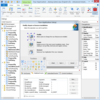
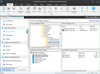
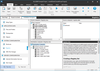
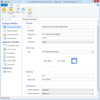
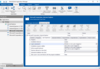
An easy to use GUI allows new users to quickly learn to use InstallBuilder. For advanced users, a friendly XML project format supports source control integration, collaborative development and customizing projects both by hand and using external scripts. A command line interface allows you to automate and integrate the building process.
Because BitRock InstallBuilder Professional installers are single file, self-contained, native executables, they do not require bundling a Java runtime or a self-extraction step. This reduces installer size and overhead while increasing the speed of installations. The newly-added LZMA compression even further reduces installer size, producing installers 30-50% smaller than those that require Java.
BitRock InstallBuilder Professional features include:
Multiplatform Support: BitRock InstallBuilder Professional installers are native binaries that can run on Windows, Mac OS X and Linux (x86/PPC/x64 )
Desktop Integration: BitRock installers provide native look and feel and desktop integration.
RPM Integration: BitRock installers can register your software with the RPM package database, combining ease of use with the powerful RPM package management system
Optimized: BitRock installers are optimized in size and speed and do not require a self-extraction step, reducing download, startup and installation time
No External Dependencies: BitRock installers are single-file, self-contained native executables with no external dependencies and minimal overhead. Unlike competing products, all BitRock installers are truly native code and do not require bundling a Java Runtime Environment
Ease of Use: BitRock installers provide an intuitive and easy to use interface on all platforms, even for end users without previous Linux experience
Ease of Development: BitRock InstallBuilder includes an easy to learn, easy to use GUI environment. Design, build and test installers with the click of a button
Time Saving Functionality: For advanced users, a friendly XML project format supports source control integration, collaborative development and customizing projects both by hand and using external scripts. A command line interface allows you to automate and integrate the building process. QuickBuild functionality allows you to update installers in a few seconds, without having to repack the entire application
Built-in actions: BitRock InstallBuilder provides convenient built-in actions for commonly required installation functionality such as autodetecting a Java(tm) Runtime, changing file permissions and ownership, substituting text in a file, adding environment variables, adding directories to the path, creating symbolic links, changing the Windows registry, launching external scripts and so on
Crossplatform Build Support: The installer builder tool can run on Windows, Mac OS X and Linux (x86/PPC/x64) and generate installers for all target platforms from a single project file. Create all your installers from a single build environment.
Customization: BitRock installers can be customized in a variety of ways, both graphically and in functionality
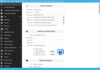
Multiple Installation modes: BitRock installers provide: several GUI modes with native look-and-feel, for installation in a variety of desktop environments, a text-based installation mode, for console-based and remote installations, and a silent/unattended install mode which can be used for integration in shell scripts for automated deployment
Uninstall Functionality: An uninstall program is created as part of every installation, allowing users to easily uninstall the software. As the installer, it can be run in a variety of modes. On Windows, uninstall functionality can also be accessed from the Add/Remove Program entry in the Control Panel
Startup Failure Detection: BitRock installers will automatically detect the best installation mode available. Users also have the option to manually select a mode
Language and Platform Independent: BitRock installers can install applications written in any language, including: Java, PHP, Perl, Python, C/C++ and .NET/Mono
Multiple Language Support: BitRock installers support a variety of installation languages, including English, German, Spanish, Italian, French, Portuguese, Traditional Chinese, Dutch, Polish, Valencian, Catalan, Estonian, Slovenian, Romanian, Hungarian, Russian and Welsh. You can specify a default language or let the user decide. Please contact us if you require additional language support
New in InstallBuilder 8
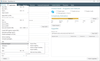
Built-In Debugger - The new InstallBuilder debugger makes it easier to identify and correct issues during the development process. It allows you to view and interactively edit installer variables at runtime, provides step-by-step execution to test that specific parts of the installer are functioning properly. It allows recovering from unexpected errors during the installation process and more.
Enhanced Component Functionality - Expanded component functionality now provides support for downloadable components and component groups, including support for subcomponents. Downloadable components will be downloaded at runtime only if the user chooses to install them, reducing the size of installer downloads. The new component system allows you to group individual components and build feature sets that will be displayed in a tree structure ("subcomponents".) It also allows users to add and remove specific components from existing installations.
Dynamic Parameter Support - Enhanced parameter support makes it possible to create dynamic pages that will be automatically reconfigured based on a user's input. This allows you to create a more customized and streamlined installation experience.
Expanded Documentation - Over 350 pages of documentation are now available for InstallBuilder. The documentation not only explains every feature of InstallBuilder, but also provides sample code for a wide variety of installer functions, such as bundling a Java runtime, detecting pre-requisites on the system, offering basic and advanced installation modes and more.
Quickly create cross-platform installers.
Pricing: BitRock InstallBuilder Professional V8.0 1 Developer License for Linux (32-bit/64-bit), Windows and Mac OS X, BitRock InstallBuilder Professional V8.0 1 Developer Renewal/Upgrade License for Linux (32-bit/64-bit), Windows and Mac OS X, BitRock InstallBuilder Professional Site V8.0 1 Site License (up to 5 Developers) for Linux (32-bit/64-bit), Windows and Mac OS X, BitRock InstallBuilder Professional Site V8.0 1 Renewal/Upgrade Site License (up to 5 Developers) for Linux (32-bit/64-bit), Windows and Mac OS X
Evals & Downloads: Browse the BitRock InstallBuilder FAQ Web page, Read the InstallBuilder 8.0 User Guide - Requires Acrobat Reader, Read the InstallBuilder for Windows End User License Agreement, Download the InstallBuilder V8.0 Professional Edition for Windows evaluation on to your computer - Displays Evaluation Messages, Download the InstallBuilder V8.0 Professional Edition for Linux evaluation on to your computer - Displays Evaluation Messages, Download the InstallBuilder V8.0 Professional Edition for Mac OS X evaluation on to your computer - Displays Evaluation Messages
Operating System for Deployment: Windows Server 2008, Windows Vista, Windows XP, Windows Server 2003, Windows ME, Windows 2000, Windows 98, Windows 95, Linux Kernel V2.6.x, Linux Kernel V2.4.x, Red Hat Enterprise Linux 5.x, Red Hat Enterprise Linux 4.x, Red Hat Enterprise Linux 3.x, Red Hat Enterprise Linux 2.x, RedHat Linux 9.x, RedHat Linux 8.x, RedHat Linux 7.x, SUSE Linux 10.x, SUSE Linux 9.x, SUSE Linux 8.x, Mac OS X
Architecture of Product: 32Bit, 64Bit, MAC
Product Type: Application
Application Type: Developer Application
Keywords: instalbuilder professional, bitrock instalbuilder professional, instalbuilder 7 multiplatform professional, instalbuilder multiplatform professional, instalbuilder multiplatform
Installation Installing install installs uninstalling uninstall uninstalls setup MSI msi scripts
Part numbers: PC-518186-417664 518186-417664 PC-518186-417665 518186-417665 PC-518186-417666 518186-417666 PC-518186-417667 518186-417667
ComponentSource offers a unique global service, used by over 1,000,000 software developers worldwide.