Janus Web ASP.NET Server Controls Suite

by Janus Systems - Product Type: Component / ASP.NET WebForms / 100% Managed Code / AJAX

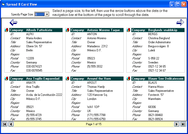
Screenshot of Janus Web ASP.NET Server Controls Suite - ASP.NET - V3.0Add Outlook style interfaces to your .NET Web applications. Janus Web ASP.NET Server Controls Suite is a comprehensive toolkit of controls designed to provide a rich user interface to your ASP.NET applications. Includes Janus Web GridEx, Janus Web UIPanelManager for creating professional layouts, Janus UICallbackManager, Janus Web UICommandManager and more. Janus Web ASP.NET Server Controls V3 now offers support to the new Microsoft ASP.NET AJAX Framework.

From
$661.44

Best Seller

 
Price in

Our regular prices are shown below. Please logon to see your discounted prices.

Janus Web ASP.NET Server Controls Suite V3.0

Add to Cart $ 661.44 1 Developer License Download (13.0 MB)
Add to Cart $ 1,909.44 4 Developer Team License Download (13.0 MB)
Add to Cart $ 3,253.44 8 Developer Team License Download (13.0 MB)
Add to Cart $ 6,613.44 1 Site Wide License (Allows Unlimited Developers at a Single Physical Address) Download (13.0 MB)

Janus Web ASP.NET Server Controls Suite V3.0 - Upgrades

Add to Cart $ 373.44 1 Developer License Upgrade from Janus Web ASP.NET Server Control Suite V1.x 1 Developer License or Janus Web GridEX .NET V1.x 1 Developer License Verify Download (13.0 MB)
Add to Cart $ 949.44 4 Developer Team License Upgrade from Janus Web ASP.NET Server Control Suite V1.x 4 Developer Team License or Janus Web GridEX .NET V1.x 4 Developer Team License Verify Download (13.0 MB)
Add to Cart $ 1,429.44 8 Developer Team License Upgrade from Janus Web ASP.NET Server Control Suite V1.x 8 Developer Team License or Janus Web GridEX .NET V1.x 8 Developer Team License Verify Download (13.0 MB)
Add to Cart $ 3,349.44 1 Site Wide License Upgrade from Janus Web ASP.NET Server Control Suite V1.x Site License or Janus Web GridEX .NET V1.x Site License Verify Download (13.0 MB)

This product is available on the GSA Pricing ScheduleOur prices include ComponentSource technical support and, for most downloadable products, an online backup and a FREE upgrade to the new version if it is released within 30 days of your purchase.  All sales are made on our standard Terms and Conditions and subject to our Return Policy. Please contact us if you require any licensing option not listed above including volume licensing and previous versions.

Our regular prices are shown above. Please logon to see your discounted prices.

Please, note that Janus Web GridEX for .NET is now only available as part of Janus Web ASP.NET Server Controls Suite.

What is new in Janus Web ASP.NET Server Controls Suite V3?

The Janus Web ASP.NET Server Controls v3 now offers support to the new Microsoft ASP.NET AJAX Framework, that permits you to develop interactive web applications without using complex JavaScript code.

The controls in the suite supports to the new features in ASP.NET 2.0 like:

Client Files as Embedded Resources

The scripts, schemes and images files used by the controls are now included as embedded resources.

DataBoundcontrols (ComboBox, CheckedComboBox, GridEX and MultiColumnCombo)  supports now ObjectDataSourceControls controls as data sources.

New Features in the GridEX Control v3

MultipleValuesColumns

A column can be bound to a list of values.  MultipleValues columns are especially useful when dealing with many-to-many relations.
For example, if there is a many-to-many relation between tables “Products” and “Categories” you can bind a grid to the table “Products” and add a MultipleValues column bound to the relation showing (in a single cell) all the categories a product belongs. To edit these cells, you can use a checked combo box where the user can check/uncheck the list of available categories.
The GridEX Control is also capable to group columns with more than one value. When grouping by a MultipleValues Column a record in the table could belong to more than one groups and the control will present a copy for those repeated records in each of the corresponding groups. When an edition in those copied record is made, the control will automatically reflect the changes in each copy.

SelfReferencingTables

A table with a self-referencing relation can be displayed as a tree.

For example, you can bind a GridEX control to a “Messages” table. If a message can contain other message as a child, you can use HierarchicalMode.SelfReferencing in the GridEXTable and show the control as tree with multiple columns.

Custom Grouping

A new GridEXCustomGroup class is provided to let you specify custom group definition. There are two types of custom groups:

·          Composite Columns: Rows in the GridEX control are grouped based on the values of two or more columns in the same group row.
For example: You can specify columns: “Country” and “City” and the control will create a group row for each different combination of the values of these columns.
 

·          Conditional Group Rows: You can specify each of the group rows a Group contains and specify the condition that rows must meet in order to be part of the group row.

Hierarchical Grouping

Rows in a table can be grouped based on the values of a column that belongs to a child table.

For example, in a hierarchical grid showing Customers-Orders-Order_Details, you can group Customers table by the “Product” column in Order_Details table. Showing you a grouped view of customers based on the products ordered.

Hierarchical Filters

Rows in a table can be filtered based on the values of a column that belong to a child table.

Improved Performance on Hierarchical Mode

Janus data manipulation classes were completely redesigned to decrease the time used to load child lists to a fraction of the time needed in previous versions.

Nested Properties Binding

A column can now be bound to a property of a sub-object in the original DataRow.

For example, if a control is bound to a list of “Contact” objects and the Contact class has a property that returns a “ContactName” object where “ContactName” is a class with two properties: “FirstName” and “LastName”, you can bind a column to Contact.ContactName.FirstName setting its DataMember property equal to “ContactName.FirstName”

Unbound Mode

New Unbound mode in GridEX control allows you to populate rows using AddItem method.

Unbound Columns

You can add an unbound column to a bound grid. There are two types of unbound columns:

·          UnboundFetch : The value of the cells in these columns is set in the LoadingRow event. This mode is useful when you want to have a calculated cell where the value is based on the values of other cells in the same row.

·          UnboundKeep : The value of the cell can be set by the user and the control will keep that value.

UseGroupRowSelectorProperty

This property allows you to display a checkbox in group rows that checks/unchecks all the rows inside a group with one click.

TotalRowPositionproperty

When using a TotalRow in the grid, you can now specify whether you want to show the total row as a scrollable row at the end of the list or fixed at the bottom of the display area in the control.

Export to Excel

A new GridEXExporter object is provided to let you export the data displayed in a GridEX control as an Excel XML document.

SchemeItemsProperty

This property allows you to specify the CSS appearance that is going to be used for each appearance element of the control. Use it in conjunction when the VisualStyle property of the control is equal to Custom.

CheckedComboBoxControl

This new control acts as combo box that can be bound to a list of values where the user can check/uncheck multiple items in the dropdown to add/remove items from the list specified as value of the control.

Custom Callback

It is possible to execute custom code in an AJAX/Callback way. Use the DoCustomCallBack client-side method in conjunction with the CustomCallBack server-side event handler.

Support for Microsoft ASP.NET AJAX 1.0

The control can be used in conjunction with the capabilities of the Microsoft ASP.NET AJAX 1.0.

Callback ClientSide Templates

Now it is possible to specify content (with an ITemplate instance) to be shown when a callback action is raised.

New Client Events

The AfterCallBack property was added to the GridEXClientEvents class, that property allows you to set the name of the JavaScript event handler that will be fired after a callback operation is completed.

The BeforeCallBack property was added to the GridEXClientEvents class, that property allows you to set the name of the JavaScript event handler that will be fired before a callback operation is initiated.

New Features in other Janus Controls


CalendarControlControl v3


The OperationMode property was added to the control to allow you to choose an AJAX/Callback operation mode.

New DayRender event was added to the control to allow you to customize the rendered content of the days in the control. 

The SchemeItems property was added to allow you to specify the CSS appearance that is going to be used for each appearance element of the control.

A Custom Callback mode that allows you to execute custom code in an AJAX/Callback way. You should use the DoCustomCallBack client-side method in conjunction with the CustomCallBack server-side event handler.

ComboBox Control v3 


The OperationMode property was added to the control to allow you to choose an AJAX/Callback operation mode.

The SchemeItems property was added to allow you to specify the CSS appearance that is going to be used for each appearance element of the control.

New LoadingMode property that allows you to specify how the items in the control will be loaded, that is, items in could be loaded on-demand or when the control is loaded in the webform.

A Custom Callback mode that allows you to execute custom code in an AJAX/Callback way. You should use the DoCustomCallBack client-side method in conjunction with the CustomCallBack server-side event handler.

Other Input Controls v3 (IntegerUpDown, MaskedEditBox, NumericEditBox)

The OperationMode property was added to these controls to allow you to choose an AJAX/Callback operation mode.

UICommandManagerControl v3


The CommandBarType property now can be set to Menu, that allows you to render menu structures.

The NavigateUrl property was added to the UICommand class, that allows you to set an URL to navigate when the command is selected.

The Target property was added to the UICommand class, that allows you to set the target frame for the navigation when a command is selected.

UIPanelManagerControl v3


The OperationMode property was added to the control to allow you to choose an AJAX/Callback operation mode. If the AJAX/Callback mode is selected then any postback that is raised in a panel container is replaced by callback actions.

The CallBackLoadingImage property was added to the control to allow you to set the image to use as the callback loading indicator.

The CallBackLoadingPanelText property was added to control to allow you to set the text shown when the content of the panel is being load in callback mode.

New Controls


UICallBackManagerControl v3

The new UICallBackManager control allows you add AJAX-capabilities to any existing ASP.NET application without adding a single line of code.

You just need to drop the UICallbackManager control and set the CallbackInstances object with the ID of the controls that will be AJAX-enabled, and your app will work asynchronously without needing to replace the logic in your existing ASP.NET project.

By using the new UICallbackManager existing Postback actions are replaced by Callback actions and the ViewState of the page is persisted automatically between callbacks.


Janus Web ASP.NET Server Controls Suite includes Janus Web GridEX Control, Janus Web UIPanelManager, Janus Web UICommandManager and more.

Janus Web GridEX Control
The Janus Web GridEX Control supports flat, hierarchical and self-referencing data displays enabling you to create effective Outlook style Web user interfaces while easing both development and maintenance time. Display, edit, sort, group, filter, manipulate, summarize and paginate your data using an extensive object model together with several new stand alone editors like the Multi-column Combo, Calendar Combo, IntegerUpDown, MaskedEditBox and NumericEditBox.

Main Features Include:

Binding:

  • Janus Web GridEX Control for .NET is a data-aware, fully editable grid component that can be bound to any table in a dataset or to any other data source that supports IEnumerable interfaces
  • The Janus Web GridEX Control for .NET does not sacrifice any group, sort or filter capabilities, when it is bound to any of the previously mentioned interfaces

Grouping and Sorting:

  • Automatic Outlook style Grouping and Sorting by an unlimited number of columns

Editing:

  • The control has several “built-in” editors like: MaskEdit, CheckBox, UpDown, Calendar DropDown, Combo* and DropDown Controls
  • The Combo EditType can have several columns and also has “Type ahead” functionality

Appearance:

  • The control offers many advanced formatting features that will give the programmer total control over how data is displayed

Filtering:

  • Janus Web GridEX Control for .NET is now more functional than ever with the addition of FilterConditions, where you can define simple or complex conditions that can be used to filter, format, summarize or find rows which conform to the criteria. The new filter capabilities of the gridex control are so powerful that you could filter rows in a parent table depending on criteria met in a child table
  • The Control also presents a new MS Access like Filter Row which permits users to easily filter the data presented in the control

Formatting:

  • Cell, and Row Level conditional formatting can be done effortlessly using FormatConditions, Now you can specify a simple condition for a format or use the new FilterCondition property to have compound conditions which greatly reduces the code you would have to write for complex formatting calculations, also new in this version is the ability to merge 2 or more Formats in a single row for cells meeting specific criteria

Paging:

  • The data in the control can be paged automatically allowing you to display large volume of information across several pages. Also the appearance of the page navigator can be customized using different kinds of predefined panels

Master-Detail:

  • The Janus Web GridEX for .NET control now adds support for binding to hierarchical DataSets and present master-detail information within the same window

Self-Referencing:

  • The Janus Web GridEX for .NET control now adds support for binding to self-referencing hierarchical data sources

Preview Rows and ColumnSets:

  • Preview Rows provide a robust interface element, using them you can 'preview' one of your data columns below each row, much like Microsoft Outlook does but now with the use of GridEX ColumnSets you can also present one record in more than one row and even have columns spanning across several rows

Summarize Data:

  • Sometimes grouping is not enough and there are situations where you need an easy way to see a sum, average or count for certain columns within a group, this can be easily achieved using GroupFooters, In the new Janus Web GridEX for .NET control you can even see those footers when groups are collapsed, or present a total for certain columns in the group headers or even present totals using only those records which meet the criteria specified in a FilterCondition
  • Gridex can also present a total row per each table which is very handy feature when working with master-detail relationships

Janus Web UIPanelManager
The new Janus Web UIPanelManager allows you to deliver appealing layouts for your ASP.NET applications by using panes that can be arranged in horizontal or vertical tiles. Advanced navigation panes like Outlook Navigator Bars or Tab Strips are also provided by the Janus Web UIPanelManager control enabling you to increase the usability and elegance of your application. The appearance of the panes can be easily changed by using the built-in format styles provided by the control.

Janus Web UICommandManager
The Janus Web UICommandManager control provides basic toolbar functionality for your ASP.NET applications with a look similar to Office2003.


Product Search

Enter search words:

Screenshot Gallery

Award Award