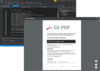
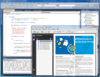
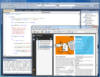
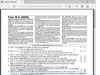
Screenshot Preview

jPDFProcess - 概要

经 Qoppa Software - 产品类型: 构件 / Java类

概要

 *

jPDFProcess by Qoppa Software

URLs: jpdfprocess, qoppa-software, qoppa software, qoppasoftware

Manipulate PDF files from your Java applications. jPDFProcess is a Java library that can be used to deliver customized PDF content to your users or to process and manipulate incoming PDF content. jPDFProcess has a simple interface to work with PDF documents and is designed to be integrated easily and seamlessly into your PDF document workflow. jPDFProcess provides functionality for printing, setting permissions and security, creating and assembling documents, digital signing, working with form fields, extracting text and more. jPDFProcess can work with PDF documents from files, URLs and input streams and can save documents to files and output streams. It can serve documents from a J2EE application directly to a client browser without any temporary files. jPDFProcess is platform independent, so it can be used in any environment that supports Java, including Windows, Mac OSX and Linux.

jPDFProcess is a Java library that can be used to create, modify and manipulate PDF documents. After modifying the document, the library can then save the document to the file system or to a Java OutputStream. When working within a J2EE application server the library can work within a servlet to serve the modified PDF documents directly to the browser client. The library can work with existing or new documents and provides a variety of functions that can be performed on the documents. With jPDFProcess, your application or server can customize and process PDF documents to deliver customized content to your customers or to automatically manage PDF content repositories.

jPDFProcess Main Features

Create new PDF documents or work with existing PDF documents.

Add content onto existing or new pages.

Assemble documents, split, merge, combine documents, remove pages.

Encrypt documents using RC4 or AES encryption, set document permissions.

Digitally sign PDF documents

Import, export and fill interactive form data.

Convert documents to TIFF, JPEG, PNG images.

Apply and verify digital signatures.

Extract text content.

Print PDF documents.

Add file attachments.

Add and edit bookmarks.

Preflight documents using PDF/X-1 and PDF/X-3 profiles.

Edit document properties such as title, keywords, subject.

Create PDF layers and draw onto them.

Written entirely in Java - allows your application to remain platform independent.

Tested on JDK 1.4.2 and above.

jPDFProcess Merging and Splitting

PDFDocument defines a PDF document as a number of page objects. Some of the functions available in the library are accessible at a page level. For instance, when merging two documents, the host application would retrieve the pages from one document and add it to the other document. Splitting works in a similar fashion.

jPDFProcess Drawing Onto a Document

jPDFProcess lets the host application draw content on top of existing content as well as on brand new pages in a document. This feature can be used to watermark existing documents, to create PDF documents from scratch and more. To draw the content, the library provides an object that derives from the standard java Graphics2D object and overrides all methods to draw onto the PDF rather than onto a screen.

jPDFProcess Encryption and Permissions

jPDFProcess can add or modify encryption and permission settings in a document. To do this, the library provides a method, setSecurity, that takes the new passwords and permission settings. One thing to note is that a PDF file can have two different passwords, a permissions or owner password and an open or user password. The permissions password is only required when changing the permissions of a PDF file and is not required to open and view a document. The open password is required to open a document. You can clear all security in a document by calling the PDFDocument.clearSecurity method. This method takes the current permissions password as a parameter, this parameter can be left to null if the document doesn't have a permissions password.

jPDFProcess Exporting to Images

jPDFProcess can create images from any of the pages in a PDF document. Using this functionality, an application can export the document into a series of images.

jPDFProcess Printing a Document

jPDFProcess provides the ability to print PDF documents with or without showing the printer dialog or any other user intervention. The PDFDocument object provides a couple of print methods to achieve this. The first version of the method will display a printer dialog to let the user choose the printer and printer properties. The second version of the method will print the document to the named printer without showing a dialog. If the printer name is null, the library will print to the default printer. The second parameter, PrintSettings, controls the way that jPDFProcess will print each page. The object has several properties that can be set by the calling application:

AutoRotate - This setting tells jPDFProcess to detect the orientation of the PDF document and to print appropriately to the printer page. i.e. If the document is in landscape mode, the library will send it to the printer in that mode. Setting this to false will always use portrait mode when sending to the printer.

ShrinkToPage - This setting tells jPDFProcess to shrink the page to fit within the printer's margin if the document page is larger than the printer page. This option has no effect if the document page is smaller than the printer page.

ExpandToPage - This setting tells jPDFProcess to expand the page to fit within the printer's margin if the document page is smaller than the printer page. This option has no effect if the document page is larger than the printer page.

CenterInPage - This setting tells jPDFProcess to center the page within the printer's page. This option only has an effect when the document page is smaller than the printer page and the ExpandToPage option is set to false.

jPDFProcess Printable / Pageable

In addition to providing print methods, for added flexibility, PDFDocument implements both the Printable and Pageable interfaces. By using PDFDocument in this manner, the calling application can create its own PrinterJob, set any options that it needs to, and then set PDFDocument as the job's Printable or Pageable object. This can be useful when the application needs to use print request attributes (javax.print.attribute.PrintRequestAttribute) for finer control of printing options such as choosing the paper size or media tray, printing in color and others.

jPDFProcess Digitally Signing a PDF document

There are 3 steps to add a new digital signature to a PDF document with jPDFProcess: create a new digital signature field, load digital id from a keystore to create a SignatureInformation object and apply the signature.

jPDFProcess Working with Form Fields

Fields in a PDF file are contained in what Adobe calls an AcroForm. jPDFProcess provides access to an AcroForm object from the PDFDocument class and through this object, the host application can get the fields present in the document and get or set their data. To get a reference to the AcroForm, the host application needs to call PDFDocument.getAcroForm. The method returns an object of type com.qoppa.pdf.form.AcroForm. The host application can then use this object to get the list of fields in the PDF document and to get individual fields by name. The field objects in turn have methods to get or set their current value. After the application is done setting or getting values from fields, it can call the PDFDocument saveDocument method to save the updated document. You can flatten form fields in a PDF file by calling the PDFDocument.flattenFields method. This method paints the content of the fields directly into the pages and removes the fields themselves from the document. flattenFields takes a boolean as a parameter to indicate wether to paint the push buttons or not. Usually, you would want this flag to be set to false.

jPDFProcess Working within J2EE

jPDFProcess can be used within a servlet in a J2EE server to load documents from a repository, customize the documents according to the state of a user connection and serve the modified document directly to a browser. The first step is to create a servlet class that responds to GET and / or POST requests. Using this method, there are no temporary files necessary on the server or the client, enhancing security and performance when delivering PDF contents.

jPDFProcess Distribution and JAR Files

jPDFProcess is packaged entirely in a single jar file, jPDFProcess.jar that gets installed with the evaluation sample. When deploying an application that contains jPDFProcess, the jPDFProcess.jar file needs to be installed and included in the class path when running the application. To support JPEG 2000 images, jPDFProcess uses the Java Advanced Imaging (JAI) classes. Since this API is only available for Java 1.4.2, jPDFProcess needs to run in Java 1.4.2 or above when working with PDF documents that contain JPEG 2000 images. The API can be installed separately in the target machine or the jai_imageio.jar file (included in the sample program installation) can be installed independently and included in the class path. To export TIFF images using the PDFPage.savePageAsTIFF, jPDFProcess also requires the Java Advance Imaging codec classes. These classes are packaged in jai_codec.jar that is also included in the evaluation program installation.

What's new in jPDFProcess V4.30?

These libraries now allow editing unicode text in annotations content and within document properties (author, subject, description). This will be of special interest to customers using non-latin characters such as Arabic, Asian (Chinese, Japanese and Korean), Greek, or Cyrillic characters.

Manipulate PDF files from your Java applications.

Operating System for Deployment: Windows 7, Windows Vista, Windows XP, Sun Solaris 10, Sun Solaris 9, HP-UX 11.x, HP-UX 10.x, IBM AIX 6.x, IBM AIX 5.x, Red Hat Enterprise Linux 5.x, Red Hat Enterprise Linux 4.x, RedHat Linux 9.x, RedHat Linux 8.x, SUSE Linux 11, SUSE Linux 10.x, Ubuntu 10.x, Ubuntu 9.x, Mac OS X

Architecture of Product: 32Bit

Product Type: Component

Component Type: Java Class

Compatible Containers: JBuilder 2008, JBuilder 2006, NetBeans IDE 6.7, Eclipse V3.5, Eclipse V3.4, IntelliJ IDEA 8

Keywords: jpdfprocess, jpdfproces, java pdf process library, java pdf process, java pdf manipulate, java pdf properties, java pdf extract text, jpdfprocess cpu, jpdfprocess cpu pair, qoppa jpdfprocess, jpdfprocess qoppa, jpdf process, j pdf process, buy jpdfprocess, qoppa jpdfprocess buy, upgrade jpdfprocess, jpdfprocess upgrade, subscription jpdfprocess, jpdfprocess subscription, renew jpdfprocess, jpdfprocess renew, reseller jpdfprocess, jpdfprocess reseller, distributor jpdfprocess, jpdfprocess distributor, jpdfprocess cost, jpdfprocess price, jpdfprocess purchase, purchase jpdfprocess, order jpdfprocess, jpdfprocess order

pdf

Print Preview Printing previews prints

注意

还未完成翻译的产品说明, 我们提供了Google 翻译的连结方便您使用. 但请注意, 自动翻译有时候可能会有翻译错误.
强力驱动
在Firefox 和Opera 需要Flash.

产品搜索

输入搜索词:

为什么从ComponentSource购买?

ComponentSource 提供独特的全球国际服务, 在世界各地共有超过1,000,000开发者客户.

更多讯息 | 关于我们