MasterChart .NET
by MindFusion Group - Product Type: Component / ASP.NET WebForms / .NET WinForms / .NET Class / 100% Managed Code
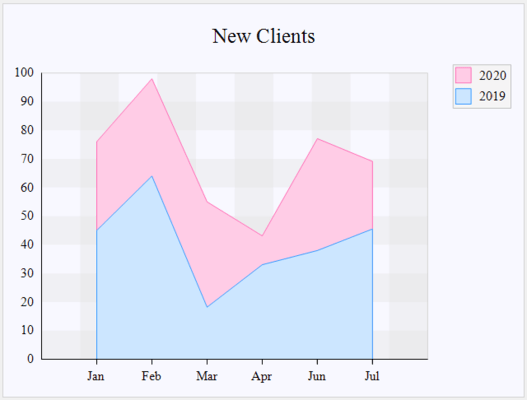
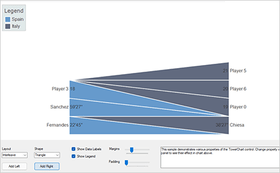
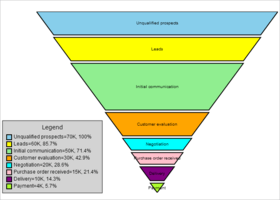
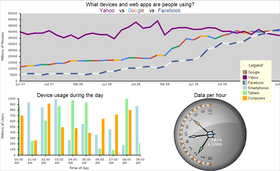
Add charting functionality to your .NET Windows forms and ASP.NET applications. MasterChart .NET is a chart component suitable for both Windows and Web programming as well as at a lower level to render charts directly in Graphics objects or to generate chart bitmaps. MasterChart includes graph, line, area, bar, pie and doughnut components. Each of them can be fully customized via the hundreds properties and methods exposed. Charts can have different styles, colors, fonts and pictures. MasterChart .NET controls support data-binding for fast database reports and Data for visualization can also be provided programmatically. MasterChart is royalty free for client and server side use. C# and Visual basic .NET ( VB ) examples included. Visual Studio .NET, VS2005 and VS2008 compatible. MasterChart .NET Source Code available.
Our regular prices are shown below. Please logon to see your discounted prices.
MasterChart .NET V3.1.1 - with Source Code
| Add to Cart |
$ 637.00 |
1 Developer License (12 Months Subscription Included) |
|
Download (8.8 MB) |
| Add to Cart |
$ 882.00 |
4 Developer License (12 Months Subscription Included) |
|
Download (8.8 MB) |
| Add to Cart |
$ 1,274.00 |
8 Developer License (12 Months Subscription Included) |
|
Download (8.8 MB) |
| Add to Cart |
$ 2,058.00 |
1 Site Wide License (Allows Unlimited Developers at a Single Physical Address) (12 Months Subscription Included) |
|
Download (8.8 MB) |
| Add to Cart |
$ 3,381.00 |
1 Enterprise License (Allows unlimited number of developers of an enterprise at all its physical addresses (worldwide)) (12 Months Subscription Included) |
|
Download (8.8 MB) |
MasterChart .NET V3.1.1
| Add to Cart |
$ 294.00 |
1 Developer License (12 Months Subscription Included) |
|
Download (8.4 MB) |
| Add to Cart |
$ 539.00 |
4 Developer License (12 Months Subscription Included) |
|
Download (8.4 MB) |
| Add to Cart |
$ 931.00 |
8 Developer License (12 Months Subscription Included) |
|
Download (8.4 MB) |
| Add to Cart |
$ 1,715.00 |
1 Site Wide License (Allows Unlimited Developers at a Single Physical Address) (12 Months Subscription Included) |
|
Download (8.4 MB) |
| Add to Cart |
$ 3,136.00 |
1 Enterprise License (Allows unlimited number of developers of an enterprise at all its physical addresses (worldwide)) (12 Months Subscription Included) |
|
Download (8.4 MB) |
MasterChart .NET - Upgrade / Subscription Renewal
| Add to Cart |
$ 195.00 |
1 Upgrade / Subscription Renewal (12 months subscription, for all license types) |
Verify |
Download (29 KB) |
Our prices include ComponentSource technical support and, for most downloadable products, an online backup and a FREE upgrade to the new version if it is released within 30 days of your purchase. All sales are made on our standard Terms and Conditions and subject to our Return Policy. Please contact us if you require any licensing option not listed above including volume licensing and previous versions.
Our regular prices are shown above. Please logon to see your discounted prices.
What's MasterChart .NET V3.1.1?
- Beside numerical values, now all types of charts can display date and time data.
- New formatting options for labels, including custom DateTime format
- The DrawZero property has been moved to the AxisSettings class
- The API has been improved
- Drawing bugs of axes labels in bar charts as well pies with detached pieces have been corrected
What's MasterChart .NET V3.0.1?
- AxisLabelAlignment and AxisLabelPosition set precisely the location of the AxisLabel
- AxisLabelOffset, Offset and LegendOffset regulate the offset for the AxisLabel, the labels and the legend
- Line charts can draw curved lines
- SortSeriesBy sorts the data for bar charts
- Improved calculation of the space for the axis labels
What's MasterChart .NET V3.0?
- Polar and radar charts
- Bar charts can display multiple data series laid out in rows or columns
- Improved pie chart labels layout algorithm
- Support for custom background grids
- SortSeriesBy specifies how to sort line and radar charts data
- Now it is possible to specify the offset between series in bar charts
What's MasterChart .NET V2.8.1?
- Improved design time support
- Simpler programming interface.
- Many of the ambiguous properties dropped out
- New grid properties have been added: you can specify now brushes for grid stripes as well choose the grid pen
MasterChart Overview
MasterChart is a .NET graphics control used for drawing different types of charts - bars, pies, lines etc. The control can be utilized in both Windows and Web applications as well used at lower level to render charts directly in Graphics object or generate chart bitmaps.
The numerous properties and methods of the control provide rich functionality and many customization options. In addition, MasterChart can be bound to a data source; i.e. it can automatically read and draw data values from columns of tables or queries.
MasterChart Features:
Data options:
- Several data arrays in order to draw several graphs in a chart
- Formatting options for numbers at both axes as well for pie data
- Cancellation of numbers at each of the chart's axes in case they are too big
- Retrieving chart data from a database
DateTime values
- Customisable position and format for the zero (new)
- Sorting (new)
- Chart data can be calculated by a function and numerical interval for its argument
- Summary data operations (min, max, average, sum) as well custom summary data
Axes options:
- Several types of data to be drawn as axis labels (labels inside and outside pie pieces)
- Custom text at any of the chart axes
- Font and brush for the axis data
- Explanation labels at the end of the chart axis
- Position and orientation options for the axis labels
- Pen for drawing the axis or the pie outlining
- Rotation angle for the labels at the X-axis
- Currency mark and/or currency code for each number
- Length of the axes
- Minimum and maximum number of the axis scale
- Distance between rows/columns of texts/numbers at the chart axis when there is more than one graph in the chart.
- 3D axes with customizable depth
- Second Y - axis
Legend options:
- Customisable brush and the font of the chart legend
- Customisable position and alignment (new)
- Customisable count of legend rows and/or columns (new)
- Word wrap (new)
- Legend labels
- For pie charts: add legends for each pie in a group
- Maximum chart legend width
General chart options:
- Title and subtitle labels
- Chart orientation (in bar, line and area charts)
- Chart brushes and pens
- Gird with customizable width
- Several grid styles
- Background brush or image
- Brush and / or image for the area between the axes
- Chart in many colors or one single color
- Chart offset
- Labels in same color as the graph they refer to
- Builds both for .NET Framework 1.1 and 2.0
Special options for bar charts:
- Summary bars in a group with the data bars or in one stacked bar
- Cylinders (new)
- Groups or clusters of bars
- Custom set bar thickness, distance between bars and bar series
- Cluster labels
- Distance between series of bars
- Labels inside and at the top of bars
- Different labels type and alignment
Special options for line / area charts:
- Summary lines in one chart with the data bars
- Lines with customizable shapes
- Different shapes for each line
- Separate brushes and pens for each line/area graphics
- Separate or stacked 3D area charts
- Ribbon and scatter charts
- Draw 3D area charts with a shadow on any of the axes
- Several ways to sort the area data in multi - graphics charts
Special options for pie charts:
- Different label types for the data drawn inside as well outside pie pieces
- Possibility to set the count, position and distance of detached pieces
- Length of the chart radius
- Several styles for pointers to outside labels
- Thickness and tension for 3D pies
- Possibility to set style and data options for each pie in a group
- Position of labels inside pies
- More than one pie per chart - equal in size or proportional
- Doughnut charts