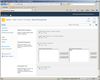
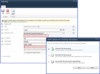
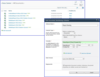
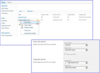
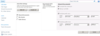
Screenshot Preview

Muhimbi PDF Converter for SharePoint

de Muhimbi - Tipo de producto: Componente / Complemento / Aplicación / .NET WCF / .NET Web Service / 100% Managed Code / Source Code / End User Application / Server Application

Por favor note que al menos que se indique lo contrario, esta es la versión en Inglés del producto.

*

Convert Office documents to PDF from within SharePoint. Muhimbi PDF Converter for SharePoint allows end-users to convert common document types such as MS-Word, Excel, PowerPoint, Publisher and InfoPath to PDF format from within SharePoint using a friendly interface or your own custom workflow. Muhimbi PDF Converter for SharePoint converts an entire document library to PDF straight from SharePoint. Muhimbi PDF Converter has been designed for both MOSS and WSS, fully supports RTL including Hebrew and Arabic and does not need Adobe Acrobat on the server. Muhimbi PDF Converter for SharePoint supports the most popular file formats encountered in a typical office environment, for Example: MS-Word (doc, docx, docm, rtf, txt, xml, odt, wps), Excel (xls, xlsx, xlsm, xlsb, xml, csv, dif, ods), PowerPoint (ppt, pptx, pptm, xml, odp, pps, ppsx, ppsm), InfoPath, MS-Publisher and even e-mail (eml) files stored in mail enabled Document Libraries.

Desde
$1,469.02
Precio en

Nuestros precios Standard están indicados abajo. Inicia una sesión para ver sus precios con descuento.

Muhimbi PDF Converter for SharePoint 5.2   *

Añadir a la Cesta $ 1,469.02 1 Server License (includes 1 Year Subcription and Support)  * Descarga (8.7 MB)
Añadir a la Cesta $ 9,799.02 1 Enterprise License (includes 1 Year Subcription and Support)  * Descarga (8.7 MB)

Nuestros precios incluyen servicio técnico de ComponentSource y, para la mayoría de los productos disponibles para descarga, una copia de seguridad en línea y una actualización GRATUITA a la nueva versión si ésta se publica en un período de 30 días después de la compra.  Todas las ventas están sujetas a nuestros Términos y condiciones standard y a nuestra Política de devolución. Por favor, póngase en contacto con nosotros si necesita alguna opción de licencia no incluida en la lista anterior, incluida la compra por volumen de licencias y versiones anteriores.

Nuestros precios Standard están indicados arriba. Inicia una sesión para ver sus precios con descuento.

 *

What's New in Muhimbi PDF Converter for SharePoint 5.2?

  • Convert Outlook MSG files to PDF including all attachments.
  • Split PDF files using SharePoint workflows.
  • PDF/A Post processing for all supported file formats.
  • Support for the 64 bit version of Office 2010

What's New in Muhimbi PDF Converter for SharePoint 5.1?

  • Watermark PDFs using Nintex Workflow and the PDF Converter for SharePoint.
  • Secure PDFs using Nintex Workflow and the PDF Converter for SharePoint.
  • Convert and Merge PDFs using Nintex Workflow and the Muhimbi PDF Converter.
  • Convert HTML to PDF using Nintex Workflow and the PDF Converter for SharePoint.
  • Convert and merge multiple PDF files using SharePoint Designer workflows.
  • InfoPath 2010 support for converting with external data connections.

What's New in Muhimbi PDF Converter for SharePoint 5?

  • Converting AutoCAD (DXF, DWG) files to PDF
  • Converting TIFF files to PDF
  • Applying user specific watermarks when a PDF document is opened in SharePoint
  • Converting and merging multiple files using the PDF Converter for SharePoint
  • Converting and merging multiple files using the PDF Converter and .NET / C#

What's New in Muhimbi PDF Converter for SharePoint 4.1?

  • Convert multiple SharePoint files to PDF Format using Nintex workflow
  • Secure PDF Files using SharePoint Designer Workflows

What's New in Muhimbi PDF Converter for SharePoint 4?

  • Automatic conversion of files attached to InfoPath forms.
  • Dynamic control over which InfoPath views to export to PDF.
  • Ability to convert InfoPath forms to PDF using SharePoint Forms Services.
  • Convert HTML pages to PDF format using the SharePoint User Interface.
  • Convert HTML to PDF from a SharePoint Designer workflow.
  • Convert HTML to PDF using a Java / .NET Web Services interface.
  • Convert files using simple hyperlinks.
  • Convert common image formats to PDF such as JPG, BMP, PNG and GIF.
  • Apply watermarks to PDF documents using Native SharePoint Designer Activities.

What's New in Muhimbi PDF Converter for SharePoint 3.5.0.29?

  • New - Add support for watermarks, headers & footers using the Web Services interface.
  • New - Add support for custom converters using a plug-in architecture.
  • Improved - Allow server side Exception details to be (optionally) passed to WS Clients .
  • Improved - Include watermarking in the Java based sample code.
  • Improved - Include watermarking in the .NET based sample code.
  • Improved - Update documentation with details about watermarking and custom converters.

What's New in Muhimbi PDF Converter for SharePoint 3.4.1.27?

  • Added support for SharePoint 2010 RTM
  • Added Taiwanese translations (Traditional Chinese)
  • Fix - MS-Word Paragraph borders are not rendered correctly when saved as PDF
  • Fix - Excel 2010 has problems converting ODS files
  • Fix - Resources not deployed on farms where 'Timer Account' is not local administrator
  • Fix - STSADM and Timerjob are fighting over access to layouts.sitemap
  • Fix - Resources don't deploy when SharePoint 2010 Timer service account is not local Admin
  • Made license manager SP2010 compatible
  • Fix - Convert to PDF is not present on Folder Context Menu in SP2010 & SP2007
  • Fix - PDF Converter loads slowly on very big (100K+ items) Document Libraries
  • Fix - Too much logging during anonymous requests
  • Added support for Server and Enterprise Licenses
  • Added Sample Java code to Setup Project
  • Added Sample .net code to Setup Project
  • Added test harness executable to setup and Start Menu

What's New in Muhimbi PDF Converter for SharePoint v3.2.0.20?

  • Support for Office 2010 has been added
  • For InfoPath conversions, disabling of external data sources and embedded code has been made optional

What's New in Muhimbi PDF Converter for SharePoint v3.0.0.11?

  • Support for Excel to PDF conversion
  • Support for PowerPoint to PDF conversion
  • Support for MS-Publisher to PDF conversion
  • PDF Conversion available via a Web Services Interface
  • Allow PDF Converter to run on separate machine or VM
  • Full Support for 'Right to Left' languages including Arabic and Hebrew
  • Support for refreshing Word 2007 Doc Properties & Quick Parts with content from SharePoint columns
  • Support for MS-Word 2007 XML based files
  • Improved: Support for complex InfoPath forms
  • Improved: Fidelity of converted MS-Word files
  • Improved: Open Office ODT files PDF Conversion
  • Fixed: Japanese documents are not converted correctly
  • Fixed: Trade Gothic font not supported
  • Fixed: Certain DocProperties refreshed incorrectly
  • Fixed: Meta data not always copied over for certain documents
  • Fixed: DocProperties referring to field names containing spaces not supported
  • Fixed: Complex page numbering scenarios not fully supported
  • Fixed: Custom formatting in DocProperties not supported
  • Add support for floating Elements and complex text flow in MS-Word.
  • Add support for footnotes in MS-Word based files.


 *

Muhimbi PDF Converter for SharePoint allows end-users to convert common document types such as MS-Word, Excel, PowerPoint, Publisher and InfoPath to PDF format from within SharePoint using a friendly interface or your own custom workflow. Muhimbi PDF Converter for SharePoint supports the most popular file formats encountered in a typical office environment. For Example: MS-Word (doc, docx, docm, rtf, txt, xml, odt, wps), Excel (xls, xlsx, xlsm, xlsb, xml, csv, dif, ods), PowerPoint (ppt, pptx, pptm, xml, odp, pps, ppsx, ppsm), InfoPath, MS-Publisher and even e-mail (eml) files stored in mail enabled Document Libraries. Muhimbi PDF Converter for SharePoint converts an entire document library to PDF straight from SharePoint. Muhimbi PDF Converter for SharePoint Licenses include 1 Year of Upgrades and Support.

Compatible with your SharePoint environment

Muhimbi PDF Converter has been designed for both MOSS and WSS and leverages the following SharePoint technologies:

  • Office SharePoint Server: When running on MOSS rather than on WSS, additional functionality becomes available to visually browse for the destination folder.
  • Workflow enabled: Use the converter from a friendly user interface or use SharePoint Designer / Nintex Workflow to integrate document conversion into your own custom process.
  • SharePoint WSP Solutions: The PDF converter is automatically deployed to all servers in a farm using a standard WSP file.
  • SharePoint Features: The PDF Converter can be activated or deactivated at the Web Application level. Once active it can be accessed from all Site Collections in the web application.
  • Sorting and Filtering: Users can sort or filter the conversion results using a user interface they are already familiar with.
  • Context Sensitive: The various PDF conversion options are available from the file and folder menu as well as the Actions Menu.
  • SharePoint Audit Log: When enabled, document conversions are reported in the SharePoint Audit Log.
  • SharePoint Trace Log: Document conversions, successful as well as unsuccessful ones, are written to the SharePoint trace log.
  • Windows Event Log: Unexpected errors, such as corrupt documents, are reported in both the trace log and the Windows Event log.
  • SharePoint Security: The system prevents the user from converting documents to folders / libraries or sites they don't have access to.
  • Localisation: Currently available in English, Dutch, Japanese, French and German. Additional languages are added based on demand.

A lightweight solution

Muhimbi PDF Converter is a small 4MB download that can either be deployed on your SharePoint Web Front End server or on a completely separate server or virtual machine.


Atención

Para su comodidad, hemos incluido enlaces a Google Translate para traducir la información del producto que todavía tenemos que traducir. Por favor, tenga en cuenta que traducciones automáticas no siempre son totalmente exactas.
Con la tecnología de
Requiere Flash en Firefox y Opera

Búsqueda de productos

Escriba palabras de búsqueda:

Enlaces

Autor

Categoría principal

Productos relacionados

Categorias relacionadas

¿Por qué comprar en ComponentSource?

ComponentSource ofrece un único servicio global, utilizado por más de 1.000.000 de desarrolladores en todo el mundo.

Más Información | Sobre Nosotros

Ahorro sobre desarrollo

Lea nuestro Libro Blanco sobre como calcular
el Retorno sobre la Inversión

Líneas de código: 10,000
Hombre-mes: 10
Costo Recursos Humanos: $50,000

Funciones Requeridas:

Esfuerzo por 1000 líneas de código:

Costo Mensual de Recursos Humanos :