
官方供应商
我们作为官方授权经销商,直接提供超过200家开发厂家所发行超过1000个的产品授权给您。
查看我们的所有品牌。

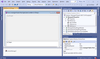
说明: Expand your projects to the.NET platform without discarding your existing native Delphi / Win32 code. Hydra is an application framework that allows developers to create modular applications that can mix managed (.NET and Java) and unmanaged (Delphi and ... 阅读更多

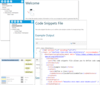
说明: Simplify your XML Comments. GhostDoc is a Visual Studio extension that automatically generates XML documentation comments for methods and properties based on their type, parameters, name, and other contextual information. When generating documentation for ... 阅读更多

说明: A version control solution for professional development teams. SourceGear Vault Standard was designed to ensure the integrity of data by committing source code changes in atomic operations to a SQL Server database. All communication between client and ... 阅读更多

说明: Lightweight database version control for DBAs and Developers. VersionSQL connects SQL Server to your favorite source control system, enabling you to roll back changes, view history, and more without ever leaving SQL Server Management Studio. Managing ... 阅读更多

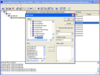
说明: Fast and secure access to centralized Visual SourceSafe databases via any TCP/IP connection. SourceGear SourceOffSite is an Internet access tool for Microsoft Visual SourceSafe. With SourceGear SourceOffSite, distributed development teams can have secure ... 阅读更多

说明: A version control and bug tracking solution for professional development teams. SourceGear Vault Professional was designed to ensure the integrity of data by committing source code changes in atomic operations to a SQL Server database. All communication ... 阅读更多

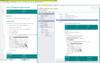
说明: Publish MadCap Flare content. MadCap Connect allows authors publish MadCap Flare content to Salesforce Knowledge, Zendesk Help Center and ServiceNow knowledge bases. Update your content from Flare and let the plugin do the work of automatically publishing ... 阅读更多
联系电话: (888) 850 9911
传真: +1 770 250 6199


