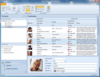
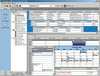
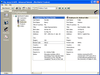
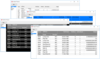
Screenshot Preview

PFGrid Toolkit WinForms .NET

by PFGrid - 상품타입: Component / .NET WinForms / .NET Class / 100% Managed Code

주의 : 별도의 안내가 없는 경우에는 영어제품 입니다.

*

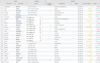
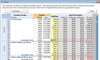
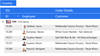
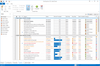
A high performance, customizable and flexible Grid and TreeList control for your .NET WinForms applications. PFGrid for .NET is a flexible .NET TreeList and Grid component for your WinForms applications. PFGrid for .NET can be used both a normal Grid with flat rows and as TreeList control.  Each TreeListRow has a Children-collection which can be filled dynamically or statically. The columns of the grid can be grouped in an Outlook-style by dragging the column to the groupbox and can also be sorted and moved by user-interaction or by using the API. PFGrid for .NET also offers a Drag and Drop mechanism for rows and cells. Cell editors can be defined easily by implementing the interface ITreeListCellEditor. PFGrid for .NET also includes another 3 controls: NavigationBarEx (an outlook-like navigation control with custom rendering), SplitterEx (an expandable splitter control) and Rounded Panel (a WinForms Panel with rounder corners).

₩59,100

일반 적인 소비자 가격은 하기에 표시되어 있습니다. 고객님의 할인가격은 표시 하시려면 로그인 해주시기 바랍니다.

통화 선택 표시하고 있습니다. 전체 가격 | 리뉴얼 가격

PFGrid Toolkit .NET 1.1.6.18   *

주문 ₩ 59,100 1 Developer Subscription License (Includes 12 months of major and minor updates and upgrades)  * 다운로드 (17.8 MB)
주문 ₩ 55,400 1 Developer Subscription License, price per license from 2 to 5 licenses (Includes 12 months of major and minor updates and upgrades)  * 다운로드 (17.8 MB)
주문 ₩ 49,400 1 Developer Subscription License, price per license from 6 to 9 licenses (Includes 12 months of major and minor updates and upgrades)  * 다운로드 (17.8 MB)
주문 ₩ 43,400 1 Developer Subscription License, price per license from 10 licenses (Includes 12 months of major and minor updates and upgrades)  * 다운로드 (17.8 MB)
주문 ₩ 1,083,500 1 Site Developer Subscription License (Includes 12 months of major and minor updates and upgrades)  * 다운로드 (17.8 MB)
주문 ₩ 1,927,200 1 Site Developer Subscription License with Source Code (Includes 12 months of major and minor updates and upgrades)  * 다운로드 (18.2 MB)

PFGrid Toolkit .NET 1.1.6.18 - Renewal\Upgrade   *

주문 ₩ 14,800 1 Developer Subscription Renewal\Upgrade License (to extend your current subscription for 12 months)  * 확인 다운로드 (17.8 MB)
주문 ₩ 13,900 1 Developer Subscription Renewal\Upgrade License, price per license from 2 to 5 licenses (to extend your current subscription for 12 months)  * 확인 다운로드 (17.8 MB)
주문 ₩ 12,400 1 Developer Subscription Renewal\Upgrade License, price per license from 6 to 9 licenses (to extend your current subscription for 12 months)  * 확인 다운로드 (17.8 MB)
주문 ₩ 10,800 1 Developer Subscription Renewal\Upgrade License, price per license from 10 licenses (to extend your current subscription for 12 months)  * 확인 다운로드 (17.8 MB)
주문 ₩ 270,900 1 Site Developer Subscription Renewal\Upgrade License (to extend your current subscription for 12 months)  * 확인 다운로드 (17.8 MB)
주문 ₩ 481,800 1 Site Developer Subscription with Source Code Renewal\Upgrade License (to extend your current subscription for 12 months)  * 확인 다운로드 (18.2 MB)

가격에는 ComponentSource의 기술지원 요금이 포함되어 있습니다. 또한 다운로드 판매를 하고 있는 상품의 대부분은 온라인 백업요금이 포함되어 있어서 구입날로부터 30일 이내에 새로운 버전이 발매된 경우 무료로 업그레이드해 드리고 있습니다.  모든 주문에 대해서 당사표준 계약조건 반품조건 의 내용이 적용됩니다. 다음의 경우,고객 서비스로로 연락 주시기 바랍니다. (대량의 라이센스나 구 버전 등의 라이센스 옵션이 필요한 경우)

일반 적인 소비자 가격은 상기에 표시되어 있습니다. 고객님의 할인가격은 표시 하시려면 로그인 해주시기 바랍니다.

 *

What's New in PFGrid.NET V1.1.6.18

  • Metro UI Closing and layout persistence - Bugfixes for painting in PFWindow.NET, PFPanel.NET and mouse-wheel-scrolling for PFScrollBar.NET.

What's New in PFGrid .NET V1.1.6.17

  • Metro UI Closing and layout persistence - Each Metro-tile can be closed and restored now. When a tile is closed it is placed to the TileSlide-control on the right side.
  • Metro UI Auto arrange tiles for WinForms - The Metro tiles are autoarranged if the user moves a tile and tiles intersect.
  • Transparent WinForms Grid - For the WinForms PFGrid.NET an alpha-value for the background can be defined. With this feature it is possible to design a user-interface with the style of Windows 8 Metro
  • Metro Ui HTML-Tile - The control HtmlTile has been added to render HTML-mages and css in Metro UI Tiles.
  • Metro style for Winforms ButtonText and ComboBox - The ButtonText- and DropDown-control come with Metro UI style now which can be assigned by the RenderType-property
  • Metro UI controls Winforms - The Metro-UI style is available or the Grid, Window, Tiles and other Winforms controls of PFGrid-Toolkit.NET.
  • Volume Slider renderer - Volume-slider control/renderer added like in the sound-settings of MS-Windows. Also tooltips can be displayed for Sliders.
  • PFSplitter.NET - The PFSplitter-control is a collapsible splitter. This means that it has the ability to collapse or expand a docked control with a single mouse-click.
  • PFRating.NET - The PFRating.NET-control let's you define a number of stars for the rating, a style for the stars (Small-stars or big stars) and custom images
  • PFCheckBox.NET - The PFCheckBox.NET is a custom Checkbox-control with XP-, Vista- and Office-styles that can be switched easily by a property. The text can be aligned at the left, right, top or bottom of the control.
  • Battery-meter for PFProgressBar.NET - With the special ProgressBarRendererBattery you can change the appearance of the ProgressBar to a battery-meter.
  • PFProgressBar.NET - The PFProgressBar.NET is a control to show a state or progress. The orientation can be horizontal or vertical, the rendering is customizable by ProgressBar-renderers.
  • PFSlider.NET - This control allows the user to select a value in a certain range, the orientation of the control can be horizontal or vertical, each rendered part can be customized.
  • PFWindow.NET - The PFWindow.NET is a Form with the appearance of an Office-2007 window: Rounded corners, thin borders, caption with gradients and nice Office-like buttons
  • PFDropDown.NET - This control is a ComboBox for which you can use a custom Popup-control as selection-list. The DropDown-list uses the PFGrid as default-control
  • PFButtonTextBox.NET - A textinput-control with dynamic buttons you can use for example as editor-shortcuts
  • PFReflectionImage.NET - This control is real eye-candy: Display an image with reflection and use it as button.
  • PFScrollBar.NET - The ScrollBar-controls are derived from the .NET-Framework-class VScrollBar and HScrollBar so they can be used for scrolling other controls like Panels or Images.
  • PFHtmlPanel.NET - This control can be used as Html-container. No embedded browser is needed, it's 100% managed code that renderes HTML for WinForms.
  • PFPanel.NET - You can use the PFPanel.NET as gradient panel wirth rounded corners and as groupBox with different color-syles.
  • PFButton.NET - Cool Vista- and Office-like Buttons and Split-Buttons with predefined or custom colors. Use the Office2007- and Office2010-renderers or define your own.
  • Hyperlink-cells PFGrid.NET - You can add Hyperlinks with default-display (link) very easily. Just add a column of type HyperlinkColumn and cells of type HyperlinkCell.
  • Summary-row PFGrid.NET - With PFGrid.NET you can display a summary-row at the bottom of the page. With this feature you can easily show SUM, MAX, MIN, AVG or custom summarized values.
  • Typeahead Text-Find PFGrid.NET - The global typeahead text-filter for PFGrid.NET can be assigned by using the control GlobalTextFilter on your Winform. While you are typing text in the Filter-textbox the filtering is applied in the corresponding grid.
  • Column-filters PFGrid.NET - Filters can be defined easily to filter the values for cells of a column. A default-filter of type TextFilterControl can be assigned for a column, if you like to define a custom filter you can implement the interface IFilterControl for a user-defined .NET control.
  • Enhanced Design-time support - Sorting for columns, the column-order and the width for each column can be defined during design-time in Visual Studio with mouse-interaction
  • Ajax-like loading panel - PFGrid.NET for Winforms offers an Ajax-like loading panel for long running tasks

New in PFGrid.NET

  • Custom grouping PFGrid.NET Winforms - PFGrid.NET for Winforms allows you to define customer groups containing rows. The rendering of the groups can be easily implemented using its own renderers
  • Excel-Export Winforms PFGrid.NET - The grid's data can be exported to Excel-format easily. Also the tree-structure can be exported so that the childnodes are displayed as groups in the Excel-Worksheet
  • Office2007-renderer for PFGrid .NET Winforms - The Office2007-renderers controls can be used to add an Outlook-2007-style to your application without writing a single line of code
  • Column-Chooser for PFGrid .NET Winforms - A column-chooser is available to define the visibility of the control's columns. It can be opened as a modal dialog or used as a UserControl
  • RightToLeft-support for Winforms PFGrid .NET - PFGrid offers full RightToLeft-support, even for the TreeList-mode, all cell-editors also use RightToLeft-flag

 *

The PFGrid .NET toolkit contains a Grid- and TreeList-Control, an Outlook-like NavigationBar, Metro UI/Windows 8 styles, Splitters, Panels, Buttons, Sliders, Progressbars, Multi-column ComboBox, Textbox with buttons, Reflecting image-controls and many more.

Features:

  • Grid and TreeList control
  • Metro UI Winforms control
  • Outlook-like Navigation control
  • Vista and Outlook style butons
  • Collapsible Splitters
  • Custom panels and many more

PFGrid.NET: Winforms Grid and TreeList
A fast and flexible Grid- and TreeList-control. It supports built-in and custom Cell-editors, Outlook-like grouping, Filters, a Summary-row, predefined and custom renderers (XP, Vista, Office 2007-2010), Excel-export and many more features.

PFMetroTiles.NET: Metro UI for Winforms
The Metro UI control for Winforms allows you to display tiles like in Windows 8. A tile can contain an image, a title and a text as full HTML

PFNavigationBar.NET: Outlook-like Navigation
The NavigationBar for Winforms supports rendering like Office 2003 or Office 2007 and a great Design-time support. You can mimic the behavior of the original MS-Outlook NavigationBar.

PFWindow.NET: Office-Like Forms
PFWindow.NET is a Form with the appearance of an Office-Like window: Rounded corners, thin borders, caption with gradients and nice Office-like buttons.

PFButton.NET: Buttons and Split-Buttons
Cool Vista- and Office-like Buttons and Split-Buttons with predefined or custom colors. Use the Office2007- and Office2010-renderers or define your own.

PFPanel.NET: Gradient-Panel and Group-Box
Define Panels with gradient-background and rounded corners with PFPanel.NET. The panel can be used as Group-Box with customizable text.

PFHtmlPanel.NET: 100% Managed Html-Renderer
You can use this control as an HTML-container, just place the HtmlPanel on a form and feed the Text property with HTML-code. The control is 100% managed .NET, no embedded browser is needed anymore to display HTML.

PFReflectionImage.NET: Reflected images as button
This control is real eye-candy: Display an image with a reflection and use it as a button. When the image is hovered over with the mouse it is put to the foreground.

PFDropDown.NET: ComboxBox with custom DropDown
This control is a ComboBox for which you can use a custom Popup-control as a selection-list. The DropDown-list uses the PFGrid as default-control.

PFButtonTextBox.NET: TextBox with buttons
Add buttons dynamically to this text-input control. The appearance of the control (images, buttons, border, backcolor) can be changed easily.

PFSlider.NET: Custom TrackBar
This control allows the user to select a value in a certain range, the orientation of the control can be horizontal or vertical, each rendered part can be customized.

PFProgressBar.NET: State-control
The PFProgressBar.NET is a control to show a state or progress. The orientation can be horizontal or vertical, the rendering is customizable by ProgressBar-renderers.

PFCheckBox.NET: Checkbox-control
The PFCheckbox.NET is a custom Checkbox-control with XP-, Vista-and Office-styles that can be switched easily by a property.

PFRating.NET: Rating-control
For this rating-control you can define a number of stars for the rating, a style (Small-stars or big stars), custom images and the orientation (horizontal or vertical)

PFSplitter.NET: Expandable-splitter
The PFSplitter-control is a collapsible splitter. This means that it has the ability to collapse or expand a docked control with a single mouse-click.


주의

제품 리뷰의 한국어 번역이 완료되지 않는 제품은 Google통역 서비스와 연동되어 표시되어 있습니다.통역 기계에 의한 자동 번역인 관계로 한국어 표기가 조금 부자연 스러운 점 양해 바랍니다.
에서 제공
FireFox와 Opera에서는 Flash가 필요합니다.

상품검색

검색어를 입력해주세요:

Quick 링크

개발처/발매처

주요 카테고리

관련 상품

관련 카테고리

ComponentSource에서 구입하는 이유?

ComponentSource는 세계 1,000,000명 이상의 개발자에게 각종 글로벌 서비스를 제공합니다.

상세 | About Us

개발 코스트 계산


ROI 계산을 참고해주세요.

코드행 수: 20,000
인월 : 20
인건비: $100,000

필요한 기능:

1000행 당 인월:

1개월당 인건비: