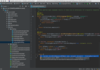
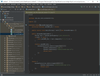
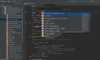
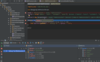
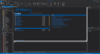
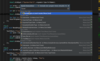
Screenshot Preview

PowerBASIC Compiler for Windows - Summary

by PowerBASIC - Product Type: Application

Summary

PowerBASIC Compiler for Windows by PowerBASIC

URLs: powerbasic-compiler-windows, powerbasic compiler windows, powerbasiccompilerwindows, powerbasic

A native code compiler for 32-bit Windows. PowerBASIC Compiler for Windows creates industry-standard DLLs and highly efficient executables with the "Look and Feel" of the Windows Graphical User Interface. The machine code generated by PowerBASIC Compiler for Windows is among the most efficient in the industry, both in terms of size and speed. The .EXEs PowerBASIC Compiler for Windows creates are single standalone executables which require no run-time libraries, no DLLs, no support files of any kind unless you choose that approach.

PowerBASIC Compiler for Windows is a native code compiler for 32-bit Windows that can be used to make highly efficient EXEs and industry-standard DLLs. Professional level capabilities include Regular Expressions and multi-threading. It also includes a built-in Assembler, a full Macro facility, and much more. The machine code generated by PowerBASIC is among the best in the industry, small in size and and fast in execution speed. It compares favorably with leading compilers of any dialect. The .EXEs PowerBASIC Compiler for Windows creates are single standalone executables which require no run-time libraries, no DLLs, no support files of any kind unless you choose that approach. Source code is compiled at more than one million lines per minute -- hundreds or thousands of times faster than many compilers. A complete IDE is included for program creation and debugging. Among the sample source code projects included with the compiler is a SMTP email client with a graphical user interface that allows you to send an email message to anyone on the Internet. It compiles to a 30k executable.

Main Features

Dynamic Dialog Tools (DDT) are PowerBASIC Compiler for Windows built-in statements and functions that allow you to create complete graphical user interfaces without making calls to the Windows API. It provides complete access to all of the standard Windows controls like menus, buttons, listboxes, text boxes, labels, bitmaps, and more. Customize colors, fonts, and styles - dynamically! Controls can be modified, resized, moved, disabled, all under program control, loading up to 20 times faster than other compilers

A complete Macro facility, seldom seen in a high level language, is an integral part of PowerBASIC Compiler for Windows. A Macro invokes a text substitution engine allowing you to extend PowerBASIC Compiler for Windows. With PowerBASIC Compiler for Windows macros, you can design your own unique, personal language

PowerBASIC Compiler for Windows makes it easy to produce multi-threaded applications. Your program can handle 2, 3, or 1000 tasks, all at the same time. Print a report while data entry continues. Watch for a hardware signal while calculating data services. It even offers THREADED variables for "Thread Local Storage" -- each THREAD gets its own unique copy of the variable -- automatically

PowerBASIC Compiler for Windows includes a Automation Interface that lets you tap the power of components and invoke libraries and applications via Client COM Services, built-in support for TCP and UDP gives your application the means to communicate with servers on the Internet or local Intranets, send email messages with SMTP or download web pages using HTTP. You can even create your own TCP or UDP server for communication with other applications. High-speed Serial Communications built-ins let you access modems or other serial devices without struggling with obscure API calls or dial into remote computers with just a few lines of code.

Built-in professional level graphics support lets your program do virtually anything with text and graphics, without using the Windows API. A complete family of LPRINT functions gives you direct text access to line printers. Extended printing is easy with PowerBASIC Compiler for Windows exclusive XPRINT suite of functions. Just like GRAPHIC for the screen, XPRINT offers it all on the printer. Print text -- any font, any size, any color. Bitmaps and images, lines and boxes, circles and polygons, virtually all the features of the GRAPHIC screen are there for printers too. Retrieve the size of the printer page, printable area, margins, even the number of points per inch. Select landscape or portrait mode, even the print quality setting. Select the PRINTER$() function to return the name and port of every available printer.

PowerBASIC Compiler for Windows includes a built-in assembler, ARRAY SORT / SCAN / INSERT / DELETE / ASSIGN, MAT functions, bit operations, register variables, and much more. Supported variable types include signed and unsigned integers to 64-bit. Single, double, and extended precision float. Two forms of currency. Dynamic strings, fixed strings, ASCIIZ strings. User-defined types and unions. Guids. Variants, pointers, and BIT and SIGNED BIT field variables in types and unions.

A solid IDE simplifies programming tasks. Its editor component provides source file templates, bookmarks, block indent/outdent and block comment/uncomment. A "Code Finder" module shows every sub, function and macro name, aliases, types, and line numbers. You can sort on any column, in either direction, and change the column order in a flash. Set debugging breakpoints even in include files. The array of debugging features is impressive. PROFILE gives an overview listing of every sub and function, how many times each was called, and the total time spent executing each. CALLSTK captures all stack frames above you. TRACE generates an execution log of each sub, function, label, and TRACE PRINT, as they're executed. The watch windows for variables and registers are moveable and resizable and all dialogs remember the last used size and location. The Help file contains complete documentation. Help files for add-ons are supported, and there's a direct link to the Win32 API help. Syntax highlighting with selectable colors, fonts, and keyword case, and printed listings in color.

What’s new in PowerBASIC Compiler for Windows V10?

Unicode Support - Mix Unicode and ANSI in the same program. Convert strings to and from OEM, Unicode, ANSI, and UTF-8. Display Unicode characters. Print Unicode characters. Read and write to Unicode files. Conversions from Unicode and ANSI are automatic. You can even select to have a complete Unicode emulation package in your executable or DLL to allow it to run properly on Windows 95, 98, and ME or select to have the runtime only use ANSI API routines.

Resources - You can add resource data inline, right in your BASIC source code. There is no need to create a resource file, compile it, and then link it into your source. All this done automatically. Add bitmaps, icons, manifests, strings, type libraries, wave files, version information, and even binary data (RCDATA). Of course, .RC, .PBR, and .RES files are still supported. The inline resource support simplifies adding resources to your program or DLL.

Static Link Libraries - Static Link Libraries (SLLs) consist of a set of Classes, Subs, and Functions that are compiled into a machine-code library. A SLL is the perfect vehicle for third-party code, because it creates a single final module that does not require source code to be distributed. It allows you to create a group of your own libraries that you know function correctly and don't require any further debugging. It also offers big advantages to larger group programming projects to control distribution of various elements. Multiple SLL modules may be collected into a Power Library, which is linked as a single item. Creating an SLL could not be easier. All it takes is a single #COMPILE SLL at the top of your module source code. When you wish to use the SLL code in a host program, you simply use #LINK "MyLib.SLL" and the contents are automatically embedded in the new .EXE or .DLL. It's just that simple.

Graphics - The built in graphics engine has been expanded to support virtual graphic windows and controls, clipping regions, scrolling text, text wrapping, and much more. Create a virtual graphic control or window that displays the contents of a larger virtual window. Scroll bars are added so the user can move the viewport to the desired section. There is even an option to allow the user to "drag" the edges of a graphic window to a new size. Graphic controls can now be resized. Graphic windows can be made noncloseable by the user. Work with rows and columns in a graphic window or control, similar to the DOS or Console LOCATE statement. GRAPHIC PRINT now supports POS(n), SPC(n), and TAB(n) functions for even more control over printing text. There's even a new Text window specially designed for text display and input, just like a Console window, but more attractive.

Dynamic Dialog Tools - Dynamic Dialog Tools (DDT) have been expanded with CONTROL ADD HEADER and the HEADER statement for adding and manipulating a Header control. LISTVIEW GET HEADERID has been added to retrieve the handle and ID of the header in a ListView for advanced handling of the header control. Make dialogs and graphic windows unclosable. Show and hide dialogs and controls. Improved support for menus. Floating context menus are now supported. Improved Tab control support. The METRICS function retrieves information or dimensions of system elements. Get the width and height of different types of borders, scrollbars, minimum and maximum window sizes, and more.

Threads - Creating multi-threaded applications is easier than ever. The built-in THREAD object that offers a collection of methods which allow you to easily create and maintain additional threads of execution in your programs. Functions, Subroutines, Methods, and Properties can even be marked as THREADSAFE. When a procedure is declared THREADSAFE, PowerBASIC automatically establishes a semaphore which allows only one thread to execute it at a time. Others must wait until the first thread exits the THREADSAFE procedure before they are allowed to begin. This is important to protect global data (global, threaded, static, and instance variables) from corruption by interaction of the threads.

Optimization - #OPTIMIZE has been expanded with #OPTIMIZE CODE. Any unreferenced code will be removed from the compiled program to minimize the executable file size. String handling routines have been dramatically improved in performance. A STRINGBUILDER object for high performance string concatenation has been added. Of course, you can still use BUILD$ to concatenate strings with high efficiency. There has been an improvement in graphic execution speed. Use #ALIGN metastatement to gain ultimate efficiency from critical code sections. Then there's #OPTIMIZE SIZE and #OPTIMIZE SPEED to choose between faster execution or smaller code size.

Printing - The built in GDI printer engine has been expanded. Use XPRINT PREVIEW to display a replica of a printed document on the screen. Set a clipping region. Wrap text on the printed page. Work with rows and columns on the host printer. XPRINT PRINT now supports POS(n), SPC(n), and TAB(n) functions for even more control over printing text. Limit a print job by set and retrieving the page number limits and selection flag from the Print Dialog which is displayed when XPRINT ATTACH CHOOSE is executed. Many of the XPRINT statements now have a similar function form for use in expressions.

IDE - Numerous improvements in the IDE have been made. The IDE is now based on tabs rather than MDI children. Up to 36 bookmarks are now supported. Improved undo handling. Quick context-sensitive syntax help is shown on the status bar. Find/Replace can now be set to wrap around the file. Project files have been enhanced to support a list of files, their scrolling position and caret position, a primary file, the active tab, breakpoints, bookmarks, and the debug Watch list. Backup files can now be created with a timestamp, numbered from 0 to 99, or even no backup file if you prefer. There's Print Preview and the new #PAGE metastatement for inserting a page break when printing from the IDE. Improved template files. The Open File dialog for source files now allows selecting multiple files at a time.

A native code compiler for 32-bit Windows.

Pricing: PowerBASIC Compiler for Windows V10 1 Developer License, PowerBASIC Compiler for Windows V10 1 Developer License Upgrade from PB / Win 9 (PowerBASIC Compiler for Windows 9), PowerBASIC Compiler for Windows V10 1 Developer License Upgrade from PB/Win 8 (PowerBASIC Compiler for Windows 8) or earlier

Evals & Downloads: Read the PowerBASIC Compiler for Windows help file, Browse the PowerBASIC Compiler for Windows License Web pages, Download the PowerBASIC Compiler for Windows examples on to your computer - Includes compiled executables

Operating System for Deployment: Windows 7, Windows Vista, Windows XP, Windows ME, Windows 2000, Windows 98, Windows NT 4.0, Windows 95

Product Type: Application

Keywords: powerbasic compiler windows, powerbasic compiler, power basic compiler, powerbasic complier for windows, powerbasics complier for windows

PowerBASIC

Development

Part numbers: PC-516141-372105 516141-372105 PC-516141-372106 516141-372106 PC-516141-372107 516141-372107

Product Search

Enter search words:

Why buy from ComponentSource?

ComponentSource offers a unique global service, used by over 1,000,000 software developers worldwide.

More Info | About Us