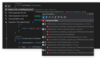
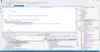
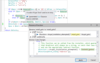
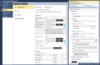
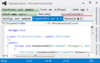
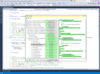
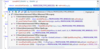
Screenshot Preview

PowerBASIC FORMS

par PowerBASIC - Type de produit : Produit complémentaire

Veuillez noter que á moins d’être stipulé autrement, ce produit est un produit anglais.

*

An optional Visual Designer for PowerBASIC V8 for Windows that allows you to build Graphical User Interfaces (GUI). PowerBASIC FORMS visual designer for PB/Win V8 will allow you to drag and drop controls, quickly build complex menus, automatically create resources from your images and version info. Create and name your own favorite styles. It's virtually everything you could ask for in a RAD tool.

A partir de
$97.02
Calculer le prix en

Nos prix standard sont montrés ci-dessous. Veuillez vous connecter pour voir vos prix.

PowerBASIC Forms GUI Designer for Windows 2   *

Ajouter au Caddie $ 97.02 1 Developer License (PowerBASIC for Windows Compiler version 9.0 or later Required)  * Téléchargement (2.1 Mo)
Ajouter au Caddie $ 48.02 1 Developer Upgrade Licence from PowerBASIC Forms 1.5 – Includes documentation in .chm form (PowerBASIC for Windows Compiler version 9.0 or later Required)  * Vérifier Téléchargement (2.1 Mo)

Nos prix comprennent le support technique ComponentSource et, pour la majorité des produits téléchargeables, une sauvegarde en ligne ainsi qu'une mise à niveau GRATUITE si la nouvelle version est parue pendant les 30 jours consécutifs à votre achat.  Toutes les ventes sont sujettes à nos Termes et Conditions standard à notre Politique de renvoi. Veuillez nous contacter si vous avez besoin d'une option de licence (licence de volume et versions précédentes) qui ne figure pas sur la liste ci-dessus.

Nos prix standard sont montrés ci-dessus. Veuillez vous connecter pour voir vos prix.

 *

PowerBASIC FORMS is an optional Visual Designer for PowerBASIC V8 for Windows that allows you to build Graphical User Interfaces (GUI). With PowerBASIC Forms, you'll visually create your GUI in just minutes. PowerBasic Forms will allow you to drag and drop dialogs and controls, quickly create menus, even import form design from a multitude of prior sources and then get clean, structured, DDT source code, ready to compile for your application.

With PowerBASIC FORMS you can open a dialog, size it to your needs, add a few controls, choose fonts and colors, add menus, accelerators, shortcuts, etc.. Instant test mode views the design, even before it's compiled. Save the form and it creates a complete .BAS application shell, add an extra control later, change a size or style as often as need

You can choose from the standard controls below, plus custom controls:

  • Image/Picture
  • Stretchable Image
  • Label/Static Text
  • Text/Edit Box
  • Frame/Group Box
  • Button
  • Image Button
  • Stretchable Image Button
  • Check Box
  • Check 3 State Box
  • Option/Radio Button
  • Combo Box
  • List Box
  • Horizontal Scroll Bar
  • Status Bar
  • List View Control
  • Tree View Control
  • Tab Control
  • Animate Control
  • Rich Edit Control
  • Date Time Picker Control
  • Month Calendar Control
  • IP Address Control
  • Line Control
  • Spin/Up-down Control
  • Progress Bar
  • Slider/Track Bar Control
  • Hot Key Control
  • Vertical Scroll Bar

 *

PowerBASIC Forms offers a complete design environment, including a menu editor, tab order editor, and version resource editor.

So what about all your previous work? Have you spent months or years creating Visual Basic forms, Visual Studio resources, even hand-written DDT with PB/DLL? Is all that work wasted? Of course not. With just a few clicks, you'll import it, ready to compile and run.

An interesting option is the concept of "Favorite Styles". Dialogs and Controls may have thousands of possible size and style combinations. How do you choose the correct combination, and even more important, how do you remember that particular combination of size and bits next time? Finally, it's elementary. Choose some style bits, view the result in Test Mode. If it's pleasing, just give it a name, any name, and it's automatically saved for the future, ready for instant retrieval. Even better, one particular favorite can be chosen as the default size and style for each type of control and dialog.

Creating menus with the built-in menu editor couldn't be easier. Just type the text for each menu caption, ID names are created for you. Add separator bars and popup sub-menus as easily as choosing a radio button. You'll design menus in just a fraction of the time it took using Visual Basic. You can choose accelerators (short-cut keys) like (Ctrl+N), (F4), and (Ctrl+Shift+T) by just pressing the desired keys. Link a menu to a dialog with a simple drag'n'drop. Tab order is important. It must be intuitive, yet it often changes during development. Maintenance used to be drudgery. But no more. The Tab Order Editor displays a small yellow numbered box in the upper-left corner of each control. Click controls in sequence, and the numbered boxes update. Re-order the entire dialog or a few controls... it doesn't get easier. Need to populate a ListView or TreeView control? Don't struggle with foundation code... it's now automatic. PB/Forms generates simple "helper functions" to handle these menial tasks. In fact, it even creates sample code to help manage ListBoxes, ComboBoxes, TreeViews, ListViews, and others. Need a Resource? Know little about resources? Fine... that's automatic, too! All of your images, bitmaps, icons, and version resources are automatically embedded right here in PowerBASIC Forms. This simplifies your code while guaranteeing a single compact EXE. Need strings for a status bar or tooltips for a toolbar? They're auto-saved for you and embedded in the same final resource. Of course, in the "PowerBASIC Tradition", PowerBASIC Forms needs No Run-Times, No DLLs.

Attention

Pour votre référence, nous avons inclus des liens á Google Translate pour les informations sur le produit qui n'ont pas encore été traduites. Veuillez noter que les traductions automatiques ne sont pas toujours complètement exactes.
Fourni par
Flash est requis dans Firefox et Opera

Recherche produit

Entrez vos critères de recherche :

Pourquoi acheter chez ComponentSource ?

ComponentSource offre un service international unique, reconnu par plus de 1 000 000 développeurs de logiciels partout dans le monde.

Complément d'informations | Notre société