Database Query Components - Best Selling
Create modern user interfaces for your Windows Forms applications.
- The complete Solution for line of business development
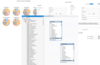
- Easily handle large volumes of hierarchical data, flat data and OLAP data sources
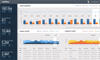
- High performance data visualizations - over 75 chart types for every scenario, incredible rendering capabilities, animation support, and more
Create Rich Internet Applications with over 30 Silverlight controls.
- Easily add loading animations to make your charts feel more alive
- Chart data collection now supports data point selection
- Now includes two fast, gesture-based list box controls
Leverage the potential of Windows Presentation Foundation.
- New Cosmopolitan theme provides a modern look and feel
- Easily add loading animations to make your charts feel more alive
- Chart data collection now supports data point selection
All the Developer Express VCL products in one package.
- Features data entry, charting, data analysis, navigation, layout, data grid, scheduling, styling, reporting, printing and planning controls
- Represents the best selling VCL library on ComponentSource
- Leverage your existing VCL skillset to build next-generation applications
An all-inclusive set of Windows Forms components.
- C1Reports improves export to DOCX, RTF, HTML and Excel
- Improved compatibility with Visual Studio 2012
- Now features Chinese and Korean localization
An all-inclusive set of components for presentation layer design.
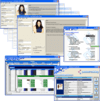
- Contains business logic, grid, user input, list, charting, web charting spell-checking, text formatting and query components
- New - 64Bit Support for Chart, VSFlexGrid and VSView
-
Description:
A complete collection of performant, extensible.NET UI controls for mobile, Web, and desktop. ComponentOne Studio Enterprise (formerly ComponentOne Studio) is a comprehensive, flexible collection of performant, extensible.NET UI controls for mobile, web, ...
Read more
-
Description:
A complete collection of Windows Forms components for all aspects of application development. ComponentOne WinForms Edition is a collection of easy-to-use WinForms components that provides access to all updates released within your 1 year subscription ...
Read more
-
Description:
A suite of 100+ Windows Forms UI controls allows you to quickly build stylable user interfaces that deliver superior experiences. Infragistics Ultimate UI for Windows Forms is a mature, fully-featured Windows Forms product, with more than 100+ controls ...
Read more
-
Description:
Over 100 Essential WPF UI Controls for your Desktop Applications. ComponentOne WPF Edition is a collection of easy-to-use WPF components that provides access to all updates released within your 1 year subscription period and online support. ComponentOne ...
Read more
-
Description:
A complete collection of Windows Forms UI and data components for all aspects of application development. ComponentOne WinForms Data Services Edition provides over 130 WinForms UI controls and vital data layering components for connecting, querying, and ...
Read more
-
Description:
A suite of ComponentOne COM Technologies products including controls such as True DBGrid and VSFlexGrid. ComponentOne Studio ActiveX Edition includes: True DBGrid Pro, VSFlexGrid Pro, VSVIEW Classic Edition, VSVIEW Reporting, Chart, WebChart, Query, True ...
Read more
-
Description:
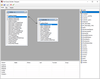
Easy-to-use visual SQL query builder. FastQueryBuilder is an easy-to-use visual SQL query builder. FastQueryBuilder works with local and client-server databases. FastQueryBuilder lets your customers create DB-queries without SQL. You can use ...
Read more
-
Description:
Modern, cross-platform suite of WinUI, MAUI, UWP, and Xamarin controls. ComponentOne WinUI and MAUI Edition (formerly ComponentOne Studio for WinUI & MAUI) provides components for the latest cross-platform.NET platforms. Offered as a single WinUI
Read more
-
Description:
Add spreadsheet and reporting to your applications. PowerSuite includes ActiveReports.NET Professional, Spread.NET and ActiveAnalysis. ActiveAnalysis (formerly Data Dynamics Analysis) is a complete OLAP, data visualization and Business Intelligence ...
Read more
-
Description:
Flexible, advanced ASP.NET controls allow you to quickly build and style superior user experiences with stability and performance. Infragistics Ultimate UI for ASP.NET Web Forms helps you accelerate your app development. Build intuitive, full-featured ...
Read more





 (18)
(18)

 (16)
(16)