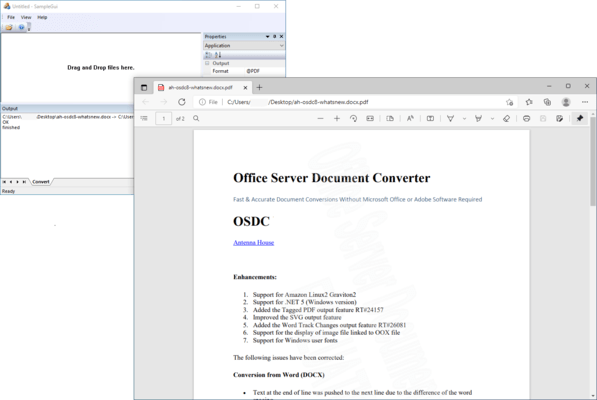
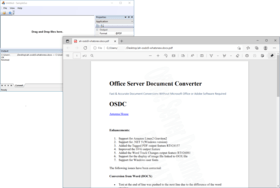
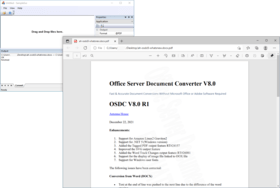
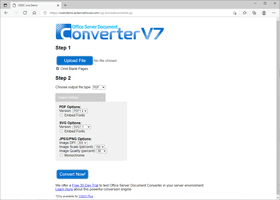
Screenshot Preview

Rainbow PDF Server Based Converter - Summary

by Antenna House - Product Type: Component / .NET Class / Managed/Unmanaged Code - without COM / Java Class

Summary

Rainbow PDF Server Based Converter by Antenna House

URLs: rainbow-pdf-server-based-converter, rainbow pdf server based converter, rainbowpdfserverbasedconverter, antenna-house, antenna house, antennahouse

Convert your Microsoft Office 2007 documents, in addition to many other file formats to PDF and other image formats on a Server. Rainbow PDF Server Based Converter will convert your files on demand or in a batch operation at high speed whether used in a Web environment or called from an internal company server. Shortened development time makes it the favored solution of Network application service providers. Rainbow PDF Server Based Converter converts documents even in environments where Microsoft Office is not installed or operating. As all file conversions are performed entirely within Antenna House’s direct creation engine, there is no need for Adobe or Microsoft licenses.

New Rainbow PDF Server Based Converter Plus V2.0 now supports CGM input and INX, XPS outputs.

Highlights:

MS Office to PDF

Document Maps in MS Word can be outputted to bookmarks in PDF for quick reference.

Thumbnail images can be created for easy document identification and retrieval.

MS Office , PDF, and image conversions to SVG

Rainbow PDF Server Based Converter supports SVG 1.1, SVG Basic/SVG Tiny. This gives users to who wish to send MS Office documents and PDF files to devices such as mobile terminals and cellular phones the format to do so.

Conversion to JPEG/PNG

MS Office documents, including binary format and Word processing ML Format, and PDF documents can be converted into JPEG/PNG images (available only with the Windows version). The conversion of only the first page of document allows users to easily make thumbnails.

Rainbow PDF Server Based Converter Plus, in addition to the file conversions performed by the standard version, will also process CGM files as input and produce XPS and INX files as output without the need for MS Office or Adobe Software. Available for Windows, Solaris and Linux.

Conversion to XPS (Available in Plus Version)

It is sometimes difficult to convert a large number of files into XPS at one time using Microsoft Office 2007 and Microsoft Windows Vista. The Plus version PDF Server Based Converter V2.0 enables you to convert a large number of PDFs or Microsoft Office documents into XPS continuously. Rainbow PDF Server Based Converter V2.0 also allows you to convert files to XPS within Linux and Solaris environments.

Conversion to INX (Available in Plus Version)

Using this output you can edit the formatting result of Rainbow PDF Server Based Converter using InDesign. INX is the XML file that is used as an interchange between InDesign (or its older version, and other products such as InCopy, Golive). INX format keeps all of the InDesign objects and properties as XML elements or attributes. Rainbow PDF Server Based Converter generates INX files from the Area Tree that is an “intermediate format” of the formatting.

Integration Interface

All interfaces, Command line, .NET, COM and Java (the .NET interface and COM interface are available only for Windows version), support streaming input/output for easy system integration with Web applications, content management systems and other software products.

Rainbow PDF Server Based Converter is available for Windows, Linux, Solaris platforms.

Supported Conversion Formats

From:To:

Microsoft Word (doc, XML (WordML Format)) 97 or later, Microsoft Excel (xls) 97 or later, Microsoft PowerPoint (ppt, pps) 97 or laterPDF, SVG, XPS, INX, JPEG/PNG (only Windows version)

Adobe Acrobat1/2/3/4/5/6/7/8 (PDF1.0/1.1/1.2/1.3/1.4/1.5/1.6/1.7)SVG, XPS, INX, JPEG/PNG (only Windows version)

SVG1.1, Basic, TinyPDF, XPS, INX, JPEG/PNG (only Windows version)

EMF, WMF, CGM, BMP, PNG, TIFF, JPEG, JPEG2000PDF, SVG, XPS, INX, JPEG/PNG (only Windows version)

Text filePDF, SVG, XPS, INX, JPEG/PNG (only Windows version)

What's New in Rainbow Server Based Converter V3.1 MR1

Corrections:

Conversion from Word

When the header or footer contained a tab, text decorations were not processed.

Images in the header were not output correctly.

When page breaks were inserted continuously, some pages were not outputted.

When a bookmark’s starting position was set outside a table and ended inside a table, hyperlinks were not converted correctly.

Center aligned or right aligned auto shapes were not placed correctly.

Flame layouts with no text wrapping were not processed correctly.

When the table style was specified, the conversion finished by outputting only the first single character.

When the border was arranged in the layout frame, the left end of the border inside the frame was hidden.

The underline was not converted when it was specified to the page break code.

Line numbers set to the captions were not outputted correctly.

Text with a hyperlink in the hierarchical table was not converted.

When the paragraph style was specified, the font specification did not convert correctly.

Conversion from Excel

When only the cell field with valid data was specified as the print range and fit-to-page option was selected, the layout collapsed.

When specifying fit-to-option and using the default print scaling ratio, the same content was extended over two pages depending on the environment.

The gradation of the text box did not convert correctly.

The space between dots differed from the original file.

The text in the shape was displayed with zero width.

When slicers were added in Excel 2010, the figure displayed was all black.

Conversion from PowerPoint

When the OLE data was arranged as an object in Powerpoint 2010, it was not converted and was missing.

When there was white space at the end of a line, the layout collapsed.

The arrangement and the margin in a cell were not correctly processed.

When a line break occurred, the layout of the border collapsed.

When the figure was arranged just before the end of the page, it was not converted correctly.

The layout of the vertical writing text in the text box collapsed.

Conversion from PDF

Failing to read the font information, font sizes were increased.

Images in the file were not converted and were missing.

The conversion failed when JBIG2 images were included in the file.

The color space was not processed correctly and it failed to display.

Conversion to Flash

Bold and italic specifications were not outputted correctly.

A white border, which was not in the original layout, was outputted.

Conversion to images

The background color became black after converting to TIFF.

JPEG compression was invalid when outputting to CMYK TIFF.

The file was outputted in reverse when converting from EMF.

Conversion to INX

The stream output failed.

Other

The conversion from the text file failed.

When deleted data in the graph was read, a memory shortage occurred.

When # was included in the file name, the conversion failed.

What's New in Rainbow Server Based Converter V3.1 R1

Enhancements

PDF Output Support:

AES-128 bit/AES-256 bit encryption output

PDF/A-1b:2005 output

Supports MS Word 2010 conversions

Supports MS Excel 2010 conversions

Supports MS PowerPoint 2010 conversions

Image Output Support (for Windows only):

Progressive JPEG output

Interlace PNG output

256 tone grayscale output

256 color output

GdiPlus smoothing

TIFF/CMYK output

TIFF Compression output with the following: LZW, JPEG, DEFLATE, RUNLENGTH, CCITT Group 4, CCITT Group 3

Flash Output Support:

Allows users to use ActionScript 1.0 to stop random pages, disable page navigation button or links...etc.

Each individual page from the original file can be outputted to a separate file

Allows users to downsample raster images with arbitrary sizes

Enhanced text manipulation including search, select or reverse display...etc. through the text output method

Other:

Support for Microsoft.NET Framework 4.0 (for Windows only)

What's New in Rainbow Server Based Converter V3.0 MR5

Corrections

Conversion from Word

The text box in an anchored paragraph in the table cell was not correctly arranged or dropped with Word 2007/2010 conversions.

The height of the margin was not correctly reflected even if the output position was specified to the figure or the text box with Word 2007/2010 conversions.

Figures with insufficient attribute information were not outputted correctly with Word 2007/2010 conversions.

When the text was added between parentheses, it overlapped with Word 2007/2010 conversions.

Grouped shapes in header/footer were not always positioned correctly with Word 97-2003 conversions.

When there was a problem in the calculation of the number of lines in one page, the page position would shift with Word 97-2003 conversions.

Table titles were not effective with Word 97-2003 conversions.

Unnecessary work files were created with Word 97-2003 conversions.

Tab positions in header/footer were not correctly positioned with Word 97-2003 conversions.

Problems with processing occurred when the minimum value was specified for line spacing, which resulted in wide spaces between lines with Word 97-2003 conversions.

Characters were squeezed together and overlapped with Word 97-2003 conversions.

When problems with the character-code output for symbol fonts occurred, it resulted in garbled numbers and cirlces with Word 97-2003 conversions.

The space between lines changed when the OLE object had been inserted with Word 97-2003 conversions.

The table of contents was not outputted with Word 97-2003 conversions.

When multiple bookmarks were set to the same position their hyperlinks were lost with Word 97-2003 conversions.

The position of ruled lines around characters in a table shifted with Word 97-2003 conversions.

The character attribute settings in Style was not correctly reflected with Word 97-2003 conversions.

Problems with the default table border occurred so borders were not correctly outputted with Word 97-2003 conversions.

The header and the body text overlapped with Word 97-2003 conversions.

Conversion from Excel

Unnecessary text box background was outputted.

The magnification of the worksheet display in print settings was not reflected, the stroke width was not correctly outputted.

The magnification of the worksheet display in print settings was not reflected when the font size in header/footer was changed.

When the number of pages for either width or height were specified, Fit to Page settings in Page Setup were ignored, but now it ouputs with the specified page number.

When the number of pages for both width and height were not specified, Fit to Page settings in the Scale in Page Setup were ignored. Therefore, the width and height values for only the first page was outputted by default.

The cell border specified to the row title was outputted to the cell below it.

Conversion from PowerPoint

Support for the setting of the slide beginning number with PowerPoint 2007/2010.

Vertical writing in the text box did not rotate when it was specified to rotate by certain degrees.

When symbols were specified for the bullets in a list, it would result in garble.

Figures and text with a hidden attribute were outputted and shown.

The fixed-pitch font was allocated to the alternative font of the variable-pitch font which increased the width of the text.

Some figures were not able to correspond to the vertical and horizontal flips.

If the system color was set to a fill color, an invalid color would be outputted. It can now be outputted by setting the color value with the fixed table.

There was a problem in calculation of the distance between text area and images causing the text to shift.

Other

The conversion terminated abruptly when -GDI Smooth was specified with the image output.

There was a problem in detecting file formats, causing text file conversions to fail.

Sometimes font sizes decreased because the selector of the tagname.classname was not supported with SVG conversions.

XPS would not convert with the NET Interface. It is fixed now. (XPS output is only available for SBC Plus)

The conversion failed if # was included in the target file name.

The default value of 100% when neither width nor height were specified in SVG was applied to the default A4 size with the conversion from SVG. Now it is made available to output the % size as the height and width of viewBox if viewBox is effective when directly converting SVG.

What's New in Rainbow Server Based Converter V3.0 MR3

Conversion from PDF

An encrypted file may fail in decoding.

Single byte symbols may be garbled with MR2.

Characters were garbled when converting PDF with incorrect font information.

Support for ZapfDingbats character sets. (When it is not embedded, it will be garbled in the environment without ZapfDingbats.)

When the glyph of an embedded font could not be acquired, extra text was generated and garbled.

Some fonts failed to acquire the width of characters correctly.

The width of characters was inaccurate, failing in reading font information.

The font for the charmap of LATIN_1 was missing with MR2.

The WINANSI_ENCODING font might be garbled with MR2.

Unnecessary color fills ocurred with R1.

The jbig2 file failed in reading and images occasionally collapsed.

Conversion from Word

The "Unknown document type" error occurred failing in distinguishing the 97-2003 file format.

Parentheses and circular arcs were occasionally color filled.

An image pasted to a rotating figure did not rotate with the 97-2003 Word format file.

A conversion terminated abnormally with a Word file with incorrect contents and could not open with Microsoft Word.

A text box within a table was arranged incorrectly.

Conversions terminated abnormally with files saved with Fast Save in 97-2003 format.

The reference method of the width of a cell in a table and the table occasionally collapsed with the 2007 file format.

Conversion occasionally failed when reading figures.

Unnecessary line numbers were occasionally outputted.

Horizontal borders were not outputted.

Figures in the header were not correctly arranged.

When a rotation was specified to a grouped figure, the rotation was done incorrectly.

Text boxes for vertical text were not arranged correctly.

The size of text in a list differed from the original.

When there was a Symbol font in a table, characters were not arranged correctly.

Images were doubly outputted.

Conversion from Excel

Rotating character strings cut off in the cell boundary.

Text added to a check box was not arranged correctly.

Unnecessary characters were added to an image.

Conversion from PowerPoint

The "Unknown document type" error occurred failing in distinguishing the file format.

Calculation of the transformation of WordArt that was not correctly outputted with 97-2003 format file.

An image pasted to a rotating figure did not rotate with the 97-2003 format file.

The size of circular arcs in the 2007 format file were outputted larger than the original.

The PersistDirectory error occurred failing in reading a large file size.

Only a part of an image was outputted.

Support for outputting the transparent images with the 97-2003 file format.

Conversion to Flash

Figures with color fill might not be reproduced correctly.

When expanded small figures were arranged, space was occasionally generated.

Other

The default font-config.xml attached to the program was not correct with MR2.

When outputting figures to PDF, the "PDF Output Error" occurred with MR2.

Rainbow PDF Server Based Converter V3.0 MR2

SBC V3.0MR2 is now available for Windows and Linux*

Now you can choose the conversion option that best suits your business needs, Standard PDF Conversion, Standard Flash Conversion or the Plus Version with PDF and Flash Conversion capabilities plus CGM Renderer, XPS and INX Output

No need for installation of MS Office or Adobe products on the server for creating PDF

Easy integration with web, document management and content applications using Java, Command line, COM, C/C++ or .NET API’s

Support for Office 2007

Convert documents to JPEG/PNG

Convert PDF and MS Office documents to Adobe Flash format

Convert images and text to PDF, SVG, TIFF, JPEG/PNG

Generate thumbnail images for reduced file size and instant user recognition

*The Solaris platform is still available as V2.0

What's New V3.0 MR2 Windows/Linux

Corrections

Conversion from PDF

GIF images were not correctly extracted while converting from PDF

Conversion from Word

A memory leak occasionally occurred while reading figures.

The paragraph in a cell was not correctly aligned when there was an anchor in the figure in the table cell.

Anchor types in the shape in the cell were not correctly detected in Word97 or earlier.

The margin of a cell was not considered when putting figures in position.

Conversion from Excel

Support for dropdown and checkboxes in Excel 97-2003. (They are outputted only when the image for the display is included in the file.)

When the color specification of a pattern was omitted, it occasionally became black in Excel2007.

The attribute was not outputted when the cell did not exist but there was only a line or a row attribute.

The text occasionally shifted when Centered on a page - Vertically was specified in Margins settings in Header/Footer.

Invalid figures with height and width of 0 are now skipped to avoid an error.

When memory shortage occurs, an error is now returned.

The text was not correctly arranged because the fixed-width font was replaced by the proportional font.

The content of the cell was not displayed due to the unexpected number format of an Excel file made with Open Office.

Conversion from PowerPoint

Page numbers embedded in the text box were not displayed when converting from PowerPoint 97-2003.

The MSSymbol character was not treated as Symbol and occasionally not displayed when converting from PowerPoint 97-2003.

ClipPath on the image side became undefined when the background had been added to PictureFrame and not outputted correctly when converting from PowerPoint 97-2003.

Other

There was a problem in the processing of Base64 and the memory leak occasionally occurred while outputting to SVG.

There was a problem in the reading processing of TIFF tags and failed to convert from TIFF.

The smallest value that can be specified with rasdpi is now changed to 1dpi.

A margin of error occasionally occurred in the dpi value set in the image when outputting to images.

When the image pasted on the original document was JPEG format called Exif, it was not displayed.

When JFXX (JFIF Extension Format) was included in the original document, it was not possible to output it to SVG, XPS, and Flash

What's New in V2.0 MR4

Conversion from PDF

Characters are now converted even when encoding is not specified

Fixed issue that resulted in RSBC occasionally failing to read a password.

Conversion from Word

Enhancements:

Highlight colors can now be converted.

Fixes:

Corrected issue (with the height and width of the text area) that resulted in repetitive page output when documents containing tables, using the vertical writing mode and text wrapping were input.

Corrected issue that resulted in shifting character positions when the font size of the character string and the line feed code were different

Corrected issue that resulted in hidden text appearing in a PDF

Corrected issue that caused the program to read specified font properties of a paragraph and convert them differently than the source.

Corrected alignment issue that resulted when a hyperlink was right aligned or justified

Corrected vertical writing mode issue where text boxes were not converted.

Corrected bug that resulted in hyperlinks and bookmark to output incorrectly.

Correct issue that caused a double strikethrough specified to a font not to be converted.

Corrected an issue that sometimes resulted in conversion failure when a blank WMF was inputted

Corrected issue that cause shadings within the table cells to incorrectly convert

Corrected issue that resulted in incorrect table placement in the PDF when in a multi table document included text wrapping

Conversion from Power Point

Enhancements:

Support for merge table cells in PowerPoint2007

In PowerPoint2007, the line height of a table can now be adjusted to fit the amount of the text in the cell

Fixes:

Corrected issue that resulted in shapes with the elbow connecters to convert incorrectly.

Corrected issue that resulted in incorrect arrangement of text strings within the ribbon shape.

Corrected issue that resulted in incorrect placement of bullets within a list.

Corrected issue that resulted in bullets occasionally being placed on the following line if the list ended with a feed line.

Corrected issue that occasionally caused figures added to the slide master was not to output.

Corrected an issue which caused the position of a bullet to shift vertically when bullet size was specified.

Corrected an issue that occasionally resulted in footers not being outputted.

Corrected issues with incorrect Character arrangement

Conversion from Excel

Corrected and issue that resulted when a character string continued on the following next page, the portion sent to the next page was not correctly outputted.

Corrected an issue that resulted in conversion failure when a blank WMF was inputted

Corrected issue with incorrect text box placement.

Corrected the following border issues:

Extra cell borders were outputted

Cell borders were displayed placed even when overflow text was present

Cell thicknesses were inconsistent

What's New in V2 MR2

Enhancements:

Word supports the conversion of check box form fields, text box form fieldsand drop down form fields

Excel supports the conversion of row or column titles.

Fixes:

Conversion from PDF

PDF was not being converted when processing type3 fonts.

PDF with shading was not being converted.

A figure and character were missing when converting to PDF.

When reading PieceInfo and font information, a character might not be displayed.

colors in Jpeg2000 images would sometimes not outputcorrectly.

recognition of RC4 encryption and decipherment failed.

The color gradation would sometimes differ from the original.

Conversion from Word

fixed the issue of line height in a table producing an unnecessary page break.

fixed unnecessary output error 20226 (4F02) Conflict media-type: image.

fixed the issue of the program not reading the background image of the page.

fixed a text wrapping issue that presented when "Square" was specified which outputted incorrectly.

fixed the slow reading speed of a document containing numerous shapes.

Conversion from PowerPoint

Bullets in a list were not converting correctly.

Conversion from Excel

Excel 97-2003 text box color when saved by Excel 2007 would fill with black when an incorrect color was specified.

Vertical writing text boxes were not outputting correctly.

Other

A memory leak problem occurred.

conversion failed when a document included a jpeg image with an inaccurate color profile.

Java interface corrections made.

What’s new in V2.0

Supports input of MS Word 2007 / MS Excel 2007 / MS PowerPoint 2007 files

Improved of conversion accuracy of MS Word, Excel and Powerpoint

Now supports CGM input, and XPS and INX output

Convert your Microsoft Office 2007 documents, in addition to many other file formats to PDF and other image formats on a Server.

Pricing: Rainbow PDF Server Based Converter V3.1 MR1 - Windows Standard Edition for PDF Output - 1 End User Single Server License (pricing is per processor), Rainbow PDF Server Based Converter V3.1 MR1 - Windows Standard Edition for Flash Output - 1 End User Single Server License (pricing is per processor), Rainbow PDF Server Based Converter V3.1 MR1 - Windows Annual Maintenance Agreement, Rainbow PDF Server Based Converter V3.1 MR1 - Windows Plus Edition Plus Edition for PDF and Flash Output - 1 End User Single Server License (pricing is per processor), Rainbow PDF Server Based Converter V3.1 MR1 - Windows Plus Edition Annual Maintenance Agreement (Plus Edition), Rainbow PDF Server Based Converter V3.1 MR1 - Linux (32bit) Standard Edition for PDF Output - 1 End User Single Server License (pricing is per processor), Rainbow PDF Server Based Converter V3.1 MR1 - Linux (32bit) Standard Edition for Flash Output - 1 End User Single Server License (pricing is per processor), Rainbow PDF Server Based Converter V3.1 MR1 - Linux (32bit) Annual Maintenance Agreement, Rainbow PDF Server Based Converter V3.1 MR1 - Linux (32bit) Plus Edition Plus Edition for PDF and Flash Output - 1 End User Single Server License (pricing is per processor), Rainbow PDF Server Based Converter V3.1 MR1 - Linux (32bit) Plus Edition Annual Maintenance Agreement (Plus Edition), Rainbow PDF Server Based Converter V3.1 MR1 - Linux (64bit) Standard Edition for PDF Output - 1 End User Single Server License (pricing is per processor), Rainbow PDF Server Based Converter V3.1 MR1 - Linux (64bit) Standard Edition for Flash Output - 1 End User Single Server License (pricing is per processor), Rainbow PDF Server Based Converter V3.1 MR1 - Linux (64bit) Annual Maintenance Agreement, Rainbow PDF Server Based Converter V3.1 MR1 - Linux (64bit) Plus Edition Plus Edition for PDF and Flash Output - 1 End User Single Server License (pricing is per processor), Rainbow PDF Server Based Converter V3.1 MR1 - Linux (64bit) Plus Edition Annual Maintenance Agreement (Plus Edition)

Evals & Downloads: Read the Rainbow PDF Server Based Converter Online Manual, See the Server Based Converter Workflow, Read the Server Based Converter License Agreement, Download the Server Based Converter V2.0 MR4 evaluation for Solaris on to your computer - Displays Evaluation Label, Download the Rainbow PDF Server Based Converter V3.1 MR1 evaluation on to your computer - Displays Evaluation Label, Download the Rainbow PDF Server Based Converter V3.1 MR1 for Linux (32Bit) evaluation on to your computer - Displays Evaluation Label

Operating System for Deployment: Windows Server 2008, Windows Vista, Windows XP, Windows Server 2003, Windows 2000, Sun Solaris 10, Sun Solaris 9, Sun Solaris 8, Red Hat Enterprise Linux 5.x, Red Hat Enterprise Linux 4.x, Red Hat Enterprise Linux 3.x, RedHat Linux 9.x, RedHat Linux 8.x, SUSE Linux 8.x

Product Type: Component

Component Type: .NET Class, Managed/Unmanaged Code - without COM, Java Class

Built Using: Java 2 SDK (JDK 1.4)

Compatible Containers: Microsoft Visual Studio 2010, Microsoft Visual Studio 2008, Microsoft Visual Studio 2005, Microsoft Visual Studio .NET 2003, Microsoft Visual Studio .NET, Microsoft Visual Basic 2010, Microsoft Visual Basic 2008, Microsoft Visual Basic 2005, Microsoft Visual Basic .NET 2003, Microsoft Visual Basic .NET, Microsoft Visual C++ 2010, Microsoft Visual C++ 2008, Microsoft Visual C++ 2005, Microsoft Visual C++ .NET 2003, Microsoft Visual C++ .NET, Microsoft Visual C# 2010, Microsoft Visual C# 2008, Microsoft Visual C# 2005, Microsoft Visual C# .NET, .NET Framework 4.0, .NET Framework 3.5, .NET Framework 3.0, .NET Framework 2.0, .NET Framework 1.1

Keywords: PDF, Office, Conversion, SVG, Server docs doc

pdf

File Handling

PDF

Part numbers: PC-516614-403969 516614-403969 PC-516614-403977 516614-403977 PC-516614-403987 516614-403987 PC-516614-403973 516614-403973 PC-516614-403989 516614-403989 PC-516614-403971 516614-403971 PC-516614-403979 516614-403979 PC-516614-403991 516614-403991 PC-516614-403975 516614-403975 PC-516614-403993 516614-403993 PC-516614-403981 516614-403981 PC-516614-403983 516614-403983 PC-516614-403995 516614-403995 PC-516614-403985 516614-403985 PC-516614-403997 516614-403997

Product Search

Enter search words:

Quick Links

Publisher

Primary Category

Related Products

Related Categories

Why buy from ComponentSource?

ComponentSource offers a unique global service, used by over 1,000,000 software developers worldwide.

More Info | About Us

Award