Screenshot Preview

Red Gate .NET Developer Bundle

by Red Gate Software - Product Type: Application / Developer Application

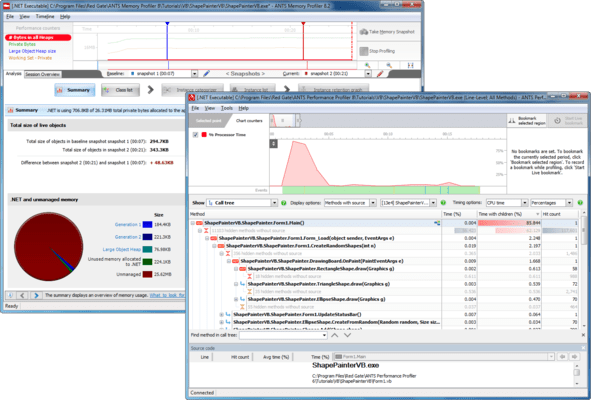
Performance and analysis tools for .NET. Red Gate .NET Developer Bundle includes ANTS Performance Profiler Pro and ANTS Memory Profiler. These tools allow you to profile the performance of your applications to identify bottlenecks and ensure code is performing optimally. You can profile memory usage in your application to understand how your application uses memory. Designed for use by developers writing applications in any of the languages supported by the .NET Framework and for testers who need to test applications written in .NET.

From
$779.10
Price in

Our regular prices are shown below. Please logon to see your discounted prices.

Red Gate .NET Developer Bundle  

Add to Cart $ 779.10 1 User License
Mfr. Part No: P69U1M0
Download (38.9 MB)
Add to Cart $ 2,337.30 5 User License
Mfr. Part No: P69U5M0
Download (38.9 MB)
Add to Cart $ 3,895.50 10 User License
Mfr. Part No: P69U10M0
Download (38.9 MB)

Red Gate .NET Developer Bundle with 12 Months of Support and Upgrades  

Add to Cart $ 974.12 1 User License
Mfr. Part No: P69U1M12
Download (38.9 MB)
Add to Cart $ 2,921.38 5 User License
Mfr. Part No: P69U5M12
Download (38.9 MB)
Add to Cart $ 4,869.62 10 User License
Mfr. Part No: P69U10M12
Download (38.9 MB)

Red Gate .NET Developer Bundle with 24 Months of Support and Upgrades  

Add to Cart $ 1,169.14 1 User License
Mfr. Part No: P69U1M24
Download (38.9 MB)
Add to Cart $ 3,506.44 5 User License
Mfr. Part No: P69U5M24
Download (38.9 MB)
Add to Cart $ 5,843.74 10 User License
Mfr. Part No: P69U10M24
Download (38.9 MB)

Red Gate .NET Developer Bundle with 36 Months of Support and Upgrades  

Add to Cart $ 1,363.18 1 User License
Mfr. Part No: P69U1M36
Download (38.9 MB)
Add to Cart $ 4,090.52 5 User License
Mfr. Part No: P69U5M36
Download (38.9 MB)
Add to Cart $ 6,816.88 10 User License
Mfr. Part No: P69U10M36
Download (38.9 MB)

Red Gate .NET Developer Bundle Renewal License - 12 Months of Support and Upgrades  

Add to Cart $ 199.00 1 User Renewal License Verify Download (38.9 MB)
Add to Cart $ 596.00 5 User Renewal License Verify Download (38.9 MB)
Add to Cart $ 994.00 10 User Renewal License Verify Download (38.9 MB)

Red Gate .NET Developer Bundle Renewal License - 24 Months of Support and Upgrades  

Add to Cart $ 398.00 1 User Renewal License Verify Download (38.9 MB)
Add to Cart $ 1,192.00 5 User Renewal License Verify Download (38.9 MB)
Add to Cart $ 1,988.00 10 User Renewal License Verify Download (38.9 MB)

Red Gate .NET Developer Bundle Renewal License - 36 Months of Support and Upgrades  

Add to Cart $ 597.00 1 User Renewal License Verify Download (38.9 MB)
Add to Cart $ 1,788.00 5 User Renewal License Verify Download (38.9 MB)
Add to Cart $ 2,982.00 10 User Renewal License Verify Download (38.9 MB)

Our prices include ComponentSource technical support and, for most downloadable products, an online backup and a FREE upgrade to the new version if it is released within 30 days of your purchase.  All sales are made on our standard Terms and Conditions and subject to our Return Policy. Please contact us if you require any licensing option not listed above including volume licensing and previous versions.

Our regular prices are shown above. Please logon to see your discounted prices.

Red Gate .NET Developer includes the following new releases:

  • .NET Reflector 7.0
  • ANTS Memory Profiler 7.0
  • ANTS Performance Profiler 6.2

.NET Reflector 7 Release Notes

Features and Enhancements
.NET Reflector is a class browser, analyzer,and decompiler for .NET assemblies.

Highlights in this new release include:

  • Better decompilation, including the addition of iterator block (yield) support, as well as improvements to the .NET 4.0 decompilation,
  • Tabbed decompilation,
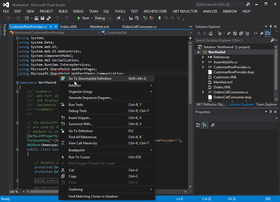
  • Ability to decompile and explore source code for referenced assemblies in Visual Studio,
  • Support for Silverlight XAP files
  • PowerCommands integration

Integrates with Windows Explorer and Visual Studio via Add-in
You can open Visual Studio, and use the .NET Reflector menu to select referenced assemblies you would like to debug into. These assemblies are then decompiled to C# or VB. You can then step into them whilst debugging, set breakpoints, see the values of variables and parameters, etc. In fact, the only debugger functionality that will not work is edit and continue.

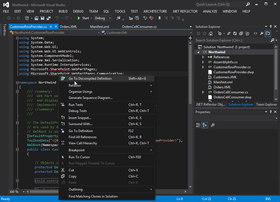
You can also decompile and explore source if you right-click on a project reference, and then click Decompile and Explore on the context menu.

Supported .NET Framework Versions
.NET Reflector requires Microsoft .NET Framework 3.5 or later to run, but can open assemblies compiled against any version of the .NET framework, or Mono.

Supported OS Versions
Windows XP SP2 or later,Windows Server 2003,Windows Vista,Windows Server 2008 & 2008 R2,Windows 7
Supports 32-bit and 64-bit versions of all listed operating systems, where applicable.

Supported Visual Studio Versions
The following versions of Microsoft Visual Studio are supported by the .NET Reflector add-in:

  • Visual Studio 2005
  • Visual Studio 2008
  • Visual Studio 2010

ANTS Memory Profiler 7.0 Release Notes

Features and Enhancements
ANTS Memory Profiler 7 includes a number of new features and enhancements:

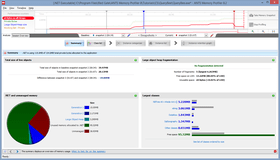
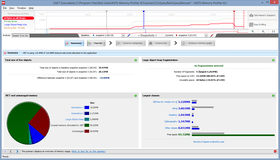
  • Redesigned summary. This gives immediate feedback on where your memory is being used, and now warns you if problems with large object heap fragmentation are detected.
  • New Instance Categorizer graph. Groups the instances of the class that you are investigating by the shortest path to the GC root, allowing you quickly to spot any paths that should not hold references to the instances.
  • Redesigned and reorganized filters.
  • New 'show only survivors in growing classes' filter highlights any classes where no instances were disposed between two snapshots, even though the number of instances of that class increased.
  • Field properties now available on the Instance Retention Graph.
  • Improved support for WPF: Dependency properties now shown with other field properties.
  • Snapshot API lets you take snapshots from your code.

Supported Application Types

  • Executable
  • ASP.NET web application (running in IIS or web development server)
  • Silverlight 4 browser application
  • Windows service
  • COM+ server application
  • XBAP

Supported .NET Framework Versions

Your application must be built for one of the following .NET framework versions:

  • 1.1
  • 2.0
  • 3.0
  • 3.5
  • 4.0
  • Silverlight 4

The .NET 2.0 runtime must be installed for ANTS Memory Profiler to run.

Supported OS Versions

  • Windows XP SP2 or later
  • Windows Server 2003
  • Windows Vista
  • Windows Server 2008
  • Windows 7
  • Windows Server 2008 R2

Supports 32-bit and 64-bit versions of all listed OSs. Windows 2000 is no longer supported.

The following feature requires the .NET 4.0 runtime and Windows Vista or later:

  • Attach to process

Other System Requirements

  • 512 MB RAM (minimum)
  • Internet Explorer 6+
  • 1 GB free hard disk space

To use the ANTS Memory Profiler 7 add-in, you need at least one of the following versions of Microsoft Visual Studio:

  • Visual Studio 2005
  • Visual Studio 2008
  • Visual Studio 2010

Known Issues

  • For some types of application, you may have to run ANTS Memory Profiler as an administrator.
  • If you have Internet Explorer 7 on Windows Vista x64 or Windows Server 2008 x64, it is not possible to profile ASP.NET websites on IIS. Upgrading to Internet Explorer 8 will solve this problem.
  • On Windows Vista and Windows 7, after profiling IIS using attach to process, ANTS Memory Profiler 7 sometimes cannot stop the session. If this happens, restart ANTS Memory Profiler before starting a new profiling session.
  • In some cases, Windows Services do not restart properly after profiling. Use services.msc to restart services if required.
  • To profile an XBAP application, Internet Explorer must be set as your default browser and it must be closed before profiling.
  • To profile a .NET 4 process, you must first disable concurrent garbage collection.
  • A limitation in Windows means that it is not possible to successfully attach to a .NET 4 process more than once.
  • SharePoint 2010 is not supported.
  • The snapshot API does not work with Silverlight applications, due to security restrictions in Silverlight.

ANTS Performance Profiler 6.2 Release Notes

This version removes a dependency on the Microsoft J# runtime, thereby making installation both quicker and more reliable. A number of other minor bug fixes are also included.
Please note that ANTS Performance Profiler 6.2 does not support SharePoint 2010 or Windows Phone 7.


RedGate .NET Developer Bundle includes:

  • ANTS Performance Profiler Pro
  • ANTS Memory Profiler
  • .NET Reflector Pro

ANTS Performance Profiler Pro - Identify bottlenecks and ensure code is performing optimally.

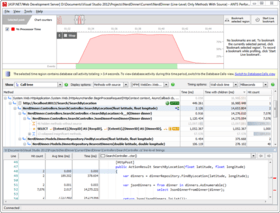
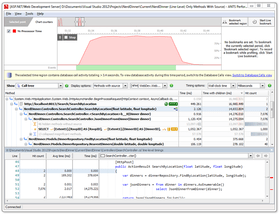
During performance profiling, ANTS Profiler records the time it takes for each line of code to be executed, as you are using your application. Detailed results then reveal the slowest lines of code and methods, allowing you to quickly identify performance bottlenecks and optimize your .NET application accordingly.

  • Identify performance bottlenecks within minutes
  • Fast and responsive – minimal impact on the execution of your program
  • Line-level timing – drill down to the specific lines of code responsible for performance inefficiencies
  • Profile any .NET application, including ASP.NET web applications

ANTS Profiler is available in two editions, Standard and Pro:

Key Features in both editions:

  • Supports .NET executable, Windows service, COM+ Server and ASP.NET web applications (including multi-threaded applications)
  • Line-level code timing
  • Timeline for viewing the profiling data just for a selected region of activity
  • Call Tree which auto-expands the worst performing stack traces

Features available in Pro edition only:

  • Call Graph view for visualizing all the callers and callees for a particular method
  • Method-level code timings (faster profiling modes)
  • Profiling child processes
  • Save profiler results
  • Find / filter functions

ANTS Memory Profiler - Find and fix memory leaks in your .NET applications.

Automatic memory management in .NET makes development a lot easier; however, it's still easy to introduce memory leaks into your application. For example, in a complex application, it's easy to forget to unregister event handlers, and these are notorious for holding on to objects which you don't need to keep in memory any more. This typically leads to an increase in memory usage, which can lead to your application exhibiting poor performance, or even running out of memory and crashing, if it remains unchecked and unresolved. This is where a memory profiler becomes necessary.

Why is it easy to work with ANTS Memory Profiler 5?

  • It shows you where to start, by taking you through the most effective workflow
  • It displays profiling results in a clear, meaningful way, making it easier for you to interpret the information
  • It displays the relationship between objects using graphical representations, so you don't have to build a mental map of your applications' memory usage in your head
  • It offers powerful filtering options, so you can narrow your search down to the object you really need to know about. Filters will help in the analysis of even the most complicated applications

.NET Reflector Pro - Seamlessly debug into third-party code and assemblies, even if you don't have the source code for them.

.NET Reflector v6:
Explore and analyze compiled .NET assemblies, viewing them in C#, Visual Basic and IL.

New features:

  • Jump straight to .NET Reflector from Visual Studio
  • Support for .NET 4 assemblies

.NET Reflector Pro
.NET Reflector Pro is an add-in to Visual Studio that lets you debug third-party code and assemblies, even if you don't have the source.

  • Integrates the power of .NET Reflector into Visual Studio
  • Decompile third-party assemblies from within VS
  • Step through decompiled assemblies and use all the debugging techniques you would use on your own code

Pro Features:

  • Full support for .NET 1.0, 1.1, 2.0, 3.0, 3.5, and 4.0
  • Decompile an entire assembly to either C# or VB to view and debug in Visual Studio
  • Step-through debugging of any assembly in Visual Studio (as long as it's not obfuscated):
    • Step into and set breakpoints anywhere in any assembly
    • Watch variables in the decompiled code
    • Use Visual Studio's advanced debugging features in decompiled code: Set Next Statement, modify variable values, and dynamic expression evaluation in the immediate window

General Features

  • Full support for .NET 2.0, 3.0, 3.5 and 4.0
  • Windows Shell Integration – Run Reflector.exe /register to register file extension
  • Assembly lists for .NET 2.0, 3.0, 3.5, 4.0, Compact Framework 2.0, Compact Framework 3.5, XNA framework, Silverlight, Mono, and Direct X for Managed Code
  • Click navigation of source code
  • Find where types are exposed or instantiated
  • Expand methods
  • Linq query expression support
  • Lambda expression support
  • Anonymous methods and nullable type support
  • Extension method support
  • Context-sensitive documentation view
  • Find virtual method overrides
  • Code URL support – Navigate to code://mscorlib/System.Object in IE
  • Explore resources in assemblies

Support

Purchasing a support contract provides you with free upgrades as well as support.

  • Upgrades - For the duration of the support contract you will not need to pay for upgrades.
  • Support - For the duration of the support contract, you will receive support on the use of the products by email and, if necessary, by telephone or video conference.

Product Search

Enter search words:

Quick Links

Publisher

Primary Category

Related Products

Related Categories

Why buy from ComponentSource?

ComponentSource offers a unique global service, used by over 1,000,000 software developers worldwide.

More Info | About Us

Screenshot Gallery

Click for full screen preview

Screenshot of Red Gate .NET Developer Bundle - Bundle Screenshot of Red Gate .NET Developer Bundle - Bundle Screenshot of Red Gate .NET Developer Bundle - Bundle
Award Award