SQL Backup Pro - Summary

by Red Gate Software - Product Type: Application

Summary

SQL Backup Pro by Red Gate Software

Compressed and encrypted backup and recovery for SQL Server databases. SQL Backup Pro creates smaller, safer, faster backups of SQL Server databases. Backups are compressed, reducing storage space and hardware requirements (often known as "database zip"), they are created in less time than native backups and are securely encrypted. Native SQL Server backups are essentially just a dump of data stored in SQL Server .mdf and .ldf files. This is an inefficient and insecure way of storing backup data as it is stored unencrypted, unprotected and uncompressed. SQL Backup Pro is an enterprise-level tool that scales to meet the needs of larger SQL Server implementations. Access and manage all server backups remotely, from a central, client-based GUI. Secure your data, and meet compliance requirements, with 256-bit AES encryption.


Manage multiple servers' backup operations remotely. Includes enterprise level functionality. SQL Backup is one of the leading tools for creating, compressing and protecting your SQL Server backups. Compatible with SQL Server 2000, 2005 and 2008, it includes a range of features to make backups faster, simpler and more secure. SQL Backup is used by nearly 5,000 organizations worldwide such as GE, 3M, AT&T, Los Alamos National Labs, Unilever, Panasonic and the US Navy.

With SQL Backup you can:
Save time and space – compress database backups by up to 95%for faster backups and restores

Protect your data – use up to 256-bit AES encryption

Monitor your data – graphic visualization of activities to identify problems before they arise

SQL Backup is available in two editions: Proand Lite.

Feature:LitePro

Up to 95% smaller backups*YesYes

Integrates with SQL Server to schedule database backup jobsYesYes

Multiple threads to optimize backup performanceYesYes

SQL Server 2005 compatible backupsYesYes

User-friendly GUIYesYes

Timeline Monitoring™ from the GUI so you can visualize and change the properties of past, present, and future activitiesYesYes

Context-sensitive help fileYesYes

Hints embedded in the GUI, so you can have on-the-spot software supportYesYes

Command-line interface so you can run your backup and restore operations in script and batch filesYesYes

Extended stored procedure to run backup and restore operations using Microsoft SQL Server Management Studio, or database connectivity layers such as ADO or OLE DBYesYes

Compression levelStandardHigh

AES Encryption 256-bitNone256-bit

Enterprise and server level reportsNoYes

Email notificationNoYes

Cluster-aware installation mechanismNoYes

Access and manage all server backups remotely, from a central, client-based GUINoYes

Simple log shipping process with the Log Shipping WizardNoYes

Supports clustersNoYes

Supports 64-bit versions of SQL ServerNoYes

Feature list:

Compression – three levels of compression, giving you a choice to optimize for speed or for size*.

Compression Analyzer – samples data to help you determine which compression level is best suited to your requirements.

Extremely secure backups – with 256-bit AES encryption, SQL Backup Pro secures your backup files from unauthorized access.

Management of restoration is easier and requires less time. Complexity is removed through the filtering options provided.

Makes both backing up and restoring faster– as the time taken to back up is significantly reduced, this will reduce the chance of something going wrong during the backup process.

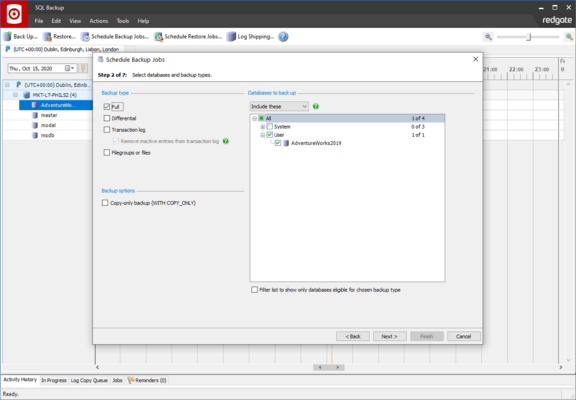
GUI – take advantage of the user-friendly wizards to guide you through the backup and restore process.

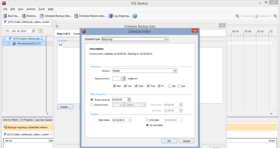
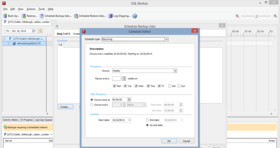
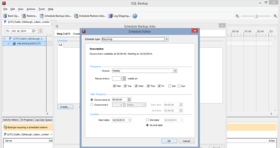
Timeline Monitoring™ lets you visualize the properties of past, current and future activities. The timeline is highly interactive, allowing you to zoom in and out to view potential clashes and the status of backups and restores. With one click, you can quickly change the properties of scheduled backups and restores.

Enhanced backup and restore history are available in both the timeline and the activity history tab, so that you can identify problem areas before they cause backups to fail.

Integrates with SQL Server Agent – so you can schedule database backups to run regularly with no intervention.

Enterprise and server level reporting means you can generate reports across your entire enterprise or just for a single server.

Command-line interface – for power users who want total control of SQL Backup. Use syntax similar to T-SQL's BACKUP and RESTORE commands to set up your maintenance plans.

Extended stored procedure – run backup and restore operations using Microsoft SQL Server Management Studio.

Split backups – take advantage of multi-CPU and high-speed disk array systems to speed up the backup and restore process even further.

Mirrored backups – create two or more backup files simultaneously to different disks, to minimize the possibility of media errors.

Multiple threads within the engine let you achieve backups to a single file faster.

Log Shipping wizard guides you through the process of setting up log shipping backup and restore jobs.

Hints for on-the-spot software support – click the Hints icons on the GUI to read concise tips when you want assistance.

*Please note that if SQL Backup Lite is installed on the SQL Server, you can choose only compression level 0 (no compression) or compression level 1, the default compression level. Level 1 is the fastest compression level, but it can result in larger backup files than backup files produced using compression level 2 or 3. Compression levels 0, 1, 2 and 3 are all available with a SQL Backup Pro license.

PartNumbers: PC-516290-178197 516290-178197 PC-516290-178198 516290-178198 PC-516290-178199 516290-178199 PC-516290-178200 516290-178200 PC-516290-178201 516290-178201 PC-516290-178202 516290-178202 PC-516290-178203 516290-178203 PC-516290-178204 516290-178204 PC-516290-178205 516290-178205 PC-516290-178206 516290-178206 PC-516290-178207 516290-178207 PC-516290-178208 516290-178208 PC-516290-178209 516290-178209 PC-516290-178210 516290-178210 PC-516290-178211 516290-178211 PC-516290-178212 516290-178212 PC-516290-178213 516290-178213 PC-516290-178214 516290-178214 PC-516290-178215 516290-178215 PC-516290-178216 516290-178216 PC-516290-178217 516290-178217

Publisher PartNumbers: P48U10M0 P48U10M12 P48U10M24 P48U10M36 P48U1M0 P48U1M12 P48U1M24 P48U1M36 P48U5M0 P48U5M12 P48U5M24 P48U5M36

PurchaseOptions: SQL Backup Pro V5.4 1 User License , SQL Backup Pro V5.4 5 User License , SQL Backup Pro V5.4 10 User License , SQL Backup Pro V5.4 with 12 Months of Support and Upgrades 1 User License , SQL Backup Pro V5.4 with 12 Months of Support and Upgrades 5 User License , SQL Backup Pro V5.4 with 12 Months of Support and Upgrades 10 User License , SQL Backup Pro V5.4 with 24 Months of Support and Upgrades 1 User License , SQL Backup Pro V5.4 with 24 Months of Support and Upgrades 5 User License , SQL Backup Pro V5.4 with 24 Months of Support and Upgrades 10 User License , SQL Backup Pro V5.4 with 36 Months of Support and Upgrades 1 User License , SQL Backup Pro V5.4 with 36 Months of Support and Upgrades 5 User License , SQL Backup Pro V5.4 with 36 Months of Support and Upgrades 10 User License , SQL Backup Pro V5.4 Renewal License - 12 Months of Support and Upgrades 1 User Renewal License , SQL Backup Pro V5.4 Renewal License - 12 Months of Support and Upgrades 5 User Renewal License , SQL Backup Pro V5.4 Renewal License - 12 Months of Support and Upgrades 10 User Renewal License , SQL Backup Pro V5.4 Renewal License - 24 Months of Support and Upgrades 1 User Renewal License , SQL Backup Pro V5.4 Renewal License - 24 Months of Support and Upgrades 5 User Renewal License , SQL Backup Pro V5.4 Renewal License - 24 Months of Support and Upgrades 10 User Renewal License , SQL Backup Pro V5.4 Renewal License - 36 Months of Support and Upgrades 1 User Renewal License , SQL Backup Pro V5.4 Renewal License - 36 Months of Support and Upgrades 5 User Renewal License , SQL Backup Pro V5.4 Renewal License - 36 Months of Support and Upgrades 10 User Renewal License

Resources: Read the SQL Backup Data sheet, Read the Red Gate End User License Agreement, Download the SQL Toolbelt evaluation on to your computer - Expires after 14 days

Operating System for Deployment: Windows Vista, Windows XP, Windows Server 2003, Windows 2000

Architecture of Product: 32Bit, 64Bit

Product Type: Application

Compatible Containers: Microsoft SQL Server 2008, Microsoft SQL Server 2005, Microsoft SQL Server 2000

Keywords: Database DB Reporting Report reports SQL query language Red Gate Software Red-Gate RedGate Database DB Management Storage Store Professional Partner SQL Server Red Gate DTS jobs logins DBAs DBA Database analysis comparison reference packages sql server configuration Compare synchronization SQL standard query language database databases querying queries access server redgate

Product Search

Enter search words: