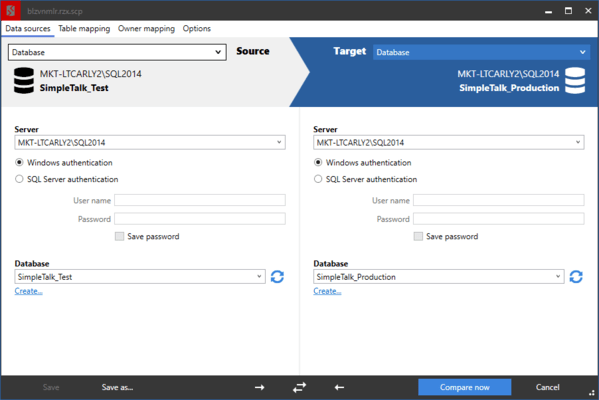
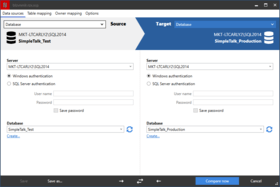
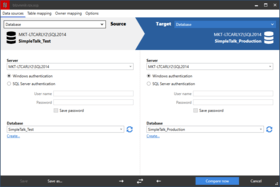
Screenshot Preview

SQL Compare Pro

by Red Gate Software - Product Type: Application

Compare and synchronize SQL Server database schemas. SQL Compare is a tool for comparing and synchronizing SQL Server database structures. It is used by over 150,000 database administrators, developers and testers. SQL Compare automates the process of distributing database changes made on a local database to testing, staging or live databases on remote servers. SQL Compare Pro contains a command-line interface and you can compare and synchronize SQL Server database schemas and automate tasks.

From
$583.10
Price in

Our regular prices are shown below. Please logon to see your discounted prices.

SQL Compare Pro 10.0  

Add to Cart $ 583.10 1 User License
Mfr. Part No: P49U1M0
Download (79.6 MB)
Add to Cart $ 2,332.40 5 User License
Mfr. Part No: P49U5M0
Download (79.6 MB)
Add to Cart $ 4,081.70 10 User License
Mfr. Part No: P49U10M0
Download (79.6 MB)

SQL Compare Pro 10.0 with 12 Months of Support and Upgrades  

Add to Cart $ 729.12 1 User License
Mfr. Part No: P49U1M12
Download (79.6 MB)
Add to Cart $ 2,915.50 5 User License
Mfr. Part No: P49U5M12
Download (79.6 MB)
Add to Cart $ 5,101.88 10 User License
Mfr. Part No: P49U10M12
Download (79.6 MB)

SQL Compare Pro 10.0 with 24 Months of Support and Upgrades  

Add to Cart $ 875.14 1 User License
Mfr. Part No: P49U1M24
Download (79.6 MB)
Add to Cart $ 3,498.60 5 User License
Mfr. Part No: P49U5M24
Download (79.6 MB)
Add to Cart $ 6,123.04 10 User License
Mfr. Part No: P49U10M24
Download (79.6 MB)

SQL Compare Pro 10.0 with 36 Months of Support and Upgrades  

Add to Cart $ 1,020.18 1 User License
Mfr. Part No: P49U1M36
Download (79.6 MB)
Add to Cart $ 4,081.70 5 User License
Mfr. Part No: P49U5M36
Download (79.6 MB)
Add to Cart $ 7,143.22 10 User License
Mfr. Part No: P49U10M36
Download (79.6 MB)

SQL Compare Pro 10.0 Renewal License - 12 Months of Support and Upgrades  

Add to Cart $ 149.00 1 User Renewal License Verify Download (79.6 MB)
Add to Cart $ 595.00 5 User Renewal License Verify Download (79.6 MB)
Add to Cart $ 1,041.00 10 User Renewal License Verify Download (79.6 MB)

SQL Compare Pro 10.0 Renewal License - 24 Months of Support and Upgrades  

Add to Cart $ 298.00 1 User Renewal License Verify Download (79.6 MB)
Add to Cart $ 1,190.00 5 User Renewal License Verify Download (79.6 MB)
Add to Cart $ 2,083.00 10 User Renewal License Verify Download (79.6 MB)

SQL Compare Pro 10.0 Renewal License - 36 Months of Support and Upgrades  

Add to Cart $ 446.00 1 User Renewal License Verify Download (79.6 MB)
Add to Cart $ 1,785.00 5 User Renewal License Verify Download (79.6 MB)
Add to Cart $ 3,124.00 10 User Renewal License Verify Download (79.6 MB)

Our prices include ComponentSource technical support and, for most downloadable products, an online backup and a FREE upgrade to the new version if it is released within 30 days of your purchase.  All sales are made on our standard Terms and Conditions and subject to our Return Policy. Please contact us if you require any licensing option not listed above including volume licensing and previous versions.

Our regular prices are shown above. Please logon to see your discounted prices.

What's New in SQL Compare 10

  • Migration script support - SQL Source Control 3.0 enables you to create migration scripts between two versions of a database.
  • Table mapping - Map together tables and columns with different names; this can be useful to prevent data loss when deploying tables or columns that have been renamed.
  • Creating a new database to compare - Useful if you want to create a copy of the source database.
  • Comparing revisions from SQL Source Control - Select specific versions of a source-controlled database to compare.
  • New command line switches - AbortOnWarnings, IgnoreSourceCaseSensitivity, LogLevel, ShowWarnings, Version2.
  • New project options - Add object existence checks, use DROP and CREATE instead of ALTER, Ignore migration scripts for databases.
  • Connect to SQL Server 2012 (Denali) servers.
  • Transaction Isolation Level application option - Set the transaction isolation level used in deployment scripts. You can use this option to prevent deployment errors when using linked servers.

What's New in SQL Compare 9
SQL Compare 9.0 now supports SQL Azure databases.

What's New in SQL Compare V8.5
New Features:

  • A free add-in for SQL Server Management Studio that enables you to set data sources to compare and synchronize from within SQL Server Management Studio
  • Fast deployment and Fast deployment projects: synchronization with one click (Pro feature)
  • Support of handling databases under SQL Source Control (using the add-in)

SQL Compare 8.2 is a minor release, including a number of bug fixes.

  • Better handling of encrypted objects
  • SQL Compare now correctly synchronizes the user permission: View Change Tracking
  • The command line interface now correctly displays script parser errors
  • The command line interface now displays a synchronization script correctly when synchronizing two scripts folders
  • The interactive HTML report can now be viewed without an internet connection
  • Other minor user interface issues

SQL Compare Pro - for simpler automation, versioning and source control integration:

  • Compare and synch with a set of script files.
  • Object Level Restore from a backup file.
  • Includes SQL Changeset for integrated checkin/edit/checkout.
  • Accesses command-line interface.

SQL Compare compares and synchronizes SQL Server database schemas.
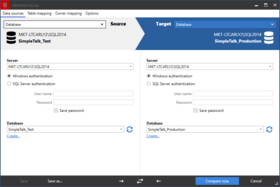
  • Automate database comparisons
  • Synchronize your databases
  • Work with SQL scripts, snapshots, backups or live databases
  • Save hours of tedious work and eliminate manual scripting errors
  • Full support for SQL Server 2008

SQL Compare is an industry-standard tool for comparing and synchronizing SQL Server database schemas. It is used by over 150,000 developers, DBAs and test engineers worldwide because it is easy to use, it is fast, and it saves time. Whether you are working with live databases, database snapshots, object SQL scripts under source control or an earlier backup, SQL Compare will help you compare and synchronize database changes quickly, simply and with zero errors.

Read the whitepaper on database development in the Evals & Downloads section and discover how SQL Compare can save you time, whatever development model your team prefers to use. SQL Compare ensures accurate, fast results with maximum end-user flexibility.

Some of the procedures SQL Compare will automate for you:

  • Comparing two databases or a database with SQL scripts
  • Generating synchronization scripts
  • Taking database snapshots and comparing them – useful for audit trails
  • Comparing with a previous backup, ideal for database versioning
  • Executing "right-first-time" database synchronizations

Feature list:

  • Comparison and synchronization of SQL Server 2000, 2005 and 2008 database schemas, eliminating hours of tedious, error-prone manual work.
  • Comparison andsynchronizationof live databases or snapshots
  • Work directly withSQL script files under source control (Pro edition).
  • Compare and deploy from backups, whether native SQL Server (2000 – 2008) or Red Gate SQL Backup, compressed and uncompressed formats (Pro edition).
  • Deploy a live database from a set of object SQL scripts (Pro edition).
  • Integrate with your source control system with SQL Changeset (Pro edition).
  • Generate synchronization script so databases can be perfectly synchronized.
  • Support for all schema objects, including, but not limited to, tables, stored procedures, views, user-defined functions, XML schema collections, and CLR Assemblies.
  • Quickly produces comparison results and synchronization scripts.
  • Dependency checking so objects are scripted in the correct order for updates. Database objects are scripted in the correct order even if SQL metadata (sysdepends) is broken.
  • Provides warnings about anything you need to be aware of prior to running a SQL synchronization script.
  • Graphical comparison of differences in Microsoft SQL Server database schemas.
  • Save scripts for use later.
  • Save schema snapshots for audit and roll-back purposes.
  • Generate reports in HTML or Excel for an audit trail of database changes.
  • Offline comparison ability so you can compare disconnected databases.

For comparing and synchronizing database contents, check out SQL Compare's companion product, SQL Data Compare.


Support

Purchasing a support contract provides you with free upgrades as well as support.

  • Upgrades - For the duration of the support contract you will not need to pay for upgrades.
  • Support - For the duration of the support contract, you will receive support on the use of the products by email and, if necessary, by telephone or video conference.

Product Search

Enter search words:

Quick Links

Publisher

Primary Category

Related Products

Related Categories

Why buy from ComponentSource?

ComponentSource offers a unique global service, used by over 1,000,000 software developers worldwide.

More Info | About Us

Award