我们的常规价格如下。 请登录后查看打折后的价格。
SlickEdit 2011 for Windows
| 加入购物车 |
$ 293.02 |
1个程序员具名用户License Mfr. 部件号: SWB-N2011-STD |
|
下载 (117.1 MB) |
| 加入购物车 |
$ 420.42 |
1个程序员并行用户 License Mfr. 部件号: SWB-N2011-CON # |
|
下载 (117.1 MB) |
SlickEdit 2011 for Windows - Upgrade License
| 加入购物车 |
$ 135.53 |
1个程序员具名用户升级License,可从SlickEdit 2009 or 2010升级 Mfr. 部件号: UWB-N2011-STD |
验证 |
下载 (117.1 MB) |
| 加入购物车 |
$ 194.03 |
1个程序员并行用户升级License,可从SlickEdit 2009 or 2010升级 Mfr. 部件号: UWB-N2011-CON # |
验证 |
下载 (117.1 MB) |
SlickEdit 2011 for Windows - Maintenance and Support License
| 加入购物车 |
$ 66.00 |
维护和支持License 1个程序员 具名用户 Mfr. 部件号: WBMAINT11 |
验证 |
下载 (29 KB) |
| 加入购物车 |
$ 95.00 |
维护和支持License 1个程序员 并行用户 Mfr. 部件号: WBMAINT11-CON # |
验证 |
下载 (29 KB) |
我们的价格包括ComponentSource的技术支持。对于大多数可下载的产品,还提供在线备份和免费升级为新版本,若新版本在购买后的30日内发布的话。 所有销售都是按照我们的标准条款 进行的,并且适用我们的退货政策. 请 联系我们 若您需要任何未在上面列出的License选择,包括批量License及以前的版本。
我们的常规价格见上。 请登录后查看打折后的价格。
What's New in SlickEdit 2010
- File Tabs Enhancements - Now you can order the files tabs by most recently opened, most recently viewed, and by dragging and dropping to manually order the tabs. An icon has been added to the File Tabs tool window to display a list of open buffers so that you can select one to edit.
- WinDbg Support - You can now use the SlickEdit debugger front end with WinDbg, allowing you to debug applications on Microsoft Windows without having MS Visual Studio installed.
- Set Options for All Languages - SlickEdit now provides the capability to set many options for all languages instead of for each language you use.
- Microsoft Visual Studio 2010 Support - SlickEdit has been updated to support changes to the project files introduced in Visual Studio 2010.
- Subword Navigation - To facilitate navigation, copying, and deletion within a symbol name, Subword Navigation will stop at words within CamelCased words, and also following an underscore or dash. This feature can be enabled for all languages by selecting Tools → Options → Editing → Cursor Movement and setting Subword Navigation to True.
- Auto-Close and Overtype - Typing an open parenthesis, square bracket, angle bracket, double quote or single quote will automatically insert the corresponding closing symbol. When the cursor is positioned in front of a closing symbol, typing the closing symbol will move the cursor after the closing symbol instead of inserting another closing symbol. This feature can be configured for each language.
- Subversion History - When using the Subversion source control tool, SlickEdit builds a version cache that allows us to quickly build and display a version history for the file, including branches.
- Subversion File Status - File trees and lists, such as the Project tool window, now display different icons next to file names to represent their status in SVN.
- Eclipse Emulation - An Eclipse emulation has been added that contains the key bindings for commonly used operations. To enable this emulation select Tools → Options → Keyboard and Mouse → Emulation.
- Doc Comment Updates - You can now update an existing doc comment to match changes made in the function signature.
- Google Web Toolkit Support - SlickEdit now includes support for the Google Web Toolkit, used to build browser-based applications. New Java and Python project types are provided to help build and deploy your code.
- Outline View for XML - The Defs tool window can now show a customizable outline for XML files. This displays the information you find interesting so you can better understand and navigate these files.
- Notifications - SlickEdit displays icons in the status line to notify you of actions being performed by the editor. A pop-up message is briefly displayed with additional information about that operation. Different notification icons are displayed for background tasks, feature notifications, and when the debugger is listening for a connection.
- Product Improvement Program - This feature collects anonymous information about your use patterns in SlickEdit. It reports on things like the languages, project types, and tool windows you use. This information will help SlickEdit to make better choices for future enhancements. No personally identifying information, source code, file names, project names, workspace names, or other confidential information is sent. You can opt out of the program using Tools → Quick Start Configuration or by selecting Tools → Options → Application Options → Product Improvement Program.
Additional Enhancements - Along with the new features listed above, SlickEdit have made many other enhancements in SlickEdit 2010. The following are particularly noteworthy:
- Backup History Enhancements: Backup History now allows you to store a comment with any entry in the history list. This is helpful when you have a long list of revisions and you need to find a specific one.
- Tagging for Properties Files: Tagging is now extended to .property files to allow navigation between property references and their declarations.
- Tagging for Docbook: Docbook files are now tagged to allow navigation between elements with IDs (such as sect1 and sect2) and references to those elements (such as xref).
- Basic language support for Erlang, Haskell, F#: Color coding and basic tagging support is now offered for these languages.
New in SlickEdit 2009
- Symbol Coloring
- Smart Open - File Open Enhancements
- Code Diff
- Export and Import Options
- Quick Start Configuration Wizard
- Python Debugger
- PHP Debugger
- Perl Debugger
- Relocatable Bookmarks and Breakpoints
- System Verilog Language Support
- Vera Language Support
- D Language Support
New features in 2008 include:
- URLs Treated as Links
- Message List
- Adaptive Formatting
- Quick Brace/Unbrace
- Perl Regular Expressions
- Auto Symbol Translation
- New Clipboards Tool Window
- New hierarchical options dialog
New in SlickEdit
- XML/HTML Formatting - Automatically format XML/HTML as you edit according to user-defined formatting schemes
- Dynamic Surround - Type a block keyword, and then use the arrow keys to pull subsequent lines into the block, indented at the correct levels
- Windows Vista and Solaris x86 Support - SlickEdit 2007 is now available on Microsoft Windows Vista and Solaris x86
For more details, please refer to the SlickEdit New Features Document from the Evals & Downloads page.
速度
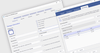
从你开始启动SlickEdit的那一刻起,您就能体验到它的速度。 如要进行快速修改,您可以以比其他IDE完成载入更少的时间完成启动SlickEdit,进行编辑并关闭的全过程。 由于此引擎是本机的C++, 您会享受到键盘和鼠标命令的快速响应。 SlickEdit 还包含各种醒目想到,通过自动完成项目设置的步骤,更快地进入实际的编程阶段。
SlickEdit 采用其智能化的方式自动完成符号并对功能语法进行扩展。 对于大多数语言,SlickEdit 会在您打字的时候自动缩进,在合适的缩进水平粘贴代码,并且可通过按钮的接触来对代码进行美化。 Java Live Errors 可在您打字的时候将出现的任何语法错误通知您,为您剩下解决编辑错误的时间。 一些先进的功能,如Surround With,允许您选择一个代码块,并用针对特定语言的结构将其环绕。 SlickEdit还有许多可实现快速代码编写的内部功能等待您的尝试。
实力
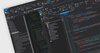
程序员在编程时需要有实力,而SlickEdite则为您提供这种实力。 在编代码时,SlickEdit可提供出色的符号分析。 SlickEdit可为40种所支持的语言中的多数提供智能编码辅助,可在代码的编写过程中进行表达式类型、范围和继承的分析。 SlickEdit能在某个函数的操作符被键入的时候自动显示其的原型,并在敲入一个成员访问操作符时将成员列出。
SlickEdit可轻松实现对代码的导航。 SlickEdit的受标签驱动的导航引擎允许一个用户跳到一个符号的定义或在整个项目过程中用到的地方,及时文件所包含的结果当前并未打开。
SlickEdit的 C++ 重整(refactoring)引擎是无与伦比的。 通过18个不同的重整,包括解压方法和参数列表,SlickEdit能在您进行重整操作时节省大量的时间。 SlickEdit 允许您对重整引擎所作的每项改变进行审核、接受或拒绝。
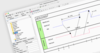
如果您需要对文件/项目进行区分或将多个文件合并起来,SlickEdit的区分和合并工具会为您提供终极的功能。 SlickEdit 允许您对两个文件、两个目录或两个源树进行比较,提供传统的文件差异视图和符号差异视图。 SlickEdit 还会在区分和合并操作的过程中向您提供完整的编辑功能,从而节省您的时间。
灵活性
每个程序员都有各自的编码风格,并且在以自己的方式编写代码时最有效率。 SlickEdit 认识到了这一点并对其工具进行了专门的设计,以支持各种编程的风格。 从工作空间开始,几乎所有内容都可以进行配置。 所有窗口都是可对接的、标签可以移动到任何位置,工具条则是可以隐藏的。 字体和颜色是完全可定制的,包括背景、文字和各种类型的符号。
SlickEdit支持13中不同的键盘绑定模拟,您还可以对任何键进行重新绑定,并将操作符绑定到鼠标滚轮。 在查看代码时,可对代码折叠、软环绕、六进制视图、行号的现实和专用字符等进行配置。 甚至用SlickEdit进行搜索都是灵活的。 受语法驱动的搜索允许您将搜索限定为特定的代码元素,例如包括/不包括注释、符号和字串等。
功能:
- 代码导航 - 用Ctrl+Dot键从符号跳到其定义。 用Ctrl+/ 列出当前符号的所有索引,并可选择跳到第一条索引。
- 预览工具窗口 - 在编辑器窗口中显示当前符号的定义,允许您在不另外打开缓存的情况下对定义进行观察。
- 索引工具窗口 - 显示符号的索引列表。 敲击一次键盘打开当前符号的索引视图,或者您可以在符号的下拉列表中输入或选择一个符号。
- 语法扩展- 在输入首个关键词后,可展开共用块结构(if, for, try, 等)。
- Surround With - 用于通过新的结构(if, for, try, etc.)来环绕现有代码行。 现有代码会自动放置在括号内,且
- 进行缩进。
- Auto-Completions - 在您打字时,可通过自动完成符号的输入减少键盘的敲击次数。
- DIFFzilla® - 提供可编辑的文件、目录和资源树的动态区分和合并。
- 注释的环绕- 在您打字的过程中自动将注释环绕到下一行。
- 自动行选择 - 单行或多行的行选择会粘贴到当前代码行的上方或下方。
- SmartPaste® - 在粘贴时,行选择可以自动格式化。