Softek Barcode Reader Toolkit for Linux

by Softek Software - Product Type: Component / DLL / Static Link Library

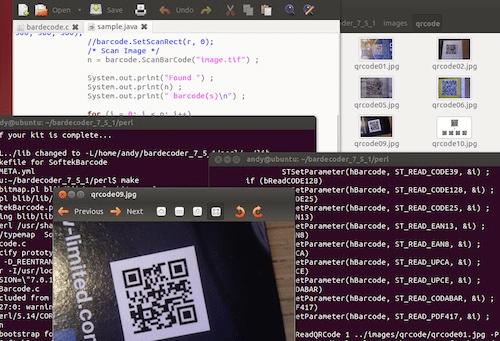
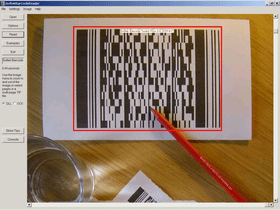
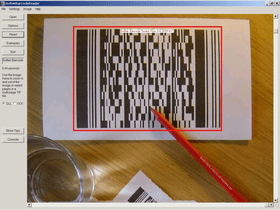
Screenshot of Softek Barcode Reader Toolkit for Linux - Static and Dynamic Link Library - V7.1.2aReads barcodes from image files. Softek Barcode Toolkit for Linux reads barcodes from TIF and JPG files. Imaging applications can use the toolkit to read barcodes strings from scanned documents and cross reference them against database tables. The toolkit supports both Shell and 'C' programming interfaces and supports all the common barcode formats. All licenses include 12 months Support and Upgrade Cover

From
$244.02
Price in

Our regular prices are shown below. Please logon to see your discounted prices.

Softek Barcode Reader Toolkit for Linux V7.1.2a

Add to Cart $ 244.02 1 User/Developer License (Not Run-time Royalty Free) includes 1 Year Support and Upgrade Cover Download (862 KB)
Add to Cart $ 489.02 4 User/Developer License (Not Run-time Royalty Free) includes 1 Year Support and Upgrade Cover Download (862 KB)
Add to Cart $ 783.02 8 User/Developer License (Not Run-time Royalty Free) includes 1 Year Support and Upgrade Cover Download (862 KB)
Add to Cart $ 979.02 1 Server License (Not Run-time Royalty Free) includes 1 Year Support and Upgrade Cover Download (862 KB)
Add to Cart $ 2,939.02 1 Site Wide License (Allows Unlimited Users/Developers at a Single Physical Address) (Not Run-time Royalty Free) includes 1 Year Support and Upgrade Cover Download (862 KB)
Add to Cart $ 2,939.02 1 Distribution License (Allows you to deploy your application externally outside your organization) includes 1 Year Support and Upgrade Cover Verify Download (32 KB)
Add to Cart $ 146.02 1 User/Developer Upgrade License from previous versions (Not Run-time Royalty Free) includes 1 Year Support and Upgrade Cover Verify Download (862 KB)

Softek Barcode Reader Toolkit for Linux

Add to Cart $ 1,000.00 Source Code Escrow Annual Subscription - (An Escrow Agreement will be sent to you for signature - please read Licensing section below) Download (43 KB)

Softek Barcode Reader Toolkit for Linux - Support and Upgrade Cover Renewals

Add to Cart $ 48.02 Cost Level A Support and Upgrade Cover Renewal Verify Download (21 KB)
Add to Cart $ 97.02 Cost Level B Support and Upgrade Cover Renewal Verify Download (21 KB)
Add to Cart $ 195.02 Cost Level C Support and Upgrade Cover Renewal Verify Download (21 KB)
Add to Cart $ 293.02 Cost Level D Support and Upgrade Cover Renewal Verify Download (21 KB)
Add to Cart $ 391.02 Cost Level E Support and Upgrade Cover Renewal Verify Download (21 KB)
Add to Cart $ 489.02 Cost Level F Support and Upgrade Cover Renewal Verify Download (21 KB)
Add to Cart $ 587.02 Cost Level G Support and Upgrade Cover Renewal Verify Download (21 KB)

This product is available on the GSA Pricing ScheduleOur prices include ComponentSource technical support and, for most downloadable products, an online backup and a FREE upgrade to the new version if it is released within 30 days of your purchase.  All sales are made on our standard Terms and Conditions and subject to our Return Policy. Please contact us if you require any licensing option not listed above including volume licensing and previous versions.

Our regular prices are shown above. Please logon to see your discounted prices.

The Softek Barcode Toolkit enables application programmers to read barcodes from image files. The image files can be from any source, but will typically come from a scanner or computer fax modem. The barcode recognition engine is contained in a single library file, which makes product upgrades a simple matter. The application programmer can use either the Shell or the 'C' interface. The choice of interface will depend on the type of language being used and the type of application to be developed.

A few lines of code are all that is needed to read a barcode from an image. As can be seen from this example using the 'C' interface:

hBarcode = STCreateBarCodeSession() ;
bar_count = STReadBarCode(hBarcode, file, 0, &bar_codes, &bar_codes_type) ;
for (i = 0; i < bar_count; i++)
{
printf ('Barcode = %s\n', bar_codes[i]) ;
}

Using the Shell interface is even simpler:

$ ./bardecode -t any -j 1 -f file.tif
1234567890

Image Formats:

  • TIF
  • JPG

The following types of barcode are currently supported:

  • CODE-39
  • CODE-128
  • CODE-2-of-5 Interleaved
  • Codabar
  • EAN-8
  • EAN-13
  • Patch Codes
  • UPC-A
  • UPC-E

Barcode Widths:

The main requirement is for each black or white bar in a barcode to be clearly visible on the image. All barcodes have at least 2 sizes of bar and the image needs to be of high enough quality to show this. For example, a Code 39 barcode consists of 9 bars per character, of which 3 must be wide and 6 must be narrow. The wide bars should be around 2.5 times the size of the narrow bars - but for simplicity we will say 2 times the size. This means that each character needs at least 12 pixels in an image. This assumes that each pixel in the image lies either entirely in a black bar or entirely in a white bar. In practise, this isn't possible and so the resolution should allow around 36 pixels per character.

So, to encode a string of 10 characters (including the start and stop *) you will need at around 360 pixels. If the barcode is 1 inch wide on the paper then you will need to scan at a resolution of around 400 DPI. If the barcode is 2 inches wide then you will need to scan at a resolution of at least 200 DPI.

Some types of barcode have more than 2 widths of bar and a higher resolution still will be needed to ensure that the different widths can be distinguished on the image.

As for barcode height - if you have a very wide barcode then you need to ensure that it is high enough to cope with any skewing that takes place when the image is scanned.

In summary - the success of a project can depend on specifying the correct barcode size and image resolution.

  • Code 39 Number of Characters 10, Minimum Number of Pixels (approx) 340
  • Code 2 of 5 (interleaved) Number of Characters 10, Minimum Number of Pixels (approx) 190
  • Code 128 (code set A) Number of Characters 10, Minimum Number of Pixels (approx) 280
  • Code 128 (code set B) Number of Characters 10, Minimum Number of Pixels (approx) 280
  • Code 128 (code set C) Number of Characters 10, Minimum Number of Pixels (approx) 170
  • EAN-13 Number of Characters 13, Minimum Number of Pixels (approx) 190
  • EAN-8 Number of Characters 8, Minimum Number of Pixels (approx) 140
  • UPC-A Number of Characters 12, Minimum Number of Pixels (approx) 190
  • UPC-E Number of Characters 8, Minimum Number of Pixels (approx) 120

Product Search

Enter search words:

Award