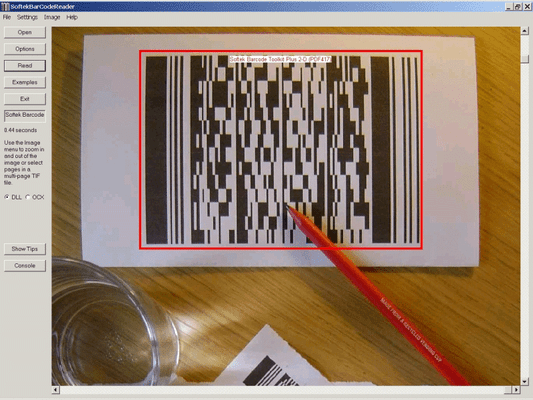
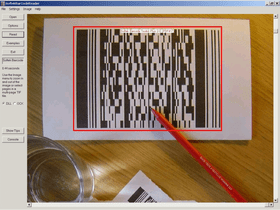
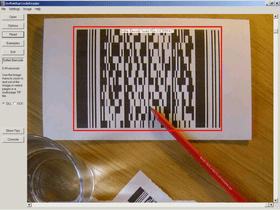
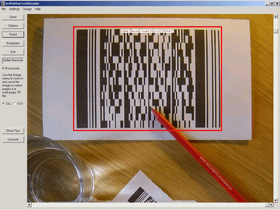
Screenshot Preview

Softek Barcode Toolkit PDF Extension

经 Softek Software - 产品类型: 构件 / .NET WinForms / 100% 受控代码 / ActiveX OCX / ActiveX DLL

‏请注意: 除非另有说明,此为英语产品

*

Extend the functionality of the Barcode Toolkit for Windows to read barcodes from PDF documents. Softek Barcode Reader Toolkit lets you read barcodes from image files and bitmaps held in memory. Developers have a choice of 4 different types of interface and access to several example projects. The toolkit also includes free controls to display images and create Code 39 barcodes.

$195.02
价格

‏我们的常规价格如下。 请登录后查看打折后的价格。

Softek Barcode Toolkit PDF Extension V7.4.2.3 - Desktop Developer Licenses   *

加入购物车 $ 195.02 1-3 Desktop Developer Licenses, price per License  *
Mfr. 部件号: 103/1
验证 下载 (15.8 MB)
加入购物车 $ 97.02 4-7 Desktop Developer Licenses, price per License  * 验证 下载 (15.8 MB)
加入购物车 $ 77.42 8 or More Desktop Developer Licenses, price per License  * 验证 下载 (15.8 MB)

Softek Barcode Toolkit PDF Extension V7.4.2.3 - Desktop Run-Time Licenses   *

加入购物车 $ 195.02 1-3 Desktop Run-Time Licenses, price per License  *
Mfr. 部件号: 103/2
验证 下载 (15.8 MB)
加入购物车 $ 97.02 4-7 Desktop Run-Time Licenses, price per License  * 验证 下载 (15.8 MB)
加入购物车 $ 77.42 8 or More Desktop Run-Time Licenses, price per License  * 验证 下载 (15.8 MB)

Softek Barcode Toolkit PDF Extension V7.4.2.3 - Royalty-Free Distribution
(Requires developers are licensed with Desktop Developer Licenses)   *

加入购物车 $ 587.02 1 Server License  *
Mfr. 部件号: 103/3
验证 下载 (15.8 MB)
加入购物车 $ 351.82 2-3 Server Licenses, price per License  * 验证 下载 (15.8 MB)
加入购物车 $ 293.02 4-7 Server Licenses, price per License  * 验证 下载 (15.8 MB)
加入购物车 $ 234.22 8 or More Server Licenses, price per License  * 验证 下载 (15.8 MB)
加入购物车 $ 1,959.02 Site License  *
Mfr. 部件号: 103/4
验证 下载 (15.8 MB)
加入购物车 $ 1,959.02 Desktop Distribution License  *
Mfr. 部件号: 103/5
验证 下载 (15.8 MB)
加入购物车 $ 2,939.02 Desktop & Server Distribution License  *
Mfr. 部件号: 103/6
验证 下载 (15.8 MB)

我们的价格包括ComponentSource的技术支持。对于大多数可下载的产品,还提供在线备份和免费升级为新版本,若新版本在购买后的30日内发布的话。  所有销售都是按照我们的标准条款 进行的,并且适用我们的退货政策. 请 联系我们 若您需要任何未在上面列出的License选择,包括批量License及以前的版本。 

‏我们的常规价格见上。 请登录后查看打折后的价格。

 *

The Softek Barcode Toolkit for Windows PDF Extension enables you to read barcodes from PDF documents.

The PDF Extension adds PDF capability to the following interfaces of the Windows version of the toolkit:

  • Standard Windows DLL
  • COM Object
  • VB Wrapper Class
  • ActiveX/OCX

Please note: PDF capability cannot currently be added to the Managed Component. PDF capability can only be added to version 6.1.0 or later of the Softek Barcode Toolkit for Windows.

The Softek Barcode Toolkit enables application programmers to read barcodes from image files and bitmaps held in memory. The image files can be from any source, but will typically come from a scanner or computer fax modem. The barcode recognition engine is contained in a single library file, which makes product upgrades a simple matter. The application programmer has the choice of 4 different interfaces to choose from. The choice of interface will depend on the type of language being used and the type of application to be developed.

A few lines of code are all that is needed to read a barcode from an image. As can be seen from this example using the Active X control:

nBarStrings = SoftekBarcode1.ScanBarCode(ImageFile)
If (nBarStrings > 0) Then
    For n = 1 To nBarStrings
    BarString = SoftekBarcode1.GetBarString(n)
    MsgBox (BarString)
    Next n
End If

As the above code shows, it’s a simple two-step process to read a barcode.

Softek Barcode Reader Toolikit has the following Toolkit interfaces:

  • DLL Interface - The DLL allows programmers to access the properties and methods of the toolkit via functions prefixed with "st". For example, the ScanBarcode method is called stScanBarcode and the LineJump property can is set and retrieved using the functions SetLineJump and GetLineJump
  • Active X Control or OCX - The Active X Control can be embedded in a form or dialog and the methods and properties of the toolkit accessed through the associated object
  • Visual Basic Wrapper Class - The wrapper class provides access to the DLL via a simple Visual Basic class. Most of the properties and methods of the toolkit are supported through this interface
  • COM Object - The COM object allows access to most of the properties and methods in the toolkit, although some of the methods differ slightly in operation from the other interfaces.
  • 100% Managed .Net Component - The managed component allows programmers working within the .Net framework to access most of the methods and properties of the toolkit. This interface is also thread safe

Image Formats:

  • TIF
  • JPG
  • BMP

The following types of barcode are currently supported:

  • CODE-39
  • CODE-128
  • CODE-2-of-5 Interleaved
  • Codabar
  • EAN-8
  • EAN-13
  • Patch Codes
  • UPC-A
  • UPC-E

Barcode Widths:
The main requirement is for each black or white bar in a barcode to be clearly visible on the image. All barcodes have at least 2 sizes of bar and the image needs to be of high enough quality to show this. For example, a Code 39 barcode consists of 9 bars per character, of which 3 must be wide and 6 must be narrow. The wide bars should be around 2.5 times the size of the narrow bars - but for simplicity we will say 2 times the size. This means that each character needs at least 12 pixels in an image. This assumes that each pixel in the image lies either entirely in a black bar or entirely in a white bar. In practise, this isn't possible and so the resolution should allow around 36 pixels per character.

So, to encode a string of 10 characters (including the start and stop *) you will need at around 360 pixels. If the barcode is 1 inch wide on the paper then you will need to scan at a resolution of around 400 DPI. If the barcode is 2 inches wide then you will need to scan at a resolution of at least 200 DPI.

Some types of barcode have more than 2 widths of bar and a higher resolution still will be needed to ensure that the different widths can be distinguished on the image.

As for barcode height - if you have a very wide barcode then you need to ensure that it is high enough to cope with any skewing that takes place when the image is scanned.

In summary - the success of a project can depend on specifying the correct barcode size and image resolution.

  • Code 39 Number of Characters 10, Minimum Number of Pixels (approx) 340
  • Code 2 of 5 (interleaved) Number of Characters 10, Minimum Number of Pixels (approx) 190
  • Code 128 (code set A) Number of Characters 10, Minimum Number of Pixels (approx) 280
  • Code 128 (code set B) Number of Characters 10, Minimum Number of Pixels (approx) 280
  • Code 128 (code set C) Number of Characters 10, Minimum Number of Pixels (approx) 170
  • EAN-13 Number of Characters 13, Minimum Number of Pixels (approx) 190
  • EAN-8 Number of Characters 8, Minimum Number of Pixels (approx) 140
  • UPC-A Number of Characters 12, Minimum Number of Pixels (approx) 190
  • UPC-E Number of Characters 8, Minimum Number of Pixels (approx) 120

注意

还未完成翻译的产品说明, 我们提供了Google 翻译的连结方便您使用. 但请注意, 自动翻译有时候可能会有翻译错误.
强力驱动
在Firefox 和Opera 需要Flash.

产品搜索

输入搜索词:

为什么从ComponentSource购买?

ComponentSource 提供独特的全球国际服务, 在世界各地共有超过1,000,000开发者客户.

更多讯息 | 关于我们

奖励