by Chant - 상품타입: Component / .NET WinForms / .NET Class / Silverlight / .NET Compact Framework / 100% Managed Code / ActiveX OCX / ActiveX DLL / DLL / VCL / VC++ Class Library / Java Class / JavaScript
일반 적인 소비자 가격은 하기에 표시되어 있습니다. 고객님의 할인가격은 표시 하시려면 로그인 해주시기 바랍니다.
Chant SpeechKit 7 *
| 주문 |
$ 489.02 |
1 Developer License * 메이커 제품 번호: 79520202070 |
|
다운로드 (32.7 MB) |
가격에는 ComponentSource의 기술지원 요금이 포함되어 있습니다. 또한 다운로드 판매를 하고 있는 상품의 대부분은 온라인 백업요금이 포함되어 있어서 구입날로부터 30일 이내에 새로운 버전이 발매된 경우 무료로 업그레이드해 드리고 있습니다. 모든 주문에 대해서 당사표준 계약조건 및 반품조건 의 내용이 적용됩니다. 다음의 경우,고객 서비스로연락하시기 바랍니다. (상기의 리스트에 게재되지 않은 대량의 라이센스나 구 버전 등의 라이센스 옵션이 필요한 경우)
일반 적인 소비자 가격은 상기에 표시되어 있습니다. 고객님의 할인가격은 표시 하시려면 로그인 해주시기 바랍니다.
*What’s new in SpeechKit 7?
- SAPI Grammar Rules and Phrase Properties– Enumerate rules and phrase properties on recognition results.
- Recognition Result Confidence - Obtain the recognition result confidence by enumerating ChantWord, ChantRule, or ChantPhraseProperty objects.
- 1-Shot (2-pass) Recognition – Recognize with grammars compiled for 1-Shot (2-pass) recognition.
- SetMicOn as Master Switch– Optimize multi-grammar enablement by using SetMicOn to turn the microphone off before enabling one or more grammars, then turn the microphone on to enable them.
- L&H BNF Grammars– Recognize speech with L&H BNF version-specific grammars (V1.0, V1.1, and V2.0).
- W3C ABNF Grammars– Recognize speech with W3C ABNF grammars.
- W3C XML Grammars– Recognize speech with W3C XML grammars.
- JSGF Grammars– Recognize speech with JSGF grammars.
- Grammar Compiler Options– Specify the VoCon Compiler option when recognizing with grammars.
- .NET V4 component libraries – Target .NET Framework 4 applications with .NET 4 Chant component libraries.
- Silverlight component libraries – Develop Silverlight applications that speak and listen.
- C++Builder class library– Develop C++Builder applications that speak and listen without binding to release-specific VCL binaries.
- Delphi class library– Develop Delphi applications that speak and listen without binding to release-specific VCL binaries.
- VoCon 3200 V4 – Develop VoCon 3200 V4 applications that speak and listen.
- WinCE Web component library – Develop mobile web apps that speak and listen.
- WinCE Recognition and TTS Testing – Easily test training profiles with the new WinCE Chant Developer Workbench interactive environment.
*Chant SpeechKit includes components for managing speech recognition and synthesis. Whether you develop desktop, server, mobile, telephony, Internet software, or web pages, SpeechKit components can transform text to speech for audio playback and speech to text for your software to process. This liberates your software from keypads, keyboards, etc.. as primary input devices by letting end users talk with it.
*With Chant SpeechKit component software, you can:
- Voice-enable any type of Win32, Win64, and WinCE application with SpeechKit components in ActiveX, C++Builder, C++, Delphi, Java, .NET Framework, Silverlight, and Web formats.
- Develop and deploy your applications independent of specific recognizers:
- Nuance Dragon NaturallySpeaking,
- IBM SMAPI (ViaVoice),
- Microsoft SAPI 4, SAPI 5, and
- Nuance VoCon 3200.
- Develop and deploy your applications independent of specific synthesizers:
- Acapela BabTTS,
- Cepstral Swift,
- Microsoft SAPI 4, and SAPI 5
- Nuance RealSpeak Solo, and
- Nuance Vocalizer.
- Select and adjust recognizer, synthesizer, and audio options and property settings dynamically.
- Leverage a common persistence framework across programming languages and component formats.
- Support Unicode and ANSI systems with single component library.
Develop Applications that Speak
- Synthesize speech from anywhere within your application
- Automatically synthesize message box text
- Easily enumerate and select a voice
- Easily adjust the spoken output speed, volume, and pitch
- Take advantage of built-in audio management and synthesize to the audio format needed by your application
- Synthesize text from strings, buffers, streams, and files
- Playback audio or write to buffers, streams, and files
- Access detailed synthesis result attributes and properties
- Persist property settings across executions
- Process requests synchronously or asynchronously with built-in queue manager
Develop Applications that Listen
- Capture spoken input as if it was typed using a keyboard
- Select menus, list items, click buttons, and click hypertext links by speaking instead of using a mouse
- Simulate keyboard input and mouse clicks
- Recognize spoken languages supported by recognizers
- Leverage common dictation text formatting across speech APIs
- Access detailed recognition result attributes and properties
- Correct recognition results
- Playback recorded audio associated with recognition results
- Manage context-based and context-free recognition by dynamically adding, removing, enabling, and disabling, command, grammar, and dictation vocabularies
- Take advantage of built-in audio management and recognize from the audio format needed by your application
- Recognize from buffers, files, microphone (live), and stream audio sources
- Write audio to buffers, streams, and files.
- Persist property settings across executions.
- Process requests synchronously or asynchronously with built-in queue manager.
- Use built-in What Can I Say dialog to display what commands your application responds to and Where Can I Go dialog to display hypertext links that can be invoked by speaking the link text
Interactive Environment
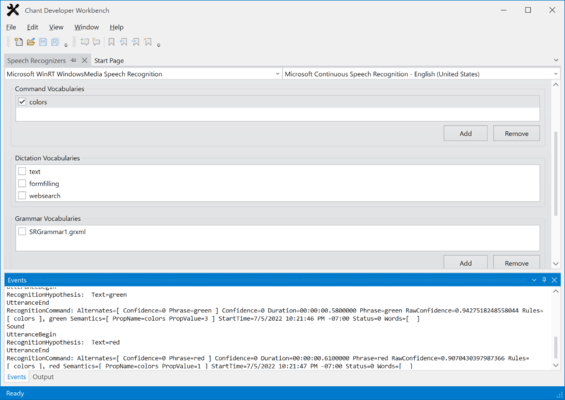
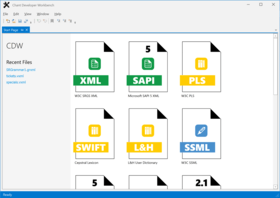
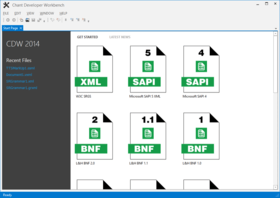
Within Chant Developer Workbench interactive environment, you can:
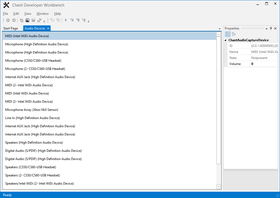
- Enumerate speech engines for selection and command line testing of recognizer- and synthesizer-specific features
- Trace recognition and synthesis events
- Support grammar activation and testing (requires GrammarKit)
- Support TTS markup playback (requires VoiceMarkupKit)