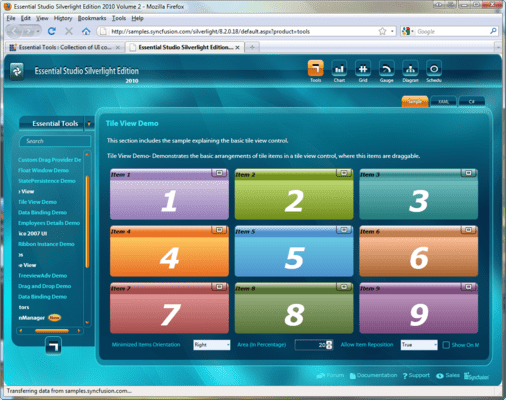
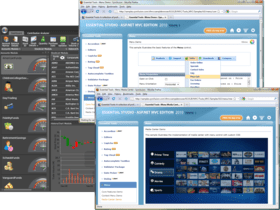
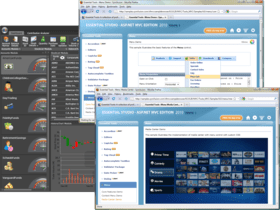
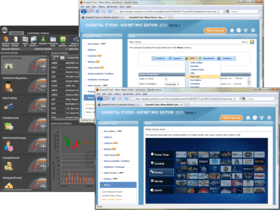
Screenshot Preview

Syncfusion Essential Tools for Silverlight - Zusammenfassung

von Syncfusion - Produkttyp: Komponente / ASP.NET WebForms / ASP.NET AJAX (ATLAS) / ASP.NET MVC / .NET WinForms / .NET WPF / Silverlight / 100% Managed Code

Zusammenfassung

 *

Syncfusion Essential Tools for Silverlight by Syncfusion

URLs: syncfusion-essential-tools-for-silverlight, syncfusion essential tools for silverlight, syncfusionessentialtoolsforsilverlight, syncfusion

Ribbons, editors, file upload controls, and more for Silverlight applications. Syncfusion Essential Tools for Silverlight lets you create stunning line-of-business Silverlight applications with a wide range of components, including a ribbon, docking manager, tabs, editors, check lists, a group bar, date/time editor, range slider, panels, skin manager, brush selector, treeview, taskbar, file upload, calendar editor, heat map, menus, HTML host and color picker.


Syncfusion Essential Tools for Silverlight Ribbon Control

The ribbon control enables developers to add an Office-like ribbon interface to Silverlight applications. It also ships with several Office themes.

Ribbon Tab

Ribbon Bar

Split Button

Ribbon Controls

Ribbon-Control Appearance

Application Menu

Quick Access Toolbar

Mini Toolbar

Ribbon Gallery

Ribbon Skins

Syncfusion Essential Tools for Silverlight Tabs

The TabControlAdv control enables users to display the content of multiple pages within a limited area. It ships with a rich feature set, including multiple tab-strip placements, automatic text rotation on vertical placements, drag-and-drop tab items, item-header images with multiple alignments, in-place editing of headers, tab-list context menus, and scrolling support.

Tab-Strip Placement

Tab-Item Layout

Tab-List Context Menu

Drag-and-Drop

Tab Scrolling Mode

Tab Skins

Syncfusion Essential Tools for Silverlight Group Bar

The group bar is a UI for grouping a collection of commands within categories. It displays these categories within collapsible panels. The group bar lets you recreate the popular Microsoft Outlook bar interface in applications. Each panel in a group bar can host a number of commands or any other control, such as a calendar.

Expansion Modes

Orientation

Header-Text Alignment

State Persistence

Navigation Pane

Group Bar Skins

Syncfusion Essential Tools for Silverlight Checked List Box

The check list box control is a list box with check boxes. It includes list box items and allows multiple items to be selected.

Check on Click

Right-to-Left

Selected Item and Mouse-over Background

Skins

Syncfusion Essential Tools for Silverlight Editors

All editor controls have been architected to provide a simple and powerful means for capturing data input, and validating and displaying data with the appropriate formatting. They include the integer text box, double text box, AutoComplete, masked text box, percent text box, currency text box, numeric up-down, and domain up-down controls.

Integer Text Box

Double Text Box

Masked-Edit Text Box

AutoComplete Text Box

Numeric Up-Down

Domain Up-Down

Currency Text Box

Percent Text Box

Syncfusion Essential Tools for Silverlight Date-Time Edit

The date-time edit control enables users to capture date-time input in a Silverlight application. It ships with a variety of built-in features, including custom date-time formats, different cultures, a built-in calendar to navigate through dates, empty date options, and customizable carets.

Non-Date Text

Date Format

Caret Appearance

Appearance

Control Dimensions

Step Value

Syncfusion Essential Tools for Silverlight Range Slider

Range Slider is a slider control with two thumbs showing a selected range. It lets users input two values, typically an upper and a lower bound for two thumbs, thus providing enhanced feature support for a standard slider control.

Syncfusion Essential Tools for Silverlight Panels

The fish-eye panel is a toolbar-like control that magnifies a child element when the pointer hovers over it.

Syncfusion Essential Tools for Silverlight Skin Manager

The Silverlight Skin Manager framework provides a convenient way to apply a consistent visual appearance across the application. Skin Manager applies skin for both the Syncfusion and Silverlight Framework controls.

Syncfusion Essential Tools for Silverlight Brush Selector

The brush selector control is a UI control similar to the color picker control used in graphics software. It has a sub-control, named Brush Edit, with similar properties.

Color Selection Mode

Brush Mode

Enable Gradient to Solid Switch

Syncfusion Essential Tools for Silverlight Docking Manager

The docking manager control lets you add Visual Studio-like docking functionality to applications.

Animation Speed

Context Menu

Custom Menu Items

Custom Button

Custom Header

Custom AutoHide Tab Buttons

Custom Drag Provider

ToolTip

Docking Modes

Docking Ability

Dock Fill

State Persistence

No Header

Floating Window Rect

Header Height

Size to Content in Float

Skins

Syncfusion Essential Tools for Silverlight Tree View

The TreeViewAdv control implements a tree UI with advanced customization capabilities. Its feature set includes dragging and dropping, multi-node selection, and in-line editing support. It supports adding images--such as left, right, expand, and collapse images. It also provides built-in support for sorting and searching tree nodes.

Tree Skins

Drag Indicator

Image Settings

Multiple Selection

Expand and Collapse State

Sorting

Searching

Item Editing

Syncfusion Essential Tools for Silverlight Taskbar

A taskbar is similar to a group bar in its ability to host a collection of grouped command items. The look and feel, however, is closer to the Windows XP Taskbar. Just like the group bar, taskbar boxes can be expanded and collapsed.

Group Orientation

Flow Direction

Show Header

Expand Details

Header Height

Taskbar Skins

Arrow Style

Syncfusion Essential Tools for Silverlight Uploading Files

The file upload control is used to upload multiple files simultaneously. With the auto-upload feature, file uploading can be performed automatically upon selection, eliminating the need to click the Upload button. Other features of this control include asynchronous file uploading, a thumbnail view of uploaded images, size limits on files to be uploaded, and restrictions on file types.

Multiple File Uploading

Asynchronous File Uploading

Size Limitation

Image Thumbnail View

Hiding Columns

Style and Appearance

Syncfusion Essential Tools for Silverlight Calendar Edit

The calendar edit control implements a classic calendar control with certain advanced features. Any date ranging from year 0 to year 9999 A.D. can be displayed. The control displays a calendar that users can utilize to navigate to any day of any year.

Show Prev-Next Months

Navigating Years

Abbreviating Month-Day Names

Custom Calendar Info

Localization

Calendar Modes

Color Settings

Syncfusion Essential Tools for Silverlight Heat Map

A heat map is a graphical representation of data where the values taken by a variable in a two-dimensional map are represented as colors.

Syncfusion Essential Tools for Silverlight Menu Package

The Menu package contains three controls--menu, toolbar, and context menu controls. These controls enable users to choose from a list of commands or options.

Menu

Toolbar

Context Menu

Syncfusion Essential Tools for Silverlight HTML Host

The HTML host acts as a container for hosting HTML content inside a Silverlight environment. It has the ability to navigate to any Web URL, parse HTML tags, and display them in Silverlight.

Display HTML Source

Navigating URLs

Syncfusion Essential Tools for Silverlight Color Picker

The color picker control provides a rich visual interface for color selection. The structure of the control represents a palette with ToolTip support and a More Colors option.

Panel Visibility

Color Themes

Variants Generation

More Colors Option

Color Picker Expanded Mode

Please note: Syncfusion Essential Tools includes Windows Forms, WPF, Silverlight, ASP.NET MVC and ASP.NET components.

What’s new in Essential Tools 2012 Volume 1?

Calendar Navigation for ASP.NET - The Calendar control has a navigation pane that makes browsing by day, week, month, year, and even decade easier. This JavaScript implementation is fast and gives users a fluid experience.

Rotator Control Improvements for ASP.NET - An auto-play button can be added to the Rotator control to allow users to automatically scroll a list up or down, and left or right, with one simple click. While in this button mode, the rotator control retains all its other features.

AutoComplete Control Enhancements for ASP.NET MVC - The AutoComplete control, used to suggest entries as users type in a text box, has been enhanced with client-side data fetching to increase performance, highlighting for searched text, customizable list positioning, and support for left-to-right text alignment.

Captcha Control Refresh for ASP.NET MVC - The Captcha control has a refresh button that allows you to regenerate an image of the code that has to be entered in the verification text box.

Dragging and Dropping Tree Nodes for ASP.NET MVC - With drag and drop support, tree nodes can be repositioned at different levels in the same tree or dropped into a different tree, even if the other tree has different characteristics. For example, when dragging a node that doesn’t have a check box to a tree where nodes do have check boxes, the dragged node will automatically take on a check box.

Splitter Control for ASP.NET MVC - The Splitter control can be used to create separate panes in a work area that can be resized or collapsed by dragging or clicking. Any number of panes and split bars can be created. Features include horizontal or vertical orientation, pane resizing, content template support and collapsible panes.

TimePicker Control for ASP.NET MVC - When you need to set a time, the TimePicker control makes time selection easy by giving users a grid of values that can be selected just by clicking. Four primary fields can be set: hours, minutes, seconds, and a.m. or p.m. Also, by just hovering over a value, the display will be updated instantly—a live update. Minimum and maximum values are also supported.

Ribbons, editors, file upload controls, and more for Silverlight applications.

Pricing: Syncfusion Essential Tools for Silverlight 2012 Vol 2 (V10.2.0.56) - Binary 1 Developer License - with 1 Year Subscription, Syncfusion Essential Tools for Silverlight 2012 Vol 2 (V10.2.0.56) - Binary 1 Developer Annual Subscription Renewal License (for subscriptions soon to expire or up to 30 days past expiration, Syncfusion Essential Tools for Silverlight 2012 Vol 2 (V10.2.0.56) - Binary 1 Developer Reinstatement of Lapsed Subscription License (for subscriptions lapsed longer than 30 days up to one year), Syncfusion Essential Tools for Silverlight 2012 Vol 2 (V10.2.0.56) with Source Code 1 Developer License with Source Code - with 1 Year Subscription, Syncfusion Essential Tools for Silverlight 2012 Vol 2 (V10.2.0.56) with Source Code 1 Developer Annual Subscription Renewal License (for subscriptions soon to expire or up to 30 days past expiration) with Source Code, Syncfusion Essential Tools for Silverlight 2012 Vol 2 (V10.2.0.56) with Source Code 1 Developer Reinstatement of Lapsed Subscription License (for subscriptions lapsed longer than 30 days up to one year) with Source Code, Syncfusion Essential Tools for Silverlight 2012 Vol 2 (V10.2.0.56) - Binary Site Licenses Site License - with 1 Year Subscription - Allows upto 500 Developers at a single address, Syncfusion Essential Tools for Silverlight 2012 Vol 2 (V10.2.0.56) - Binary Site Licenses Site Annual Subscription Renewal License (for subscriptions soon to expire or up to 30 days past expiration) - Allows upto 500 Developers at a single address, Syncfusion Essential Tools for Silverlight 2012 Vol 2 (V10.2.0.56) - Binary Site Licenses Site Reinstatement of Lapsed Subscription License (for subscriptions lapsed longer than 30 days up to one year) - Allows upto 500 Developers at a single address, Syncfusion Essential Tools for Silverlight 2012 Vol 2 (V10.2.0.56) with Source Code Site Licenses Site License with Source Code - with 1 Year Subscription - Allows upto 500 Developers at a single address, Syncfusion Essential Tools for Silverlight 2012 Vol 2 (V10.2.0.56) with Source Code Site Licenses Site Annual Subscription Renewal (for subscriptions soon to expire or up to 30 days past expiration) with Source Code - Allows upto 500 Developers at a single address, Syncfusion Essential Tools for Silverlight 2012 Vol 2 (V10.2.0.56) with Source Code Site Licenses Site Reinstatement of Lapsed Subscription (for subscriptions lapsed longer than 30 days up to one year) with Source Code - Allows upto 500 Developers at a single address

Evals & Downloads: Read the Syncfusion Site License Agreement, Read the Syncfusion License Agreement - Requires Acrobat Reader, Read the Syncfusion HTML5 datasheet - Requires Acrobat Reader, Read the Syncfusion - Overview of products and Suite options document - Requires Acrobat Reader, Read the Syncfusion Company Brochure - Requires Acrobat Reader, Download the Syncfusion User Guide Installer onto your computer, Download the Syncfusion Class Reference Documentation Installer onto your computer, Download the Syncfusion Essential Studio 2012 Vol 2 (V10.2.0.56) evaluation on to your computer - Expires After 30 Days

Operating System for Deployment: Windows 7, Windows Vista, Windows XP, Windows ME, Windows 2000, Windows NT 4.0

Architecture of Product: 32Bit

Product Type: Component

Component Type: ASP.NET WebForms, ASP.NET AJAX (ATLAS), ASP.NET MVC, .NET WinForms, .NET WPF, Silverlight, 100% Managed Code

Built Using: Visual C# .NET

Compatible Containers: Microsoft Visual Studio 2010, Microsoft Visual Studio 2008, Microsoft Visual Studio 2005, Microsoft Visual Basic 2010, Microsoft Visual Basic 2008, Microsoft Visual Basic 2005, Microsoft Visual C++ 2010, Microsoft Visual C++ 2008, Microsoft Visual C++ 2005, Microsoft Visual C# 2010, Microsoft Visual C# 2008, Microsoft Visual C# 2005, Delphi 8.0, C#Builder, .NET Framework 4.0, .NET Framework 3.5, .NET Framework 3.0, .NET Framework 2.0, Silverlight 4

Product Class: User Interface Components

Keywords: syncfusion essential tools for silverlight, essential tools for silverlight

Syncfusion Sync fusion

User Interface UI

Toolbar tool bar tool-bar Toolbars Menu Menus Ribbon Ribbonbar

Part numbers: PC-513206-456442 513206-456442 PC-513206-456448 513206-456448 PC-513206-456450 513206-456450 PC-513206-456443 513206-456443 PC-513206-456449 513206-456449 PC-513206-456451 513206-456451 PC-513206-456452 513206-456452 PC-513206-456453 513206-456453 PC-513206-456454 513206-456454 PC-513206-456455 513206-456455 PC-513206-456456 513206-456456 PC-513206-456457 513206-456457

Warnung

Übersetzungen für Produktinformationen, die noch nicht von uns übersetzt wurden, stehen über Links zu "Google Übersetzer" zur Verfügung. Bitte beachten Sie, daß automatisierte Übersetzungen nicht immer vollkommen korrekt sind.
Powered by
Flash wird in FireFox und Opera benötigt.

Produkt-Suche

Suchbegriffe eingeben:

Warum Produkte bei ComponentSource kaufen?

ComponentSource bietet einen einzigartigen, globalen Service an, der weltweit von über 1.000.000 Entwicklern benutzt wird.

Mehr Info | Über uns

Award