Syncfusion Essential XlsIO - .NET Component - 2008
di Syncfusion - Tipo prodotto: Componente / .NET WinForms / .NET WPF / 100% Managed Code
Ti preghiamo di notare che le informazioni su questi prodotti non sono disponibili in italiano.
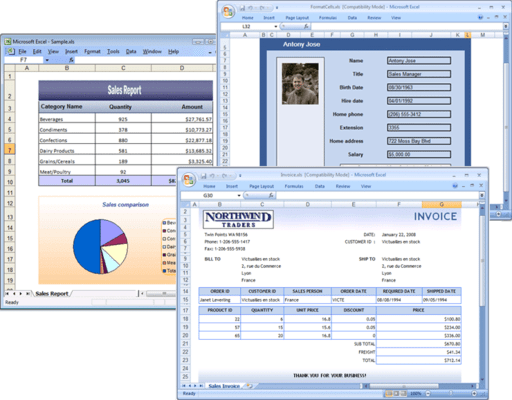
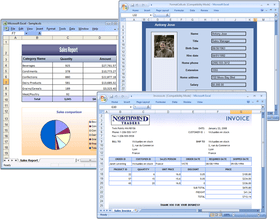
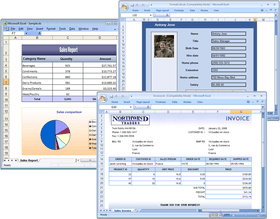
Easily read, write, and modify Microsoft Excel (xls) files, even on systems that do not have Microsoft Excel installed. Syncfusion Essential XlsIO is compatible with both the old Biff 8 format xls files and the Office 2007 xlsx format files. Essential XlsIO’s extensive feature set includes support for cell formatting, creating and applying custom styles, applying conditional formatting, formula processing, charts, security settings, etc. This .NET library features a full-fledged object model similar to the Microsoft Office COM libraries. Syncfusion Essential XlsIO does not use COM interop and is available with full 100% C# source code. Included with every license is a one-year subscription for unlimited technical support and updates.
Recensione media:
basata su: 1 recensione.
I nostri prezzi standard sono indicati sotto. Accedi per vedere i tuoi prezzi scontati.
Syncfusion Essential XlsIO 2008 Vol 4
| Aggiungi al carrello |
₩ 701,700 |
1 Developer License - with 1 Year Subscription |
|
Download (215.4 MB) |
| Aggiungi al carrello |
₩ 347,300 |
1 Developer Annual Subscription Renewal License (for subscriptions soon to expire or up to 2 weeks past expiration) |
Verifica |
Download (29 KB) |
| Aggiungi al carrello |
₩ 421,000 |
1 Developer Reinstatement of Lapsed Subscription License (for subscriptions lapsed longer than 2 weeks) |
Verifica |
Download (29 KB) |
| Aggiungi al carrello |
₩ 208,400 |
1 Developer License without Subscription Upgrade from previous version |
Verifica |
Download (215.4 MB) |
Syncfusion Essential XlsIO 2008 Vol 4 with Source Code
| Aggiungi al carrello |
₩ 1,268,800 |
1 Developer License with Source Code - with 1 Year Subscription |
|
Download (215.4 MB) |
| Aggiungi al carrello |
₩ 489,100 |
1 Developer Annual Subscription Renewal License (for subscriptions soon to expire or up to 2 weeks past expiration) with Source Code |
Verifica |
Download (29 KB) |
| Aggiungi al carrello |
₩ 761,300 |
1 Developer Reinstatement of Lapsed Subscription License (for subscriptions lapsed longer than 2 weeks) with Source Code |
Verifica |
Download (29 KB) |
| Aggiungi al carrello |
₩ 293,400 |
1 Developer License without Subscription Upgrade from previous version with Source Code |
Verifica |
Download (215.4 MB) |
I nostri prezzi comprendono l'assistenza tecnica ComponentSource e, per la maggior parte dei prodotti scaricabili, una copia di riserva online e un aggiornamento GRATUITO alla nuova versione, se questa viene lanciata entro 30 giorni dall'acquisto. Tutte le vendite sono soggette ai nostri termini e condizioni standard ed alla nostra politica di rimborso. Contattaci se necessiti di un'opzione di licenza non elencata sopra, comprese licenze multiple e versioni precedenti.
I nostri prezzi standard sono indicati sopra. Accedi per vedere i tuoi prezzi scontati.
What’s new in Essential XlsIO 2008 Vol 4?
- Medium-trust support - The latest version of Essential XlsIO supports deploying applications in medium trust. You can now work with XlsIO on the medium-trust level with the same API; this allows you to deploy your application in a shared hosting environment.
- RGB color support in XLSX - Spice up your reports with attractive RGB colors, and give your application rich styles. This version adds support for reading and writing RGB colors in Excel 2007 XLSX format, enabling standard Excel 2007 32-bit color preservations in your application.
- Advanced conditional formatting - Excel 2007 has advanced support for conditional formatting. In this version, Essential XlsIO carries support for advanced visualizations in Excel 2007 XLSX format. You can now apply cell formatting to data bars, icon sets, and color scales when the data in a cell meets an applied condition; this provides you with an opportunity, when dealing with large amounts of data, to create visual effects, allowing you to compare the value of a cell to other cells.
- Improved XLSX Support - This version of Essential XlsIO has improved support, for XLSX files, that stabilizes reading and writing functions. You can now freeze a pane, split a pane, show or hide gridlines, ignore error indicators, read or write sheet-level document properties, read or write sheet-view properties, zoom, preview page-breaks, apply summary settings to a group, and parse chart data points in XLSX format.
- String preservation in range level - The latest version of Essential XlsIO adds a property that preserves strings in a worksheet when importing data. This gives users the ability to work with complex strings without having to type-convert while importing.
- Calculation modes - Excel allows you to set various modes in order to control formula calculations. This version of XlsIO gives you the ability to set calculation modes so that a user can change a calculation in order to prevent formulas from being calculated by default when opening an Excel file.
- Display properties - This version of Essential XlsIO contains properties used to get or set gridline colors and to show or hide scroll bars; this allows you to control the way an Excel workbook or worksheet is displayed. You can now set various colors for a gridline and enhance your reports with a rich look. You can also hide scroll bars, preventing the user from scrolling down.
What’s new in Essential XlsIO 2008 Vol 3?
Essential XLsIO Windows
- Support for compound file format in managed code - This change enabled Medium trust support for XlsIO.
- Support for scrolling to a particular row/column - This version provides support for scrolling to particular row/column in a large worksheet while opening with Excel.
- Support for getting used range of data without formatting - Support for obtaining range of rows/columns in a spreadsheet with data without considering empty cells that simply contain formatting.
Essential XLsIO Web
- Support for compound file format in managed code - This change enabled Medium trust support for XlsIO.
- Support for scrolling to a particular row/column - This version provides support for scrolling to particular row/column in a large worksheet while opening with Excel.
- Support for getting used range of data without formatting - Support for obtaining range of rows/columns in a spreadsheet with data without considering empty cells that simply contain formatting
XLsIO WPF
- Support for compound file format in managed code - This change enabled Medium trust support for XlsIO.
- Support for scrolling to a particular row/column - This version provides support for scrolling to particular row/column in a large worksheet while opening with Excel.
- Support for getting used range of data without formatting - Support for obtaining range of rows/columns in a spreadsheet with data without considering empty cells that simply contain formatting.
What’s new in Essential XlsIO 2008 Vol 2?
- Excel 2007 Chart support - Essential XlsIO now supports creating richly formatted charts in Excel files.
- Writing page breaks in Excel 2007 - Paginate and insert page breaks in Xlsx files. You can now insert horizontal and vertical page breaks and customize your Excel sheets.
- External formula support -Link your worksheets and workbooks with external references. With this new version, you can preserve formulas that have their range of cells referring to other workbooks or worksheets.
What’s included:
- Content Formatting - Essential XlsIO lets your customize the text font, color, alignment, number formatting, conditional formatting, etc. You can also customize the cell border, background color and fill, and more, as well as insert images, hyperlinks, rich text, etc.
- Data Manipulation - Specify named ranges and also copy over a range of contents. Support is provided for importing data from DataTables. You can also specify validation rules for cells. Also add AutoFilters to a range of cells. Built-in Find/Replace support allows you to replace an existing text with something new.
- Worksheet Manipulation - Using Essential XlsIO you can auto-fit rows and columns, copy worksheet across workbooks, freeze rows/columns, group/ungroup rows/columns, insert page breaks at specific locations while printing, etc.
- Charts - Embed charts in a worksheet or create “chart worksheets”. You can also work with template xls files that already have charts defined.
- Security - Encrypt documents before writing them out and also decrypt documents before reading them. Support is provided for read-only passwords, and there is also support for workbook and worksheet protection, allowing you to “lock” certain aspects of the document.
- Working with Streams - Includes support for opening and saving a document into/from a stream.
- Printing - Support is provided for inserting Headers and Footers, margins and page layout during printing.
- Formula Calculation - Using Essential XlsIO in tandem with Syncfusion’s Essential Calculate, you can even get the formulas in the cells computed. There are over 150+ formulas that can be handled using Essential Calculate.
- Performance - Created with optimal performance characteristics, the XlsIO library is nearly 100 times faster than MS Excel automation for generating large xls files.
- Importing - If you are also working with Syncfusion’s Essential Grid or Essential Chart, you can export the contents of those controls into an Excel document using Essential XlsIO.
Benefits of working with Syncfusion:
- Standardize to simplify: One vendor, one license, one suite of .NET components. Syncfusion’s wide range of solidly built components allows developers to streamline their toolkits and reduce dependence on multiple vendors.
- Trusted architects: Industry-leading architects ensure each product is built for the most demanding of environments.
- Full source code: 100% C# source code available, enabling seamless integration of our libraries with your projects.
- Solid support infrastructure: First-rate tech support is available via Syncfusion’s online tracking system Direct-Trac, email, and phone. No per-incident charges. Syncfusion also provides an extensive knowledgebase, FAQs, and forums.
- Built with the future in mind: Syncfusion components are geared towards long-lifecycle applications and architected to meet high standards for flexibility and long-term maintainability.
- Flexible licensing model: Straight-forward per-developer licensing, with no runtimes, server deployment fees, or royalties. Each licensee may install on multiple personal machines.
Technical Support - Each Syncfusion license includes a one-year subscription for unlimited technical support and updates. Support for Syncfusion products is available 24 / 5 through a custom-built support system, with responses guaranteed within a single business day. Support is also available by e-mail and phone. Syncfusion’s Direct-Trac system can be used to create support incidents and track them to completion 24 hours a day, 7 days a week and allows Syncfusion licensees to maintain a complete overview of their support history.
Syncfusion suites - Essential XlsIO is also available as part of the Essential Studio BackOffice Edition, Essential Studio Windows Forms Edition, Essential Studio ASP.NET Edition, and Essential Studio Enterprise Edition suites.