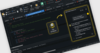
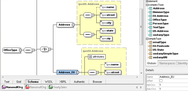
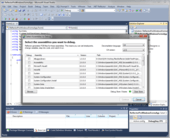
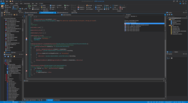
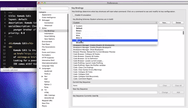
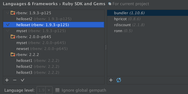
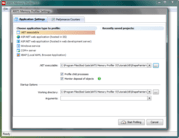
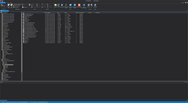
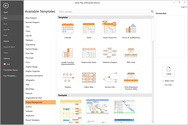
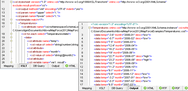
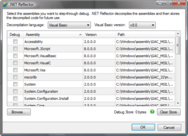
Screenshot Preview

Test Design Studio - 概要

经 Patterson Consulting - 产品类型: 应用程序

概要

 *

Test Design Studio by Patterson Consulting

URLs: test-design-studio, test design studio, testdesignstudio, patterson-consulting, patterson consulting, pattersonconsulting

IDE for QuickTest Professional automation. Test Design Studio serves as an integrated development environment (IDE) for QuickTest Professional scripts, VBScript files, Quality Center workflow scripts, WinRunner scripts, and GUI Map Files. Test Design Studio includes extensive support for Quality Center which assures tight integration with the tools you use. Test Design Studio treats automation as a programming activity. The rich integrated development environment allows automation engineers to reach new levels of productivity.

Test Design Studio Features

Test Design Studio Real-time Syntax Checking and Static Language Analysis

Test Design Studio identifies syntax errors in real time as you type. All errors are underlined in the editor so that you can quickly identify the problems and fix them. QuickTest Professional performs syntax checking when you save a file or think to kick it off manually, but Test Design Studio is constantly analyzing your syntax for immediate feedback. Other errors are typically not revealed by QuickTest Professional until you try to execute your tests because they are syntactically correct. These are the most time-consuming errors to fix because it is only during execution that you discover many silly mistakes. Oversights like declaring the same variable more than once because you copied/pasted code, forgetting to declare variables when 'Option Explicit' is used, or mistyping the name of a function/variable. When these issues are discovered at run-time, it usually means a significant loss of productivity. Tests have to be re-executed and application state must be restored. Test Design Studio analyzes your code for many common errors and warns you about other potential logical errors. These issues are identified during design at the time of creation, not later when the code is actually executed and potential time has passed since the developer's mind was fresh.

Test Design Studio Full-featured IntelliSense

Test Design Studio offers a feature-rich and complete IntelliSense experience to bring more of the information you need right to the screen.

Test Design Studio Code Metrics

Code Metrics are a useful tool implemented by Test Design Studio to provide an objective analysis of the complexity of your code. Higher code complexity typically leads to higher defect rates and decreased maintainability. The following metric values are calculated for major language elements including entire tests, class declarations, functions, and properties:

Cyclomatic Complexity - measures the number of paths through your code. Inclusion of branch and loop statements (like 'If' and 'For') increases the number of paths.

Lines of Code - counts the number of executable lines (ignores whitespace and comments).

Halstead Metrics - (calculated behind the scenes) measures the vocabulary of your code by counting unique and total instances of operators and operands.

Maintainability Index - all of the above metrics are used to calculate a maintainability index between 0 and 100. Values of 0-9 indicate high maintenance, 10-19 moderate maintenance, and 20-100 are low maintenance.

Test engineers can quickly locate code that might be hard to maintain or overly complex. Taking time to refactor the code can result in fewer errors and improved maintainability.

Test Design Studio Error List Tool Window

All the errors and warnings generated by syntax checking and language analysis are aggregated into a single view for your entire project. The Error List tool window allows you to quickly see which errors or warnings need to be addressed.

Test Design Studio Documenter

You can build detailed HTML Help Files or web-based documentation for your projects. Specifically, this tool is an excellent resource for defining the contents of publicly available function libraries used in typical automation projects. With documentation in-hand, your users have access to the information they need to be fast and efficient when working with the libraries.

IDE for QuickTest Professional automation.

Operating System for Deployment: Windows 7, Windows Server 2008, Windows Vista, Windows XP, Windows Server 2003

Architecture of Product: 32Bit, 64Bit

Product Type: Application

Keywords: test design studio, patterson consulting test design studio

patterson consulting

Debugging debug debugs Testing Test Tests

注意

还未完成翻译的产品说明, 我们提供了Google 翻译的连结方便您使用. 但请注意, 自动翻译有时候可能会有翻译错误.
强力驱动
在Firefox 和Opera 需要Flash.

产品搜索

输入搜索词:

为什么从ComponentSource购买?

ComponentSource 提供独特的全球国际服务, 在世界各地共有超过1,000,000开发者客户.

更多讯息 | 关于我们