di NETRONIC Software - Tipo prodotto: Componente / JavaBean / Java Class
VARCHART JGantt by NETRONIC Software
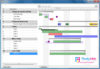
Add interactive Gantt diagrams to your applications, allowing visualization of critical business activities. VARCHART JGantt is a component written in Java, that very easily lets you integrate Gantt charts into your application. Gantt charts display events, activities and their allocations over time. They are commonly used in project planning, production control and resource management. Data are turned into graphics to offer a clear, concise and detailed view of process flows.
Settings to define the appearance and behavior of the Gantt chart you can add at design time. In addition, you can supply your own programming code - for example to react to events at run time. Gantt diagrams can be generated in amazingly short time. They can be interactively modified and printed.
New Features of the Gantt Graph:
Free composition of activities (beside using templates)
Activities may be composed of any number of layers, symbols and annotations
Improved positioning of symbols and annotations along an activity
Width of row margins can be defined, resulting in a more compact layout
Selection of marking types available
Pop-up menu can be configured
Automatic scrolling to a selected node via the programming interface
Main Features include:
User Interactions
In VARCHART JGantt, user interactions such as create, delete and drag & drop activities, modify time scales and tables, collapse and expand groups of activities and many more are handled by the component. A programmer can react to those user interactions by registering specific events and can tailor the application to his customer's individual needs.
In addition, VARCHART JGantt allows for cross-diagram interactions. By means of drag&drop an activity can be dragged from one Gantt diagram into another one, e.g. in order to assign a task to a person or to a machine.
Page Preview and Printing
Printing capabilities of Gantt charts are included in the component allowing for zooming and and for scaling a diagram to page size, for paging and for page previews, for comfortable viewing and navigating.
Bars
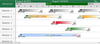
Activities in a chart of Varchart JGantt can be displayed either by a variety of pre-defined bar shapes, or can be composed from the scratch. Any shape and pattern is available, even dynamic bars that actively grow or diminish to indicate the degree of completion of an activity. This animated picture shows a completion bar.
The assignment of graphical attributes is data based. You can, for example, display all tasks of a specific department in red, or set symbols to mark certain activities.
Annotation can be added to bars and symbols. This animated picture demonstrates selected positions of annotations on a bar.
Grouping and Hierarchy in Gantt Charts
Activities in Gantt charts can be sorted and grouped after criteria. Group nodes can be defined and graphically accentuated in the Gantt graph as well as in the table.
By defining a hierarchy, subareas in tables can be indented, collapsed and expanded. This animated picture shows groups in two different states of collapsing: completely collapsed groups where bars may overlap, and "optimized" collapsed groups, where overlapping bars are put in a second row.
Other Features
Bars can be connected by links of different types. Vertical and horizontal grids can be placed in the Gantt graph. The time scale can be customized by their number, by postion, scaling, colors and font.
Easy-To-Use Programming Interface
For data exchange, to a large extent the component can adapt to existing data structures of the application.
The Gantt diagram can be configured by numerous properties at design time. At run time all properties are available for the application via the API, too.
Basic module (Viewing only)
provides all necessary Gantt functions for viewing only including:
- all graphical layout functions for Gantt charts like multi-level grouping and multiple tasks per row in overlapped or optimized mode
- data dependent assignment of graphical attributes
- multiple calendars and calendar grids
- collapsing of non-work period in timescale
- printing with comfortable paging and page preview
- different background colors of rows in the table and Gantt graph
Data Editing module
provides all functions of editing application data including:
- moving bars horizontally and vertically or change duration via drag&drop
- create, delete or modify any application data like tasks or activities, group titles or links
- in-place editing in table cells and opening a data editing dialog
- dragging from one Gantt instance to another one running in the same virtual machine
- PERT/CPM scheduling for early and late dates as well as total and free floats
Histogram module
provides all functions to show resource loading Histograms including:
- calculation of resource loads from application data and displaying them, interactive changes like moving a bar in the Gantt chart are reflected in the Histogram accordingly
- displaying of resource availability showing over and under loads
- numerous graphical layout features for numeric scale, shading, line styles etc.
What's new in V2.3
Time Scale Sections - The time scale can be divided into sections. Their start dates can be moved interactively.Their scale type and the resolution can be set individually to each section
Summary Bars in Groups - If entities are missing in the group entity set, you can have them generated automatically. So you can start with an empty group set and you do not have to write any code to fill it
New Samples - Tasks can be assigned to machines by moving bars by drag&drop from the upper to the lower Gantt chart
Bitmaps in Title Area - Logos can now be displayed in the title row to the left or right of the title as GIF, JPG or PNG files
Text Customizing - In interactions, VARCHART JGantt displays supporting text strings in English, Chinese and German language, depending on the language settings of the operating system and on the Locale property of the java platform. You can now add text strings in the shape of properties files for more languages
What's new in V2.x
Layout of Rows can be Customized for Individual Groups - Up to this version, the layout of groups could only be set for all groups together. In the new version, groups can individually be layouted. Three options are available to the layout:
A group can be chosen to be placed in a single row, risking the nodes to overlap (left: group D)
Each node of the group can be placed in a row of its own (left: group F)
The group can be placed in a single row, with nodes liable to overlap placed in a dif-ferent row (left: group E)
Comfortable Table Editing by Date Picker - Dates in the table can now be edited in the most comfortable way by selecting the year, month and day from a date picker
Non-working Times in the Histogram - In the new version, non-working times are considered in the histogram. The histogram omits to add up activities or resources in the histogram if non-working periods in the Gantt-Graph exist
Messages can be Customized in Information Windows - Messages in information windows, that support users during interactions, can be customized. Texts can be defined, lines can be suppressed and a format of the date can be set
Border of Layers can be Customized - In the new version, the appearance of a layer border can be defined. A line for example will display a transparent layer more distinctly. A different definition of the border may be established for each layer
Phantoms can be Customized in the Gantt Graph - Version 2.1 allows for phantoms to be customized. A phantom may for example be represented by a transparent shade (as shown left) when selecting nodes
Groups can be sorted according to criteria
Dates in the time scale can be format-ted dynamically (Java Data Format)
The type of time scale can adapt automatically to the resolution
Profiles of the calendar can be written or read in XML format
In time grids and date lines, the color, thickness and type of line can be customized
Single entity set can be stored in XML format (not only complete appData)
PartNumbers: PC-514624-163216 514624-163216 PC-514624-163218 514624-163218 PC-514624-163220 514624-163220 PC-514624-163237 514624-163237 PC-514624-163238 514624-163238 PC-514624-163245 514624-163245 PC-514624-163217 514624-163217 PC-514624-163219 514624-163219 PC-514624-163221 514624-163221 PC-514624-163239 514624-163239 PC-514624-163240 514624-163240 PC-514624-163241 514624-163241 PC-514624-163244 514624-163244 PC-514624-163243 514624-163243 PC-514624-163242 514624-163242 PC-514624-163222 514624-163222 PC-514624-163223 514624-163223 PC-514624-163226 514624-163226 PC-514624-163227 514624-163227 PC-514624-163228 514624-163228 PC-514624-163224 514624-163224 PC-514624-163225 514624-163225 PC-514624-163229 514624-163229 PC-514624-163230 514624-163230 PC-514624-163231 514624-163231 PC-514624-163232 514624-163232 PC-514624-163233 514624-163233 PC-514624-163234 514624-163234 PC-514624-163235 514624-163235 PC-514624-163236 514624-163236 PC-514624-163246 514624-163246 PC-514624-163247 514624-163247 PC-514624-163248 514624-163248
PurchaseOptions: VARCHART JGantt V2.3 1 Basic (Viewing Only) License , VARCHART JGantt V2.3 1 Data Editing License , VARCHART JGantt V2.3 1 Histogram License , VARCHART JGantt V2.3 Additional License 1 Additional Basic (Viewing Only) License , VARCHART JGantt V2.3 Additional License 1 Additional Data Editing License , VARCHART JGantt V2.3 Additional License 1 Additional Histogram License , VARCHART JGantt V2.3 Upgrade Licenses from V2.2 1 Basic (Viewing Only) Upgrade License from V2.2 , VARCHART JGantt V2.3 Upgrade Licenses from V2.2 1 Data Editing Upgrade License from V2.2 , VARCHART JGantt V2.3 Upgrade Licenses from V2.2 1 Histogram Upgrade License from V2.2 , VARCHART JGantt V2.3 Upgrade Licenses from V2.1 1 Basic (Viewing Only) Upgrade License from V2.1 , VARCHART JGantt V2.3 Upgrade Licenses from V2.1 1 Data Editing Upgrade License from V2.1 , VARCHART JGantt V2.3 Upgrade Licenses from V2.1 1 Histogram Upgrade License from V2.1 , VARCHART JGantt V2.3 Upgrade Licenses from V2.0 or below 1 Basic (Viewing Only) Upgrade License from V2.0 or below , VARCHART JGantt V2.3 Upgrade Licenses from V2.0 or below 1 Data Editing Upgrade License from V2.0 or below , VARCHART JGantt V2.3 Upgrade Licenses from V2.0 or below 1 Histogram Upgrade License from V2.0 or below , VARCHART JGantt - Maintenance and Support Service 1 Basic (Viewing Only) Annual Maintenance and Support Service License , VARCHART JGantt - Maintenance and Support Service 1 Data Editing Annual Maintenance and Support Service License , VARCHART JGantt - Maintenance and Support Service 1 Histogram Annual Maintenance and Support Service License , VARCHART JGantt Runtimes 1 Basic (Viewing Only) Runtime License (price per license 1-9) , VARCHART JGantt Runtimes 1 Basic (Viewing Only) Runtime License (price per license 10-24) , VARCHART JGantt Runtimes 1 Basic (Viewing Only) Runtime License (price per license 25-49) , VARCHART JGantt Runtimes 1 Basic (Viewing Only) Runtime License (price per license 50-99) , VARCHART JGantt Runtimes 1 Data Editing Runtime License (price per license 1-9) , VARCHART JGantt Runtimes 1 Data Editing Runtime License (price per license 10-24) , VARCHART JGantt Runtimes 1 Data Editing Runtime License (price per license 25-49) , VARCHART JGantt Runtimes 1 Data Editing Runtime License (price per license 50-99) , VARCHART JGantt Runtimes 1 Histogram Runtime License (price per license 1-9) , VARCHART JGantt Runtimes 1 Histogram Runtime License (price per license 10-24) , VARCHART JGantt Runtimes 1 Histogram Runtime License (price per license 25-49) , VARCHART JGantt Runtimes 1 Histogram Runtime License (price per license 50-99) , VARCHART JGantt V2.3 - Academic License 1 Basic (Viewing Only) Academic License , VARCHART JGantt V2.3 - Academic License 1 Data Editing Academic License , VARCHART JGantt V2.3 - Academic License 1 Histogram Academic License
Resources: JGantt user guide (German edition) - Requires Acrobat Reader, JGantt user guide (English edition) - Requires Acrobat Reader, VARCHART JGantt reference guide (English edition) - Requires Acrobat Reader, VARCHART JGantt reference guide (German edition) - Requires Acrobat Reader, VARCHART JGantt What's new V2.3 (English edition) - Requires Acrobat Reader, VARCHART JGantt What's new V2.3 (German edition) - Requires Acrobat Reader, VARCHART JGantt Bugfixes V2.3 (English edition) - Requires Acrobat Reader, VARCHART JGantt Bugfixes V2.3 (German edition) - Requires Acrobat Reader, Download the JGantt V2.3 evaluation on to your computer - Time limited execution
Operating System for Deployment: Windows Vista, Windows XP, Windows 2000, Linux Kernel V2.4.x, RedHat Linux 7.x, SUSE Linux 10.x, Mac OS X
Architecture of Product: 32Bit, 64Bit
Product Type: Component
Component Type: JavaBean, Java Class
Compatible Containers: JBuilder 7, Oracle JDeveloper 10g, NetBeans, Eclipse V3.3
Product Class: User Interface Components
Search Items: New Product Jan 04, New Product Aug 04
Keywords: planning plan scheduling schedule schedules scheduler Gantt Chart Gantt Diagram Bar Chart Project Planning Resource Planning Professional Partner Gantt Chart Java Component