by VBeXpress.com - Product Type: Add-In
in Code Creation/Editing
Other information on this page is shown for historical reference only and may have changed considerably since.
VBeXpress Lite by VBeXpress.com
URLs: vbexpress-lite, vbexpress lite, vbexpresslite, vbexpress
Automate repetitive tasks with this collection of utilities. VBeXpress Lite provides 16 time saving utilities as well as an extensive library of pre-tested code designed automate tasks such as documenting code, providing application error handling, and setting up the user interface. It helps create consistent coding standards that can be shared across project groups and IT departments. Other features include: Form Validator, Spell Checker, Advanced Cut and Paste, and more.
VBeXpress Lite extends the functionality of the Visual Basic IDE in many ways which will help you to create user-friendly applications faster and more efficiently than ever before. Much of the development code that went into creating VBeXpress Lite was generated by VBeXpress Lite.
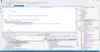
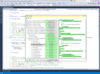
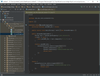
Once you've installed VBeXpress Lite, productivity improvements are only a mouse click away. VBeXpress Lite is fully integrated with the Visual Basic IDE and runs as an in-process DLL to ensure maximum performance. It appears as a toolbar on the main Visual Basic IDE - to run any utility, simply click the appropriate button on the toolbar.
Main Features:
Error Handling - Insert sophisticated centralized error handling into all of your code procedures with just a couple of mouse clicks. Run-time errors and application crashes become a thing of the past
Coding Utilities - Extend the library of pre-tested procedures and functions that can be inserted into your application at the touch of a button. Adding user-defined properties to forms and classes is quicker and easier than ever before
Advanced Cut and Paste - Save time by utilizing the advanced cut and paste features provided by VBeXpress Lite. Cut, copy and paste controls and associated event procedures in seconds
Form Validator and Tab Assistant - Generate standard input validation code for your application's data using the VBeXpress Lite Form Validator. Extend its capabilities to your specific needs by modifying existing code templates and adding your own. Generate code to control the tab order of your controls which is especially useful for forms that contain multiple hidden frames
Spell Checker - Check and correct the spelling of all controls and strings in minutes
Comment Utilities - Insert standard procedure and module headers with minimal effort and time. Create and call up a well-organized library of comments that can be pasted directly into the Visual Basic code window
Standardize Development & Track Coding Tasks - Share the VBeXpress Lite database across a project group to create code that is consistent throughout a project group or company. Prioritize and assign coding tasks to individual team members
Generate code based on Customizable Templates - Customize the existing code templates to match your specific needs. Take full control of the Visual Basic environment and harness the power of VBeXpress Lite the way you want
Utilities in Detail:
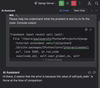
Procedure Header - The Procedure Header utility simplifies the process of commenting your code by allowing you to add or update a formatted comment block that can be used to describe the current procedure
Module Header - The Module Header utility simplifies the process of commenting your code by allowing you to add or update a formatted comment block that can be used to describe the currently selected module
Comment Out Selected Code Block - The Comment Out Selected Code Block utility helps you to debug applications by allowing you to comment out entire code blocks with a single button click. VBeXpress Lite also provides the Uncomment Selected Code Block, which reverses the action
Standard Comments - VBeXpress Lite gives you all the tools necessary to help you comment code in a snap
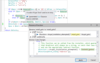
Error Handling - The Procedure Error Handling utility helps you to create more robust programs by inserting error handling for the current procedure. With just one click of the mouse button, standard error handling code will be applied to the current procedure or module
Standard Code Library - VBeXpress Lite contains a vast library of pre-tested code sections that you can paste directly into your application. The library contains many procedures and functions that are not available on MSDN and contain some advanced programming sections that would otherwise take you time to investigate and code
Add Property - The Add Property utility automates the process of adding a property to a form or a class module. In seconds, VBeXpress Lite will help you to produce applications that are based on reusable property-based objects, rather than a hard-to-maintain mix and match of functions and global variables
Form Validator - The Form Validator utility automates the process of writing code to validate user input. It can produce a unified coding standard (based on customizable templates) for validating all input data that your application may be required to handle
Tab Assistant - The Tab Assistant utility allows you to generate code that controls the tab order on a form. Rather then setting the TabIndex and Tabstop property on individual controls, you can specify the TabIndex visually with the Tab Assistant utility and then quickly generate the required code to control the tab order. This means that you have full control over the tab order because you are programming it, which is especially useful for forms that have to support multiple frames
Spell Checker - With VBeXpress Lite, you can check the spelling of all your forms' control captions and other text properties, as well as all string literals. The VBeXpress Spell Checker uses Microsoft Word to spell check your application. It even allows you to create a custom dictionary, which you can share with others on a network
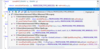
Task List - The VBeXpress Lite task list utility allows you to keep track of any sections of code that are not finished. Each task created can contain a priority, as well as programmer initials, so that on larger projects, tasks can be assigned to team members more easily
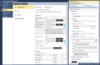
Settings - The VBeXpress Lite Settings screen allows you to customize VBeXpress Lite exactly the way you want. You can add support for new control classes, edit existing code templates, create new ones and make VBeXpress Lite conform to your particular coding standards. You can also customize the VBeXpress environment so that these standards can be shared across project groups and IT departments
VBeXpress Lite ships with online help that contains many useful tips on how best to harness the power of the utilities.
Automate repetitive tasks with this collection of utilities.
Operating System for Deployment: Windows 2000, Windows 98, Windows NT 4.0, Windows 95
Architecture of Product: 32Bit
Product Type: Add-In
Built Using: Visual Basic V6.0
Compatible Containers: Microsoft Visual Studio 6.0, Microsoft Visual Basic 6.0
Product Class: Component Development Tools, Component Building Tools
Keywords: DataCast Systems Ltd. VBeXpress Lite Code Language class coding programming developing visual basic VB development
DataCast Systems VBExpress.com
Code Creation Editing
ComponentSource offers a unique global service, used by over 1,000,000 software developers worldwide.