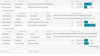
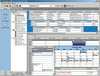
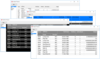
Screenshot Preview

VIBlend Controls for Silverlight

by VIBlend - Product Type: Component / Silverlight

Suite of easy to use and feature complete .NET user interface controls for Microsoft Silverlight. VIBlend Controls for Silverlight is a comprehensive library of User Interface controls. Designed and fine-tuned to provide rich functionality, outstanding performance and increase the ROI when building professional Windows applications using the Microsoft .NET framework. VIBlend Controls for Silverlight includes data grid, treeview, menu controls and input controls.

From
$489.02
Price in

Our regular prices are shown below. Please logon to see your discounted prices.

VIBlend Silverlight Controls V5.0 and 1 Year subscription  

Add to Cart $ 489.02 1 Developer License - includes 1 year Subscription (Technical support and free upgrades) Download (29.7 MB)
Add to Cart $ 440.12 2 Developer License, price per developer - includes 1 year Subscription (Technical support and free upgrades) Download (29.7 MB)
Add to Cart $ 415.67 3 Developer License, price per developer - includes 1 year Subscription (Technical support and free upgrades) Download (29.7 MB)
Add to Cart $ 366.77 4-10 Developer License, price per developer - includes 1 year Subscription (Technical support and free upgrades) Download (29.7 MB)
Add to Cart $ 317.86 11-49 Developer License, price per developer - includes 1 year Subscription (Technical support and free upgrades) Download (29.7 MB)
Add to Cart $ 268.96 50+ Developer License, price per developer - includes 1 year Subscription (Technical support and free upgrades) Download (29.7 MB)

VIBlend Silverlight Controls V5.0 Subscription Renewal Licenses  

Add to Cart $ 244.51 1 Developer Renewal License - extends 1 year Subscription (Technical support and free upgrades) Verify Download (124 KB)
Add to Cart $ 220.06 2 Developer Renewal License, price per developer - extends 1 year Subscription (Technical support and free upgrades) Verify Download (124 KB)
Add to Cart $ 207.83 3 Developer Renewal License, price per developer - extends 1 year Subscription (Technical support and free upgrades) Verify Download (124 KB)
Add to Cart $ 183.39 4-10 Developer Renewal License, price per developer - extends 1 year Subscription (Technical support and free upgrades) Verify Download (124 KB)
Add to Cart $ 158.94 11-49 Developer Renewal License, price per developer - extends 1 year Subscription (Technical support and free upgrades) Verify Download (124 KB)
Add to Cart $ 134.49 50+ Developer Renewal License, price per developer - extends 1 year Subscription (Technical support and free upgrades) Verify Download (124 KB)

Our prices include ComponentSource technical support and, for most downloadable products, an online backup and a FREE upgrade to the new version if it is released within 30 days of your purchase.  All sales are made on our standard Terms and Conditions and subject to our Return Policy. Please contact us if you require any licensing option not listed above including volume licensing and previous versions.

Our regular prices are shown above. Please logon to see your discounted prices.

What's New in VIBlend Silverlight Controls 5.0.0
VIBlend Silverlight Controls 5.0.0 includes new controls:

  • New Control: Scheduler
  • New Control: Child Window

New Features

  • Feature: DataGrid binding to sub properties
  • Feature: DataGrid API improvements
  • Feature: New Default Theme
  • Feature: Ribbon Bar API improvements
  • Feature: Office2010 Blue, Black and Silver Theme for the DateTimePicker and Calendar

What's New in VIBlend Silverlight Controls 4.0.0
VIBlend Silverlight Controls 4.0.0 includes new controls:

  • New Control: Ribbon Bar
  • New Control: vScrollViewer
  • New Control: DataGrid Pivot Design Panel
  • New Control: DataGrid Grouping Panel

VIBlend Silverlight Controls 4.0.0 new features:

  • Feature: DataBinding support for CheckedListBox.
  • Feature: Keyboard Navigation in TabControl.
  • Feature: PopupPosition in DropDownButton, SplitButton and ColorPicker controls. This property will allow you to explicitly set the position of the popup control.
  • Feature: Collapse mode in TabControl.
  • Feature: Smooth scrolling animation in TabControl.
  • Feature: AutoSize for Button, ToggleButton and RepeatButton.
  • Feature: ContextMenu is now automatically added to the Visual Tree when the user calls the Open method.
  • Feature: Smooth scrolling animation in TreeView, ListBox, ComboBox and CheckedListBox.
  • Feature: Smooth scrolling animation in the ScrollablePanel.
  • Feature: Smooth scrolling animation in the NavigationPane.
  • Feature: Commands support in the Menu and ContextMenu controls.
  • Feature: Added commonly used built-in commands in the TreeView, NavigationPane and OutlookPane.
  • Feature: Easier theming of the Menu. ContextMenu and TreeView controls. The ItemContainerStyle property of these controls allows you to set a Style to the items hierarchy.
  • Feature: AutoSize behavior in GroupBox.
  • Feature: EndsWith, EndsWithCaseSensitive, Equals, EqualsWithCaseSensitive filtering modes in ListBox, ComboBox and AutoCompleteEditor.
  • Feature: default DateTime value validation in DateTimeEditor and DateTimePicker controls.
  • Feature: added SearchMemberPath property to ListBox and ComboBox. This enables the search feature in complex binding scenarios.
  • Feature: DataGrid performance improvements
  • Feature: DataGrid keyboard navigation with PageUp/PageDown.
  • Feature: DataGrid TextWrapping in headers.
  • Feature: DataGrid TextTrimming in headers.
  • Feature: DataGrid TextAlignment and FlowDirection in Headers.
  • Feature: DataGrid improved support for MVVM.
  • Feature: DataGrid StringFormat in BoundFields
  • Feature: DataGrid clipboard operations - Cut(CTRL + X), Copy(CTRL + C) and Paste(CTRL + V)
  • Feature: DataGrid better cells highlight functionality with ability to highlight all cells in a row or column.
  • Feature: DataGrid binding to indexed properties.
  • Feature: DataGrid Minimum and Maximum header size.
  • Feature: DataGrid improved support for Totals and Grand Totals.
  • Feature: DataGrid Pivot table aggregation functions - StDev, StDevP, Var, VarP
  • Feature: DataGrid improved filtering by implementing a basic and complex filtering.
  • Feature: Enhanced the DataGrid, TreeView, TabControl and ScrollBars Office themes.
  • Feature: TreeViewItem three state check mode.
  • Feature: CheckedListBoxItem three state check mode.
  • Feature: OutlookPaneItem AutoHide mode. When the user resizes the OutlookPane's splitter, the OutlookPane will check whether the OutlookPaneItem's AutoHide mode is enabled or disabled. If the mode is disabled, the control will not collapse the item.
  • Feature: ComboBox, ListBox and CheckedListBox - Sorting
  • Feature: Improved items filtering in ComboBox, ListBox and CheckedListBox

VIBlend Silverlight Controls 3.5.0 What's New

  • New Controls:
    • TabControl
    • Toolbar
    • BannerRotator
  • Features and Improvements:
    • Improved DataGrid performance and layouts
    • Improved Outlook and Navigation Panes styles
    • Improved Design-Time support
    • Improved DataGrid Rows and Columns resizing
    • New Themes - Lime, SteelBlue, Silver and WebBlue
    • New Drag and Drop manager
    • Added DataGrid Scrolling Animations

VIBlend Silverlight Controls 3.0.0 What's New

New Controls:

  • Button
  • ToggleButton
  • RepeatButton
  • CheckBox
  • RadioButton
  • DropDownButton
  • SplitButton
  • Palette
  • ColorPicker
  • GroupBox
  • DockPanel
  • ListPanel
  • ComboBox
  • ListBox
  • CheckedListBox
  • Slider
  • ProgressBar
  • TextBox
  • PasswordBox

Features & improvements:

  • New - Default Theme for all controls.
  • New - Examples VB .NET project
  • New - 51 Examples
  • Major update of the Examples project.
  • Major update of the Help Documentation
  • DataGrid - added LocalizationProvider for the context menu strings.
  • DataGrid - added Export to Excel, CSV, HTML and XML
  • DataGrid - improved in-place editors logic.
  • NavigationPane - added databinding capabilities
  • MaskEditor - added databinding capabilities
  • New - 11 Menu and ContextMenu Themes

What's New in VIBlend Silverlight Controls 2.5.1
The new version is built entirely for Silverlight 4 and Visual Studio 2010. It delivers siginificant performance optmizations, Office 2010 themes, and some minor improvements and bug fixes.


VIBlend Controls for Silverlight Benefits

  • Short learning curve
  • Rich programming model with easy to use APIs
  • Excellent Performance
  • Full Integration with Visual Studio 2005 and 2008
  • Free Upgrades for 12 months
  • Royalty free distribution with your applications

VIBlend Controls includes the following .NET Silverlight controls:

  • Data Grid Control
  • TreeView
  • Data Input Controls
  • Menu and Context Menu

Data Grid
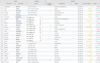
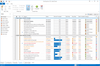
VIBlend DataGrid for Silverlight is the first fully functional OLAP grid for Silverlight. It brings together the features of traditional data grid controls, hierarchical grids and Excel-like pivot tables.VIBlend DataGrid for Silverlight supports both data bindings and complete unbound mode. You can visualize a database table, bind to a generic collection or populate the grid's content through APIs without using any datasource

Features

  • Data Binding and Unbound mode
  • Hierarchies on Rows and on Columns
  • Sorting
  • Filtering
  • Rows Grouping
  • Pivot tables and OLAP drill-down
  • Pivot table sorting by Label
  • Nested Grids
  • Row Details templates
  • Tooltips
  • Rows and Columns resize
  • Cell styles, Properties and Formatting
  • Grid Cells Templates
  • Cells Merge
  • Drag & Drop
  • Rich programming model
  • OLAP Drill-Through

Data Binding and Unbound mode
VIBlend DataGrid for Silverlight can be bound to a data source or used in unbound mode. It provides a comprehensive set of easy to use APIs that allow you to access and customize almost every little detail.

OLAP Grid – Pivot Table Report
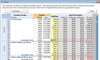
VIBlend DataGrid for Silverlight features a built-in data aggregation engine which is capable of turning any tabular data source into a wide variety of cross tab views. In a typical data grid, the data is flat and consists of many rows and columns. The data may contain multiple cells with the exact same values. In many of these scenarios working with the raw data may not be the best way to spot patterns and analysize trends. The rows grouping feature allows you to group multiple rows by columns where the corresponding grid cells have the same value. Pivot tables go one step further and enable powerful multidimensional data analysis. A Pivot table usually consits of row, column and data (value/fact) fields.

Row Details
VIBlend DataGrid for Silverlight allow you to specify grid row templates that provide more detailed information. The row details functionality is enabled via standard Silverlight DataTemplates. This allows you to easily display any type of content. The row details area height is configurable for each individual row.

Rows Grouping
VIBlend DataGrid for Silverlight allows you to group rows by the value of one or more columns. This feature is very useful in many business applications where the data source contains a larger number of rows. For example, you can group Sales records by Product, by Date or any other data column.

Sorting by Rows or Columns
VIBlend DataGrid for Silverlight provides built-in sorting capabilities. The sorting works in both bound and unbound mode. You can sort by columns and by rows. Each column and row has a Sorting property that allows you to enable or disable the sorting functionality. In addition, the data grid control keeps track on the original sort order and you can always see the data in the original (unsorted) order. The sorting algorithm automatically detects if you are sorting numbers, dates, text or other data type, and applies a proper comparison. The sorting APIs are extensible and allow you to plug-in a custom sorting implementation.

Filtering
VIBlend DataGrid for Silverlight features an advanced and extensible filtering framework. The filtering functionality works in both bound and unbound mode and you can filter by any column or row. VIBlend DataGrid provides built-in filters, and filter expression definition UI for the most common numerical, date/time and text data types. Extensible APIs allow you to build custom filters and filtering expressions for any data type.

Cell Images
You can create great looking interfaces with cell images, editable fields, animations and themes. The data grid cells are completely customizable. You can easily change Styles and DataTemplates for entire rows, columns or individual grid cells.

VIBlend Editors for Silverlight
VIBlend Controls for Silverlight includes a set of input controls that simplify the entry, data editing and validation. Data input is an important part of almost every business application. Save time and enable the users of your applications to work with numeric data, currencies, percentages, dates and times and much more. VIBlend Editors for Silverlight is the right choice for you.

Numeric, Decimal, Currency, Fixed-point, Percentage and SpinEditor

  • Culture specific formatting
  • Shortcut keys - Cut, Copy, Paste with Ctrl+X, Ctrl+C, Ctrl+V
  • Negative values support
  • Spin behavior
  • Unlimited Undo / Redo
  • Data Validation
  • Read Only mode
  • Customizable decimal places
  • Themes and Animations

DateTime Editor

  • Culture specific formatting
  • Spin Behavior - spins the currently selected group (month, day, etc.)
  • Data Validation
  • ReadOnly
  • Theming

Mask Editor

  • Mask specific formatting
  • Customizable prompt char
  • Shortcut keys - Cut, Copy, Paste with Ctrl+X, Ctrl+C, Ctrl+V
  • ReadOnly
  • Data Validation
  • Theming

AutoComplete Editor

  • FireFox-like Auto complete Look & Feel
  • Default text
  • Theming

VIBlend Silverlight Menu Control
Nearly all Web applications use Menu controls as primary navigation elements in the user interface. If you need an easy to use and feature complete Silverlight Menu control, VIBlend Menu for Silverlight must be on the top of your list.

Features

  • Boundary Detection
  • Animations
  • Keyboard Navigation
  • Data Binding
  • Vertical menus
  • Context Menus
  • Theming

VIBlend Silverlight TreeView Control
VIBlend TreeView for Silverlight is very easy to use and will make your applications look much better. Enjoy the rich functionality and outstanding look and feel. Ships with multiple professionally designed themes to choose from.

Features

  • Visual Styles and Animations
  • Tree Items Drag & Drop
  • Keyboard Navigation
  • Editable Tree items
  • Item Templates
  • DataBinding
  • Checkboxes, RadioButtons and 3-State Checkboxes
  • Multiple Selection
  • Item Filtering
  • 3-State Images
  • ScreenTips and Customizable Indicators

Product Search

Enter search words:

Why buy from ComponentSource?

ComponentSource offers a unique global service, used by over 1,000,000 software developers worldwide.

More Info | About Us

Screenshot Gallery

Click for full screen preview

Screenshot of VIBlend Controls for Silverlight - Silverlight - V5.0 Screenshot of VIBlend Controls for Silverlight - Silverlight - V5.0 Screenshot of VIBlend Controls for Silverlight - Silverlight - V5.0 Screenshot of VIBlend Controls for Silverlight - Silverlight - V5.0 Screenshot of VIBlend Controls for Silverlight - Silverlight - V5.0