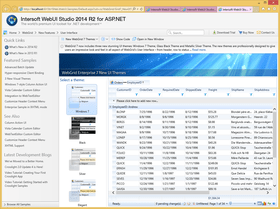
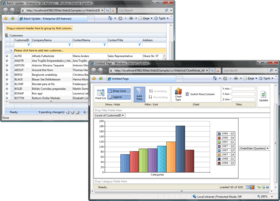
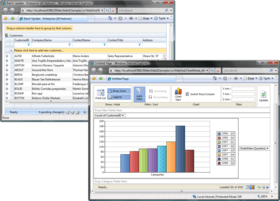
Screenshot Preview

WebGrid Enterprise 8

经 Intersoft Solutions Corporation - 产品类型: 构件 / ASP.NET WebForms / ASP.NET AJAX (ATLAS) / .NET 类 / 100% 受控代码 / HTML5 / AJAX

‏请注意: 除非另有说明,此为英语产品

*

Add advanced grid functionality to your ASP.NET solutions. WebGrid Enterprise is a DataGrid component for ASP.NET Web development, with the feature of allowing the controls to collaborate with server resources without page postback whilst preserving the true server-based processing. WebGrid Enterprise provides comprehensive Grid functionalities enabling enterprise-class information to be delivered in hierarchical navigations with sophisticated user interaction, allowing users to work with the information in a more effective and productive way. WebGrid Enterprise also supports out-of-the-box graphical charting presentation, advanced paging, runtime column freezing, comprehensive data source control support and cutting-edge LINQ-to-SQL datasource, codeless hierarchical data binding, sophisticated UX. WebGrid Enterprise delivers over 75+ innovative features, including batch editing, client side binding, three new visual themes, custom editor pack 3 and full XHTML support. WebGrid Enterprise can also be bought as part of WebUI Studio for ASP.NET and WebUI Studio Premier.



平均评分:   基于 1 评分
$ 783.02

‏我们的常规价格如下。 请登录后查看打折后的价格。

价格

WebGrid Enterprise 8   *

加入购物车 $ 783.02 1 Developer License  *
Mfr. 部件号: WG80-SD
下载 (743.9 MB)
加入购物车 $ 1,566.04 4 Developer Team License  *
Mfr. 部件号: WG80-4DL
下载 (743.9 MB)
加入购物车 $ 3,132.08 8 Developer Team License  *
Mfr. 部件号: WG80-8DL
下载 (743.9 MB)
加入购物车 $ 7,830.20 1 Site Wide License (Allows Unlimited Developers at a Single Physical Address)  *
Mfr. 部件号: WG80-SW
下载 (743.9 MB)

WebGrid Enterprise 8 - Upgrade License   *

加入购物车 $ 391.02 1 Developer Upgrade License from WebGrid.NET Enterprise from V5, V6 or V7  *
Mfr. 部件号: WG80U-SD
验证 下载 (743.9 MB)
加入购物车 $ 782.04 4 Developer Upgrade License from WebGrid.NET Enterprise V5, V6 or V7  *
Mfr. 部件号: WG80U-4DL
验证 下载 (743.9 MB)
加入购物车 $ 1,564.08 8 Developer Upgrade License from WebGrid.NET Enterprise V5, V6 or V7  *
Mfr. 部件号: WG80U-8DL
验证 下载 (743.9 MB)
加入购物车 $ 3,910.20 1 Site Wide Upgrade License from WebGrid.NET Enterprise V5, V6 or V7  *
Mfr. 部件号: WG80U-SW
验证 下载 (743.9 MB)

我们的价格包括ComponentSource的技术支持。对于大多数可下载的产品,还提供在线备份和免费升级为新版本,若新版本在购买后的30日内发布的话。  所有销售都是按照我们的标准条款 进行的,并且适用我们的退货政策. 请 联系我们 若您需要任何未在列出的License選擇,包括批量License及以前的版本。

‏我们的常规价格见上。 请登录后查看打折后的价格。

 *

What's New in WebGrid Enterprise 8?

  • HTML5 support with hierarchical layout, self-referencing tree mode, columnset, client binding to pivot charting and smart batch updates

What's New in WebGrid Enterprise 7.0.7200.403?

  • Added UndoChanges client-side API in WebGridCell level to undo the changes made on a specific level.

What's New in WebGrid Enterprise 7.0.7200.219? (WebUI Studio 2009 R2 SP1 Release)

  • When Client Binding and VirtualLoad are enabled, WebGrid is able to preload group aggregation value before all rows are retrieved
  • When Client Binding and VirtualLoad are enabled, paging can be enabled in group row level
  • WebGrid now supports WebService/WCF Service data source type for Client Binding and VirtualLoad grouping scenario
  • Added WebGrid's LINQ data provider that simplifies the codes to perform data operations using LINQ to SQL
  • Improved WebGrid's performance when self reference feature is used with VirtualLoad in large dataset scenario
  • Smart batch update now supports composite data key field configuration
  • Added SetCurrentPageIndex server-side method that is used to set the page index when Classic Paging is enabled in WebGrid
  • Added ShowContextMenu client-side function that is used to show the context menu of a specified column header
  • AutoHeight now supports XHTML doctype
  • WebGrid now supports sending custom request operation (AJAX) in Client Binding mode
  • GroupRowInfoFormat now works in nested group scenario

What’s New in WebGrid Enterprise 7? (WebUI Studio 2009 R2 Release)

New Visual UI Themes
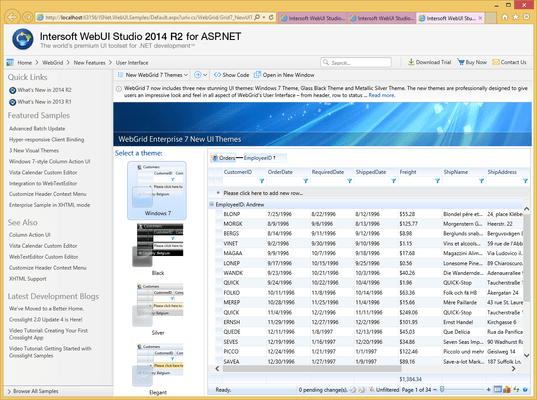
Thanks to WebGrid's DefaultStyle architecture, applying a new theme can be done as easy as one property set. The new themes are available as new options in DefaultStyleMode property in the new WebGrid control, accessible via the enhanced Component Designer 2. Three new themes are added, Windows 7, Bold Black, and Metal Silver.

Column Action
Column Action is a new user interface feature that displays contextual column actions through a visual hint that automatically appear when users hover on a column, making it even easier and faster for users to access all column-related commands. WebGrid also supports column action customization for more advanced scenarios, such as adding new commands or displaying predefined filter menus, similar to Windows Explorer. Use the client-side event OnColumnAction for this function.

Custom Editor Pack 3
WebGrid now supports an integrated WebTextEditor and Windows 7-style Calendar Custom Editor, enabling users to leverage the powerful and advanced editing capabilities of WebTextEditor . The custom editor pack 3 adds the convenience of one-click inline editing for richer user experience.

Improved Designer
In addition to the impressive UI themes and many new runtime features, WebGrid 7’s Designer makes it even easier to work with its new features. The style selection section is updated with the three new visual themes. The custom editor section is updated with custom editor pack 3.

Advanced Column Filter
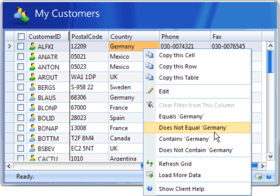
WebGrid 7 introduces an advanced column filter that enables developers to write their own expressions per column. The advanced filter expression must be compatible with ADO.NET Expression. Furthermore, the advanced expression text will not be displayed in the WebGrid user interface. Some scenarios where advanced filter can be useful are predefined filtering from custom context menu interface or custom filtering from column action interface.

Comprehensive XHTML Support
XHTML is the latest standard for all web documents – defining on how web page content should be rendered. As it’s becoming the standard in building Web-based applications, including enterprise Web-based applications. WebGrid Enterprise 7 continues to support all prevalent Web standards such as XHTML. This new release supports pixel-perfect rendering for XHTML files.

More advanced customization and new client-side events
WebGrid now supports customization for all contextual menu elements, including headers and exporting – giving developers the utmost flexibility to create speedy, easy-to-use applications. It also adds many new client-side events to cover boarder business scenarios.

What’s New in WebGrid Enterprise 7.0.7200.306?

  • Enhancement: Supports SharePoint Server 2010
  • Enhancement: Support automatic key value assignment for Guid data type when using ISDataSource control
  • Data layer methods will now be invoked once when WebGrid is refreshed and it is bound to custom object using ISDataSource
  • In Batch Update scenario, WebGrid will reset the value of modified cell to its previous value when users input an invalid number value
  • WebGrid is now able to add new row when batch update is enabled and group columns exist in the table
  • WebGrid is now able to add new child row when it is bound using tradional binding and batch update is enabled
  • CalendarDropDown edit type can now be displayed in Safari browser
  • When the page is viewed using Mozilla Firefox browser and users use Tab key to navigate between cells when batch update is enabled, a textbox will not be shown at the right side of WebGrid
  • When the page is viewed using Mozilla Firefox browser, the header and columns will now be aligned when users scroll to the right most of WebGrid
  • When the page is viewed using Mozilla Firefox browser and batch update is enabled, new child row will be displayed in WebGrid
  • GetRowsCount now returns correct value when WebGrid has pending AddRow changes
  • When AllowMultipleSelection is used together with CheckedRow feature, the GetCheckedRows method will now return the correct collection of checked rows

What’s New in WebGrid Enterprise 7.0.7200.304?

  • New Scenario Supported: Client binding support for section 508 standards.
  • New Scenario Supported: Prevent column header to be dragged outside WebGrid area.
  • New Scenario Supported: Exporting command invoked from row context menu will now use the first registered export type instead of fixed HTML type.
  • Filter row is still visible although the Visible property has been disabled. Occurs only in Mozilla Firefox
  • JavaScript exception will no longer occur when WebGrid contains hyperlink column and client binding feature is enabled

Please, visit the 'Evals and Downloads' section of this product page to Read a document with the complete WebUI Studio 2009 R2 SP1 Release Notes.The 'WebUI Studio 2009 R2 SP1 Release Notes' Document contains information about the 150+ improvements made on this release.

What’s New in WebGrid Enterprise 7.0?

WebGrid Enterprise 7 features new client-side binding and smart batch update. Client binding lets you build hyper-responsive 'Cloud' ready applications with native support for Web, WCF, and ADO.NET data service. Its enhanced JSON support means 90% smaller data footprint which ultimately increasing overall performance, while SmartBatchUpdate improves editing experience with innovative, single-pipeline updating architecture. WebGrid Enterprise 7 also supports out-of-the-box graphical charting presentation, advanced paging, runtime column freezing, comprehensive data source control support and cutting-edge LINQ-to-SQL datasource, codeless hierarchical data binding, sophisticated UX, and many more features:

Instant physical database update
SmartBatchUpdate is an advanced data editing feature which requires no advanced knowledge to implement. Featuring automatic data update supporting various data source, WebGrid intelligently tracks all pending changes and automatically save it to physical database. All you need to do is simply enabling the features with some property sets.

Hyper-responsive client-side binding
WebGrid Enterprise 7 is geared toward the future-proof Web 2.0 technologies such as cloud computing, offline application and SaaS. With elegant client-side binding architecture, you can now build highly responsive web application with over 90% lower data footprint. That translates to 10x faster performance compared to traditional server-side binding.

Cutting-edge data services support in client-side binding
The new client-side binding feature lets you connect to your existing data services using an elegant approach by simply specifying your data service address in provided property - eliminating the needs to write tedious Javascript codes. Client-side binding feature supports various data services such as Server-side data source, Web service, WCF service, as well as ADO.NET data service.

High compatibility with existing enterprise features
Unlike other competing products, WebGrid's client binding is designed to work-in-concert with existing behaviors and data-aware features - such as data grouping, sorting, filtering, and data transactions, and even the new SmartBatchUpdate™ technology. Now, you can deliver hyper-responsive, client-centric web application without sacrificing your favorite features.

Improved user interface and enhanced WebCombo integration
The new WebGrid Enterprise® includes improved user interface and better user experience - makes it more intuitive for user to work with information. It offers a new context menu item for pasting multiple rows from external source, such as Microsoft Excel®. In addition, WebCombo now works even better when integrated into WebGrid, such as when dealing with image column type and user input.

Default Style merging capability for easier customization
Default Style was first introduced in version 5 as an easy way to select the built-in themes of WebGrid Enterprise. However, it also disables the ability to customize the styles. This new enhancement addresses this limitation and makes it possible for you to customize WebGrid's styles while maintaining base default style at the same time.

What’s New in WebGrid.NET Enterprise 6.0?

  • Full support for Google Chrome browser.
  • Full support for LINQ to SQL enabling blazing fast data retrieval and operation.
  • Added IsRowHeader to column object.
  • Updated documentation which includes how to use WebGrid with IsLinqDataSource along with LINQ to SQL technology.
  • Automatic group total update
  • Multiple rows selection using keyboard keys (ctrl/shift)
  • New image button column type
  • New rendering mode that targets Section 508 Standards without any breakings to existing APIs and object model.
  • New Sample : Using WebDialogBox as Custom Editing Form. This sample demonstrates how to use your custom-made editing form to replace the built-in data editing behavior
  • New Scenario Supported: New built-in Chart Engine
  • New Scenario Supported: Improves performance when using large data.
  • New Scenario Supported: Add DisableFileSystemChecking property which specifies whether file system constraint checking should be disabled.
  • New Scenario Supported: Supports partial data retrieval in Classic Paging when the WebGrid is bound to ObjectDataSource or ISDataSource control.
  • New Scenario Supported: Added new localization file: "Germany (Austria)" and "Germany (Switzerland)".
  • New Scenario Supported: Built-in API to save/load chart settings based on Xml format is now implemented.
  • New Scenario Supported: Added French and Mexico localization for WebGrid.
  • WebGrid databinding is performed twice when it is contained in Template-based containers such as WebPaneManager, WebTab, etc. This bug is regression in v6 only.
  • WebGrid's elements are not aligned properly when scrolling the grid horizontally in RTL mode.
  • Unable to load ColumnSet Designer if the ColumnSet object has been previously added to the collection.
  • The content of RowLayout section in WebGrid.NET Designer is truncated.
  • WebGrid's data disappears after performing full postback.
  • When Classic Paging is enabled and Paging Mode is set to Custom, the total page size is incorrect. When column freezing is enabled and WebGrid is scrolled, the footer column is not scrolled along with its column. Occurs only in Firefox Mozilla.
  • WebGrid shows the primary key field as empty when Insert operation is performed to a non-auto-increment table using SQLDataSource.
  • The page is incorrectly redirected when filtering DateTime column with partial date input and using non-English culture.
  • Javascript error occurred when updating the value of filtered cell.
  • The checkbox in FilterRow disappears when user clicks at the area outside WebGrid after checking the checbox.
  • Error occured when using RefreshAll method in WebGrid that implements ClassicPaging with Slider style.
  • Error occured when changing VirtualLoadPageSize in InitializePostBack server side event.
  • Pivot Charting error occured in WebGrid that has DateTime-type column and the datasource is cached.
  • InputRequired error symbol is shown in the wrong column during adding new row process when column freezing is enabled.
  • WebGrid Designer caused Visual Studio 2005 to crash when datasource control setting is invalid.
  • Chart's context menu is overlapped by IE browser's context menu when using WebTab as custom container view.
  • "Missing operand after 'Country' operator" error occured when filtering chart in either series or categories field.
  • Unable to modify the color of WebGridColumn's header using AJAX AsyncPostBackTrigger button when placed within AJAX UpdatePanel.
  • Only one sorted column is applied when exporting two sorted columns WebGrid.
  • Error occured when exporting data of non-English cultured WebGrid. Fixed in the new ActiveReport assembly.
  • When using traditional binding, e.Row.DataRow property in DeleteRow server side event does not refer to the deleted WebGridRow.
  • Error occured when selecting newly-loaded row if VirtualLoadMode is set to LargeData and RowChangedAction property is set to OnTheFlyPostBack.
  • Error exporting WebGrid's data if HTML option is removed from export's context menu.
  • RowChanged server-side event is not invoked when user edits a cell and click on another row.


 *

Overview:
WebGrid Enterprise is an advanced DataGrid component for ASP.NET Web development. WebGrid Enterprise provides comprehensive Grid functionalities enabling enterprise-class information to be delivered in hierarchical navigations with sophisticated user interaction, allowing users to work with the information in a more effective and productive way.
 *

Features:
Various Data Source Support:

  • One of WebGrid's key designs is in its ability to assign most .NET data objects as DataSource without affecting any features. This allows developers to assign any .NET DataSource object to WebGrid without any need to convert it to a certain DataSource object.
  • Data source support (traditional) : Bind with various built in ADO.NET Data Source such as DataView, DataTable, DataSet, XML Data and custom data class. Assign also SqlDataReader, OleDbDataReader or any objects that implements IList interface
  • Data source control support (declarative) : Bind WebGrid.NET to AccessDataSource, SqlDataSource, ObjectDataSource, XmlDataSource in no time by using DataSource binding wizard which can be invoked easily from WebGrid's SmartTag.
  • Third party custom object support: WebGrid.NET Enterprise now supports third party datasource object as long as they follow the standard .NET DataSource control.
  • Exclusive integration with ISDataSource: The other advanced datasource control supported by WebGrid.NET Enterprise is hierarchical (multi table views) datasource control (ISDataSource.NET) that enables you to easily connect the WebGrid control to a relational dataset available in your web application without having to write any code.
  • Hierarchical And Child Tables: WebGrid.NET allows a hierarchical data source to be displayed in hierarchical navigation layout. It supports unlimited nested tables inside another table and provides sophisticated data analytical presentation. WebGrid includes built-in automatic functionality that handles the process of retrieving child row's based on defined relationships.
  • Hierarchical Strongly Typed Collection: Bind hierarchical business objects similar to DataSet objects. WebGrid.NET Enterprise is the first Grid component that implement extensive support to display Hierarchical Object Collections in a consistent and automated binding way.
  • Self Referencing Table: WebGrid.NET lets you display self referencing hierarchical table by simply configure the settings through WebGrid.NET Designer. As part of WebGrid.NET's vision, the feature also supports LoadOnDemand capability which built on the top of the OnTheFly™ architecture. This allows developers to implement their own logic to fetch large data tables.

Codeless DataBinding     

WebGrid.NET Enterprise includes codeless data binding . Codeless databinding means that you can configure the datasource, its connection and its related property without writing any code.  

  •  No-codes data binding through DataSourceControl support: Intersoftpt introduces new databinding concept with no codes required in the page’s code behind. In previous versions, you will need to configure InitializeDataSource event and write codes inside the event which pass the datasource to e.DataSource. That is no longer needed in WebGrid.NET Enterprise although the old databinding mechanism is still supported for backward compatibility.
  •  No-codes hierarchical data binding: There are two types of hierarchical select operation supported in WebGrid.NET Enterprise. By default, all tables defined in the dataset that connected to the datasource control will be loaded at first page request. There are many scenario that require the child table in hierarchical to be loaded on demand, in that case at ISDataSource datasource control level, you can enable load on demand operation by simply setting LoadOnDemand property to True. Next, you provide the method that retrieve the child table data and assign it to the ISDataSource control.
  •  No-codes WebValueList data binding : With declarative datasource control support, WebGrid makes it very easy for developers to bind the control to a datasource. In addition to binding the Grid to datasource control for its main data, WebGrid also enables you to bind a column's value list to datasource control. This feature completely removes the needs to write codes in the Grid control and allow you to declaratively specify the datasource control and datamember for the value list.

Rich Design Time Support    

WebGrid.NET Enterprise introduces various ways to connect to a datasource control in design-time through rich designers and wizards.

  •  Design-time support for DataSource Control.
  •  Smart tag action: The easiest way to start with data binding is through SmartTag Action Panel which appears automatically when you drop a new instance of WebGrid to designer. Alternatively, you can also use the context command to retrieve flat and hierarchical structure, or use one of the WebGrid Datasource Connect wizard or XmlDataSource Connect wizard to setup the datasource of your WebGrid easily.
  •  Connect to Data Source Wizard: When the WebGrid is connected to flat datasource control, such as AccessDataSource or SqlDataSource control, the WebGrid Datasource Connect wizard dialog box will appear. The datasource connection wizard integrates with Visual Studio 2005, such as automatic datasource detection when the DataSourceID property has changed. The wizard also has ability to retrieve the datasource schema available in the datasource control.
  •  Retrieve Structure and Retrieve Hierarchical Structure: When you have modification to datasource schema which already assigned to WebGrid, you don’t need to change the DataSourceControlID or DataMember property. Instead, you can simply re-retrieve the schema (structure) by using the commands in control’s context menu. Alternatively, Retrieve Structure and Retrieve Hierarchical Structure action also can be invoked from the Connected to Data Source Control Wizard.

Component Designer 

  • WebGrid.NET Enterprise introduces a rich component designer to help developers easily configure the settings available in WebGrid. WebGrid.NET Enterprise Designer comes with 5 main tab-style interfaces. 
  • Quick Start: The quick start page is the main access point of most popular settings to help you quickly getting started with WebGrid. By default, the quick start page is displayed automatically when launched from design surface. The quick start page consists of 8 sub pages. The Data Source sub page is automatically displayed when the WebGrid doesn’t have binding configuration yet. The Popular Settings sub page will be displayed when the WebGrid already has a valid binding configuration. This allows you to concentrate on WebGrid’s customization based on its current state.
  • Advanced Settings: The Advanced page gives you complete control over the WebGrid configuration and its tables structure. While most main features can be easily enabled in Quick Start page, some advanced features such as column set display, self referencing, or other table-level settings can only be configured in Advanced page. Combining the state-of-the-art Component Designer with streamlined user interface concept in WebGrid.NET Enterprise 5.0, the Advanced page also displays rich designer for several main objects such as WebGridTable and WebGridColumn.
  • Layout Manager:  Let you easily apply from a predefined style as well as save your own style and reuse it later.
  • Structure Manager:  This feature enables you to save the structure of an existing WebGrid in design-time. The structure includes table configuration such as columns, grouped columns, filtered columns as well as child tables. With this feature, you can easily reuse a WebGrid’s structure by applying the saved configuration in Structure Manager.
  • Localization Manager:  Localization Manager is a feature to help you configuring the language settings in WebGrid. In this new version, Localization Manager has been much improved with the adoption of clean and uncluttered user interface which results in better development experience and easier to use. The improved Localization Manager also incorporates the new SmartWebResources™ feature in its user interface so that you can effortlessly configure resources and related language settings in one streamlined user interface.

Editing    

WebGrid.NET Enterprise lets you use your favorite editing control, whether it is an ASP.NET Server Control or a DHTML Client Control, and “hook” it up into WebGrid easily. WebGrid.NET Enterprise includes a "Resizable TextBox", which gives you the freedom to resize the editable textbox and thus give you a more convenient way of editing the text. 

  • Edit Type "Resizable TextBox": WebGrid.NET Enterprise introduces a resizable text box edit control. The resizable text box makes it easy and convenience for user while editing cell containing larger amount of text. With this feature, user can easily resize the text box by dragging the resize handler at the bottom right position. When a cell has been modified, you can press enter to accept the modified value as in normal text box.
  • Built-in Cell Validation through new Required Input: WebGrid.NET Enterprise now provides built-in feature for Required Input during data editing. When the cell of the specified column is empty, the updating will be blocked until all required input are filled. You can modify the error message in the InputRequiredErrorText property.
  • Verbose Editing InfoText:  One of the most significant enhancements is the new verbose information text in editing mode. This new feature is useful to deliver intuitive editing experience for users as they can notice on important information related to a specific column in status bar area.
  • Editing Environment: Intersoftpt's OnTheFly Postback architecture and Microsoft's ADO.NET in-memory architecture makes it possible for WebGrid.NET to perform new editing functionality concept, which renders only the added or modified record and updates to the physical database transparently. You no longer have to wait for long page refresh or Postback in order to manipulate or update information to your database. That will make end users to experience Windows-based application working environment which they are already familiar with.
  • Custom Editor Open Architecture: WebGrid.NET is promised to let you use your favorite editing control and “hook” it up into WebGrid easily. This great and feature will allow you to use virtually any types of controls as WebGrid’s EditType, whether it is an ASP.NET Server Control or a DHTML Client Control. This is possible with the designer persistence innovation added to the CustomEditor architecture. You can quickly define a custom editor’s setting and behavior in rich object model. We have made it extremely flexible so that you can even draw your own base editor or dropdown button by setting them to Custom. 
  • Edit Types: WebGrid.NET Enterprise provides 6 edit types such as Textbox, MultilineTextbox, Checkbox, DropdownList, CalendarDropdown, CalendarCombo and best of all, WebComboNET.

Column Freezing    

WebGrid.NET Enterprise 5.0 implements Microsoft Excel style column freezing feature. WebGrid's LiveFreeze architecture enables frozen columns to stay visible even though the horizontal scrollbar of the WebGrid is scrolled. 

  •  Runtime column freezing/unfreezing:  WebGrid introduces LiveFreeze™ technology which enables users to “lively” perform column freezing and unfreezing in real-time without the need of postback or callback. Frozen columns stay visible even though the horizontal scrollbar of the WebGrid is scrolled. This feature work in conjunction with all existing WebGrid’s functions and FlyPostBack (AJAX) actions such as Grouping, Sorting and Filtering.
  • Absolute Scrolling for column freezing: To better simulate Excel scrolling behavior while freezing is active, WebGrid.NET Enterprise introduces Absolute Scrolling™ in conjunction with the LiveFreeze™ implementation. With Absolute Scrolling enabled, WebGrid is able to automatically adjust the viewport to the next available column when user pressed on the left/right arrow of horizontal scrollbar. This behavior allows users to conveniently scroll through all the columns with fewer clicks.
  • Keyboard navigation in column freezing: Column Freezing feature works perfectly with keyboard navigation in cell select mode as well as in editing environment. The hidden column will be automatically visible and focused during editing; the scrollbar will also automatically reflect the current position of the edit cell.

Filtering & Grouping    

Let the users decide which data should be displayed by turning on the filter row. Users can specify row filter based on a column by typing the filter text in Filter TextBox and press ENTER. You can change the filter type, apply all filters, or clear all filters by clicking the Filter Image. WebGrid.NET Enterprise automatically handles rows grouping based on specified Columns' value.

Exporting    

Includes built-in exporting functionality to HTML, PDF, TIFF, RTF, Excel, Text and XML format. The built-in exporting feature incorporates DataDynamic's ActiveReports runtime engine to generate and output the reports to HTML and PDF format. The ActiveReport's engine is only used internally by WebGrid.NET at runtime and doesn't require you to add references of ActiveReport's assembly in your Visual Studio solution

OnTheFly-Postback    

Eliminates the need to perform full page postback in order to communicate with server resources.

  • Loading PreviewRow On Demand:WebGrid will render all preview row data at once in first load. This could introduce several performance issues due to large output size, and meanwhile user might not need to see all preview row's data at once.You can configure WebGrid to skip preview row rendering in first load to reduce initial page output size.
  • ASP.NET AJAX Support: ASP.NET AJAX from Microsoft is fully compatible with WebGrid’s built-in AJAX Framework. You can use ASP.NET AJAX side-by-side with WebGrid as well as using WebGrid inside UpdatePanel.
  • Advanced Load On Demand: This feature works in conjunction with Hierarchical grid mode and automatic data processing feature. With efficiency and scalability in mind, child rows data of its parent row will not be rendered to client on each loaded Table. The child rows of a Table will be retrieved transparently when users click on + sign to expand the child rows. This results in efficient information delivery by displaying necessary information and load more information transparently when needed, all without leaving the current state of the working page.
  •  VirtualLoad Paging mode: The VirtualLoad paging concept, is a unique feature that enables more data to be retrieved from server transparently and virtually as users scroll the data forward. The newly retrieved rows wouldn't affect previous retrieved rows, resulting in more information to be displayed in one central place, inside the WebGrid. As of other key features, the VirtualLoad paging feature also works in conjunction with all other key's features such as automatic data caching and processing.
  • Data Caching: WebGrid.NET implements advanced datacaching mechanism to reduce server workloads. The scope of the cache is session. This enables a greater and more flexible control to the WebGrid object. The WebGrid control keeps track of each session's cache and will automatically remove the DataSource object from cache when it's no longer accessed. 


注意

还未完成翻译的产品说明, 我们提供了Google 翻译的连结方便您使用. 但请注意, 自动翻译有时候可能会有翻译错误.
强力驱动
在Firefox 和Opera 需要Flash.

产品搜索

输入搜索词:

为什么从ComponentSource购买?

ComponentSource 提供独特的全球国际服务, 在世界各地共有超过1,000,000开发者客户.

更多讯息 | 关于我们

节省的开发量

请阅读我们的白皮书
计算投资收益

代码的行数: 50,000
人月数: 50
人工成本: $250,000

需要的功能:

每1000行代码的工作量

每月的人工成本:

奖励 奖励