by MindFusion Group - Product Type: Component / .NET WPF / 100% Managed Code / Source Code
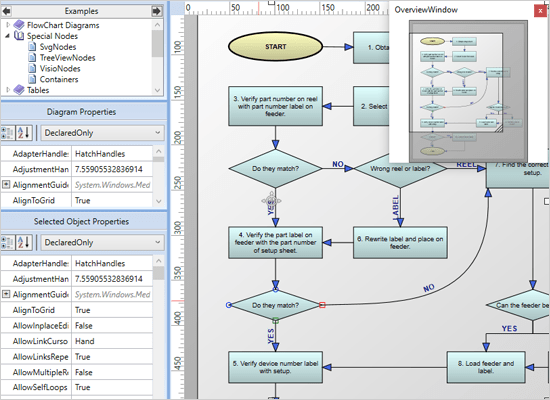
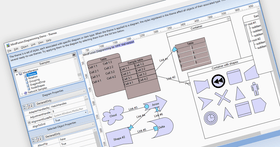
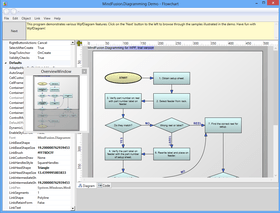
Add advanced diagramming capabilities to your WPF applications. WpfDiagram is a WPF component that draws all types of flow diagrams like entity-relationship (ER), workflow, algorithms, flowcharts, IVR systems, database charts object hierarchies, relationships and many more. WpfDiagram offers numerous appearance properties, events, save/load options and automatic layouts. WpfDiagram can also draw tables, has many predefined shapes, scroll, zoom, undo/redo capabilities and many more.WpfDiagram C# Source code available. Buy MindFusion WpfDiagram and obtain 12 months of free upgrades. MindFusion WpfDiagram renewals will extend your WpfDiagram subscription for another year. WpfDiagram Enterprise and WpfDiagram Site Licenses also available.
Our regular prices are shown below. Please logon to see your discounted prices.
| Add to Cart | $ 588.00 | 1 Developer Subscription License (12 months of free upgrades included) | Download (30.3 MB) | |
| Add to Cart | $ 1,078.00 | 4 Developer Team Subscription License (12 months of free upgrades included) | Download (30.3 MB) | |
| Add to Cart | $ 1,862.00 | 8 Developer Team Subscription License (12 months of free upgrades included) | Download (30.3 MB) | |
| Add to Cart | $ 3,430.00 | 1 Site Wide Subscription Subscription License (Allows Unlimited Developers at a Single Physical Address) (12 months of free upgrades included) | Download (30.3 MB) | |
| Add to Cart | $ 6,223.00 | 1 Enterprise Subscription Subscription License (Unlimited number of developers of an enterprise at all its physical addresses) (12 months of free upgrades included) | Download (30.3 MB) |
| Add to Cart | $ 1,127.00 | 1 Developer Subscription License with Source Code (12 months of free upgrades included) | Download (32.0 MB) | |
| Add to Cart | $ 1,617.00 | 4 Developer Subscription License with Source Code (12 months of free upgrades included) | Download (32.0 MB) | |
| Add to Cart | $ 2,401.00 | 8 Developer Subscription License with Source Code (12 months of free upgrades included) | Download (32.0 MB) | |
| Add to Cart | $ 3,969.00 | 1 Site Wide Subscription License (Allows Unlimited Developers at a Single Physical Address) with Source Code (12 months of free upgrades included) | Download (32.0 MB) | |
| Add to Cart | $ 6,762.00 | 1 Enterprise Subscription Subscription License (Unlimited number of developers of an enterprise at all its physical addresses) with Source Code (12 months of free upgrades included) | Download (32.0 MB) |
| Add to Cart | $ 235.20 | 1 Developer Subscription Renewal License (12 months of free upgrades included) | Verify | Download (30.3 MB) |
| Add to Cart | $ 431.20 | 4 Developer Team Subscription Renewal License (12 months of free upgrades included) | Verify | Download (30.3 MB) |
| Add to Cart | $ 744.80 | 8 Developer Team Subscription Renewal License (12 months of free upgrades included) | Verify | Download (30.3 MB) |
| Add to Cart | $ 1,372.00 | 1 Site Wide Subscription Subscription Renewal License (Allows Unlimited Developers at a Single Physical Address) (12 months of free upgrades included) | Verify | Download (30.3 MB) |
| Add to Cart | $ 2,489.20 | 1 Enterprise Subscription Subscription Renewal License (Unlimited number of developers of an enterprise at all its physical addresses) (12 months of free upgrades included) | Verify | Download (30.3 MB) |
| Add to Cart | $ 450.80 | 1 Developer Subscription Renewal License with Source Code (12 months of free upgrades included) | Verify | Download (32.0 MB) |
| Add to Cart | $ 646.80 | 4 Developer Subscription Renewal License with Source Code (12 months of free upgrades included) | Verify | Download (32.0 MB) |
| Add to Cart | $ 960.40 | 8 Developer Subscription Renewal License with Source Code (12 months of free upgrades included) | Verify | Download (32.0 MB) |
| Add to Cart | $ 1,587.60 | 1 Site Wide Subscription Renewal License (Allows Unlimited Developers at a Single Physical Address) with Source Code (12 months of free upgrades included) | Verify | Download (32.0 MB) |
| Add to Cart | $ 2,704.80 | 1 Enterprise Subscription Subscription Renewal License (Unlimited number of developers of an enterprise at all its physical addresses) with Source Code (12 months of free upgrades included) | Verify | Download (32.0 MB) |
Our prices include ComponentSource technical support and, for most downloadable products, an online backup and a FREE upgrade to the new version if it is released within 30 days of your purchase. All sales are made on our standard Terms and Conditions and subject to our Return Policy. Please contact us if you require any licensing option not listed, including volume licensing and previous versions.
Our regular prices are shown above. Please logon to see your discounted prices.
What's new in WpfDiagram V3.01?
What's new in WpfDiagram V3.0?
What's new in WpfDiagram V2.8.2?
What's new in WpfDiagram V2.8?
What's new in WpfDiagram V2.7?
What's new in WpfDiagram V2.6?
What's new in WpfDiagram V2.5.2?
What's new in WpfDiagram V2.5.1?
What's new in WpfDiagram V2.5?
Swimlane layout
SwimlaneLayout can be used to arrange process diagrams in which nodes representing activities are placed in swimlanes representing resources. By default, the algorithm works with the diagram's LaneGrid, but its SwimlaneGrid property can be set to any class that implements ISwimlaneGrid. This allows applying the layout to a custom-drawn grid rendered through a custom control template, or one composed of locked background nodes.
CascadeLayout algorithm
CascadeLayout places nodes on a virtual grid and arranges links orthogonally, such that if the source graph is planar all links are guaranteed to have no more than two bends and will not intersect. By default the layout method arranges nodes in rows and link segments in columns; this can be changed by setting the Orientation property.
TriangularLayout algorithm
TriangularLayout places nodes on a virtual grid, such that if the source graph is planar, all links are guaranteed to have a single segment and not intersect. If the graph is not planar, its intersecting links can be optionally segmented and bended in order to improve readability. The layout method places the nodes from the external face on a triangle and recursively adds the rest of the nodes as vertices of internal triangles. As a result, it is very effective for near maximal-planar (a.k.a. triangular) graphs.
HierarchicalLayout algorithm
HierarchicalLayout places nodes on user-defined levels, such that if the source graph is level-planar, all links are guaranteed to have a single segment and not intersect. The layout method requires that for each node LayoutTraits contains a HierarchicalLayoutTraits.Level entry specifying the level, and no two connected nodes must be on the same level.
Miscellaneous
What's new in WpfDiagram V2.4?
Templated Nodes
The TemplatedNode class represents nodes whose appearance is set through Xaml data templates. This class is useful mostly as a base type of custom nodes. However it is not abstract and can be used directly if the text -related properties defined in DiagramItem are sufficient for your purposes. The appearance of such nodes can be set through their Template property or the NodeTemplate property of the Diagram class.
WmfExporter component
The WmfExporter class creates a Windows Metafile (WMF) drawing from the content of a Diagram. The exporter enumerates all graphics primitives contained in the WPF visual tree and creates corresponding WMF records. This enables custom graphics and hosted controls to be rendered in WMF too.
What's new in WpfDiagram V2.3.3?
Export to SVG
The SvgExporter class creates a Scalable Vector Graphics (SVG) drawing from the content of a Diagram. The exporter enumerates all graphics primitives contained in the WPF visual tree and creates corresponding SVG elements. This enables custom graphics are hosted controls to be rendered in SVG too.
Other improvements in WpfDiagram V2.3.3:
What's new in WpfDiagram V2.3.2?
Support for .NET 4
The package now includes a .NET 4 version of the MindFusion.Diagramming assemblies, available in the VS2010 subfolder of the installation folder. These assemblies can also be used in applications that target the .NET 4 Client Profile. The VS2010 folder also includes sample projects for Visual Studio 2010. Version 3 of the .NET runtime is still supported.
Styling
This version enables styling of diagram items through the WPF styling system. Now DiagramItem provides a Style property, which can be set to an instance of the System.Windows.Style class. The style can contain setters for the Brush, Stroke*, Text* and Font* dependency properties that were introduced in the last release. Using the style's TargetType attribute it is also possible to define a global style in the window or application resource dictionaries for each type of node.
Other Improvements:
What's new in WpfDiagram V2.3.1?
What's new in WpfDiagram V2.3?
What's new in WpfDiagram V2.2?
What's new in WpfDiagram V2.1.1?
What's new in WpfDiagram V2.1?
WpfDiagram features the latest generation WPF graphical presentation tools provided by the .NET platform. As a result the programming process has become easier and quicker, the final diagrams are more attractive and lively.
WpfDiagram Uses include:
WpfDiagram Main Features:
User Interaction
Programming
Store and retrieve diagrams into/from
Output
Diagram Elements
Automatic Layout
Appearance
Behavior
Diagram Structure
Hierarchical grouping
ComponentSource offers a unique global service, used by over 1,000,000 software developers worldwide.