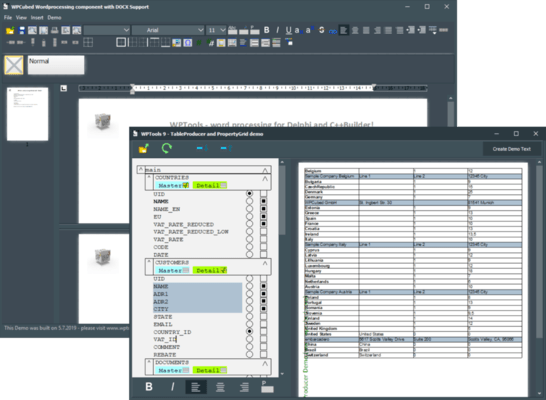
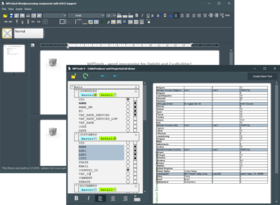
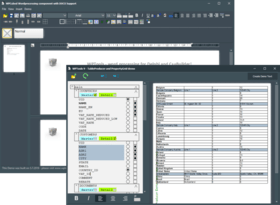
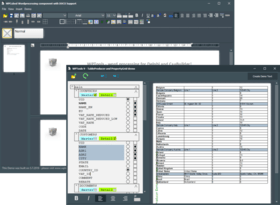
Screenshot Preview

WPTools Premium

by wpCubed - 상품타입: Component / VCL

주의 : 별도의 안내가 없는 경우에는 영어제품 입니다.

*

Add word processing capability to your Delphi and C++Builder applications. WPTools is a suite of native Delphi/C++Builder components to create and edit formatted text. The central part is a complete WYSIWYG word processing component which is surprisingly small. WPTools has a lot of useful functions. WPTools supports editable header and footer in its perfect page layout modes, zooming, split-screen, tables, also with the possibility of page breaks inside table rows and a powerful CSS like paragraph style concept. WPTools supports a variety of different character and paragraph attributes, style-sheets, numbering and bullets. Plus, it supports nestable bookmarks, embedded images (with text wrap around) and table of contents. The mail merge facility in WPTools is exceptionally strong. It is also possible to use it with forms for data entry.


평균    2 리뷰(s).
₩1,329,400

일반 적인 소비자 가격은 하기에 표시되어 있습니다. 고객님의 할인가격은 표시 하시려면 로그인 해주시기 바랍니다.

통화 선택

WPTools Premium V6.0   *

주문 ₩ 1,329,400 1 Developer License  * 다운로드 (12.7 MB)
주문 ₩ 5,317,400 Team License (Allows 2 to 6 developers)  * 다운로드 (12.7 MB)
주문 ₩ 13,293,600 Site License (Allows up to 20Developers at a Single Physical Address)  * 다운로드 (12.7 MB)

가격에는 ComponentSource의 기술지원 요금이 포함되어 있습니다. 또한 다운로드 판매를 하고 있는 상품의 대부분은 온라인 백업요금이 포함되어 있어서 구입날로부터 30일 이내에 새로운 버전이 발매된 경우 무료로 업그레이드해 드리고 있습니다.  모든 주문에 대해서 당사표준 계약조건 반품조건 의 내용이 적용됩니다. 다음의 경우,고객 서비스로로 연락 주시기 바랍니다. (대량의 라이센스나 구 버전 등의 라이센스 옵션이 필요한 경우)

일반 적인 소비자 가격은 상기에 표시되어 있습니다. 고객님의 할인가격은 표시 하시려면 로그인 해주시기 바랍니다.

 *

Premium Version

  • Includes 100% Source
  • You can create and edit text boxes in the document also called frames
  • You can create and edit footnotes in the document

What's New in WPTools V5.18.1

  • new IDE dialog (click right on TWPRichText control) to pre configure format- and edit options
  • CurrAttr.FontName and Size will now report the default/style attributes - Can be switched off using $define DONT_REPORT_DEFAULT_ATTR
  • updated DefaultAttr handling. Using this property you can set the default font
  • new EditOptionsEx: wpDontResetPagesizeInNew - the "New" action will not reset the page size
  • new EditOptionsEx: wpSetDefaultAttrInNew - the "New" action will reset the writing mode to the default
  • new method: ClearEx(DontClearStyles,DontResetPageSize,ResetWritingAttr : Boolean);
  • new property: AcceptFilesOptions. Create movable images or linked images with drag&drop
  • new event: AfterLoadText - preprocess the text before after load operations
  • much improved Par.SplitCell method and new property EditOptionsEx wpAllowSplitOfCombinedCellsOnly - (Disables a function which allows the creation of tables with different coloumn count per row)
  • PrintParamameter.PageSides now works with the Print() function
  • The print dialog now also allows printing of selected text. This can be disabled using PrintOption 'wpDontAllowSelectionPrinting'
  • speed optimation of the RTF reader (especially for files with images)

Note: Please refer WPTools Version History from Evals & Downloads page for more details for What's New.


 *

This VCL component suite includes editor components, dialogs and all the important GUI controls to integrate word processing into any Delphi or C++Builder application. The standard package already handles hyperlinks, headers and footers, paragraph styles, bookmarks, RTF, HTML (also HTML/CSS), tables and graphics. The page layout view provides a complete WYSIWYG preview of the page, including display of headers and footers. Integrate this component suite into your application to guarantee that your end users experience the comfort and ease they have come to expect from standard word processing programs.

WPTools allows you to create an impressive word processor. Or take advantage of WPTools' multitude of powerful features to expand the ability of your application. For example:

Movable graphics: The standard setting on this feature allows you to handle a graphic like a character. When this is changed the graphic can be handled relative to a paragraph, with the text floating either to the right or left of the graphic.

Mail-merge: This feature allows you to integrate fields into your document and insert text or graphics at a certain position. Formatted text is also possible. True, other tools can do this, too, but WPTools goes even further and lets you read out the merged text back into the database. This means that if your end-user changed or completed merged text in the letter created, your application can read this information. Depending on your program you can either re-import the updated information or create a new database. Plus, the data fields remain visible so it is possible to update the data or insert new data in a previously merged letter at any time.

Bookmarks: WPTools supports bookmarks. Bookmarks are handled as start/end tags so they can be nested easily and can optionally be displayed in the text. When the closing bookmark is deleted it will automatically delete the opening bookmark as well.

Numbering and Bullets: Internally WPTools provides several pre-defined numbering and bullet styles. However, the dialog provided also makes it possible for you to create your own. Numbering can be done with letters (A,B,C), Latin numbers (1,2,3) or Roman numbers (I,II,III) which can be preceded with a "[" or "{" or followed with a "]", "}", "." or a ")". The powerful numbering procedure even provides up to 9 levels for outlines and the dialog also makes it easy to add your favorite bullet styles with the symbol(s) and font of your choice. Legal numbering (1.1.1, 1.1.2, 1.2.1, 1.2.2) is also supported.

Viewing modes: WPTools supports the normal editing view and a page layout mode. In the page layout mode the user sees the header and footer and it is possible to change the page margins using the vertical and horizontal rulers included. This mode can also display watermarks (painted and printed using a versatile event).

Table handling: In programming tables our priority was to make them easy to use. Thus, WPTools offers you and your end-users the standard features you are accustomed to. The [TAB]-key moves the cursor to the next column and rows can be added automatically with the [CR]-key. Use the mouse to select a range of cells within the table then simply click on the buttons provided to either create lines around the area selected or make the lines in this area invisible. Table cells can also be split (this can be done as often as desired to create as many cells are needed) and merged horizontally. Of course, additional table rows and columns can be inserted and deleted at any time.

Undo: WPTools offers complete undo and redo capability. This is a very attractive feature which helps combat frustration among your end-users. Our undo architecture makes it possible to combine the undo objects of several editors on one form into one stackthus allowing global undo for data entry forms.

WPTools offers a multitude of features to make utilization easier for your end-users, but also has a great number of interesting possibilities to inspire you while developing your tool. For example, the WPTools library has been created with Delphi and is specifically designed for Delphi. It uses collections (TCollection class) frequently, for example in the headers and footers, paper formats, bullets and numbering styles, paragraph styles, RTF-variables. This makes it possible to change included features easily or add new items of your own creation to the Delphi IDE.

The data structures of the module which work with the text can be easily accessed through program code. This makes it possible to work with the text under program control at high speed, without requiring any slow or difficult messages. Thus, WPTools can be tailored to your individual requirements fast and effectively.

WPTools also includes a unit specifically designed to use the conversion DLL's installed by Word. As a result the program is able to load a wide variety of formats, depending on the system configuration. It also includes 2 print control classes for integration in QuickReport and optionally an add-on to support ReportBuilder.

WPTools also contains several shared components which are also used by WPForm. This component set includes a tool to localize a project, a universal XML reader class and a very powerful XML writer class. It also includes a powerful undo manager.These shared components can be easily integrated into your projects, even if you don't need the versatility provided by WPTools or WPForm. One simple example of this is to use the undo-manager to create forward and backward browsing buttons or use the XML tree class to manage your configuration file.


주의

제품 리뷰의 한국어 번역이 완료되지 않는 제품은 Google통역 서비스와 연동되어 표시되어 있습니다.통역 기계에 의한 자동 번역인 관계로 한국어 표기가 조금 부자연 스러운 점 양해 바랍니다.
에서 제공
FireFox와 Opera에서는 Flash가 필요합니다.

상품검색

검색어를 입력해주세요:

ComponentSource에서 구입하는 이유?

ComponentSource는 세계 1,000,000명 이상의 개발자에게 각종 글로벌 서비스를 제공합니다.

상세 | About Us

Award