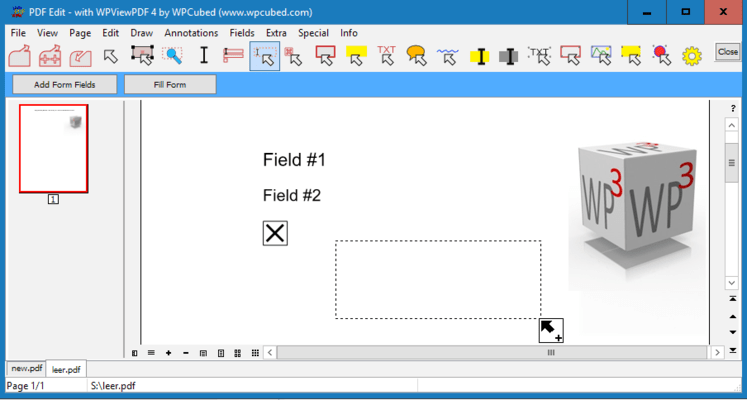
Screenshot Preview

wpViewPDF

von wpCubed - Produkttyp: Komponente / .NET Class / ActiveX DLL / DLL / VCL

Bitte beachten Sie, falls nicht andersweitig erwähnt ist dieses Produkt nur in englischer Sprache verfügbar.

*

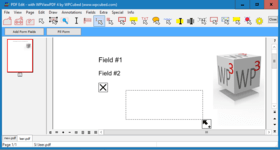
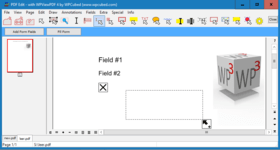
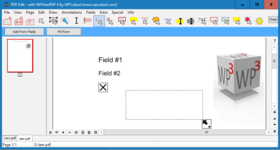
View PDF data with ease. wpViewPDF allows you to view PDF data that can be loaded from memory, file or stream. wpViewPDF has been developed as a Windows Class which makes it compatible with most Windows based development systems. wpViewPDF can be used to quickly display and print PDF files which were created with wPDF, wPDFControl or wRTF2PDF or with another library. It is directly embedded into your application. It supports ANSI text extraction and text find and highlight functionality.

Ab
₩370,400

Unsere regulären Preise werden nachstehend angezeigt. Bitte melden Sie sich an um Ihre ermäßigten Preise zu sehen.

Preis in

wpViewPDF V3.0 Standard   *

In den Einkaufswagen ₩ 370,400 1 Developer License  * Download (5.4 MB)
In den Einkaufswagen ₩ 1,481,700 Team License (allows 2 to 6 developers)  * Download (5.4 MB)
In den Einkaufswagen ₩ 3,704,300 Site License (Allows up to 20 Developers at a Single Physical Address)  * Download (5.4 MB)
In den Einkaufswagen ₩ 185,200 1 Developer License Upgrade from V2.0  * Prüfen Download (5.4 MB)
In den Einkaufswagen ₩ 740,900 Team License (allows 2 to 6 developers) Upgrade from V2.0  * Prüfen Download (5.4 MB)
In den Einkaufswagen ₩ 1,852,100 Site License (Allows up to 20 Developers at a Single Physical Address) Upgrade from V2.0  * Prüfen Download (5.4 MB)

wpViewPDF V3.0 PLUS   *

In den Einkaufswagen ₩ 594,500 1 Developer License  * Download (5.7 MB)
In den Einkaufswagen ₩ 2,377,900 Team License (allows 2 to 6 developers)  * Download (5.7 MB)
In den Einkaufswagen ₩ 5,944,800 Site License (Allows up to 20 Developers at a Single Physical Address)  * Download (5.7 MB)
In den Einkaufswagen ₩ 297,200 1 Developer License Upgrade from V2.0  * Prüfen Download (5.7 MB)
In den Einkaufswagen ₩ 1,189,000 Team License (allows 2 to 6 developers) Upgrade from V2.0  * Prüfen Download (5.7 MB)
In den Einkaufswagen ₩ 2,972,400 Site License (Allows up to 20 Developers at a Single Physical Address) Upgrade from V2.0  * Prüfen Download (5.7 MB)

wpViewPDF V3.0 PLUS Server License   *

In den Einkaufswagen ₩ 672,100 1 Internet/Web Server License  * Download (5.7 MB)
In den Einkaufswagen ₩ 336,100 1 Internet/Web Server License Upgrade from V2.0  * Prüfen Download (5.7 MB)

Unsere Preise beinhalten einen technischen Support durch ComponentSource und für die meisten herunterladbaren Produkte zusätzlich ein Online-Backup sowie eine kostenlose Aktualisierung auf die neue Version, sofern sie binnen 30 Tagen nach dem Kauf freigegeben werden. Die angezeigten Preise sind zuzüglich aller Steuern. Für mehr Information zu eventuell anfallende Steuern, gehen Sie bitte auf diese Webseite. Alle Verkäufe unterliegen unseren Standardgeschäftsbedingungen und unseren Rückgaberegeln. Treten Sie bitte mit uns in Kontakt , wenn Sie eine Lizenzierungsoption anfordern möchten, die nicht aufgeführt ist, einschließlich Mehrplatzlizenzen und ältere Versionen.

Unsere regulären Preise werden oben angezeigt. Bitte melden Sie sich an um Ihre ermäßigten Preise zu sehen.

 *

Overview
wpViewPDF allows you to view PDF data that can be loaded from memory, file or stream. wpViewPDF can also open PDF files created by scanner software since it also does CCITT decompression. wpViewPDF includes the component as a .NET and Delphi component and a small example application. The source for the components (C# and Pascal) is included as well. Also an OCX component which works as interface for the wpViewPDF DLL is included. So you can use wpViewPDF in VB or similar. You only have to specify the exact path to the DLL when using the method ViewerStart. This will initialize the component. Since the DLL can be renamed and placed in the directory of your application, "DLL Hell" can be avoided.

What's new in WPViewPDF 3

  • Multithreaded scrolling window for fast reaction on scroll and zoom commands
  • Optional thumbnail window
  • Completely new rendering based using floating point coordinates
  • much improved support for embedded fonts, such as subset fonts
  • Updated image rendering for faster display of large JPEG images and anti aliased display of monochrome images
  • support for Type3 fonts
  • Support for LAB colors and transparent colors
  • Improved Acro-field rendering, read and update (with PLUS)
  • Faster printing with several stretching options
  • Improved and enhanced PDF to image conversion (BMP, EMF, JPEG)
  • Improved conversion to Text - now also conversion to RTF and HTML
  • Exported print, merge and conversion methods now also available as "W" version for Unicode strings
  • Improved scribed stamping to add page numbers quickly
  • Add image, text and vector objects, i.e. highlights which can be sized and moved by user or program
  • Updated search and highlighting functionality
  • Automatic repair makes reading of PDF files possible which could not be opened otherwise

What's new in WPViewPDF 2

  • optionally integrates font rendering engine to display and print Type 1 fonts (simply add 2 DLLs)
  • anti aliased rendering of monochrome graphics for much enhanced display of scanned documents
  • support for TrueType subset fonts.
  • improved support for CMYK images.
  • new auto scroll mode activated with middle mouse button.
  • display bookmarks of PDF file.
  • text selection and copy
  • optimized load and render methods to open and display PDF files even faster

Since V2.26 it is possible to directly convert a PDF file to a multi page TIFF file using WPViewPDF "PLUS".

One Component for all
It is now possible to not only create PDF files from your application, but also to view them almost instantly. wpViewPDF is the ideal component for this purpose. Although wpViewPDF cannot ensure that you will be able to view all kinds of PDF files, it can display and print PDF files generated with wpCubed's own PDF tools or similar products. At presently a wrapper for both Delphi/C++Builder and .NET are included. If you use the included OCX you can still avoid version conflicts since the "intelligence" is not inside the OCX but inside the DLL. The latter can be loaded from the applications directory.

Drop it in and it is ready to use
The control already includes buttons to change zooming and view modes and even a menu to start printing. Of course, all elements can be switched off.

What's new in WPViewPDF PLUS V2.0?
With the "PLUS" version it is now possible to add text and vector graphics to certain pages of a PDF file (pdf stamping). Any text will be converted to vectors - this allows it to use special fonts. The graphics will be already visible in the viewer before the PDF data has been updated!

A new pdfMerge function exported by the PLUS version makes it possible to use just one DLL call to combine several PDF files to one. The registered PLUS version includes an additional DLL which converts TIFF files (created by scanner software) "on the fly" to PDF data so they can be merged just like PDF files.

PLUS Editon
With the PLUS license you can save the PDF finformation from wpViewPDF which makes it a versatile PDF conversion software. This means you can load in multiple PDF files and save all pages into a new PDF file (=pdf merge, edit pdf).
Certain pages can be marked to be deleted, they will not be displayed by wpViewPDF. When you save the PDF file this pages will be removed. It is also possible to set new security properties (apply, remove encryption) and set property strings int this pdf conversion tool. The wpViewPDF Demo has the PLUS features enabled, but when a new file is created a red cube will be printed on all pages.


Warnung

Übersetzungen für Produktinformationen, die noch nicht von uns übersetzt wurden, stehen über Links zu "Google Übersetzer" zur Verfügung. Bitte beachten Sie, daß automatisierte Übersetzungen nicht immer vollkommen korrekt sind.
Powered by
Flash wird in FireFox und Opera benötigt.

Produkt-Suche

Suchbegriffe eingeben:

Weitere Links

Hersteller

Primärkategorie

Zugehörige Produkte

Verwandte Neuigkeiten

View All Related News... 

Warum Produkte bei ComponentSource kaufen?

ComponentSource bietet einen einzigartigen, globalen Service an, der weltweit von über 1.000.000 Entwicklern benutzt wird.

Mehr Info | Über uns

Award